Tag: react admin templates

  • 20+ Developer Friendly Free React Dashboard Templates for 2026

    Are you annoyed by time-wasting, unpolished, generic dashboards?  The correct template can boost your development process, whether you are creating internal tools, establishing an admin panel, or designing a SaaS application. We have carefully selected over twenty plus free, developer-friendly Free React dashboard templates that are not only sleek and contemporary but also optimized for production.  These dashboards, which were created with popular UI frameworks and others, feature such as responsive layouts, clean code, and functional components.

    Save hours of setup time and begin creating something amazing right now. 

    Quality factors to be considered for Free react dashboard templates

    1. Clean and Scalable Codebase- Templates must adhere to best practices and have code that is easily scalable to your project and is well-structured and maintainable.
    1. Responsive Design-  For a flawless user experience, an outstanding dashboard needs to be completely responsive on desktop, tablet, and mobile devices.
    1. Reusable Components- Tables, charts, cards, and menus are examples of components that should be adaptable and modular.
    1. Built with Modern Frameworks- Dashboards using frameworks like Material UI, Tailwind CSS, Ant Design, and Chakra UI often offer better design consistency and performance.
    1. Performance Optimized- Fast rendering, small bundle size, and lazy loading provide improved user experience and more seamless operation.
    1. Developer Documentation- A README or detailed documentation is included with good templates to assist developers get started right away.
    1. Active Community or GitHub Support- A template with GitHub stars, frequent updates, and community contributions guarantees longevity and dependability.

    20+ Free React Admin Dashboard Templates

    Modernize Free React Dashboard

    Framework- Material UI + React

    Modernize Free React Dashboard

    Overview-

    • Using Material UI and React, Modernise provides a simple, user-friendly, and extremely responsive admin dashboard style.  
    • Packed with pre-designed components, ready-to-use charts, and a polished user interface, it’s perfect for internal tools, analytics dashboards, or SaaS applications.

    Key Features of Modernize free react dashboard template

    • Built with Material UI v6
    • Light & Dark modes
    • Fully responsive layouts
    • Clean, modular code structure

    GitHub Stars- 23


    MaterialM

    Framework- Tailwind CSS + React

    Overview-

    • MaterialM combines a contemporary dashboard interface for React developers with the adaptability of Tailwind CSS.  
    • It is a production-ready, lightweight template with a responsive layout, a clear user interface, and necessary elements.
    • Excellent for people who want a utility-first design.

    Key Features of MaterialM

    • Material Design-inspired layout
    • Easy customization for scalability
    • Pre-integrated routing and components

    Devias Kit

    Framework- Material UI + React

    Overview-

    • A developer’s favourite for creating simple and advanced admin dashboards is Devias Kit.  
    • It has important dashboard features, a modular architecture, and authentication flows built on top of Material UI.  
    • Ideal for client projects requiring Material Design aesthetics or rapid prototyping.

    Key Features of Devias

    • Responsive dashboard pages
    • Clean Material UI integration
    • Authentication screens included

    GitHub Stars- 5.5k


    Minimal Free

    Framework- Material UI + React

    Overview-

    • Minimal Free’s clean, minimalistic user interface is true to its name.  
    • It’s an ideal place to start for projects that prioritise speed and simplicity because of its simple components, minimalist design, and completely responsive layout.

    Key Features of Minimal

    • Quick loading and lightweight
    • Dashboard widgets that are customisable
    • Material UI theme with minimal elements

    GitHub Stars- 2.6k 


    Spike

    Framework- Nextjs + MUI

    Overview-

    • Spike offers a customisable dashboard layout by combining MUI power.  
    • Developers can easily jump-start admin UIs without over-engineering with Spike’s pre-styled widgets, chart components, and sidebar navigation.

    Key Features of Spike

    • Google Fonts and trendy fonts
    • Pre-made analytics elements
    • Styled using SCSS and Material UI

    Tailwindadmin

    Framework- Tailwind CSS + React + Shadcn UI

    Overview-

    • Tailwindadmin is a free, open-source shadcn admin dashboard template built with React & Tailwind CSS. It offers developers a flexible and customizable foundation for creating modern web applications.

    Key Features of Tailwindadmin

    • Built with React v19 and Tailwind CSS v4 for better compatibility
    • 10+ UI Components & 3 Page Templates
    • Pre-designed Pages (like Dashboard, Login, Register, User Profile, Tables, Charts, and Error pages, etc.)
    • Flexible Layouts (like Built-in sidebar, topbar, and page layout structures)

    GitHub Stars- 60


    Horizon UI

    Framework- Chakra UI + React

    Overview-

    • The sleek and contemporary free react dashboard template is built on Chakra UI and is made to be quick and easy to use.  
    • It is perfect for SaaS products and internal dashboards because of its support for light and dark modes, reusable parts, and simple design.

    Key Features of Horizon UI

    • Chakra-based user interface elements
    • Pre-made profile and authentication pages
    • Toggle between a dark and light theme

    GitHub Stars- 2.7k


    Matdash

    Framework- Tailwind + React

    Overview-

    • With side navigation, stat cards, charts, and user pages, Matdash offers a user interface that is influenced by materials.
    • Its responsive layout and clear code structure, created using Tailwind, make it ideal for project management applications, admin panels, and dashboards.

    Key Features of MatDash

    • Responsive and accessible layout
    • Sidebar navigation

    GitHub Stars- 18


    Volt React

    Framework- Bootstrap 5 + React

    Overview-

    • Volt React creates an adaptable dashboard user interface by combining the modularity of React with the grid layout of Bootstrap 5.  
    • It is ideal for brief client demos or lightweight dashboards because it includes simple page layouts, components, charts, and form elements.

    Key Features of Volt React

    • Bootstrap 5 and SCSS architecture
    • Google Fonts and icons included
    • 10+ pre-built pages

    GitHub Stars- 974


    MaterialPro

    Framework- Material UI + React

    Overview-

    • MaterialPRO is a top-tier admin dashboard template known for its modern design and strong presence. 
    • It offers everything you need to start professional-grade dashboards with little setup, including dynamic data visualisations, strong UI elements, and a clean Material Design style.

    Key Features of MaterialPro

    • Clear code that is simple to reuse
    • Sidebar with menus that can be folded up
    • Numerous charts and widgets

    GitHub Stars- 23


    Airframe

    Framework- React + Reactstrap

    Overview-

    • Airframe is a top-notch, simple dashboard template created with React and Reactstrap.  
    • For applications where performance and flexibility are crucial, it offers more than ten layout alternatives, completely responsive pages, charts, and widgets that may be customized.

    Key Features of Airframe

    • Tailwind CSS-based styling
    • Lightweight and minimal components
    • Responsive mobile-first design

    GitHub Stars- 4k


    Tabler React

    Framework- React

    Overview-

    • Tabler React provides a simple and developer-friendly admin interface.
    • It’s ideal for teams who desire quick setup and experience with react because it includes pre-made components like tables, charts, and notifications.

    Key Features of Tabler

    • Grid layout that is responsive
    • Several pre-made elements

    GitHub Stars- 2.3k 


    Shards

    Framework- React + Bootstrap + Shards UI

    Overview-

    • With its advanced UI elements, simple aesthetics, and compatibility with Bootstrap 4, Shards is a stunningly designed dashboard created with Shards UI.  
    • It’s perfect for developers that want to quickly create aesthetically pleasing admin interfaces.

    Key Features of Shards

    • Built on top of Shards UI Kit
    • Pre-built dashboard pages
    • Lightweight, fast, and clean

    GitHub Stars- 1.7k


    Reduction

    Framework- React + Bootstrap

    Overview-

    • Reduction is a robust and tidy free React dashboard template that works well for intricate applications requiring state management. 
    • It also has well-documented code, form components, and charts.

    Key Features of Reduction

    • UI influenced by Material Design from Google
    •  Combined graphs and charts
    •  Navigation panel on the side

    GitHub Stars- 1.5k 


    Visactor

    Framework- Next.js + Tailwind CSS

    Overview-

    • Visactor is a cutting-edge, lightweight SaaS dashboard constructed with Tailwind CSS and Next.js.  
    • It is intended for developers and companies looking for production-ready templates with less setup time, and it features responsive pages and an intuitive user interface.

    Key Features of Visactor

    • Next.js-powered performance
    • Fully responsive grid layout
    • Data visualization with charts

    Dashboard UI

    Framework- React + Tailwind CSS

    Overview-

    • Dashboard UI is a simple, free admin panel template that has all the necessary parts and a clear user interface.  
    • It is responsive and made with Tailwind CSS for quick prototyping and production use.

    Key Features of Dashboard UI

    • Lightweight with basic dependencies
    • Clean and readable codebase
    • Table and form components

    GitHub Stars- 85


    Vitesse

    Framework- Vite + React + Tailwind CSS

    Overview-

    • This Vite-powered free React dashboard template, which was inspired by Vue’s Vitesse, features stunning Tailwind UI elements, clean code, and lightning-fast speed.  
    • It works well for internal dashboards or building present-day SaaS.

    Key Features of Vitesse

    • Vite-powered quick construction
    • Support for Tailwind 
    • Reusable user interface components

    GitHub Stars- 20 


    AntD

    Framework- React + Vite + Typescript + Ant Design

    Overview-

    • This dashboard, which features professional-grade forms, table designs, and user interface elements, was created with Ant Design.  
    • It’s simple UX and broad customisation make it ideal for internal admin tools and enterprise apps.

    Key Features of AntD

    • Built on Ant Design System
    • Role-based route control
    • Dashboard widgets included

    GitHub Stars- 205


    ShadCN

    Framework- React + ShadCN UI + Tailwind CSS

    Overview-

    • Based on ShadCN UI, this admin template offers a versatile and user-friendly design approach for contemporary user interfaces.  
    • Radix primitives and Tailwind utility classes make it ideal for developers who desire maximum customisation and excellent accessibility.

    Key Features of ShadCN

    • Utilising Radix UI and Tailwind
    • Modular and easily accessible parts

    GitHub Stars- 8k 


    Devwares

    Framework- React + Bootstrap

    Overview-

    • This free admin dashboard template includes charts, reusable elements, and a simple layout.  
    • Because it allows for customisation, it’s perfect for admin panels, analytics apps, and SaaS dashboards.

    Key Features of Devwares

    • Fully responsive and mobile-friendly
    • Material UI-based theming and components
    • Clean code architecture for scalability

    GitHub Stars- 6


    Flatlogic

    Framework- React + Material UI

    Overview-

    • This well-organised dashboard is designed to be both scalable and performant.  
    • It has a contemporary Material UI-based design, dynamic forms, and data visualisation features.  
    • Ideal for challenging business applications.

    Key Features of Flatlogic

    • Authentication and role-based access control
    • Flat UI design for professional interfaces

    GitHub Stars- 1.6k


    Conclusion

    This selection of 20+ free React dashboard templates for developers gives you a good start, regardless of your preference for something feature-rich or minimalist.

    You don’t need to start from scratch because the majority of these templates are responsive, modular, and production-ready. With confidence, explore, modify, and begin your next React admin dashboard project.

    Also if you are looking to build websites in react, you can also check our curated list of best free react website templates of 2026.

  • Top 12 React IDE for Developers

    Are you a React developer feeling frustrated by using that same old code editor every day and now want to explore some new and unheard editors?  You can use React IDE to help you out with such problems.

    What is React IDE?

    Using a code editor or a react IDE that has a sufficient amount of features you need and that fits perfectly into your own workflow is important for the entire work.

    In this article, we have compiled the top 10 IDEs and editors on which you can get your hands as a React developer with ample support for the JavaScript ecosystem and the features they provide.
    Enjoy the read!


    1. Visual Studio Code (VS Code)

    What is it?

    • Visual Studio Code(VS Code) is a free source-code editor made by Microsoft for Windows, Linux, and macOS.

    This react IDE has integrated Git version control and Terminal. It has a very large plugin ecosystem where you can find thousands of helper tools that work best for your tech stack and project.
    Chances are you are already using and loving this editor. In the Stack Overflow 2021 Developer Survey, VS Code was ranked the most popular developer environment tool.

    Top Features:

    1. IntelliSense: it provides you with better and smart code completions based on variable types, function definitions, and imported modules.
    1. Debugging: you can directly launch the debugger with breakpoints, call stacks, and more without ever leaving the editor.
    1. Git integration: you can easily review diffs, stage files, and make commits right from the editor. 
    1. Extensible and customizable: with its extensions gallery you can add new languages, themes, and debuggers, and connect to additional services. 

    2. WebStorm

    What is it?

    • WebStorm is a full-blown IDE made by JetBrains for web, JavaScript, and TypeScript development.

    With this react IDE, you can expect everything and more of what an IDE should provide to a React developer. It runs dozens of code inspections as you type your code and detects potential problems in it.


    It has smart code completion, on-the-fly error detection, powerful navigation, and refactoring. This comes with built-in support for all web-related technologies like JavaScript, TypeScript, React, Vue, Angular, Node.js, HTML, or style sheets, etc.

    Top Features:

    1. Smart code refactoring: it autocompletes your code, and detects and suggests fixes for errors and redundancies.
    1. Powerful dev tools: it comes with all the linters, build tools, terminal, and HTTP client to test and debug your web applications.
    1. Code navigation: in just one place you can look for files, classes, or symbols, and review all the code matches.
    1. Collaboration support: you can easily onboard your team members and other developers. WebStorm supports real-time code collaboration with sharing code styles, settings and even joining on a call!

    3. Atom

    What is it?

    • Atom is a free and open-source ‘hackable’ code editor for customizing almost anything without touching its config file. It was made by GitHub.

    This react IDE has a highly customizable environment and ease of installation. So if you are someone who wants to quickly set up a new React project without worrying about multiple steps of installation etc, then Atom may be a good choice.

    Top Features:

    1. Teletype: this is one of the highlight features of Atom as it allows you to share your entire workspace and edit code together in real-time.
    1. Full GitHub support: as it’s already bundled so you get to create new branches, stage and commit, push and pull, resolve merge conflicts, view pull requests, etc right out of the box!
    1. Built-in package manager: whether it’s about searching for your favorite package for that code library or if you want to be a pro by making your own, Atom has it all!
    1. File system browser: with this, it becomes easy to open your main file while browsing all of the existing ones from a single window.

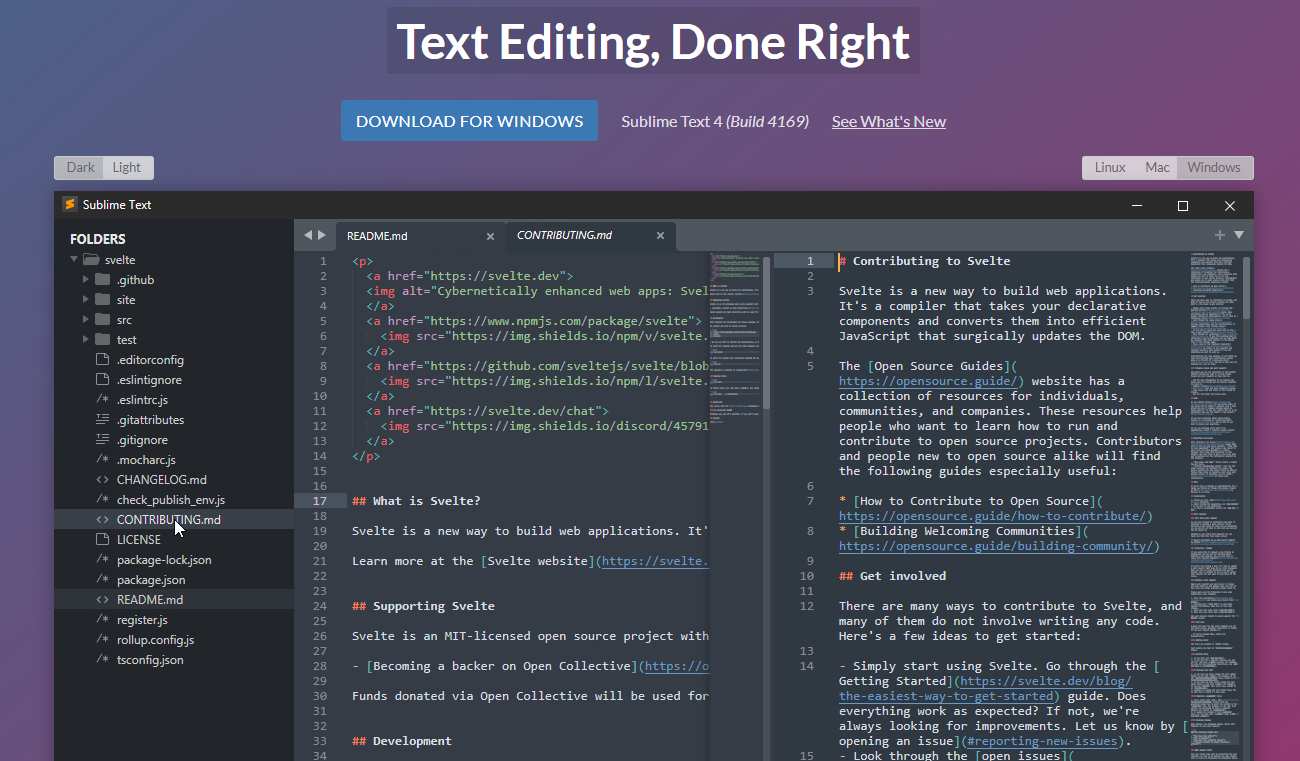
    4. Sublime Text

    What is it?

    • Sublime Text is a popular commercial code editor which natively supports many programming languages.

    No code editor talk can be finished without the mention of Sublime Text. It’s one of the most used editors in the world thanks to its slick interface, amazing features, and top-notch performance.
    All the projects in Sublime Text capture the full contents of the workspace, including modified and unsaved files. 

    Top Features:

    1. Split panes and navigation: use a simple modifier when performing actions that will split the interface to show multiple tabs at once. 
    1. Code definitions: it comes with features like Goto Definition, Goto Reference, and Goto Symbol by which you can explore the full definition in a small popup.
    1. Multiple selections: use keyboard shortcuts like ⌘+D to select the next occurrence of the current word, ⌘+K, ⌘+D to skip an occurrence.
    1. React/JS file support: TypeScript support comes by default with syntax-based features for all React and JS/JSX files.

    5. Reactide

    What is it?

    • Reactide(or React-IDE) is the first dedicated IDE for React web application development.

    This react IDE is a cross-platform desktop application that offers a custom simulator, making build-tool and server configuration unnecessary. Now you can simply reply on a single window for all of your code, browser preview, and more.


    If you get carried out while writing the React JSX code along with multiple browser windows then Reactide is here to help. It combines everything in one single place so that all the focus is on writing and reviewing the code.

    Top Features:

    1. Intuitive interface: this is probably one of the biggest strengths of Reactide when compared with others. It runs an integrated Node server and custom browser simulator and you can continually track changes through live reloading directly in the development environment.
    1. State flow visualization: it comes with a visual component tree that dynamically loads and changes based on components within the working directory while giving information about props and states at every component.
    1. Integrated Terminal: the built-in Terminal can be used for running commands in bin/bash for Unix, and cmd for Windows.
    1. Streamlined configurations: to start, just input your .js and .html entry points inside Reactide’s universal configuration and then run npm run reactide-server to kick off your project.

    6. Emacs

    What is it?

    One of the very highly adopted editors in the GNU world, Emacs has an interpreter for Emacs Lisp, a dialect of the Lisp programming language with extensions to support text editing.


    It supports a plethora of programming languages and other faculties of text editing. This also comes with a good and robust set of extensions and other features like Git integration, syntax highlighting, etc.

    Top Features:

    1. Content-aware editing modes: this includes syntax coloring, for many file types.
    1. More than code editing: you can use the project planner, mail and news reader, debugger interface, calendar, IRC client, and more.
    1. Extensive extension support: comes with a packaging system for downloading and installing extensions.

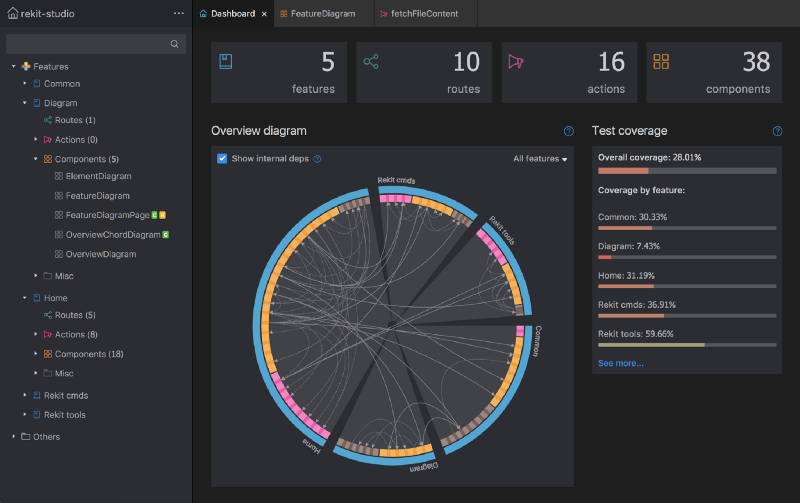
    7. Rekit Studio

    What is it?

    • Rekit is a toolkit for building scalable web applications with React, Redux, and React-router. It’s an all-in-one solution for creating modern React apps.

    This react IDE provides you with the capability for code generation, dependency diagraming, refactoring, building, unit tests, and a meaningful way to navigate code. 


    Rekit creates applications bootstrapped by the Create React App tool and has the capability to scale, test, and maintain easily.

    Top Features:

    1. It helps you focus on business logic rather than dealing with massive libraries, patterns, configurations, etc.
    1. Comes with powerful tools like Rekit Studio which is the real IDE for React/Redux development and command line tools to create/rename/move/delete project elements like components, actions, etc. 
    1. Rekit can do code generation, dependency diagraming, refactoring, building, unit tests, and a meaningful way to navigate code.
    1. It’s highly capable of recognizing which files are components, which are actions, where routing rules are defined, and so on.

    8. Vim

    What is it?

    • Vim is a highly configurable text editor built to make creating and changing any kind of text very efficient. 

    This react IDE is a free and open-source, screen-based text editor program for Unix. The good part is Vim is designed for use both from a command-line interface and as a standalone application in a graphical user interface. 


    Vim has 12 different editing modes, 6 of which are variants of the 6 basic modes. Some of the common ones are Normal, Visual, Insert, Cmdlibe, etc.

    Top Features:

    1. Key mappings: you can execute complex commands with “key mappings,” which can be customized and extended. 
    1. Recording: this allows for the creation of macros to automate sequences of keystrokes and call internal or user-defined functions and mappings. 
    1. Extensive: it comes with a persistent, multi-level undo tree along with an extensive plugin system.
    1. Support: Vim supports hundreds of programming languages and file formats. It can also be integrated into various other tools easily.

    9. NetBeans

    What is it?

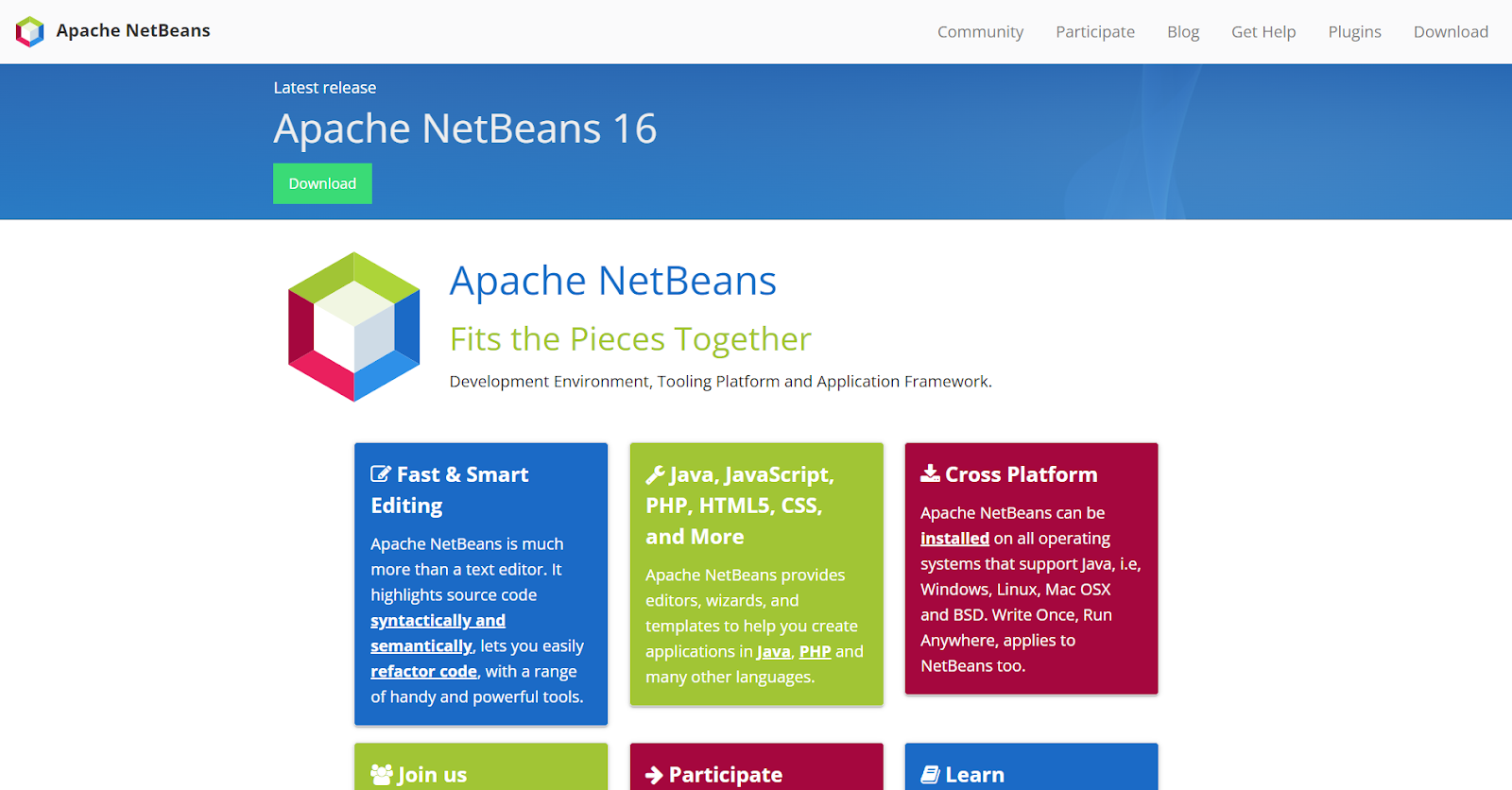
    • Apache NetBeans is a development environment, tooling platform, and application framework.

    This react IDE allows applications to be developed from a set of modular software components called modules. It was originally used for making Java applications but now has extensive support for all major tools and technologies including PHP, C, C++, HTML5, and JavaScript.


    The IDE provides editors, wizards, and templates to help you create applications in Java, PHP, and many other languages.

    Top Features:

    1. Fast and smart editing: it highlights source code both syntactically and semantically, and lets you easily refactor code, with a range of handy and powerful tools.
    1. CSS editor: this comes with code completion for style names, quick navigation through the navigator panel, displaying the CSS rule declaration in a ListView, and file structure in a Tree View.
    1. Modular: each module provides a well-defined function, such as support for editing, or support for the CVS versioning system.
    1. JavaScript editor: it has syntax highlighting, refactoring, code completion for native objects and functions, generation of JavaScript class skeletons, and generation of Ajax callbacks from a template.

    10. Notepad++

    What is it?

    • Notepad++ is a free source code editor and Notepad replacement that supports several languages.

    This react IDE is written in C++ and uses pure Win32 API and STL which ensures a higher execution speed and smaller program size. It supports tabbed editing, which allows working with multiple open files in a single window. 


    It features all the common editing tools like syntax highlighting, code folding, and limited autocompletion for programming, scripting, and markup languages, but not intelligent code completion or syntax checking. 

    Top Features:

    1. Collaborative editing: this allows multiple developers to work on the same file simultaneously while on different computers.
    1. Selection methods: it has support for various methods for text selection like block selection, column selection, and non-linear selection.
    1. Macros: for recording a sequence of editing commands to be executed repeatedly. 
    1. Other notable features include; advanced find and replace, split-screen editing/viewing, support for bookmarks, and a plugin system.

    11. Codux

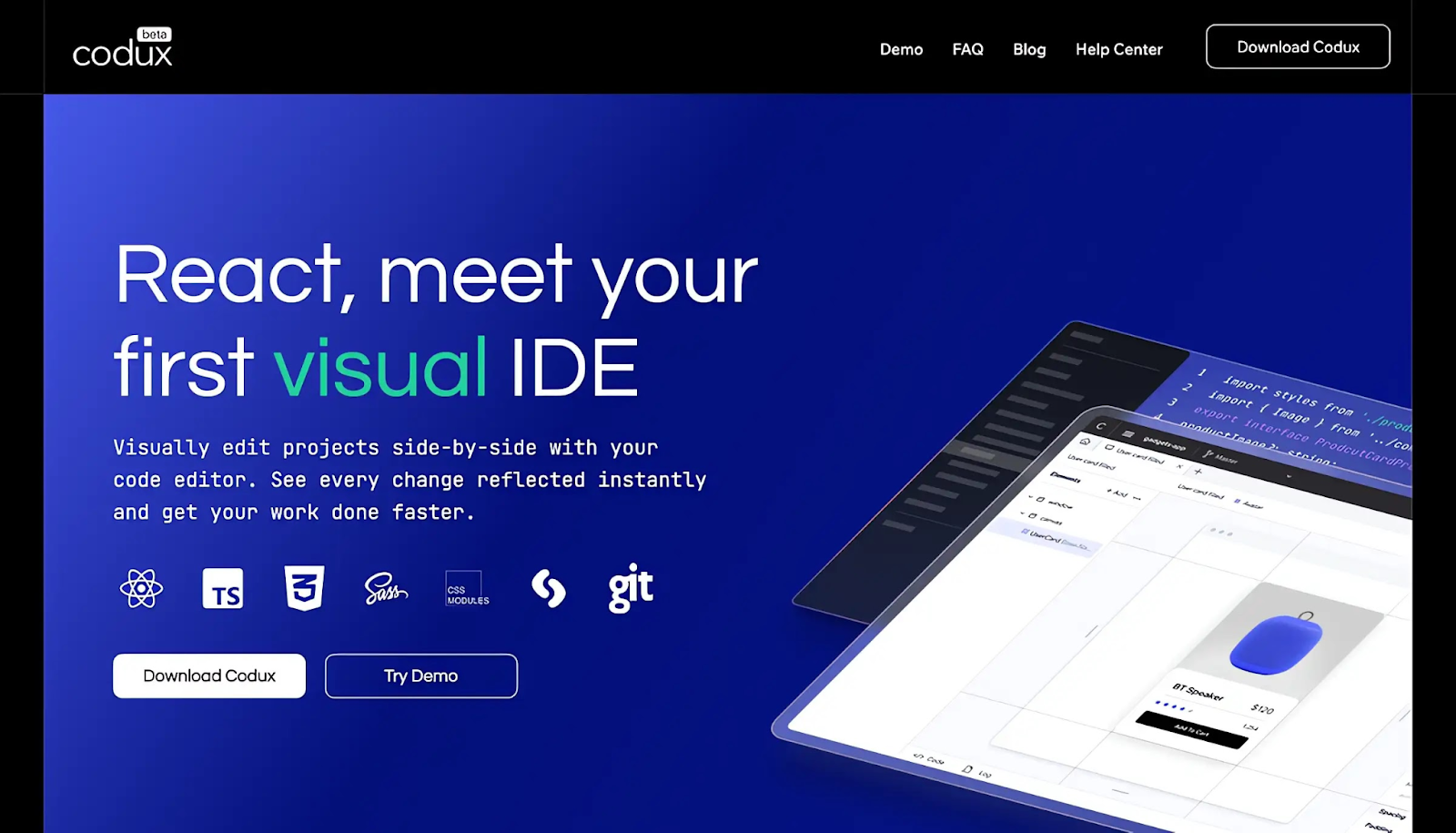
    Codux is a new visual IDE brought to you by the fine folks over at Wix, React IDE for developers. It is a powerful editor for building React applications with a visual-first approach, enabling developers and designers to collaborate seamlessly on web no need to install any extra setup.


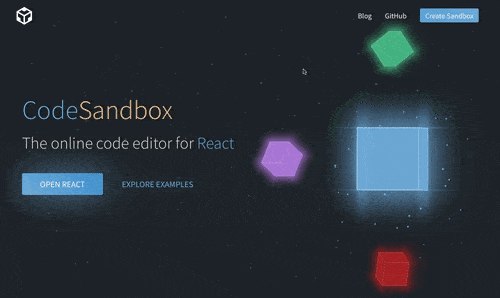
    12. CodeSandbox

    CodeSandbox is a web based React IDE for developers, especially those working with JavaScript frameworks like React.js and React Native.

    Here are some of the key features and benefits of using CodeSandbox:

    Key Features and Benefits

    1. Browser-Based IDE:
      No Installation Needed: Developers can start coding right away without needing to install React.js, React Native, or other dependencies on their local machines.
      Accessibility: Being browser-based, CodeSandbox can be accessed from any machine with an internet connection, making remote or collaborative work easier.
    2. Template Support:
      Built-in Templates: CodeSandbox offers a variety of templates to start with, such as React with TypeScript, Next.js, Vue.js, Angular, and more.
      Enhanced Functionality: These templates provide a solid starting point and leverage best practices, helping developers kickstart their projects efficiently.
    3. TypeScript Integration:Type Safety: Using templates like React with TypeScript helps catch type errors and reduces the risk of assigning incorrect types to variables. This leads to more robust and maintainable code.
      Autocompletion and IntelliSense: TypeScript integration provides better autocompletion and IntelliSense, improving the developer experience.
    4. Built-in Preview Window:
      Real-Time Feedback: As developers type, the built-in preview window updates in real-time, giving immediate feedback on how changes affect the application.
      Better Understanding: This helps developers quickly understand the impact of their code, speeding up the development cycle and reducing the need for frequent context-switching.
    5. Live Collaboration:
      Pair Programming: CodeSandbox supports live collaboration, allowing multiple developers to work on the same codebase simultaneously.
      Code Reviews: Teammates can review code and provide feedback in real time, enhancing team productivity and collaboration.
    6. Deployment and Hosting:
      Easy Deployment: CodeSandbox offers easy deployment options through integrations with platforms like Vercel and Netlify, making it straightforward to deploy and share projects.
      Static and Dynamic Hosting: It supports both static and dynamic hosting needs, making it versatile for different types of projects.
    7. Version Control:
      GitHub Integration: CodeSandbox integrates with GitHub, allowing developers to sync their projects with repositories and manage version control effectively.
      Version History: It maintains a history of changes, making it easy to revert to previous states if needed.

    One can create impressive dashboard templates and themes by utilizing integrated development environments (IDEs). “Modernize React MUI Dashboard Theme” can provide excellent inspiration for designing such templates.

    You can also check the demo of Modernize React MUI Dashboard Theme


    We hope you liked this set of top 10 React IDE that you can use. If you like this post you’ll also like our free react templates that will help you out in building amazing react websites and applications. Let us know which one are you currently using and which one you will use after reading this article. Happy coding! We have a designed and developed free and premium react templates which you can use to build your react based web applications.

  • Top 8 React Developer Tools with Bonus Resources

    Whether you are just starting to learn React or you’re already full-time working professionally in it there is a huge count of React developer tools (both free and paid) that you can use in your personal or professional projects. They are always beneficial as they help speed up the workflow or get things done easily.

    For React Developers to take full advantage of the library so that coding with it becomes easier and faster, here are the Top 8 of the best React Developer Tools out there. You as a developer should bookmark and use as a reference whenever needed.


    Top React Developer Tools

    1. Reactide

    What is it?

    Reactide is a dedicated IDE for React web application development.

    If you ever wanted to have a separate IDE (not just an editor) just to fulfil all of your React development needs, then Reactide is the tool you need right now. It is the first IDE ever built and released just for React web application development.

    Explore some new and unheard ReactJS IDEs here.

    Features of this React Developer Tool:

    • Extensible: it runs an integrated Node server and custom browser simulator, eliminating the need to configure any servers or build tools.
    • Easy configuration: you can run a single command to streamline universal configuration.
    • Components visualization: you can navigate through a live representation of your app’s architecture.
    • Open-sourced: the code for this powerful tool is hosted on its GitHub repo so you can not only download it for Mac, Windows, and Linux platforms but also contribute to it.

    2. Bit

    What is it?

    Bit is a standard infrastructure for components for autonomous micro-frontend/web app development.

    Bit is a collection of almost everything you and your team may need to have fast releases, great consistency, and collaboration at a high scale to build components.

    Features of this React Developer Tool:

    • Split app development: with Bit, there is no need to do monolithic development. Instead, you work on modular apps composed of features built by teams working simultaneously.
    • Hosting and resuing: you and your team can build together a reusable component for your organization and then collaborate on new builds in the cloud.
    • Continuous release and component upgrades: you can deliver updates to app components with decoupled versions and release pipelines. 
    • Great at managing docs: Bit makes sure every component is documented, organized, and discoverable by anyone.

    3. Storybook

    What is it?

    Storybook is an open-source tool for building UI components and pages in isolation.

    It helps very much in streamlining UI development along with testing components and documenting them.

    Features of this React Developer Tool:

    • Durable interfaces: it comes with a sandbox environment to build the UIs you need in isolation so that more of the edge cases and states of an element is covered.
    • Testing UI easily: every time you write a story, you get a test case along with it. Along with this, you can reuse stories in your unit tests.
    • Document and share UI: everything in Storybook is searchable, with an option to share each story with your teammates for a single source of truth.
    • Available for multiple tech stacks: along with React, Storybook is also available for Vue, Angular, Web Components, Ember, HTML, and more!

    4. React Developer Tools

    What is it?

    React Developer Tools adds React debugging tools to the Chrome Developer Tools.

    This extension is so popular and useful that it’s recommended to install and use by everyone starting out to learn React. With extensive debugging with this tool, you can expect better bug-busting throughout the app development process!

    Features of this React Developer Tool:

    • Inspection: you can inspect the individual React component hierarchies in the Chrome Developer Tools.
    • The components tab: shows you all the root components that were rendered on the page, along with the subcomponents if available.
    • The profiler tab: this tab allows you to record performance information.
    • Deeper inspection: you can inspect and edit the selected component’s current props and state them in the panel right from this extension.

    5. React Cosmos

    What is it?

    React Cosmos is a sandbox for developing and testing UI components in isolation.

    With React Cosmos you don’t need to settle for the boring localhost:3000 dev environment and you can instead test and develop all components in isolation.

    Features of this React Developer Tool:

    • Visual TDD: with Test Driven Development in React Cosmos you can develop one component at a time, isolate the UI, and then iterate on it quickly. No need to reload the app on every change.
    • Component library: it doesn’t matter if it’s a blank slate or an edge case, you can bookmark each component state. The component library includes will organize everything you do.
    • Open platform: it’s not used just for developing and testing UI components but it can also be used for snapshot and visual regression testing, as well as custom integrations.
    • Maintainability: with reusable components, you can not only create awesome interfaces but also maintain the quality at scale.

    6. Belle

    What is it?

    Belle uses a set of configurable React components with great UX.

    With Belle, you can never be in doubt about the overall experience of your components. It provides you a set of commonly used React components like Toggle, Combo Box, Rating, Text Input, Button, Card, Select, etc.

    Features of this React Developer Tool:

    • Versatile and customizable: every component is optimized efficiently to work on both mobile and desktop devices.
    • Component library: it doesn’t matter if it’s a blank slate or an edge case, you can bookmark each component state. The component library includes will organize everything you do.
    • Open platform: it’s not used just for developing and testing UI components but it can also be used for snapshot and visual regression testing, as well as custom integrations.
    • Maintainability: with reusable components, you can not only create awesome interfaces but also maintain the quality at scale.

    7. React 360

    What is it?

    React 360 is a framework for the creation of interactive 360 experiences that run in your web browser.

    And yes, the same company that builds React is responsible for its VR version, i.e Facebook. It uses three.js to facilitate lower-level Web VR and WebGL APIs to create a VR experience on the browser.

    Features of this React Developer Tool:

    • Cross-platform development: you can create VR experiences to run on desktops, mobiles, and the web without many changes in different platforms.
    • 3D media: it has environment features that handle all the immersive media assets and configurations. That means you as a 360 developer will have precise control.
    • Enhanced performance: the overall architecture is designed.
    • Surfaces by React 360: this allows you to integrate UI panels into your apps by creating 2D interfaces that embed in 3D spaces.

    8. React Proto

    Imagine a tool that speaks both designer and developer languages fluently. That’s React-Proto for you. It gives you a canvas where you can visually craft your app’s structure — dragging components, setting up the hierarchy, and defining props and state. It’s like sketching out your app’s blueprint, but way more interactive.

    As you build your prototype visually, React-Proto is silently generating the corresponding React code behind the scenes.

    Key features of React-Proto that make a developer’s life easier

    • Quick Prototyping – Quickly create, drag, and resize components to create a visual representation of your application
    • Define component hierarchy – Define parent and child components along with props and state
    • Export Files – Inject files into an existing project, start a new project using create-react-app, or clone your favourite GitHub boilerplate

    Bonus React Developer Tools!

    Apart from the above 7 react developer tools, we also got you three more! Let’s take a very quick look at them:

    • Rekit: it’s a toolkit to build scalable web applications with React, Redux, and React-router. It’s an all-in-one solution for creating modern React apps. 
    • React Testing Library: it is a lightweight solution for testing React components. It provides utility functions on top of react-dom and react-dom/test-utils, in a way that encourages better testing practices.
    • Plasmic: it’s an all-in-one tool to visually build pages and components, integrate them into your React code and then set/push them to production.
    • WrapPixel – it’s a one-stop solution for your react template needs. It provides both free and premium versions for website templates and backend interfaces.

    If you are looking for a React Dashboard Template with Great Features, then please check this out from our partner:

    Modernize Free React MUI Dashboard

    And that was it!


    We hope these react developer tools will help you in your upcoming React projects. Keep on exploring the vast ecosystem React provides by keeping a tab on their official website.

    Did we miss a game-changing React development tool?

    Share your recommendations with the community by contacting us.

    We’re always on the lookout for innovative solutions to enhance the developer experience.

    Help us expand this resource by submitting your favorite React development tool for review.

    You can also checkout our detailed React Cheatsheet blog.

    Let’s build a robust toolset together!