Ready-made flowbite admin templates are essential for developers who want to build stunning, responsive web apps with minimal effort.
What is a Flowbite Dashboard Template?
A Flowbite Dashboard Template is a pre-designed admin panel layout built using Flowbite, a popular UI component library based on Tailwind CSS. These templates provide a ready-to-use structure for creating modern, responsive, and interactive dashboards for web applications.
Why Use a Flowbite Dashboard Template ?
✅ Saves Development Time – No need to build UI components from scratch. ✅ Fully Responsive – Works smoothly on all devices. ✅ Customizable – Easily adapt styles and layouts to match your project. ✅ Beginner & Developer Friendly – Simple to use yet powerful for advanced customization.
Flowbite is becoming a popular UI Library after shadcn that works with Tailwind CSS to create beautiful and functional dashboards.
In this article, we’ll look at Flowbite dashboards you can use in 2026 to build admin panels easily & faster
MaterialM
MaterialM is a sleek and powerful admin template designed for modern web applications. Built with React and Flowbite React, it offers a highly customizable UI with clean code and a visually appealing design.
This flowbite template is a great choice for developers who want a modern and stylish admin panel. It comes with all the basic UI components you need, like buttons, charts, and tables. You can easily change colors, layouts, and styles to match your project.
Key Features of MaterialM
Modern, Responsive Design
Built with React, Tailwind CSS & Flowbite React
Uses Tailwind CSS & Flowbite for a clean design
Customizable ShadCN UI components
Ready-to-use admin panel elements
This template is perfect for developers who want to create a professional-looking dashboard without starting from scratch.
MatDash is a lightweight and fast admin template made for Next.js projects. It’s easy to set up and has all the essential components you need to create a fully functional dashboard.
Key Features of MatDash
Built Tailwind CSS & Next.js for fast performance
Uses Flowbite React v2.5.2 for Modern Designs
Optimized for performance and SEO
Clean and intuitive UI
Matdash is an excellent Next.js dashboard that integrates seamlessly with Flowbite React. It provides a fast, lightweight, and modern design that’s easy to customize, making it a great choice for developers building React applications.
Themesberg’sFlowbite Admin Dashboards is great for developers who want a ready-made solution. It includes various pre-built UI elements, so you can create a functional admin panel quickly.
Key Features of Themesberg
Pre-designed charts, tables, widgets, and modals
Includes CRUD layouts and drawers
Optimized for responsive design
Built with the latest UI/UX trends
Modern UI for professional dashboards.
This Flowbite Template is a powerful free admin panel template offering a variety of UI components that developers can use to build feature-rich applications. It includes advanced UI elements like tables, charts, and modals, making it a versatile choice for different admin panel needs.
Alonso Nava is a great Flowbite-based template designed for beginners who want a visually appealing and easy-to-use admin panel. Built with Angular and Flowbite, this template provides a clean and modern UI while maintaining simplicity for new developers.
Key Features of Alonso Nava
Beginner-Friendly – Perfect for developers new to Flowbite and Angular.
Visually Appealing UI – A clean and stylish design for a great user experience.
Built with Flowbite Components – Ensures smooth and responsive layouts.
Perfect For: Developers looking for an easy-to-customize Angular-based dashboard with Flowbite UI. 🚀
This flowbite template is great for beginners who want a simple but powerful admin template.It includes many UI components, making it a fantastic option for building modern web applications.
Key Features of Windster
Built with Hugo, Tailwind CSS, and Flowbite
Ready-to-use UI components
Beautiful design inspired by Material Design
Open-source and fully customizable
This template is a feature-packed webpack moduler bundler-based admin dashboard template that uses Flowbite and Tailwind CSS to deliver a modern, stylish UI. It’s a great option for developers who want a free and open-source template with powerful design elements.
Using a free Flowbite template is a great way to save time while building an admin panel. Each template offers a unique design, useful UI components, and smooth integration with Tailwind CSS, making them perfect for developers in 2026.
Which Flowbite Dashboard Should You Choose?
If you’re a beginner, go with MaterialM — it is easy to use and customize.
If you want fast performance, choose Matdash (built with Next.js).
For a feature-rich template with advanced UI elements, go for Themesberg Flowbite Admin Dashboard.
If you have built any Flowbite-based dashboard, Mail us at Sanjay(at)wrappixel.com – we’ll review it and add it to our listing 😊
With ever so increasing rise in popularity of NextJs, it has become quite a standard to use it for server-side React web applications. So, that means the NextJs cheat sheet will be your main asset going forward.
It gets all the features of React.js – the JavaScript’s UI library to build components and adds so many additional features that sometimes as a NextJs developer it’s hard to catch up on the different code snippets, commands to run, packages to install.
Whether you’re a beginner or a seasoned pro, this cheat sheet will serve as a valuable resource. Now, let’s explore the specifics that can greatly enhance your NextJs projects. You can also check WrapPixel’s ready to use Nextjs Templates to speed up your development workflow.
This NextJs Cheat sheet will be solution to all your next js coding problems.
To solve this issue, we have created a to-the-point NextJs cheat sheet of all the features that will benefit all developers – be they a beginner or a pro. Let’s dive in!
What is NextJs?
If you don’t know what is nextjs. Then let me tell you. According to its definition on the official docs:
Next.js is a flexible React Framework that gives you building blocks to create seo friendly fast Web Applications.
Basically, it provides some of the crucial features and building blocks on top of a standard React.js application to make a modern website and apps.
NextJs Cheat Sheet
Given below is the Next.js cheat sheet that you can use in your next web project.
Create App Using Nextjs Cheat Sheet
In this first step of the NextJs cheat sheet, we will create a NextJs app, the recommended process is to use the official create-next-app command which sets up all the necessary files, folders, and configuration automatically.
This page will be available at http://localhost:3000/demo of your local environment.
App Router
Next.js has always been known for its file-system-based routing, a simple yet powerful way to define pages using just the filesystem. For example, in the classic Pages Router, you could create a route like this: No additional configuration needed just create a file under the pages/ directory and Next.js would automatically map it to a route. This simplicity helped Next.js gain widespread adoption. But as the framework matured, so did the needs of developers.
They began asking for:
Better layout support (nesting, reusability)
Per-page loading and error states
Server components and streaming
More granular control over HTML structure and styling
To address these needs, Next.js introduced the App Router in version 13.
// Pages Router// This "global layout" wraps all routes. There's no way to// compose other layout components, and you cannot fetch global// data from this file.exportdefaultfunctionMyApp({Component,pageProps}){return<Component {...pageProps} />;}
// New: App Router ✨// The root layout is shared for the entire applicationexportdefaultfunctionRootLayout({children}){return (<htmllang="en"><body>{children}</body></html> );}
// Layouts can be nested and composedexportdefaultfunctionDashboardLayout({children}){return (<section><h1>Dashboard</h1>{children}</section> );}
// Pages Router// This file allows you to customize the <html> and <body> tags// for the server request, but adds framework-specific features// rather than writing HTML elements.import{Html,Head,Main,NextScript}from'next/document';exportdefaultfunctionDocument(){return (<Html><Head /><body><Main /><NextScript /></body></Html> );}
// New: App Router ✨// The root layout is shared for the entire applicationexportdefaultfunctionRootLayout({children}){return (<htmllang="en"><body>{children}</body></html> );}
A lot of other relevant feature requests for our routing system could be addressed at the same time as we had the chance to design a new file-system router. For instance:
In the past, app.js could only import global stylesheets from outside npm packages (such as component libraries). It was not the best development experience. Any CSS file can be imported (and placed) in any component using the App Router.
Previously, using your application was restricted until the full page was hydrated if you choose to use server-side rendering with Next.js (through getServerSideProps). We have refactored the architecture with the App Router to be fully integrated with React Suspense, allowing us to selectively hydrate portions of the page without preventing other UI components from being interactive.
Turbopack
Through next dev –turbo and soon your production builds (next build –turbo), Turbopack, our new bundler that we are testing and stabilising through Next.js, helps speed up local iterations while working on your Next.js application.
We have witnessed a steady increase in popularity since the alpha release of Next.js 13 as we have worked to fix problems and add support for lacking functionality. To get feedback and increase stability, we have been testing Turbopack on Vercel and with numerous Vercel clients running substantial Next.js websites. We appreciate the community’s assistance in testing and alerting our team to bugs.
We are now prepared to advance into the beta phase after six months.
Webpack and Next.js currently have more features than Turbopack does. Support for those functionalities is being tracked in this issue. The majority of use cases ought to be supported today, though. In order to continue addressing bugs from greater adoption and get ready for stability in a future version, we are releasing this beta.
Turbopack’s incremental engine and cache layer are being improved, and this will eventually speed up not only local development but also production builds. Keep an eye out for a future release of Next.js that will allow you to run next build –turbo for instant builds.
Use next dev –turbo to test out the Turbopack beta in Next.js 13.4.
File-Based Metadata API
By exporting a Metadata object from a layout or page, you can define metadata (such as title, meta, and link tags inside your HTML head element) using the new Metadata API that was introduced in Next.js 13.2.
// either Static metadataexportconst metadata ={title:'Home',};// Output:// <head>// <title>Home</title>// </head>// or Dynamic metadataexportasyncfunctiongenerateMetadata({params,searchParams}){constproduct=awaitgetProduct(params.id);return{ title:product.title};}// Output:// <head>// <title>My Unique Product</title>// </head>exportdefaultfunctionPage(){}
The Metadata API now supports new file conventions in addition to configuration-based metadata, making it simple to quickly alter your pages for better SEO and online sharing:
At the Next.js Conference, @vercel/og was put to the test by creating over 100,000 dynamic ticket pictures for each guest. We are thrilled to introduce dynamically generated images to all Next.js applications without the requirement for an external package thanks to widespread adoption among Vercel clients and over 900,000 downloads since the release.
To create images, you may now import ImageResponse from next/server:
Route Handlers and file-based Metadata are only two of the Next.js APIs that work well with ImageResponse. For instance, you can create Open Graph and Twitter pictures at build time or dynamically at request time using ImageResponse in an opengraph-image.tsx file.
Static Export for App Router
Fully static exports are now supported by the Next.js App Router.
A static website or Single-Page Application (SPA) can be used as a starting point, and you can later upgrade to employ Next.js features that demand a server.
As part of the next build process, Next.js creates an HTML file for each route. A strict SPA can be broken down into separate HTML files with the help of Next.js to prevent extra JavaScript code from being loaded on the client-side, hence lowering the bundle size and enabling quicker page loads.
The app router’s new features, like static Route Handlers, Open Graph images, and React Server Components, are compatible with Static Export.
Like traditional static-site generation, Server Components, for instance, will execute throughout the build and render the components into static HTML for the initial page load and a static payload for client movement across routes. Before, you had to perform the next export before using Static Export in the pages directory. However, when output: ‘export‘ is set, the next build will produce an out directory thanks to the next.config.js option. The app router and pages directory can both be configured in the same way. Therefore, the subsequent export is no longer necessary.
Parallel Routes and Interception
Parallel Routes and Intercepting Routes are two brand-new dynamic conventions that Next.js 13.3 introduces to help you create complex routing scenarios. With the help of these features, you can display multiple pages in the same view, such as with intricate dashboards or modals.
You can simultaneously render one or more pages in the same view that can be accessed separately using Parallel Routes. It can also be used to render pages conditionally.
Named “slots” are used to build parallel routes. According to the @folder convention, slots are defined:
exportdefaultasyncfunctionLayout({children,user,team}){constuserType=getCurrentUserType();return (<>{userType ==='user'? user : team}{children}</> );}
The @user and @team parallel route slots (explicit) in the aforementioned example are conditionally produced based on your reasoning. The implicit route slot children does not require mapping to a @folder. Dashboard/page.js, for instance, is identical to Dashboard/@children/page.js.
By “masking” the browser URL, you can load a new route within the existing layout by intercepting routes. When the context of the current page must be preserved, such as when expanding a photo in a feed through a modal while the feed is kept in the modal’s background, this is helpful.
Style Your Next.js App
There are many ways to style your apps in this step of the NextJs cheat sheet, some of the common methods are:
Global styling: import the global styles.css in your pages/_app.js where these styles will apply to all pages and components in your app as:
Component-Level CSS: NextJs supports CSS Modules where you can name the files as [name].module.css and then import it on a specific component. Here’s an example:
In this step of the NextJs cheat sheet, to optimize images you should use the built-in Image component. Install it in your project as:
import Image from'next/image'
Then give it an src attribute as shown in the following example:
import Image from'next/image'const myLoader =({src,width,quality})=>{return`https://example.com/${src}?w=${width}&q=${quality ||75}`}const MyImage =(props)=>{return (<Imageloader={myLoader}src="me.png"alt="Picture of the author"width={500}height={500} /> )}
Optimize Fonts
In this step of the Next.js cheat sheet, to optimize fonts you should use the built-in next/font module which loads fonts locally or from Google Fonts with performance best practices like automatic preloading, subsetting, and font-display swapping.
import{Inter}from'next/font/google';const inter =Inter({subsets: ['latin'],display:'swap',});
First, import a font from next/font/google (for Google Fonts) or next/font/local (for self-hosted fonts)
Custom 404 Pages
To create custom 404 page, create a 404.js file in the pages folder
exportdefaultfunctionCustom404(){return<h1>404 - Page Not Found</h1>}
You can also create a 500.js file for the server error 500 page
Next.js 15 enforces stricter usage of request objects in Server Components. You can no longer access request methods like req.json() or req.body() directly in the App Router unless they’re awaited properly inside a POST handler.
Asynchronous Cookies API
In Next.js 15, the cookies() API has transitioned from synchronous to asynchronous. This means you now need to use await cookies() instead of calling it directly. The change allows for better support of async storage mechanisms and prepares the framework for future features like enhanced streaming and edge compatibility.
In Next.js 15, the headers() API has also moved from synchronous to asynchronous. You now need to await headers() before accessing header values. This update ensures compatibility with future enhancements like streaming, middleware, and edge rendering.
In Next.js 15, layouts are now asynchronous by default meaning your layout files can use async/await without any special configuration. This is especially useful for loading data at the layout level (e.g., fetching user or theme preferences).
In Next.js 15, Route Handlers are now asynchronous by default. This means you can directly use await inside route handler functions (e.g. GET, POST) without manually wrapping them in async.
Here’s an example to fetch data at request time which pre-renders the result it gets back from the data source:
functionPage({data}){// Code to render the `data`}exportasyncfunctiongetServerSideProps(){constres=awaitfetch(`https://.../data`)constdata=awaitres.json()return{ props:{data}}}exportdefault Page
getStaticPaths: if you want to dynamically generate routes on your app alongside with getStaticProps then, getStaticPaths will pre-render all the paths provided to it as:
Note that the props here must be passed to the page component as props. An example of its usage when you want the data to fetch from a CMS is as follows:
Incremental Static Regeneration(ISR): if you want to create or update existing static pages after you’ve built your site, then ISR allows you to statically generate on a per-page basis. This means that now you don’t need to rebuild the entire site from scratch.
For this to work, you just need to add the revalidate prop to the getStaticProps method:
exportasyncfunctiongetStaticProps(context){return{ props:{}, revalidate:5// this means the request to re-generate the page will berevalidated once in every 5 seconds}}
Fetch data on client-side: this can be done in two different ways — either via the useEffect hook as:
functionUser(){const[data,setData]=useState(null)const[isLoading,setLoading]=useState(false)useEffect(()=>{setLoading(true)fetch('api/user-data').then((res)=>res.json()).then((data)=>{setData(data)setLoading(false)})}, [])if (isLoading) return<p>Loading user data...</p>if (!data) return<p>No user data found</p>return (<div><h1>{data.name}</h1><p>{data.bio}</p></div> )}
or via the SWR library which handles caching, revalidation, focus tracking, re-fetching on intervals, and more as:
import useSWR from'swr'const fetcher =(...args)=>fetch(...args).then((res)=> res.json())functionUser(){const{data,error}=useSWR('/api/user-data',fetcher)if (error) return<div>Failed to load user data</div>if (!data) return<div>Loading user data...</div>return (<div><h1>{data.name}</h1><p>{data.bio}</p></div> )}
Linting Your Code
You can use ESLint out-of-the-box for linting. Simply add the following script to the package.json file:
"scripts": {"lint":"next lint"}
Now you can run npm run lint or yarn lint to start the linter. If you are using ESLint in a monorepo where NextJs isn’t installed in your root directory, you just simply add the rootDir to your .eslintrc file:
And then add prettier to your existing ESLint configuration file:
{"extends": ["next","prettier"]}
TypeScript Support
TypeScript support is also one of the NextJs cheat sheets. To use TypeScript with NextJs when you start an app, use the create-next-app command along with the –ts or –typescript flag:
This will spin up a new NextJs project with all the Typescript files and components without any extra configuration.
But if you want to integrate TypeScript in an existing project then, create a new tsconfig.json file at the root of the project directory. Then run npm run dev or yarn dev, with this Next.js will guide you through the installation of the required packages to finish setting up TypeScript integration.
Using Scripts
We are going to use scripts in this step of the NextJs cheat sheet, the native HTML <script> element is replaced by next/script component in NextJs. Here’s an example of loading a Google Analytics script:
In the next step of the NextJs cheat sheet, NextJs has a file-system-based router that works on the concept of pages. You can either have index routes like pages/index.js which map to / and pages/blog/index.js which map to /blog.
Or you can have nested routes where it supports nested files. For example, a file located on pages/blog/my-post.js will route to /blog/my-post.
For dynamic routes, you need to use the bracket syntax so that it can match named parameters. For example, pages/[username]/settings.js will map to /johndoe/settings.
The <Link> component is used to do client-side route transitions. First, you need to import it as:
import Link from'next/link'
Then, use it in a component:
import Link from'next/link'functionHome(){return (<ul><li><Linkhref="/"><a>Home</a></Link></li><li><Linkhref="/about"><a>About Us</a></Link></li><li><Linkhref="/blog/hello-world"><a>Blog Post</a></Link></li></ul> )}exportdefault Home
For dynamic paths, you can use string interpolation to create the desired path:
import Link from'next/link'functionPosts({posts}){return (<ul>{posts.map((post)=> (<likey={post.id}><Linkhref={`/blog/${encodeURIComponent(post.slug)}`}><a>{post.title}</a></Link></li> ))}</ul> )}exportdefault Posts
API Routing
Any file inside the pages/api folder is mapped to /api/* which will be treated as an API endpoint. For example, to return a JSON response with an OK status code of 200, you can export a handler function with req and res passed as parameters:
For example, here is an example where middleware is used for logging:
import{NextRequest}from'next/server'// Regex for public filesconst PUBLIC_FILE =/\.(.*)$/exportdefaultfunctionmiddleware(req:NextRequest){// Only log for visited pagesif (!PUBLIC_FILE.test(req.nextUrl.pathname)) {// We fire and forget this request to avoid blocking the request until completion// and let logging occur in the backgroundfetch('https://in.logtail.com',{ method:'POST', headers:{'Content-Type':'application/json', Authorization:`Bearer ${process.env.LOGTAIL_TOKEN}`,}, body:JSON.stringify({ message:'Log from the edge', nested:{ page:req.nextUrl.href, referrer:req.referrer, ua:req.ua?.ua, geo:req.geo,},}),})}}
Authentication
There are many different ways to authenticate a user in a NextJs app. Some of the common ones are:
Authenticating statically generated pages: here, your page can render a loading state from the server after which it will fetch the user data from the client side. In the following example, the page renders a loading skeleton state and once the request is met, it shows the user’s name:
import useUser from'../lib/useUser'import Layout from'../components/Layout'const Profile =()=>{// Fetch the user client-sideconst{user}=useUser({ redirectTo:'/login'})// Server-render loading stateif (!user||user.isLoggedIn===false) {return<Layout>Loading...</Layout>}// Once the user request finishes, show the userreturn (<Layout><h1>Your Profile</h1><pre>{JSON.stringify(user,null,2)}</pre></Layout> )}exportdefault Profile
Authenticating server-rendered pages: here you need to export an async getServerSideProps() function from a page by which NextJs will pre-render this page on each request. Here’s an example where if there is a session, then the user is returned as a prop to the Profile component:
import withSession from'../lib/session'import Layout from'../components/Layout'exportconst getServerSideProps =withSession(asyncfunction({req,res}){const{user}=req.sessionif (!user) {return{ redirect:{ destination:'/login', permanent:false,},}}return{ props:{user},}})const Profile =({user})=>{// Show the user. No loading state is requiredreturn (<Layout><h1>Your Profile</h1><pre>{JSON.stringify(user,null,2)}</pre></Layout> )}exportdefault Profile
Authenticating with third-party providers: for common authentication providers like Auth0, Firebase, Supabase, etc, you can take a look at the official GitHub repository for examples of how to set up and configure your own NextJs app.
Testing
The last step of the NextJs cheat sheet, Just like with authentication, testing can be done in a lot of different ways and with different testing tools. Here’s how to setup testing with common tools:
Testing with Cypress: start off with the with-cypress example to quickly start a NextJs app with Cypress as:
Then add it to the scripts field of your package.json file:
"scripts": {..."cypress": "cypress open",}
Finally, run Cypress with the following command:
npm run cypress
To create a Cypress test file. Simply create a file under cypress/integration/app.spec.js as:
describe('Navigation',()=>{it('should navigate to the about page',()=>{// Start from the index pagecy.visit('http://localhost:3000/')// Find a link with an href attribute containing "about" and click itcy.get('a[href*="about"]').click()// The new url should include "/about"cy.url().should('include','/about')// The new page should contain an h1 with "About page"cy.get('h1').contains('About Page')})})
Testing with Jest and React Testing Library: again you can use it quickly with the community provided with-jest example while you spin off a new Next project:
Or manually, you can install Jest, React Testing Library, and Jest DOM packages:
npm install --save-dev jest @testing-library/react @testing-library/jest-dom
Then create a jest.config.js file in the project’s root directory:
const nextJest =require('next/jest')const createJestConfig =nextJest({// Provide the path to your NextJs app to load next.config.js and .env files in your test environmentdir:'./',})// Add any custom config to be passed to Jestconst customJestConfig ={// Add more setup options before each test is run// setupFilesAfterEnv: ['<rootDir>/jest.setup.js'],// if using TypeScript with a baseUrl set to the root directory then you need the below for alias' to workmoduleDirectories: ['node_modules','<rootDir>/'],testEnvironment:'jest-environment-jsdom',}// createJestConfig is exported this way to ensure that next/jest can load the NextJs config which is asyncmodule.exports=createJestConfig(customJestConfig)// Add a test script to the package.json file:"scripts": {..."test": "jest --watch"}// Then create a Jest test file under __tests__/index.test.jsx as:import{render,screen}from'@testing-library/react'import Home from'../pages/index'describe('Home',()=>{it('renders a heading',()=>{render(<Home />)constheading=screen.getByRole('heading',{ name:/welcome to next\.js!/i,})expect(heading).toBeInTheDocument()})})
To run the test simply execute the npm run test command.
In this article, you got to know about the NextJs Cheat Sheet , and how it helps in making modern React-based websites and apps. Then you saw how to set up a NextJs project, how to fetch data, optimize assets, add TypeScript support, use linters, integrate testing tools, and more!
In conclusion, having a NextJs Cheat Sheet can greatly benefit developers working with this powerful framework. Providing a quick reference guide to the most commonly used features and functionalities enables developers to work more efficiently and effectively.
A NextJs Cheat Sheet serves as a handy tool for both beginners and experienced developers. It helps reduce the time spent searching for syntax or configuration details, allowing developers to focus more on writing clean and optimized code.
Additionally, a cheat sheet can also aid in improving code quality by promoting best practices and highlighting common pitfalls to avoid. It acts as a reliable companion ensuring developers follow the recommended guidelines while developing their NextJs applications.
Overall, having access to a comprehensive NextJs Cheat Sheet is invaluable for any developer looking to streamline their workflow and enhance their productivity. Whether you’re building small projects or large-scale applications, this resource will undoubtedly prove to be an essential asset in your development toolkit.
Looking for a high-quality Nextjs landing page that doesn’t cost a thing? You’re in the right place. We’ve curated a solid collection of free Next.js landing page templates made especially for developers who care about speed, clean code, and a professional look.
From crypto startups to ecommerce brands and finance companies, these templates cover a wide range of industries. Each one is thoughtfully designed to help you get started quickly without compromising on design or functionality. Whether you’re launching a new idea or just exploring, there’s a template here that fits your needs.
What makes these templates stand out is the freedom and performance they offer. Unlike website builders or WordPress themes, Next.js lets you fully control your code while giving you faster load times through server-side rendering and static site generation.
Why Next.js is trending for Landing Pages
Flexibility & Power: Forget the rise of website builders. Nextjs Templates empowers you with complete control over your code. Build complex layouts, integrate seamless animations, and connect to any backend service imaginable. Unlike Webflow, Framer, WordPress, Wix, or Shopify, Next.js gives you the freedom to build exactly what you envision.
Fast Performance: For landing pages, speed is paramount. Next.js is engineered for blazing-fast performance, thanks to features like server-side rendering and static site generation.
SEO Optimized Out-of-the-Box: Next.js handles server-side rendering effortlessly, making your landing pages easily crawlable and indexable by search engines.
Scalability: Starting with a free tool doesn’t mean you’ll be limited later. Next.js provides a robust foundation that scales effortlessly as your project grows and your needs evolve.
Quality Assurance:-
Code Quality: Clean, maintainable, and well-documented codebases.
Design Aesthetics: Modern and responsive UI/UX designs.
Prime Learning Opportunity for Next-Gen Devs: If you’re a developer looking to stay ahead of the curve, mastering Next.js is essential. Using Below templates provides a practical, hands-on way to learn best practices and understand the framework’s capabilities.
Studiova
A sleek and modern Next.js template designed for creative agencies, featuring responsive layouts, dynamic animations, and a portfolio-ready design to showcase your studio’s projects effectively. With performance at its core, this template boasts a Google PageSpeed score of above 90, ensuring lightning-fast load times and optimal user experience. Additionally, it is optimized for SEO, helping your agency rank higher in search engine results while delivering a seamless browsing experience across all devices.
A fully responsive real estate template offering modern UI components and seamless performance. Coded for agencies and property listing websites. Whether you’re a solo agent or managing a full agency, Homely helps you launch a professional property listing site quickly. Built with Next.js, styled with Tailwind CSS, and optimized for mobile-first design, this template is both fast and customizable.
Awake is a pre-made landing page for agencies, startups, and business websites. It helps you quickly create a modern site for your brand, a client, or just to practice coding. Designed with creative agencies in mind, it has a clean layout to highlight portfolios and services. The template comes with 3+ professionally designed pages, eye-catching animations, and Figma files for easy edits. It’s fully responsive, working smoothly on all devices, and optimized for speed with a Google PageSpeed score above 90. This makes it a great choice for building a fast and attractive website.
A powerful Next.js eCommerce template built with Medusa for fast, headless storefronts. Seamlessly integrates product pages, cart, checkout, and user account features.
Raft is a modern Nextjs landing page template tailored for fintech, banking, and financial platforms. It combines responsive design with clean UI components to boost trust and conversions.
A free, modern landing page template designed for crypto projects. Perfect for blockchain startups, NFT platforms, and crypto exchanges, it features a sleek design, a fully responsive layout. Built with the latest versions of React and Next.js, it emphasizes performance and easy customization. The organized code structure aims to streamline the development process.
A versatile template suitable for various applications, from portfolios to business sites. This is a Next.js project bootstrapped with create-next-app.
A starter template for SaaS products, featuring essential components for product showcases. Supastarter is the ultimate starter kit for production-ready, scalable SaaS applications.
SaaSCandy is built with Tailwind CSS, delivering a polished design alongside a clear folder structure and well-organized code. It includes NextAuth authentication and dark mode, providing a modern and streamlined foundation for your online presence.
Chef’s Kitchen is a free, responsive Nextjs landing page template designed for food-related websites, including restaurants, cafes, and gourmet businesses. It features a sleek, modern design that works perfectly for chefs, food bloggers, or any culinary brand. With customizable layouts and elements, it’s easy to adapt to your specific needs. Ideal for creating an engaging online presence, Chef’s Kitchen is a great choice for anyone in the food industry.
This Next.js template is ideal for developers, designers, and freelancers who want to display their projects in a professional way. It’s simple to use, fast-loading, and fully responsive, ensuring your portfolio looks great and reaches a wider audience. Download it now and start building your site effortlessly! It has a clean design, fast performance, and SEO optimization to help you showcase your work effectively. The template is easy to customize and works well on all devices, making it perfect for creating a professional portfolio website.
A developer-focused template featuring a modern, responsive design perfect for digital agencies and startups. Built for easy customization and rapid deployment. Built with React, Tailwind & Headless UI for flexible, developer-friendly website development. Stylish and eye-catching Landing Page with modern designs. Desgy NextJs landing page has a modern aesthetic. It gives your upcoming project a well-polished appearance. It has all the components required to build a fantastic website.
This template is designed for fintech startups and payment solutions, featuring a modern and fully responsive user interface. It provides a professional look and serves as a strong base to build an excellent website. With a stylish design and all the essential features for finance-focused sites, it’s ideal for both new and established businesses. This template ensures your website is not only visually appealing but also functional and easy to manage.
This template is designed for charity groups, fundraising campaigns, nonprofits, or any cause-driven project, organizations focused on making a positive impact. It includes key pages like Causes, Events, Blog, and Contact to support impactful storytelling and engagement. It helps you quickly create a clean and modern website, so you can concentrate on your mission instead of dealing with technical issues. It’s perfect for If you need a straightforward, modern website for your mission, Endeavor Pro is an excellent choice. It’s ready to use, easy to update, and built for practical, real-world applications.
This Nextjs landing page template is ideal for creative agencies, startups, and SaaS businesses that need a single-page website. It features a sleek design, fast performance, and easy customization, making it perfect for launching any modern product or service.
This template is specifically designed for developers who need a content management system (CMS) integrated from the start. Connecting to Butter CMS removes the boilerplate of setting up content infrastructure, allowing developers to focus on the front-end presentation and dynamic content delivery. This is beneficial for projects requiring frequent content updates by non-technical users. It likely utilizes API Routes within Next.js to interact with the Butter CMS API.
This template presents the power and flexibility of Tailwind CSS within a Next.js context. The utility-first approach of Tailwind allows for highly customized designs with minimal custom CSS. The inclusion of a component library further accelerates development by providing reusable UI elements. The focus on being customizable and responsive aligns with modern web development best practices.
Specifically designed for Fintech startups, Finwise offers a professionally designed structure that emphasizes clear messaging and strong calls to action. The use of the Next.js App Router with TypeScript reflects modern best practices for building scalable and maintainable applications. The inclusion of Framer Motion for transitions adds a touch of polish and user engagement. The focus on performance with built-in optimizations is crucial for SaaS landing pages aiming for high conversion rates.
Create an edtech or learning platform homepage quickly with this Free Next.js Landing Page Template. Built on Next.js, it allows you to easily customize pre-designed sections, components, and layouts to match your project’s needs. This template is especially helpful for developers, as it lets them focus on building core functionalities without worrying about the design.
Nextly provides a clean and modern aesthetic built with the popular combination of Next.js and Tailwind CSS. The inclusion of a Figma file is a significant advantage for developers and designers who want to customize the design visually before implementing it in code. The provided JavaScript plugin could offer additional functionalities or utilities.
Specifically made for building blog sites, this starter integrates with Agility CMS. This allows developers to create dynamic blog content while leveraging the performance and SEO benefits of Next.js. It provides a practical example of how to connect a headless CMS to a Next.js frontend for content-driven websites.
This template prioritizes developer experience by incorporating an easy set of modern development tools and best practices. The use of Tailwind CSS 3 and TypeScript promotes maintainability and scalability. The included linting and formatting tools ensure code consistency and quality. The integration with Netlify provides a straightforward deployment process.
Designed specifically for VPN or app landing pages, this open-source template offers a tailored structure and features relevant to this niche. The use of next/image demonstrates a focus on image optimization for better performance. The integration of React Slick for sliders and React Scroll for smooth scrolling provides enhanced user interface elements.
Coded for SaaS startups like billing and invoice software or consultancy websites, this template offers a robust foundation with excellent customizability. Built leveraging the composable UI primitives of Headless UI, it empowers developers to tailor the components to fit diverse landing page requirements.
Choosing the right landing page template can help you launch faster and with more confidence. The templates listed above are built with performance, design quality, and flexibility in mind, all key elements for modern web development.
When selecting a Next.js landing page, fix the project’s scope first.
Do you want to show off your work (a portfolio)?
Launch a software service (SaaS)?
Or does it need a built-in way to manage content (CMS)?
Creating a stunning and effective landing page doesn’t have to be time-consuming and expensive. By using the power of Next.js and the fantastic free landing page templates above, next-generation developers can quickly build high-performing pages to showcase their skills, launch their projects, and make a lasting impact online.
Each one offers something unique, whether you’re building a SaaS site, a personal portfolio, or a full eCommerce experience. Explore the above themes, check the update history, and select a template that best suits your project goals.
Share your Nextjs landing pages and Experiences in the comments below!
The journey of CSS frameworks has been nothing short of a rollercoaster. From the days when styling a website felt like taming a wild beast, to the advent of frameworks that promised to simplify this process, we’ve come a long way. Traditional CSS, with its cascading nature, was a powerful tool for styling the web but often led to complexity and challenges as projects grew.
Developers found themselves wrestling with specificity wars, maintaining large style sheets, and trying to keep their designs consistent across a sprawling website. Frameworks like Bootstrap and Foundation entered the scene, offering a beacon of hope with their ready-to-use components and grid systems. While they significantly improved productivity, they also introduced their own set of challenges. Developers frequently had to override styles to fit their design needs, leading to bloated CSS and a departure from the original design system these frameworks provided.
What is Tailwind CSS ?
Diving deeper into the heart of modern frontend development, we encounter a concept that’s reshaping how we think about styling web applications: utility-first CSS. At the forefront of this transformative wave is Tailwind CSS, a framework that has fundamentally altered the landscape of web design and development. Let’s explore what Tailwind CSS is, its utility-first approach, and why it’s becoming an indispensable tool for frontend developers around the globe.
Let’s Learn Tailwind CSS Basics
Tailwind CSS, crafted by Adam Wathan, emerged from a simple yet revolutionary idea: instead of fighting against CSS, why not leverage its strengths to our advantage? Tailwind provides a set of low-level utility classes that can be combined directly in your HTML, enabling you to build complex, responsive designs without ever leaving your markup. This approach marks a departure from traditional CSS and component-based frameworks, offering a level of flexibility and efficiency previously unseen.
The Utility-First Paradigm
At its core, Tailwind CSS champions a utility-first methodology. This means that instead of starting with abstracted components or styling from a global stylesheet, developers begin with a palette of functional utility classes that apply specific CSS properties. Think of Tailwind as giving you the building blocks to construct your design directly in the HTML, block by block.
<divclass="bg-gray-800 text-white p-5 rounded-lg shadow-lg"><h1class="text-2xl font-bold">Hello, Tailwind!</h1><pclass="mt-3">Welcome to the utility-first world of CSS.</p></div>
In this snippet, bg-gray-800 sets the background color, text-white defines the text color, p-5 applies padding, rounded-lg gives the corners a large radius, and shadow-lg adds a large shadow. Each class name is intuitive, reflecting the style property it applies, making your markup both the blueprint and the canvas of your design.
Why Tailwind CSS Stands Out
Tailwind CSS’s utility-first approach has several distinct advantages:
Rapid Prototyping: Tailwind speeds up the design process, allowing for quick iterations directly in the HTML.
High Customizability: Tailwind can be extensively customized to fit your project’s design needs. With Tailwind’s configuration file, tailoring your design system is as straightforward as modifying a JavaScript object.
Reduced Styling Redundancy: By using utility classes, you avoid repeating styles, leading to DRYer (Don’t Repeat Yourself) code.
Consistent Design Language: Tailwind enforces a consistent design language across your project, reducing the chances of deviating from the intended design.
Tailwind CSS’s latest iteration, version 3.0, enhances these benefits with features like Just-in-Time (JIT) compilation, improved performance, and even more customization options. It’s not just a tool but a new way of thinking about styling web applications, encouraging a closer integration between design and development.
One of the biggest advantages of Tailwind CSS is how easily it adapts to complex UI layouts, such as admin panels or data dashboards. That’s why many developers prefer starting their projects with Tailwind dashboard templates, which are pre-designed admin interfaces built entirely with Tailwind utilities.
These templates take full advantage of Tailwind’s strengths, responsive grids, reusable components, and easy theme customization, allowing developers to launch a fully functional dashboard in hours instead of weeks or months. If you’re looking for inspiration or a ready-made foundation, you can explore some of the best Tailwind dashboard templates crafted by the WrapPixel team. They showcase exactly how Tailwind’s utility-first approach can be scaled to real-world, production-ready dashboards.
The Growing Popularity of Tailwind CSS
Since its inception, Tailwind CSS has seen a meteoric rise in popularity among frontend developers. Its approachable syntax, combined with the power and flexibility it offers, makes it a go-to choice for projects of all sizes. From solo developers crafting personal websites to large teams building complex web applications, Tailwind CSS has proven itself to be a game-changer.
In conclusion, Tailwind CSS represents a paradigm shift in frontend development, emphasizing utility over convention, flexibility over rigidity, and efficiency over complexity. Its utility-first approach, championed by Adam Wathan, has not only won over a vast community of developers but has also set a new standard for how we approach web design. As Tailwind CSS continues to evolve, its impact on the industry is undeniable, paving the way for a more intuitive and enjoyable web development experience.
Key Features of Tailwind CSS
Tailwind CSS has swiftly risen through the ranks to become a favorite among frontend developers, thanks to its innovative features and design principles. Let’s delve into the key features of Tailwind CSS that set it apart from traditional CSS frameworks and methodologies.
Utility-First Approach
The utility-first approach of Tailwind CSS is a cornerstone of its design philosophy, offering unparalleled productivity and flexibility. This method provides developers with a suite of utility classes that can be composed to build any design directly within HTML markup. Unlike traditional CSS, where you might create bespoke classes for elements and then define their styling, Tailwind’s utility classes mean you’re effectively styling as you build your HTML structure.
In this example, the utility classes clearly describe the button’s appearance: blue background, white text, bold font, padding, and rounded edges. Adding hover:bg-blue-700 changes the background color on hover, showcasing Tailwind’s intuitive approach to states and interactions.
Responsiveness and Mobile-First Design
Tailwind CSS embraces a mobile-first design philosophy, providing a fluid and responsive framework out of the box. By using Tailwind’s prefix system, developers can create designs that adapt to various screen sizes with minimal effort. This approach ensures that applications are accessible and user-friendly across all devices.
<divclass="text-sm sm:text-base md:text-lg lg:text-xl"> Responsive text size</div>
This snippet demonstrates how Tailwind CSS adjusts the text size based on the screen width, scaling up from text-sm on small screens to text-xl on larger screens. The sm:, md:, and lg: prefixes apply styles at specific breakpoints, illustrating Tailwind’s responsive design capabilities.
Customization and Configuration
Tailwind CSS is highly customizable, allowing developers to tailor the framework to their project’s specific needs. Through the tailwind.config.js file, developers can define custom themes, breakpoints, and even extend the default set of utility classes. This level of customization ensures that Tailwind can adapt to any design system.
Here, the configuration file is extended to include a custom color (custom-blue) and a new spacing value (72). These customizations are then available as utility classes within the project, for example, bg-custom-blue or p-72.
Performance Benefits
One of the most significant advantages of Tailwind CSS is its focus on performance. The utility-first approach, combined with Tailwind’s Just-in-Time (JIT) mode, ensures that only the styles you use are included in the final CSS bundle. This results in significantly smaller file sizes, faster loading times, and an overall more efficient application.
Before JIT, developers had to be mindful of purging unused styles for production builds. With JIT mode enabled by default in Tailwind CSS 3.0, this is handled automatically, generating CSS on the fly and ensuring optimal performance.
<!-- Only the utilities used are compiled, leading to minimal CSS output --><divclass="max-w-md mx-auto bg-white rounded-xl shadow-md overflow-hidden md:max-w-2xl"><divclass="md:flex"><divclass="p-8"><divclass="uppercase tracking-wide text-sm text-indigo-500 font-semibold">Case study</div><ahref="#"class="block mt-1 text-lg leading-tight font-medium text-black hover:underline">Finding simplicity in complexity</a><pclass="mt-2 text-gray-500">Exploring the benefits of a utility-first CSS framework in modern web development.</p></div></div></div>
In this comprehensive example, each utility class contributes to the overall design, from the container’s max width and margin to the text styling and padding. The JIT compiler includes only these specific utilities in the final CSS, streamlining the styling process and enhancing performance.
Tailwind CSS’s innovative features—utility-first design, built-in responsiveness, extensive customization, and performance optimization—make it an invaluable tool for modern web development. These capabilities allow developers to craft intricate designs with efficiency and precision, heralding a new era of frontend development.
Why Tailwind CSS is a Game-Change?
Tailwind CSS has emerged as a pivotal force in the world of web development, redefining how developers approach styling. Its innovative features not only streamline the development process but also enhance the overall design and collaboration among teams. Let’s explore why Tailwind CSS is considered a game-changer in the industry.
Faster Prototyping
Tailwind CSS accelerates the design process, enabling developers to quickly prototype and iterate on designs directly within HTML. This immediacy allows for rapid visualization of ideas, significantly reducing the time from concept to prototype. With Tailwind’s utility classes, you can style elements on the go, without the back-and-forth between CSS files and HTML.
In this snippet, we create a centered button with a hover effect in just a few lines of code, demonstrating how quickly a design can come to life.
Improved Consistency
Tailwind CSS promotes consistency across your projects by providing a standardized set of utility classes. This ensures that design elements remain uniform, regardless of who works on the project or when they contribute. By using predefined utilities, teams can maintain a coherent design system, reducing discrepancies and enhancing the user experience.
<!-- Consistent design with utility classes --><divclass="text-gray-900 bg-gray-200 p-4"> Consistent Styling</div><divclass="text-gray-900 bg-gray-200 p-4 mt-2"> Across Elements</div>
These examples show how easily consistency can be achieved across different elements using the same set of utility classes.
Less CSS to Maintain
One of the significant advantages of Tailwind CSS is the reduction in the amount of custom CSS that needs to be written and maintained. By leveraging Tailwind’s comprehensive suite of utilities, developers can style elements directly in HTML, minimizing the need for custom classes and extensive stylesheets. This leads to cleaner codebases and less maintenance over time.
This input field styled entirely with Tailwind classes illustrates the minimal need for custom CSS.
Enhanced Team Collaboration
Tailwind CSS facilitates better collaboration within development teams by providing a common language of utility classes. This standardization simplifies communication about design implementations and reduces the learning curve for new team members. With Tailwind, developers can easily understand and contribute to the project’s design without deep diving into complex CSS files.
<!-- Easy collaboration with standardized utilities --><divclass="bg-white shadow overflow-hidden sm:rounded-lg"><divclass="px-4 py-5 sm:px-6"> Easy Team Collaboration</div></div>
In this component, the use of Tailwind classes makes it straightforward for any team member to modify or extend the design without extensive knowledge of the project’s CSS architecture.
Tailwind CSS stands out not just for its technical merits but also for its impact on the workflow and culture of development teams. Its utility-first approach, combined with the benefits of faster prototyping, improved consistency, reduced maintenance, and enhanced collaboration, solidifies its position as a game-changer in frontend development. Tailwind CSS empowers developers to create more with less, pushing the boundaries of what’s possible in web design and development.
Conclusion
Tailwind CSS has undeniably revolutionized frontend development with its utility-first approach, offering unparalleled efficiency, consistency, and flexibility in web design. By significantly reducing the time required for prototyping, ensuring design uniformity across projects, minimizing the maintenance of custom CSS, and enhancing team collaboration, Tailwind CSS paves the way for a more streamlined and productive development process. Its impact on the future of frontend projects is poised to be profound, encouraging developers to rethink traditional CSS practices. Whether you’re building a small personal project or a large-scale web application, integrating Tailwind CSS can lead to cleaner code, faster development times, and a more enjoyable coding experience.
Discover the efficiency and flexibility of Tailwind CSS and create dashboards that stand out.
Start building better dashboards today with Wrappixel’s Tailwind templates.
In the 🚀 fast-paced world of web development, React ⚛ stands tall as a favored JavaScript library. Its popularity stems from its versatility and ease of use, enabling developers to create dynamic and responsive web applications. The strength of React’s ecosystem, backed by a wealth of NPM (Node Package Manager) resources, continues to empower developers. These resources, in the form of various packages, provide functionalities that enhance React applications, enabling smoother development and adding powerful features.
As we anticipate the year 2025, let’s take a closer look at some leading React NPM packages. These packages, through their innovative solutions and tools, redefine the boundaries of what developers can achieve with React. From streamlining development processes to expanding capabilities, these tools play a pivotal role in shaping the future of web application development using React.
Introducing the react-mui-sidebar npm package, a standout solution for modern web development needs. Powered by Material-UI, a leading React UI framework, react-mui-sidebar is designed to elevate user experience through streamlined sidebar navigation. In an era where intuitive interfaces are paramount, this package offers a comprehensive suite of features to enhance usability and aesthetics.
Benefits:
Ensures seamless adaptation to various screen sizes for optimal user experience across devices.
Effortlessly tailor the sidebar’s appearance to match your application’s design language for a cohesive look.
Integrates smoothly with React applications, eliminating compatibility issues and reducing development time.
Clear documentation and intuitive design make implementation straightforward for developers of all levels.
Organize navigation elements easily with support for main menus and nested submenus.
Enjoy fluid navigation with seamless transition effects for an enhanced user experience.
Ensures smooth and responsive performance, even with complex interfaces.
Regular updates and proactive maintenance ensure ongoing support and security.
You can generate an attractive sidebar as shown below:
Framer Motion is like magic dust for your React app’s animations. It’s a powerful but easy-to-use JavaScript library that lets you bring your UI elements to life with smooth, delightful animations and interactions. Imagine buttons that dance when you hover over them, cards that slide in like whispers, and transitions that feel so natural, you won’t even know they’re there.
Benefits:
Allows precise control over animations in React apps.
Simple syntax for easy implementation by developers.
Supports various animations like keyframes, transitions, and gestures.
Engineered for smooth performance, even in complex UIs.
Integrates smoothly with React components and workflows.
Built-in support for creating interactive, gesture-based animations.
Offers variants for reusable animation states and controls for playback and orchestration.
SWR (Stale-While-Revalidate) is an npm package used primarily in React applications to manage data fetching and caching. It’s designed to simplify and optimize the process of handling remote data fetching, particularly in scenarios where real-time data updates are necessary.
Benefits:
You just write a function to fetch your data and use the useSWR hook to get it in your components. That’s it!
SWR automatically checks for updates in the background, so your app always displays the latest data.
It stores fetched data in a smart cache to avoid unnecessary re-fetches, making your app superfast.
Even if the internet goes down, SWR can still serve data from the cache, keeping your app usable.
It allows multiple data requests to happen at the same time, making your app feel even more responsive.
It works seamlessly with React’s Suspense feature to handle loading states gracefully.
Lodash is a powerhouse JavaScript library packed with over 400 modular functions that simplify common tasks, making your code cleaner, more efficient, and easier to maintain. Think of it as a developer’s Swiss Army knife, ready to tackle anything from data manipulation to string formatting.
Benefits:
Lodash streamlines JavaScript development with its array of built-in functions, reducing the need for repetitive code.
It allows developers to perform complex operations with concise single-line code instead of writing multiple functions.
Simplifies common programming tasks in Node.js, handling arrays, objects, numbers, strings, and more, making code cleaner and more manageable.
Keeps Node.js code concise and organized by leveraging Lodash’s functions for various operations.
Its functions are easy to remember, aiding both experienced developers and newcomers in understanding and utilizing Lodash effectively.
React-Table (TanStack Table) is a powerful and flexible library for building high-performance, customizable tables in React applications. It gives you complete control over the table’s look and feel using your own UI components, allowing for seamless integration with your app’s design. It also offers built-in support for sorting, filtering, pagination, row selection, editing, custom cell rendering, and much more.
Benefits:
Straightforward API and intuitive usage, making it easy to learn and integrate.
Adapts to diverse table needs and design preferences.
Ensures smooth interactions even with large datasets.
Easily accommodates growing data and feature requirements.
Backed by a vibrant community and extensive documentation.
Extend and tailor its behavior to meet specific requirements through plugins and hooks.
Built with accessibility in mind, ensuring tables are usable by everyone.
React-PDF is a powerful library that brings the ability to seamlessly create, render, and interact with PDF documents within your React applications. It leverages React components and patterns to define the structure and content of your PDFs, making document creation intuitive and familiar for React developers. It gives full control over the look and feel of your PDFs through styling and layout options, tailoring them to your specific design needs.
Benefits:
Integrates effortlessly into your React workflow, saving time and effort compared to external PDF libraries.
Leverages the familiar React syntax and patterns for a comfortable development experience.
Offers extensive options to tailor PDFs to match your brand style and specific requirements.
Keeps users engaged within your app for PDF-related tasks, eliminating the need for external tools.
It uses lazy loading and caching to improve rendering speed and overall performance.
Supports features like form fields, hyperlinks, and annotations, enabling users to interact with PDFs within your app.
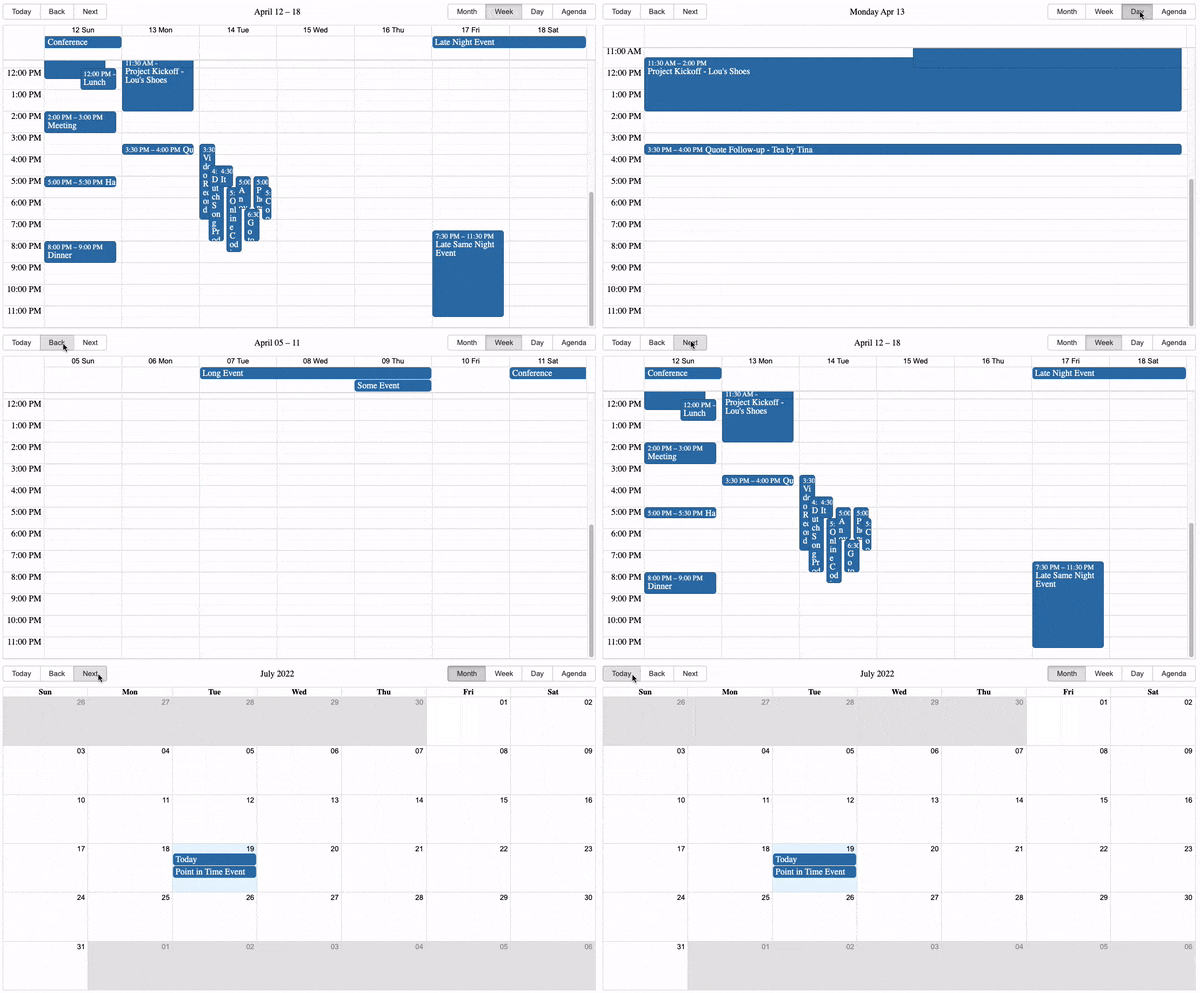
For React developers tasked with managing schedules and displaying dates within their applications, React Big Calendar emerges as a premier contender. This robust and customizable calendar component offers a comprehensive solution, empowering you to craft sophisticated and user-centric scheduling interfaces.
Benefits:
Intuitive API and readily available documentation make integrating React Big Calendar into your app a breeze.
Streamlines schedule navigation and interaction, enhancing user experience and engagement.
Adapts to diverse scheduling needs and seamlessly integrates with various data sources.
Ensures your app runs smoothly even with complex calendar configurations.
Fine-tune every aspect of the calendar’s look and feel with custom components, themes, and styling options.
Optimized for large datasets and smooth rendering, ensuring your calendar stays responsive even with tons of events and data.
Wrapping Up for Best React NPM Packages
2025 is here, and React is stronger than ever! We’ve explored some of the best NPM packages to help you create apps that are smoother, faster, and more user-friendly. But the real fun starts when you put these tools to work.
The React community is always growing and sharing new ideas. Help us keep it that way! Share your experiences with these packages and templates. Teach others what you’ve learned, and let’s keep pushing React to even greater heights together!
Seeking a premium React templates that’s customizable and dev-friendly?
Meet the MaterialPRO React Template – it’s a Next.Js gem💎
Crafted with Material UI (MUI) components, this template follows developer standards, offering a unique yet appealing design.
But here’s the kicker – the star of the show is our MUI sidebar! It’s not just visually impressive; it’s a navigation powerhouse. Dive into submenus seamlessly, experiencing a sleek and customizable sidebar that takes your admin dashboards to the next level.
Additionally, if you’re interested in creating website templates, check out our curated selection of free React website templates to enhance your project.
Angular is a TypeScript-based open-source web application framework used to build web and mobile-based applications. This article will go through some of the angular features by explaining some of its core APIs. You can follow this angular cheat sheet to build your project.
Angular Cheat Sheet:
We have tried to cover Angular CLI, Angular Lifecycle Hooks, Angular Routing, and much more here.
1. Angular CLI
Angular gives us the ability to do a whole lot using their CLI. You can config the entire application by just using the CLI. Here are some of the commands:
npm install -g @angular/cli : This command will install the Angular CLI into our local machine using npm.
ng new <application name> : This will set up a new Angular application using the ng new command.
ng new <application name> --prefix best : This creates a new project and set the project prefix to new.
ng new --help: This returns all available Angular command lists.
ng lint my-app: This command checks our entire application for any linting warnings.
ng lint my-app --fix: If there are any form of linting errors, this command will fix it.
ng lint my-app --format stylish : This formats our entire codebase.
ng lint my-app --help: This command returns all the available linting command lists.
ng add <package name>: This command will use your package manager to download new dependencies and update the project with configuration changes.
ng generate component <name>: This will create a new component of our application. We can also use the ng g c <name> shorthand to do this.
ng g d <directive name>: This command angular directive.
ng g s <service name> : Creates a new Javascript class-based service.
ng g p <pipe name>: Generates a new pipe
ng g cl <destination> : This will create a new class in the specified directory.
ng build: Builds the application for production and stores it in the dist directory.
ng serve -o: Serves the application by opening up the application in a browser using any port 4200 or any available port.
ng serve -ssl: serves the application using SSL
2. Angular Lifecycle Hooks
A component in Angular has a life cycle, several different phases it goes through from birth to death. We can hook into those different phases to get some pretty fine-grained control of our application. Here you can see some Angular Lifecycle Hooks.
ngOnChanges: This is called whenever one of the input properties changes.
ngOnInit: This is called immediately after ngOnChanges is completed and it is called once.
ngOnDestroy: Called before angular destroys a directive or component
ngDoCheck: Whenever a change detection is running, this is called.
ngAfterContentInit: Invoked after Angular performs any content projection into the component’s view.
ngAfterContentChecked: This is called each time the content of the given component has been checked by the change detection mechanism of Angular.
ngAfterViewInit This is called when the component’s view has been fully initialized.
ngAfterViewChecked: Invoked each time the view of the given component has been checked by the change detection mechanism of Angular.
3. How Angular Hooks are used
Always remember that hooks work in a component or directory, so use them in our component, we can do this:
`class ComponentName {
    @Input('data') data: Data;
    constructor() {
        console.log(`new - data is ${this.data}`);
    }
    ngOnChanges() {
        console.log(`ngOnChanges - data is ${this.data}`);
    }
    ngOnInit() {
        console.log(`ngOnInit  - data is ${this.data}`);
    }
    ngDoCheck() {
        console.log("ngDoCheck")
    }
    ngAfterContentInit() {
        console.log("ngAfterContentInit");
    }
    ngAfterContentChecked() {
        console.log("ngAfterContentChecked");
    }
    ngAfterViewInit() {
        console.log("ngAfterViewInit");
    }
    ngAfterViewChecked() {
        console.log("ngAfterViewChecked");
    }
    ngOnDestroy() {
        console.log("ngOnDestroy");
    }
}
4. Component DOM
Angular comes with DOM features where you can do a whole lot from the binding of data and defining dynamic styles. Let’s take a look at some features: Before we dive into the features, a simple component.ts file is in this manner:
Interpolation: using {{data to be displayed}} will display dynamic content from the ts file.
<button (click)="callMethod()" ... /> : Adding Click events to buttons to call a method defined in the ts file
<button *ngIf="loading" ... />: Adding Conditionals to elements. Conditionals have to listen to truthy or falsy values.
*ngFor="let item of items": iterate through a defined list of items. Picture this as a for a-loop.
<div [ngClass]="{green: isTrue(), bold: itTrue()}"/>: Adding dynamic classes based on conditionals.
<div [ngStyle]="{'color': isTrue() ? '#bbb' : '#ccc'}"/>: Adding dynamic styles to the template based on conditions
6. Component Communication
Passing data from one component to another can be a little bit tricky in Angular. You can pass data from child to parent, parent to parent, and between two unrelated components:
input(): This method helps To pass a value into the child components.
export class SampleComponent {
@Input() value: 'Some Data should go in here';
}
Child components are registered in parents’ components like this:
output(): This method Emits an event to the parent component. A bunch of data can be passed into the emitted event which makes it a medium of passing data from child to parent:
Angular services come in handy when you can do things like handling HTTP requests and seeding data on your application. They focus on presenting data and delegating data access to a service.
@Injectable()
export class MyService {
    public users: Users[];
    constructor() { }
    getAllUsers() {
        // some implementation
    }
}
To use this service in your component, import it using the import statement and then register it in the constructor
import MyService from '<path>'
constructor(private UserService: MyService)
To make things easier, we can use this command to generate service in Angular
ng g s <service name>
10. HTTP Service
Angular comes with its own HTTP service for making HTTP requests. To use it, you have to first of all import it into your root module:
import { HttpClientModule} from "@angular/common/http";
After importing it, we can now use it inside our service for making HTTP requests:
An interceptor is a piece of code that gets activated for every single HTTP request received by your application. Picture an interceptor as a middleware in nodejs where an HTTP request made is passed through this piece of code.
To define an interceptor create a http-interceptor.ts file inside your src directory and add this:
import { Injectable } from '@angular/core';
import {
    HttpEvent,
    HttpInterceptor,
    HttpHandler,
    HttpRequest,
    HttpErrorResponse,
    HttpResponse
} from '@angular/common/http';
import { Observable } from 'rxjs';
import { tap } from 'rxjs/operators';
@Injectable({
    providedIn: 'root'
})
export class HttpConfigInterceptor implements HttpInterceptor {
    constructor() { }
    intercept(req: HttpRequest<any>, next: HttpHandler) {
        // Get the auth token from  localstorage.
        const authToken = localStorage.getItem('token');
        // Clone the request and replace the original headers with
        // cloned headers, updated with the authorization.
        const authReq = req.clone({
            headers: req.headers.set('Authorization', authToken)
        });
        // send cloned request with header to the next handler.
        return next.handle(authReq);
    }
}
This is a simple interceptor that checks if users have a token in their device’s local storage. If the user does, it will pass the token in all the HTTP headers.
12. Pipes
Pipes in Angular give us the ability to transform data into any specific format. For example, you can write a simple pipe that will format an integer to a currency format or format dates to any form. Angular comes with some built-in pipes like the date and currency pipe.
We can define our own custom pipes too by doing this:
Creates a local variable movieplayer that provides access to the video element instance in data-binding and event-binding expressions in the current template.
<video #movieplayer …></video>
<button (click)="movieplayer.play()">
Play
</button>
The asterisk (*) character turns the current element into an embedded template.
Binds the presence of CSS classes on the element to the truthiness of the associated map values. The right-hand expression should return {class-name: true/false} map.
Allows you to assign styles to an HTML element using CSS. You can use CSS directly, as in the first example, or you can call a method from the component.
Provides two-way data-binding, parsing, and validation for form controls.
<input [(ngModel)]="userName">
18. Class Decorators:
Import Directive, … from @angular/core’;.
import { Directive, … } from '@angular/core';
Declares that a class is a component and provides metadata about the component.
@Component({…})
class MyComponent() {}
Declares that a class is a directive and provides metadata about the directive.
@Directive({…})
class MyDirective() {}
Declares that a class is a pipe and provides metadata about the pipe.
@Pipe({…})
class MyPipe() {}
Declares that a class can be provided and injected by other classes. Without this decorator, the compiler won’t generate enough metadata to allow the class to be created properly when it’s injected somewhere.
@Injectable()
class MyService() {}
19. Directive Configuration:
Add property1 property with value1 value to Directive.
@Directive({
property1: value1,
…
})
Specifies a CSS selector that identifies this directive within a template. Supported selectors include element, [attribute], .class, and :not().
Does not support parent-child relationship selectors.
selector: '.cool-button:not(a)'
List of dependency injection providers for this directive and its children.
providers: [
  MyService,
  { provide: … }
]
20. Component Configuration:
@component extends @directive, so the @directive configuration applies to components as well.
If set, the templateUrl and styleUrl are resolved relative to the component.
moduleId: module.id
List of dependency injection providers scoped to this component’s view.
viewProviders: [MyService, { provide: … }]
Inline template or external template URL of the component’s view.
Creates a link to a different view based on a route instruction consisting of a route path, required and optional parameters, query parameters, and a fragment. To navigate to a root route, use the / prefix; for a child route, use the ./prefix; for a sibling or parent, use the ../ prefix.
An interface for defining a function that the router should call first to determine if it should activate this component. Should return a boolean|UrlTree or an Observable/Promise that resolves to a boolean|UrlTree.
An interface for defining a function that the router should call first to determine if it should deactivate this component after a navigation. Should return a boolean|UrlTree or an Observable/Promise that resolves to a boolean|UrlTree.
An interface for defining a function that the router should call first to determine if it should activate the child route. Should return a boolean|UrlTree or an Observable/Promise that resolves to a boolean|UrlTree.
An interface for defining a function that the router should call first to resolve route data before rendering the route. Should return a value or an Observable/Promise that resolves to a value.
An interface for defining a function that the router should call first to check if the lazy loaded module should be loaded. Should return a boolean|UrlTree or an Observable/Promise that resolves to a boolean|UrlTree.
Well, I hope you have enjoyed our Angular Cheat Sheet and learned about Angular Lifecycle hooks, routing, and more. It will help while developing your project. Same way, Angular Templates also can help you with your project. As they come with stunningly designed interfaces and ready-to-use components, which can save you time and money. Also, you will be able to find the best Free Angular Templates by AdminMart. You can download that with zero investment and use it in your personal as well as commercial projects.
If you are looking for Angular Admin Dashboard Template then you can check out below useful Admin Template which can save you time, money, and energy:
React.js, the most popular and frequently used JavaScript library for building user interfaces for modern web apps, has come a long way when we talk about react ecosystem. Developers not only love how easy it is to get started as a newbie (thanks to its official docs) but also how vast their community of developers and the tools they use are!
These amazing new tools help to automate workflows, can be used as standalone software, can be used as a microservice, and even can help to detect faulty and vulnerable lines of JavaScript code you wrote.
Searching for the best tools for react ecosystem? Either to build your react dashboard or website. Then let me tell you Modernize MUI react dashboard should be your first choice. This will help you think out of the box that how react ecosystem can be used to build such incredible web apps. If you’re also looking to develop high-quality mobile applications, consider partnering with an iOS App Development Company for expert solutions.
10 Best Tools for React Ecosystem
Here is the list of 10 Best Tools for React Ecosystem:
Below, we talk about features of these tools for React developers.
Whether you are using React templates or coding on React, these tools range from React Studio to CodeSandbox to Deepscan and more!
1. Redux Toolkit
Redux Toolkit is a powerful library for state management in React applications, designed to simplify and enhance the use of Redux. Redux has long been a popular choice for managing state in JavaScript applications, but its boilerplate code and complexity can be overwhelming. Redux Toolkit addresses these challenges by providing a set of tools and best practices to streamline the development process. If you’re looking for expert assistance in building scalable React applications, consider partnering with a ReactJS development company.
Zustand is a small, fast, and scalable state management library for React applications. Developed by Jannie Wiberg, Zustand aims to simplify state management with minimal boilerplate and excellent performance. Unlike more complex state management solutions like Redux, Zustand offers a more intuitive and less opinionated approach, making it an attractive option for developers looking to manage state in their React applications.
React Studio is a fully-featured standalone desktop software to develop modern web apps for production with React.
Topfeatures:
It gives developers an easy way to package new code and then hand it off to designers.
No vendor lock-in. You will be keeping all the existing tools and integrations used in the project.
It comes with an integrated Plugin Editor with API verifying abilities so that it’s easy to ensure interface compatibility between different versions.
Comes with popular tooling’s like using create-react-app and Git version control.
You can import your designs straight from Sketch, preview them on your mobile device for responsiveness and straightaway publish them to the web in one click!
React Styleguidist is an isolated React component development environment with a living style guide.
Topfeatures:
React Styleguidist comes with a development environment by itself with support for popular React-based technologies like JavaScript, TypeScript, and Flow.
It works with create-react-app tooling out of the box.
You can easily share components with your team as it gets all the components in one place with auto-generated documentation along with live examples.
With its interactive playground, you can see how components react to different props and data changes right inside your browser.
React Slingshot is a comprehensive starter kit for rapid application development using React.
Topfeatures:
React Slingshot comes with the traditional npm start command to start the development server in your default browser along with the ability to have hot reloaded, lining, and automated tests enabled!
Rather than splitting the command line output into multiple lines, React Slingshot displays all the command-based feedback in a single line.
If you are new to this library, then it even has a working example app to showcase its top features which guides you on how it all works together.
Checkout React Styleguidist GitHub link by Clicking here
6. Openbase
What is it?
Openbase comes fourth in the best tools for the React ecosystem as it is an online tool to choose the right package for your React projects without any hassle.
Topfeatures:
500+ package categories are hand-picked, so you will most likely get your favorite one.
The members of the Openbase community have 50K+ reviews and ratings given to hundreds of packages according to crucial developer experience metrics like documentation, ease of use, performance, etc.
You will get a deep dive with dozens of metrics of each package like the bundle size, monthly commits to its repo, open issues, download time, popularity, version, and more!
If you are a developer of a package, then you can claim it as its maintainer thanks to its open documentation.
Can’t seem to find a suitable package but still want to explore a random one? Then Openbase has a random package finder which you can get access here.
Codesandbox is an online IDE environment made to create, share, and get feedback with collaborative sandboxes for rapid web development in the React ecosystem.
Topfeatures:
There’s no setup needed to create a new React-based sandbox. You just choose a template and it gives you all the necessary packages, tooling, and a running browser window!
It’s collaborative. This means that you can get feedback and create it together, in real-time or asynchronously.
The code you write updates live on the browser window and you can easily share, embed, or join someone else’s sandbox.
It has a built-in NPM package directory of over 1 million+ packages which you can simply search and add to your [project without running a single line of the command line.
It’s optimized for React-based environments and has support to import and run your GitHub repos directly from the browser.
React Sight is a live view of the component hierarchy tree of your React application with support for React Router and Redux in the React ecosystem.
Topfeatures:
This React visualizer is easy to set up on major browsers like Chrome and Firefox as extensions/add-ons. You just install it, run your React app, open dev tools, and start working with the React Sight panel!
It requires you to have no modifications on your codebase, so you can keep working on your code while React Sight will make a live component hierarchy tree in the background.
It has support for popular React tooling like React Fiber, React Router, Redux, and more!
The extension is lightweight and unobtrusive and will show you how your application is working under the hood.
With built-in filters, you can hide elements you don’t want to see so that you only focus on one particular component at a time.
Sentry comes seventh in tools for the React ecosystem it is a service for developers who can make use of its excellent error tracking to performance monitoring in the React ecosystem.
Topfeatures:
Sentry’s React SDK enables automatic reporting of errors and exceptions.
It captures data by using an SDK within your application’s runtime and to install it you can simply run the following command:
# Using npm
npm install --save @sentry/react @sentry/tracing
# Using yarn
yarn add @sentry/react @sentry/tracing
You can integrate source maps with the support of transpired, minified, and bundled JavaScript.
It can identify performance issues beforehand with the distributed trace feature.
With Sentry, you also get a beautiful visualization of your application’s data with specific dashboards.
Deepscan is a cutting-edge static analysis tool for your React and JavaScript code in the React ecosystem.
Topfeatures:
Deepscan analyses your code by data-flow analysis and specific rule sets.
It focuses more on runtime errors within your application rather than coding conventions.
It can find issues that are based on execution and data flow and not only syntax-based issues.
The tool classifies issues as multi-level impacts and shows all the related information about that with a detailed guide to know what and where the problem is.
Deepscan has great code inspection, GitHub integration, a good array of plugins and CLIs, and more!
Great! Now you have an awesome new list of tools to use as a React developer. Put on some coding hats start using them and see how helpful they are in your workflow 🙂 So now you get to know the 10 best tools for the React ecosystem.
If you’re looking for a detailed React cheatsheet, be sure to explore our blog for all the essential information.
Additionally, if you’re interested in creating website templates, check out our curated selection of free React website templates to enhance your project.
A text fading in and out or a link popping up when hovered. What do these two things have in common? Yes, they all animate.
What’s special about the custom web development space is that along with static elements, it also provides an infinite possibility of dynamic elements which can animate the way it is needed. It can be done via simple CSS rules or by using a library or even a generator tool that would do the same.
It’s just a matter of what type of animation you want and how you want to implement them. So that you don’t have to hop around from one website to another, we have curated 20 of the best CSS animation resources from libraries to generator tools in this article. Pick your favourite and start implementing it!
Made by Jhey Tompkins, a CSS wizard himself, Whirl is a curation of CSS-loading animations. It takes the pain out of a developer because it already has 106 whirls and more.
Take a look at the demo website to get a taste of what types of loaders are available.
Usage:
You can install it on your projects via NPM or Yarn commands –
npm i @jh3y/whirl
yarn add @jh3y/whirl
Else, if you want to get a quick spin-up, you are free to use the CSS or SASS files.
Ever wanted to have some special effects on your website without having to learn some complex software programs?
The Magic Effects library has got them all. Whether you want the usual static effects like OPENDOWNLEFT which makes an element appear as if it’s opening from a box and then going down, or something more real-life like PERSEPECTIVEUPRETURN that uses the CSS perspective property to make you feel like the element is in a 3D space, this library suits the best!
Usage:
The good thing is that we can use it with both CSS and JavaScript files. Let’s see how to do it in CSS:
npm i magic.css
yarn add magic.css
You can also include its minified version in your HTML boilerplate:
What makes Animista unique from others you say? Well, it has a fully-featured animation demo workspace where you can literally preview each of the different types of animation it has to offer along with different options like delay, iteration count, direction, fill mode, and more!
And did I tell you that each of its 15 ‘Basic’ animation types has more than 10 sub-animations! It’s mind-blowing to see how much we can achieve with Animista.
Usage:
There are three steps to this-
Get a taste of different animations from its editor.
Pick your favorite ones by clicking on the heart button.
When you are ready, click the download button on the top-right corner to access the download screen.
When you do this, an animate.css file will be downloaded which you can then easily add to your project directory.
Did someone say, “Treat!”? Well, yes but for developers. Hamburger is a collection of 10+ examples of CSS hamburger animations that are very well-suited for navigation for mobile devices.
From the usual ‘Boring’ one to the exciting ‘Empathic’, you can get them all. The good thing here is that it has tremendous support for different stacks be it SASS or Ruby on Rails.
This has to come right? Probably one of the most popular CSS animation libraries out there. Animate.css is one of those libraries which work great for emphasis, home pages, sliders, and attention-guiding hints.
With the powers of NPM, Post CSS + postcss-preset-env, you can create custom builds pretty easily. For accessibility, it supports [prefers-reduced-motion] media query.
Finding some inspiration on different hover states and how they should animate? Hover.css got you back with an amazing set of 2D, icons, borders, and speech bubbles animations to integrate into your button or link styles.
The best part? All effects make use of a single element and are self-contained so you can easily copy and paste them whenever needed.
GSAP or GreenSock Animation Platform is not just another CSS library, it’s an entire platform of animation services on the web which can be achieved by both CSS and JavaScript.
What stands out is that it’s really powerful and packed with tonnes of customizable features. If you are someone who is fed up with the usual entrance, hover, or glow animations, GSAP allows you to completely code out your entire animation sequences from scratch!
Usage:
There is so much to choose from here that they made an entire webpage just to choose what to install. Go to this page and select the different features you want to incorporate and make sure you visit their Getting Started guide.
Motion UI is a SASS library for creating flexible CSS transitions and animations. The core utility here is to transition components in and out. You can then apply these transitions to any UI element you like.
You can tinker around with the variety of animations it has to offer on its demo page linked above. The code is mostly in SCSS and CSS also so you can use features of both.
This one claims to be the first composable CSS animation toolkit. AnimXYZ is powered by CSS variables which opens an infinite amount of possibilities that can be achieved with this library without you writing a single [@keyframes](https://developer.mozilla.org/en-US/docs/Web/CSS/@keyframes) code.
What’s great is that it supports the major front-end contenders like Vue, React, and SCSS out of the box!
Usage:
Install it with:
with npm
npm install @animxyz/core
# with yarn
yarn add @animxyz/core
Need a wonderful reveal animation library, especially on scroll? WOW got you!
It works close to Animate.css and you can easily customize the style, delay, length, offset, and iterations of each animation you chose. One plus point here is that you can customize its default settings easily!
Usage:
Here are some steps to follow-
(1) Link Animate.css in HTML:
<link rel="stylesheet" href="css/animate.css">
(2) Link and activate WOW.js:
<script src="js/wow.min.js"></script>
<script>
new WOW().init();
</script>
Wicked CSS is developed for those who want to spice up their sites with some sweet animation effects it offers.
It has some really sweet animation demos and examples on its website and offers just enough effects you might need on any regular project like zoomer, shake or fadeIn.
React Spring is a powerful animation library for React that helps developers create smooth and interactive animations. It leverages the power of physics-based animation principles to provide more natural and realistic motion compared to traditional CSS-based animations.
Framer Motion is a powerful and flexible animation library for React that enables developers to create complex and performant animations with ease. It is built on top of the Framer library and offers a simple yet powerful API for adding animations to React components.
Framer Motion stands out for its advanced features, smooth animations, and ease of use.
The first of the lot is from Angry Tools and they managed to put some of the common animations you will need in a project in a single place.
With their interactive demo by which you can control the animation function, you get the desired code immediately which you can then copy/paste or adjust the values accordingly.
Discover the excellence of Modernize Free Tailwind CSS Admin, a free admin template built on Tailwind Preline Framework, enriched with various additional features, all wrapped in an eye-catching and gracefully designed package.
Want to tinker around with the bezier curve functions? Maybe you want to have some ease-out at first and then go with easeInSine?
Fret not because Ceaser is that tool that has mastered curves early in this game. It has more than 10 curve types that can be further customized accordingly with duration, effects, and opacity values.
The gold mine for gradients! When you have a synchronized preview by your side along with browser support and an interactive tool for making the perfect gradient, you can’t complain much.
There are a plethora of options available in this tool from changing the hue/saturation to getting SASS code, complex multi-stop gradients, and more.
Flowbite’s pre-built spinner components offer a versatile and efficient solution for visually indicating loading states within your application. With customizable options for color, size, and style, you can seamlessly integrate spinners into various UI elements like buttons, forms, or content sections to enhance user experience during data fetching operations.
By providing clear visual feedback, Flowbite spinners contribute to a more responsive and intuitive user interface.
This is an open-source Tailwind CSS components loading library for any needs. Comes with UI examples & blocks, loader templates, plugins, Figma design system.
By Utilizing CreativeTim’s Material Tailwind CSS Spinner to catch your users’ attention during loading. This will make the experience smooth and interesting.
Easily integrate this spinner animation into your website, and let it do the work while you focus on delivering exceptional user experiences.
Transform dull loading screens into captivating experiences. Uiverse offers a rich library of open-source loaders that any developer can easily use those to improve app performance and user satisfaction. This is Open-Source loaders made with Tailwind CSS & available free for everyone.
With this website, you can easily discover CSS animations by learning to code really cool animations with amazing effects. You get:
CSS animation examples: to get some inspiration.
CSS animation tutorials: to learn some cool HTML and CSS tricks.
CSS animation cheat sheets: to code CSS animations faster with code snippets.
Wrapping Up on CSS Animation Tools
We hope this curated collection of CSS animation resources has ignited your creativity! Do you have a CSS animation tool that’s missing from our list? Your Animation tool helps us keep this resource up-to-date and relevant.
Don’t forget to bookmark your favorites and share your animated masterpieces on twitter, Tag @Wrappixel so we can share your work!
Let’s make the web a more dynamic and engaging place together.
Are you a React developer feeling frustrated by using that same old code editor every day and now want to explore some new and unheard editors? You can use React IDE to help you out with such problems.
What is React IDE?
Using a code editor or a react IDE that has a sufficient amount of features you need and that fits perfectly into your own workflow is important for the entire work.
In this article, we have compiled the top 10 IDEs and editors on which you can get your hands as a React developer with ample support for the JavaScript ecosystem and the features they provide. Enjoy the read!
Visual Studio Code(VS Code) is a free source-code editor made by Microsoft for Windows, Linux, and macOS.
This react IDE has integrated Git version control and Terminal. It has a very large plugin ecosystem where you can find thousands of helper tools that work best for your tech stack and project. Chances are you are already using and loving this editor. In the Stack Overflow 2021 Developer Survey, VS Code was ranked the most popular developer environment tool.
Top Features:
IntelliSense: it provides you with better and smart code completions based on variable types, function definitions, and imported modules.
Debugging: you can directly launch the debugger with breakpoints, call stacks, and more without ever leaving the editor.
Git integration: you can easily review diffs, stage files, and make commits right from the editor.
Extensible and customizable: with its extensions gallery you can add new languages, themes, and debuggers, and connect to additional services.
WebStorm is a full-blown IDE made by JetBrains for web, JavaScript, and TypeScript development.
With this react IDE, you can expect everything and more of what an IDE should provide to a React developer. It runs dozens of code inspections as you type your code and detects potential problems in it.
It has smart code completion, on-the-fly error detection, powerful navigation, and refactoring. This comes with built-in support for all web-related technologies like JavaScript, TypeScript, React, Vue, Angular, Node.js, HTML, or style sheets, etc.
Top Features:
Smart code refactoring: it autocompletes your code, and detects and suggests fixes for errors and redundancies.
Powerful dev tools: it comes with all the linters, build tools, terminal, and HTTP client to test and debug your web applications.
Code navigation: in just one place you can look for files, classes, or symbols, and review all the code matches.
Collaboration support: you can easily onboard your team members and other developers. WebStorm supports real-time code collaboration with sharing code styles, settings and even joining on a call!
Atom is a free and open-source ‘hackable’ code editor for customizing almost anything without touching its config file. It was made by GitHub.
This react IDE has a highly customizable environment and ease of installation. So if you are someone who wants to quickly set up a new React project without worrying about multiple steps of installation etc, then Atom may be a good choice.
Top Features:
Teletype: this is one of the highlight features of Atom as it allows you to share your entire workspace and edit code together in real-time.
Full GitHub support: as it’s already bundled so you get to create new branches, stage and commit, push and pull, resolve merge conflicts, view pull requests, etc right out of the box!
Built-in package manager: whether it’s about searching for your favorite package for that code library or if you want to be a pro by making your own, Atom has it all!
File system browser: with this, it becomes easy to open your main file while browsing all of the existing ones from a single window.
Sublime Text is a popular commercial code editor which natively supports many programming languages.
No code editor talk can be finished without the mention of Sublime Text. It’s one of the most used editors in the world thanks to its slick interface, amazing features, and top-notch performance. All the projects in Sublime Text capture the full contents of the workspace, including modified and unsaved files.
Top Features:
Split panes and navigation: use a simple modifier when performing actions that will split the interface to show multiple tabs at once.
Code definitions: it comes with features like Goto Definition, Goto Reference, and Goto Symbol by which you can explore the full definition in a small popup.
Multiple selections: use keyboard shortcuts like ⌘+D to select the next occurrence of the current word, ⌘+K, ⌘+D to skip an occurrence.
React/JS file support: TypeScript support comes by default with syntax-based features for all React and JS/JSX files.
Reactide(or React-IDE) is the first dedicated IDE for React web application development.
This react IDE is a cross-platform desktop application that offers a custom simulator, making build-tool and server configuration unnecessary. Now you can simply reply on a single window for all of your code, browser preview, and more.
If you get carried out while writing the React JSX code along with multiple browser windows then Reactide is here to help. It combines everything in one single place so that all the focus is on writing and reviewing the code.
Top Features:
Intuitive interface: this is probably one of the biggest strengths of Reactide when compared with others. It runs an integrated Node server and custom browser simulator and you can continually track changes through live reloading directly in the development environment.
State flow visualization: it comes with a visual component tree that dynamically loads and changes based on components within the working directory while giving information about props and states at every component.
Integrated Terminal: the built-in Terminal can be used for running commands in bin/bash for Unix, and cmd for Windows.
Streamlined configurations: to start, just input your .js and .html entry points inside Reactide’s universal configuration and then run npm run reactide-server to kick off your project.
GNU Emacs is an extensible, customizable, free/libre text editor. It was created by the GNU Project.
One of the very highly adopted editors in the GNU world, Emacs has an interpreter for Emacs Lisp, a dialect of the Lisp programming language with extensions to support text editing.
It supports a plethora of programming languages and other faculties of text editing. This also comes with a good and robust set of extensions and other features like Git integration, syntax highlighting, etc.
Top Features:
Content-aware editing modes: this includes syntax coloring, for many file types.
More than code editing: you can use the project planner, mail and news reader, debugger interface, calendar, IRC client, and more.
Extensive extension support: comes with a packaging system for downloading and installing extensions.
Rekit is a toolkit for building scalable web applications with React, Redux, and React-router. It’s an all-in-one solution for creating modern React apps.
This react IDE provides you with the capability for code generation, dependency diagraming, refactoring, building, unit tests, and a meaningful way to navigate code.
Rekit creates applications bootstrapped by the Create React App tool and has the capability to scale, test, and maintain easily.
Top Features:
It helps you focus on business logic rather than dealing with massive libraries, patterns, configurations, etc.
Comes with powerful tools like Rekit Studio which is the real IDE for React/Redux development and command line tools to create/rename/move/delete project elements like components, actions, etc.
Rekit can do code generation, dependency diagraming, refactoring, building, unit tests, and a meaningful way to navigate code.
It’s highly capable of recognizing which files are components, which are actions, where routing rules are defined, and so on.
Vim is a highly configurable text editor built to make creating and changing any kind of text very efficient.
This react IDE is a free and open-source, screen-based text editor program for Unix. The good part is Vim is designed for use both from a command-line interface and as a standalone application in a graphical user interface.
Vim has 12 different editing modes, 6 of which are variants of the 6 basic modes. Some of the common ones are Normal, Visual, Insert, Cmdlibe, etc.
Top Features:
Key mappings: you can execute complex commands with “key mappings,” which can be customized and extended.
Recording: this allows for the creation of macros to automate sequences of keystrokes and call internal or user-defined functions and mappings.
Extensive: it comes with a persistent, multi-level undo tree along with an extensive plugin system.
Support: Vim supports hundreds of programming languages and file formats. It can also be integrated into various other tools easily.
Apache NetBeans is a development environment, tooling platform, and application framework.
This react IDE allows applications to be developed from a set of modular software components called modules. It was originally used for making Java applications but now has extensive support for all major tools and technologies including PHP, C, C++, HTML5, and JavaScript.
The IDE provides editors, wizards, and templates to help you create applications in Java, PHP, and many other languages.
Top Features:
Fast and smart editing: it highlights source code both syntactically and semantically, and lets you easily refactor code, with a range of handy and powerful tools.
CSS editor: this comes with code completion for style names, quick navigation through the navigator panel, displaying the CSS rule declaration in a ListView, and file structure in a Tree View.
Modular: each module provides a well-defined function, such as support for editing, or support for the CVS versioning system.
JavaScript editor: it has syntax highlighting, refactoring, code completion for native objects and functions, generation of JavaScript class skeletons, and generation of Ajax callbacks from a template.
Notepad++ is a free source code editor and Notepad replacement that supports several languages.
This react IDE is written in C++ and uses pure Win32 API and STL which ensures a higher execution speed and smaller program size. It supports tabbed editing, which allows working with multiple open files in a single window.
It features all the common editing tools like syntax highlighting, code folding, and limited autocompletion for programming, scripting, and markup languages, but not intelligent code completion or syntax checking.
Top Features:
Collaborative editing: this allows multiple developers to work on the same file simultaneously while on different computers.
Selection methods: it has support for various methods for text selection like block selection, column selection, and non-linear selection.
Macros: for recording a sequence of editing commands to be executed repeatedly.
Other notable features include; advanced find and replace, split-screen editing/viewing, support for bookmarks, and a plugin system.
Codux is a new visual IDE brought to you by the fine folks over at Wix, React IDE for developers. It is a powerful editor for building React applications with a visual-first approach, enabling developers and designers to collaborate seamlessly on web no need to install any extra setup.
CodeSandbox is a web based React IDE for developers, especially those working with JavaScript frameworks like React.js and React Native.
Here are some of the key features and benefits of using CodeSandbox:
Key Features and Benefits
Browser-Based IDE: No Installation Needed: Developers can start coding right away without needing to install React.js, React Native, or other dependencies on their local machines. Accessibility: Being browser-based, CodeSandbox can be accessed from any machine with an internet connection, making remote or collaborative work easier.
Template Support: Built-in Templates: CodeSandbox offers a variety of templates to start with, such as React with TypeScript, Next.js, Vue.js, Angular, and more. Enhanced Functionality: These templates provide a solid starting point and leverage best practices, helping developers kickstart their projects efficiently.
TypeScript Integration:Type Safety: Using templates like React with TypeScript helps catch type errors and reduces the risk of assigning incorrect types to variables. This leads to more robust and maintainable code. Autocompletion and IntelliSense: TypeScript integration provides better autocompletion and IntelliSense, improving the developer experience.
Built-in Preview Window: Real-Time Feedback: As developers type, the built-in preview window updates in real-time, giving immediate feedback on how changes affect the application. Better Understanding: This helps developers quickly understand the impact of their code, speeding up the development cycle and reducing the need for frequent context-switching.
Live Collaboration: Pair Programming: CodeSandbox supports live collaboration, allowing multiple developers to work on the same codebase simultaneously. Code Reviews: Teammates can review code and provide feedback in real time, enhancing team productivity and collaboration.
Deployment and Hosting: Easy Deployment: CodeSandbox offers easy deployment options through integrations with platforms like Vercel and Netlify, making it straightforward to deploy and share projects. Static and Dynamic Hosting: It supports both static and dynamic hosting needs, making it versatile for different types of projects.
Version Control: GitHub Integration: CodeSandbox integrates with GitHub, allowing developers to sync their projects with repositories and manage version control effectively. Version History: It maintains a history of changes, making it easy to revert to previous states if needed.
One can create impressive dashboard templates and themes by utilizing integrated development environments (IDEs). “Modernize React MUI Dashboard Theme” can provide excellent inspiration for designing such templates.
We hope you liked this set of top 10 React IDE that you can use. If you like this post you’ll also like our free react templates that will help you out in building amazing react websites and applications. Let us know which one are you currently using and which one you will use after reading this article. Happy coding! We have a designed and developed free and premium react templates which you can use to build your react based web applications.
Whether you are just starting to learn React or you’re already full-time working professionally in it there is a huge count of React developer tools (both free and paid) that you can use in your personal or professional projects. They are always beneficial as they help speed up the workflow or get things done easily.
For React Developers to take full advantage of the library so that coding with it becomes easier and faster, here are the Top 8 of the best React Developer Tools out there. You as a developer should bookmark and use as a reference whenever needed.
Reactide is a dedicated IDE for React web application development.
If you ever wanted to have a separate IDE (not just an editor) just to fulfil all of your React development needs, then Reactide is the tool you need right now. It is the first IDE ever built and released just for React web application development.
Explore some new and unheard ReactJS IDEs here.
Features of this React Developer Tool:
Extensible: it runs an integrated Node server and custom browser simulator, eliminating the need to configure any servers or build tools.
Easy configuration: you can run a single command to streamline universal configuration.
Components visualization: you can navigate through a live representation of your app’s architecture.
Open-sourced: the code for this powerful tool is hosted on its GitHub repo so you can not only download it for Mac, Windows, and Linux platforms but also contribute to it.
Bit is a standard infrastructure for components for autonomous micro-frontend/web app development.
Bit is a collection of almost everything you and your team may need to have fast releases, great consistency, and collaboration at a high scale to build components.
Features of this React Developer Tool:
Split app development: with Bit, there is no need to do monolithic development. Instead, you work on modular apps composed of features built by teams working simultaneously.
Hosting and resuing: you and your team can build together a reusable component for your organization and then collaborate on new builds in the cloud.
Continuous release and component upgrades: you can deliver updates to app components with decoupled versions and release pipelines.
Great at managing docs: Bit makes sure every component is documented, organized, and discoverable by anyone.
Storybook is an open-source tool for building UI components and pages in isolation.
It helps very much in streamlining UI development along with testing components and documenting them.
Features of this React Developer Tool:
Durable interfaces: it comes with a sandbox environment to build the UIs you need in isolation so that more of the edge cases and states of an element is covered.
Testing UI easily: every time you write a story, you get a test case along with it. Along with this, you can reuse stories in your unit tests.
Document and share UI: everything in Storybook is searchable, with an option to share each story with your teammates for a single source of truth.
Available for multiple tech stacks: along with React, Storybook is also available for Vue, Angular, Web Components, Ember, HTML, and more!
React Developer Tools adds React debugging tools to the Chrome Developer Tools.
This extension is so popular and useful that it’s recommended to install and use by everyone starting out to learn React. With extensive debugging with this tool, you can expect better bug-busting throughout the app development process!
Features of this React Developer Tool:
Inspection: you can inspect the individual React component hierarchies in the Chrome Developer Tools.
The components tab: shows you all the root components that were rendered on the page, along with the subcomponents if available.
The profiler tab: this tab allows you to record performance information.
Deeper inspection: you can inspect and edit the selected component’s current props and state them in the panel right from this extension.
React Cosmos is a sandbox for developing and testing UI components in isolation.
With React Cosmos you don’t need to settle for the boring localhost:3000 dev environment and you can instead test and develop all components in isolation.
Features of this React Developer Tool:
Visual TDD: with Test Driven Development in React Cosmos you can develop one component at a time, isolate the UI, and then iterate on it quickly. No need to reload the app on every change.
Component library: it doesn’t matter if it’s a blank slate or an edge case, you can bookmark each component state. The component library includes will organize everything you do.
Open platform: it’s not used just for developing and testing UI components but it can also be used for snapshot and visual regression testing, as well as custom integrations.
Maintainability: with reusable components, you can not only create awesome interfaces but also maintain the quality at scale.
Belle uses a set of configurable React components with great UX.
With Belle, you can never be in doubt about the overall experience of your components. It provides you a set of commonly used React components like Toggle, Combo Box, Rating, Text Input, Button, Card, Select, etc.
Features of this React Developer Tool:
Versatile and customizable: every component is optimized efficiently to work on both mobile and desktop devices.
Component library: it doesn’t matter if it’s a blank slate or an edge case, you can bookmark each component state. The component library includes will organize everything you do.
Open platform: it’s not used just for developing and testing UI components but it can also be used for snapshot and visual regression testing, as well as custom integrations.
Maintainability: with reusable components, you can not only create awesome interfaces but also maintain the quality at scale.
React 360 is a framework for the creation of interactive 360 experiences that run in your web browser.
And yes, the same company that builds React is responsible for its VR version, i.e Facebook. It uses three.js to facilitate lower-level Web VR and WebGL APIs to create a VR experience on the browser.
Features of this React Developer Tool:
Cross-platform development: you can create VR experiences to run on desktops, mobiles, and the web without many changes in different platforms.
3D media: it has environment features that handle all the immersive media assets and configurations. That means you as a 360 developer will have precise control.
Enhanced performance: the overall architecture is designed.
Surfaces by React 360: this allows you to integrate UI panels into your apps by creating 2D interfaces that embed in 3D spaces.
Imagine a tool that speaks both designer and developer languages fluently. That’s React-Proto for you. It gives you a canvas where you can visually craft your app’s structure — dragging components, setting up the hierarchy, and defining props and state. It’s like sketching out your app’s blueprint, but way more interactive.
As you build your prototype visually, React-Proto is silently generating the corresponding React code behind the scenes.
Key features of React-Proto that make a developer’s life easier
Quick Prototyping – Quickly create, drag, and resize components to create a visual representation of your application
Define component hierarchy – Define parent and child components along with props and state
Export Files – Inject files into an existing project, start a new project using create-react-app, or clone your favourite GitHub boilerplate
Bonus React Developer Tools!
Apart from the above 7 react developer tools, we also got you three more! Let’s take a very quick look at them:
Rekit: it’s a toolkit to build scalable web applications with React, Redux, and React-router. It’s an all-in-one solution for creating modern React apps.
React Testing Library: it is a lightweight solution for testing React components. It provides utility functions on top of react-dom and react-dom/test-utils, in a way that encourages better testing practices.
Plasmic: it’s an all-in-one tool to visually build pages and components, integrate them into your React code and then set/push them to production.
WrapPixel – it’s a one-stop solution for your react template needs. It provides both free and premium versions for website templates and backend interfaces.
If you are looking for a React Dashboard Template with Great Features, then please check this out from our partner:
We hope these react developer tools will help you in your upcoming React projects. Keep on exploring the vast ecosystem React provides by keeping a tab on their official website.
Did we miss a game-changing React development tool?
Share your recommendations with the community by contacting us.
We’re always on the lookout for innovative solutions to enhance the developer experience.
Help us expand this resource by submitting your favorite React development tool for review.