Category: Web Design

  • Bootstrap Starter Templates to Build Your SaaS Products, Startups, Websites

    Building a SaaS product rarely starts with a blank screen. It starts with pressure.

    Pressure to ship fast. 
    Pressure to look polished. 
    Pressure to support real users from day one.

    Most SaaS founders don’t fail because of ideas they struggle because building a solid UI foundation takes time. This is where Bootstrap Starter Templates quietly save weeks of effort.

    Instead of starting from a blank project, a good starter template gives you structure layouts, components, and pages so you can focus on building real features. 


    Why SaaS Startups Prefer Bootstrap Starter Templates

    Bootstrap remains one of the most trusted frontend frameworks because it solves real-world problems:

    • Consistent responsive designs
    • Prebuilt UI components
    • Cross-browser compatibility
    • documentation and ecosystem
    • Strong Community

    For small teams and fast-moving startups, Bootstrap starter templates reduce setup time and help maintain consistency as the product grows.

    What is a Starter Template?

    A starter template is more than a homepage layout. It typically includes:

    • Auth-ready pages (login, register, forgot password)
    • Dashboard layouts
    • Navigation systems (sidebar, topbar)
    • Form components and tables
    • Utility pages (settings, profile, )

    These templates act as a base structure that teams customize as the product evolves.

    Key Features to Look for in Starter Templates


    Free vs Premium Bootstrap Starter Templates

    Free starter templates

    • Basic UI
    • Limited layouts
    • Community-based updates

    Premium templates

    • Production-ready dashboards
    • Consistent design systems
    • Long-term updates
    • Professional support

    Many startups begin free – but switch to premium as the product grows.

    What You’ll Learn From This Article

    In this article, we walk through freemium and open-source Bootstrap starter templates used in real SaaS products. You’ll see options ranging from lightweight free kits to more structured admin starters designed for scaling applications.

    We’ll also highlight which templates work best for:

    • MVPs and early-stage startups
    • Analytics-heavy dashboards
    • SaaS admin panels
    • Website-first SaaS launches

    Freemium Bootstrap Starter Templates for SaaS Startups

    Below are some of the most practical and developer-friendly Bootstrap starter templates you can use in 2026. 


    FreeDash – Free Bootstrap Starter Kit for SaaS MVPs

    FreeDash Bootstrap-Starter-Kit-for-SaaS-MVPs

    FreeDash is one of the best free Bootstrap starter kits available if you need a dashboard-first setup without upfront cost. It offers a clean layout with a premium feel while keeping things simple.

    This makes FreeDash a strong option for early-stage SaaS products, prototypes, and internal tools.

    Key Features

    • 1 basic dashboard
    • 3 built-in application pages
    • 35+ page templates
    • 15+ UI components
    • Bootstrap 5 based
    • Feather icons included
    • SCSS-based styling
    • Basic form and table examples
    • Fully responsive design

    Best for: Small teams, MVPs, analytics-heavy admin dashboards


    GetBootstrap Official Bootstrap Starter

    The official Bootstrap examples are the most minimal and standards-compliant way to start a Bootstrap project. Maintained by the Bootstrap core team, these examples focus on clean layouts, core components, and best practices rather than full SaaS dashboards.

    They work well as a learning base or as a lightweight starting point for custom SaaS interfaces.

    Key Features

    • Official Bootstrap-maintained examples
    • Clean HTML, CSS, and JS structure
    • Bootstrap 5 components and layouts
    • Starter layouts for dashboards, pricing, checkout, and blog pages
    • No vendor lock-in or proprietary tooling
    • Ideal reference for Bootstrap best practices

    Best For: Developers who want a clean, official Bootstrap starting point without extra abstractions or dependencies.


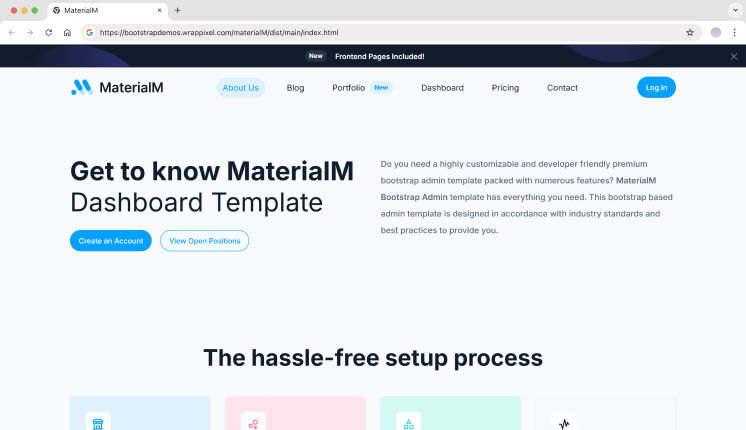
    MaterialM – Open Source Material Design Bootstrap Starter

    MaterialM Bootstrap Starter Template

    MaterialM is a modern, open-source admin template inspired by Material Design 3. It’s designed for SaaS teams that want structure, scalability, and a clean design system from day one.

    It works especially well with backend frameworks like Django, while still supporting modern frontend stacks.

    Key Features

    • 3 dashboard layouts (eCommerce, Analytics, CRM)
    • 6 frontend page templates
    • 100+ UI components
    • Dark & light mode
    • RTL and internationalization support
    • Breadcrumb-based navigation
    • Multi-step forms and validation UI
    • Calendar, DataTables, and editor integrations
    • Multi-framework support (Django, React, Vue, Next.js, Tailwind, Nuxt, Vite, Shadcn)

    Best for: Performance-focused SaaS products, CRM and eCommerce dashboards


    Modernize – Developer-Centric Bootstrap SaaS Starter

    Modernize Bootstrap Starter Template

    Modernize is built for teams working on data-heavy SaaS platforms. It provides a wide range of dashboards, apps, and UI components, reducing the need to build common features from scratch.

    This makes it suitable for long-term SaaS projects with growing complexity.

    Key Features

    • 6+ dashboard variations
    • 600+ page templates
    • 150+ UI components
    • 13+ built-in apps (email, chat, calendar, invoice, blog, eCommerce)
    • 4+ frontend website pages
    • Dark & light sidebar options
    • 6 predefined theme colors
    • Bootstrap 5 based
    • Sass-based CSS
    • Regular updates and documentation

    Best for: CRM systems, analytics tools, SaaS admin platforms


    💡 If you’re building dashboards like these, pairing them with a well-structured sidebar can save a lot of time. You may also want to explore our Bootstrap Sidebar Templates for scalable navigation layouts.


    Awake – Bootstrap Starter for SaaS Agency Websites

    awake bootstrap template

    Awake Agency is more than an admin template. It’s a complete Bootstrap starter designed for launching SaaS websites quickly.

    Instead of focusing only on dashboards, it provides sections, layouts, and components needed to build marketing pages, pricing pages, and product sites.

    Key Features

    • Ready-made website sections
    • Homepage, pricing, and feature layouts
    • Reusable Bootstrap components
    • Clean and modern design
    • Easy to extend into dashboards later

    Best for: SaaS landing pages, startup websites, product launches


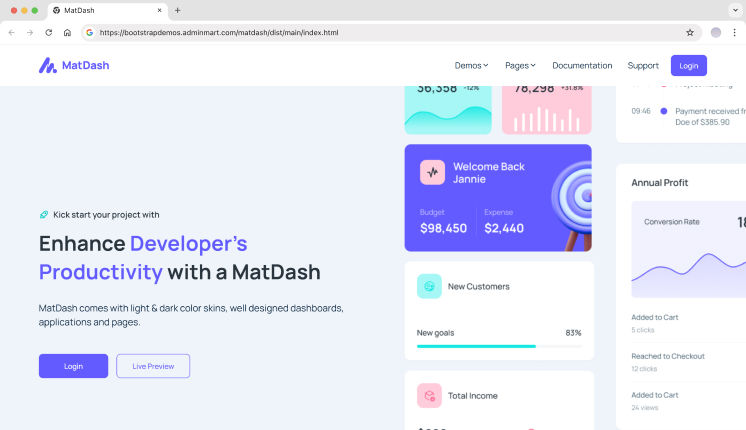
    Matdash – Structured Bootstrap SaaS Dashboard Starter

    Matdash Bootstrap Starter Template

    Matdash focuses on real SaaS workflows with a balanced mix of dashboards, apps, and UI components. It’s ideal for teams that want structure without losing flexibility.

    Key Features

    • 2 dashboard layouts
    • 100+ page templates
    • 150+ UI components
    • 9 built-in applications
    • 4+ frontend pages
    • Bootstrap 5 framework
    • Dark & light sidebar
    • Sass-based styling
    • Detailed documentation

    Best for: SaaS admin dashboards, internal tools, workflow-based apps


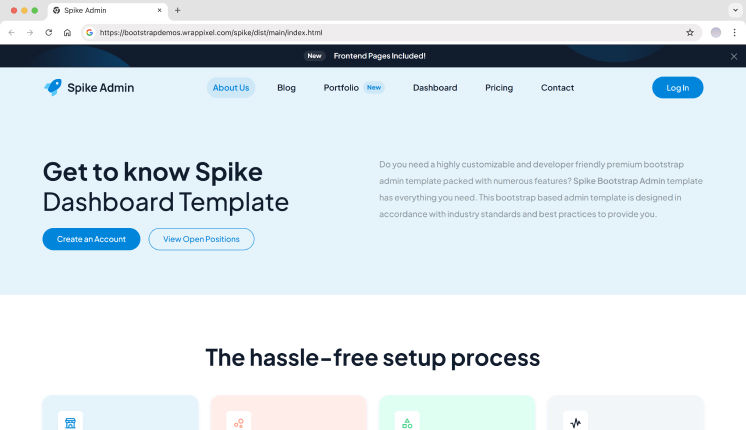
    Spike Admin – Bootstrap Dashboard Starter Template

    Spike Admin Bootstrap Starter Template

    Spike is a feature-rich Bootstrap starter designed for large SaaS platforms. It includes extensive layouts and components, making it suitable for enterprise-level dashboards.

    Key Features

    • 690+ page templates
    • 100+ UI components
    • Multiple dashboard demos
    • RTL support
    • Advanced charts and tables
    • Calendar and email layouts
    • Easy customization
    • Regular updates and support

    Best for: Enterprise SaaS platforms, feature-heavy admin systems


    💡 Instead of choosing a starter template, most SaaS products just need authentication screens. You can explore our Bootstrap Login Page Templates to quickly add login and signup flows that match your dashboard UI.


    MDBootstrap (MDB) Starter Template

    MDBootstrap extends Bootstrap with Material Design components and SaaS-friendly UI kits. It provides ready-made starters that combine Bootstrap’s layout system with richer UI elements for modern web applications.

    MDB Bootstrap Starter Template

    MDB is commonly used for dashboards, admin panels, and data-heavy SaaS interfaces.

    Key Features

    • Bootstrap-based Material Design components
    • Prebuilt SaaS dashboards and admin layouts
    • Authentication-ready pages
    • UI kits with tables, charts, and forms
    • Commercial-friendly licensing options
    • Large component library beyond core Bootstrap

    Best For: SaaS dashboards that need a more visual, Material-style UI while staying on Bootstrap.


    Blazor Bootstrap Starter Template

    Blazor Bootstrap is a Bootstrap starter system designed specifically for .NET developers using Blazor (WebAssembly or Server). It provides a structured foundation that connects Bootstrap UI with Blazor components and services.

    Blazor Bootstrap Starter Template

    This makes it ideal for teams building SaaS products in the .NET ecosystem.

    Key Features

    • Blazor WebAssembly and Server support
    • Bootstrap-based responsive UI components
    • Starter layout, navigation, and app shell
    • Chart.js and Sortable.js integrations
    • Service registration and dependency setup
    • Clean Program.cs and layout scaffolding

    Best For: .NET teams building SaaS dashboards or internal tools using Blazor and Bootstrap.


    WebPixels Bootstrap Starter Kit

    WebPixels Bootstrap Starter Kit is a clean, developer-focused starter template created for modern web projects. It provides a simple yet scalable Bootstrap structure that works well for SaaS MVPs and marketing-first applications.

    Web Pixels Bootstrap Starter Template

    Maintained on GitHub, it’s easy to fork and customize.

    Key Features

    • Open-source Bootstrap starter kit
    • Clean folder structure and SCSS setup
    • Ready-made layouts and UI blocks
    • Modern design patterns without bloat
    • Easy customization for SaaS or marketing sites
    • GitHub-hosted and community-friendly

    Best For: SaaS MVPs, landing-page-first products, and developers who want full control over the UI.


    Laravel Bootstrap 5 Starter Kit

    This Laravel Bootstrap 5 starter kit combines backend scaffolding with a Bootstrap-powered frontend. It integrates Inertia.js, Vue 3, and server-side rendering, making it suitable for real production SaaS apps.

    Laravel Bootstrap Starter Template

    It’s a strong option for teams building multi-page SaaS platforms with Laravel.

    Key Features

    • Laravel 9 backend scaffolding
    • Bootstrap 5 UI templates
    • Inertia.js with SSR support
    • Vue 3 integration
    • Authentication scaffolding
    • Role-based access control
    • Database migrations and seeders
    • SPA-like navigation with server rendering

    Best For: Laravel-based SaaS products that need auth, roles, and scalable Bootstrap UI from day one.


    Hugo Bootstrap Skeleton Starter Template

    Hugo Bootstrap Skeleton is a static-site starter template that combines Hugo’s speed with Bootstrap’s layout system. It’s designed for blogs, documentation sites, and simple SaaS marketing websites.

    Hugo Bootstrap Starter Template

    It’s especially useful for teams that want fast builds and minimal backend complexity.

    Key Features

    • Hugo static site generator
    • Bootstrap-based theme structure
    • Module-based theme setup
    • Customizable layout and styling options
    • Image processing support
    • Docker and npm tooling
    • Multiple deployment targets

    Best For: Documentation sites, blogs, and marketing-focused SaaS websites built with Hugo and Bootstrap.


    FAQ

    What is the best Bootstrap starter template for SaaS?

    Templates like MaterialM, Modernize, and Matdash are well suited for SaaS dashboards because they include auth flows, navigation, and scalable layouts.

    Are Bootstrap starter templates still relevant in 2026?

    Yes. Bootstrap remains widely used in enterprise dashboards and SaaS products due to its stability and ecosystem.

    Should startups use free or premium templates?

    Free templates work for MVPs, but premium starter templates save time as products grow and require consistent UI systems.


    Final Thoughts

    For SaaS startups, speed and consistency are critical. Bootstrap starter templates provide a dependable UI foundation that helps teams ship faster, minimize design debt, and stay focused on building core product features instead of UI infrastructure.

    Whether you choose a dashboard-first solution is Spike, Modernize & a website-oriented starter such as Awake Agency, a well-structured Bootstrap template enables scalable development from day one.

    In 2026, using a Bootstrap starter template isn’t a shortcut, it’s a practical, developer-first decision that supports long-term product growth.

  • Enhancing Frontend Web Application Performance with Rust and WebAssembly

    Dashboards, analytics tools, and complex admin panels in 2025 still live or die by how fast they feel in the browser. Users expect instant responses. Anything less drives them away.

    Why Frontend Performance Still Matters

    Google’s Core Web Vitals now set hard thresholds that directly affect search rankings and user engagement. Largest Contentful Paint should stay under 2.5 seconds. Interaction to Next Paint needs to land below 200 milliseconds. Miss these targets on a data-heavy product, and you lose both conversions and trust.

    Consider a React-based dashboards that renders 50k table rows while simultaneously redrawing multiple high-frequency charts. The main thread chokes. Filters become unresponsive. Scrolling stutters. Users click a button and wait. This kind of slow UI destroys engagement faster than any missing feature ever could.

    Rust and WebAssembly offer a way to move CPU-heavy UI logic out of JavaScript without rewriting entire apps. The Rust programming language compiles directly to WebAssembly, producing modules that run at near-native speeds inside the browser sandbox. Many teams now turn to a rust development services company to build WebAssembly modules that speed up frontend interactions for dashboards and admin panels.

    Common UI Bottlenecks in Modern Web Apps

    Modern frontend stacks like React, Vue, Angular, and SvelteKit can start to slow down when heavy rendering and complex logic compete for the same main thread. This is especially noticeable in admin panels and dashboards, where users expect every click, filter, and scroll to respond instantly.

    Things get worse when the app works with large datasets. Long loops in JavaScript, parsing big JSON responses, or recalculating layouts too often can freeze the browser for noticeable moments. Chart libraries that repaint the canvas on every update add extra load, particularly in interfaces where data changes all the time.

    These slowdowns usually show up in the same ways:

    • User input stops responding;
    • Scrolling becomes choppy and inconsistent;
    • Animations drop frames under load;
    • Filters feel delayed after each change;
    • Large tables take too long to recalculate.

    When these symptoms appear together, the main thread is overloaded and the browser struggles to keep up with both rendering and logic at the same time.

    Memory pressure makes things worse. Virtual DOM updates create many temporary objects, which leads to noticeable garbage collection pauses. In data-heavy interfaces, repeated recalculations over large in-memory datasets can freeze sliders, delay form input, and interrupt smooth scrolling.

    Most of these bottlenecks come from CPU-heavy and numeric processing tasks. Those parts of the frontend are strong candidates for moving into WebAssembly modules, while JavaScript continues managing UI structure and user interactions.

    Key Performance Benefits for UI-Heavy Apps

    Picture a Vue or React admin console rendering multiple charts, advanced filters, and real-time metrics streams. The JavaScript layer manages components and DOM updates. A Rust+Wasm module handles the hot numeric path where raw data becomes aggregated values ready for display.

    Key Performance Benefits for UI-Heavy Apps

    These benefits appear when developers identify hotspots through profiling. Data aggregation, sorting, encoding, or spatial calculations often consume the majority of CPU time in complex dashboards. Moving just those parts into Rust modules delivers measurable gains without touching the rest of the codebase.

    Rust+Wasm works well with existing UI frameworks because JavaScript still owns the DOM, event handlers, and component trees. The compiled module behaves like a high-speed library you call with input data and receive processed results. Your React hooks or Vue composables remain unchanged.

    These performance improvements become especially noticeable in UI-heavy applications:

    • Lower CPU usage during heavy data transforms;
    • Shorter input lag under rapid user interaction;
    • Smoother chart animations at 60 fps targets;
    • Faster recalculation for filters and group-by operations;
    • Reduced frame drops while scrolling large tables.

    These wins translate directly into more responsive dashboards. Users on older hardware or browser-based virtual desktops notice the improvement immediately. JavaScript alone often struggles in those environments.

    When WebAssembly Makes Sense for UI Projects

    Not every frontend feature needs Rust. WebAssembly helps most when profiling shows that raw computation, not rendering, is slowing the interface. If Chrome DevTools regularly reports long JavaScript tasks above 50ms, the bottleneck is usually CPU work that can be moved out of the main thread.

    Wasm is especially useful in data-heavy interfaces where the browser struggles to keep up with calculations. Typical signals that a feature is a good candidate include:

    • Large datasets processed on the client side;
    • Frequent numeric or statistical calculations;
    • Heavy filtering, sorting, or grouping logic;
    • Parsing of large JSON, CSV, or binary files;
    • Noticeable input lag during data updates.

    These cases usually point to compute-heavy logic that does not need direct DOM access. That makes them ideal for Rust modules compiled to WebAssembly. Interest in this approach is also reflected in the growing Rust market, where front-end performance use cases are becoming more common alongside traditional systems development.

    WebAssembly is far less useful for simple UI flows like forms, modals, or basic state updates. A practical strategy is to move one slow function to Rust, measure frame times and interaction speed, and only expand adoption if real gains appear.

    Final Thoughts on Frontend Performance Optimization

    Modern dashboards and admin panels gain real benefits when they move selected hot paths to Rust+Wasm while keeping the rest of the UI stack unchanged. This approach requires less work than a full rewrite and delivers measurable improvements in frame times and input responsiveness.

    JavaScript and TypeScript still handle DOM logic, routing, and component trees. State mutations, event handlers, and component lifecycle hooks all remain in the language your team already knows. Rust focuses on numeric processing that otherwise blocks the main thread and causes visible jank.

    We encourage readers to set up a simple experiment. Profile one slow interaction in an existing app using Chrome DevTools. Identify the compute-heavy function. Reimplement it in Rust, compile to Wasm, integrate with wasm-bindgen. Compare before and after interaction timings. The end results often speak for themselves.

    According to our data, this incremental approach beats full rewrites. Teams maintain their design systems, templates, and frontend frameworks. They eliminate specific bottlenecks without disrupting projects already in production. Build on what works. Fast improvements, not risky overhauls.

  • 10+ Best Bootstrap Website Templates & Examples

    A smooth, professional, and functional user experience is the core goal of any SaaS product or startup website. But building a marketing site, portfolio, blog, or a full SaaS admin platform from scratch takes time, often weeks of repetitive layout and UI work. 

    Using the right Bootstrap website templates can significantly reduce that effort.

    These templates aren’t limited to single-page designs. Most come as complete website kits with essential pages like Home, About Us, Portfolio, Blog, and Contact Us already structured. Many also include integrated admin dashboards, reusable UI blocks, and layout systems that help you build a real web application instead of starting from a blank project.

    In this article, we review Bootstrap website templates that combine public-facing websites with full SaaS dashboards. These options are well suited for developers, product teams, and startups that want a clean codebase, consistent UI patterns, and a faster path from idea to production.


    Why SaaS Startups Use Bootstrap Website Templates

    SaaS startups need speed, maintainability, and flexibility. A website template built with Bootstrap gives you:

    • Prebuilt, responsive pages ready to launch
    • Consistent UI and design system across frontend and admin dashboard
    • Customizable layouts and components for new features
    • Reduced development time, letting teams focus on product logic instead of basic UI

    With a high-quality Bootstrap website template, startups can ship both the public site and backend dashboards seamlessly.


    What Is a Bootstrap Website Template?

    A Bootstrap website template is a pre-designed collection of pages and UI components built using Bootstrap 5. Most templates include:

    • Landing/Home pages with call-to-action sections
    • About, Portfolio, Blog, and Contact pages
    • Authentication flows like login and signup
    • Dashboard pages and admin panels
    • Reusable components like forms, tables, charts, and modals
    • Responsive layouts that work across devices

    These templates act as a full SaaS website foundation—marketing pages and internal dashboards included.


    Use Cases for Bootstrap Website Templates

    • Full SaaS platforms with marketing websites
    • Startup homepages with portfolio and blog sections
    • Internal tools with public-facing entry pages
    • Analytics dashboards with prebuilt reports and tables
    • Multi-role web applications

    By using a ready-made Bootstrap template, teams can focus on building unique features instead of reinventing the wheel.


    What You’ll Learn From This Article

    This article highlights modern Bootstrap website templates that provide full web apps and SaaS-ready solutions. You’ll discover templates that include both the public-facing website pages and fully functional dashboards. You’ll also see how responsive, multi-page structures help scale your project while saving development time.


    Top Bootstrap Website Templates

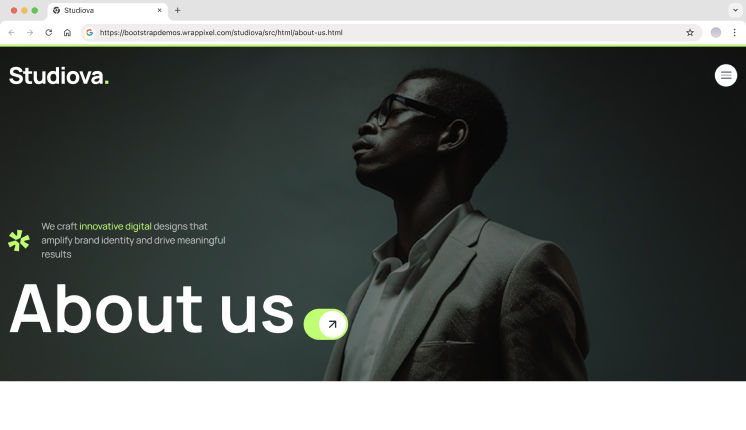
    Studiova

    Studiova offers one of the most visually striking website templates in this list. It’s designed for modern startups, creative agencies, and SaaS products. The template includes all essential pages like Home, Portfolio, Blog, About Us, Contact, and integrates seamlessly with admin dashboards for a complete web application.

    Key Features

    • Full SaaS-ready website template
    • Clean, modern, and visually polished UI
    • Fully responsive and production-ready layouts
    • Prebuilt sections for marketing and dashboard pages

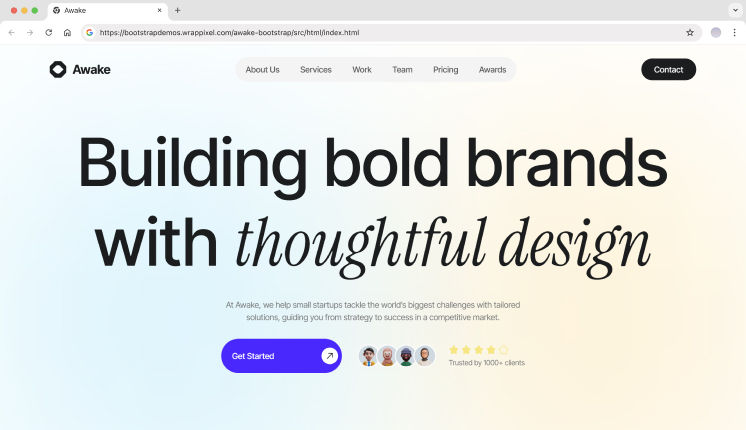
    Awake Agency Bootstrap Template

    Awake Agency is more than just a website template; it’s a full SaaS-ready starter system. You get all the important sections and components needed for launching a website or web app, including portfolios, blogs, and admin dashboards. Perfect for startups that want speed without compromising design quality.

    Key Features

    • Ready-to-use pages for Home, About, Blog, Contact
    • Components for SaaS marketing and internal dashboards
    • Clean typography and spacing
    • Responsive Bootstrap 5 layout

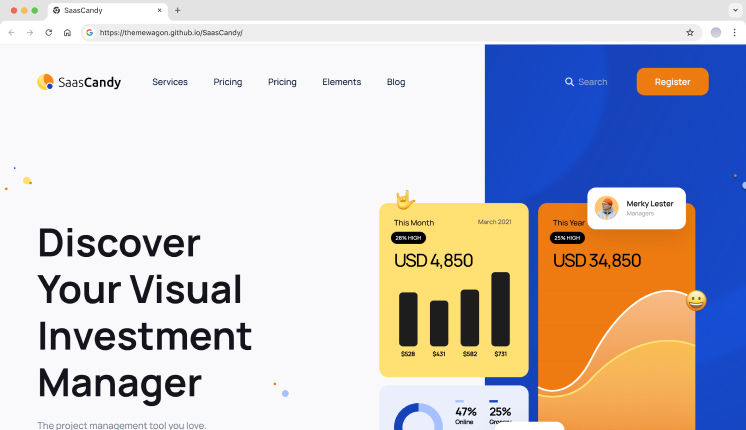
    SaaSCandy

    SaaSCandy is a clean and modern single-page Bootstrap 5 template built for SaaS startups and product websites. It focuses on clear messaging, smooth interactions, and conversion-friendly sections that help teams present their product without unnecessary complexity. The layout stays lightweight while still offering everything needed for a polished launch.

    Key Features

    • Built on Bootstrap 5
    • Clean HTML5 and CSS3 code
    • Single-page SaaS-focused layout
    • Sticky top navigation with search option
    • Mobile-friendly burger menu
    • Hero section with video support
    • Pricing cards and carousel sections
    • FAQ section with accordion layout
    • CTA buttons with subtle hover effects
    • Newsletter and contact form sections
    • Fully responsive across devices
    • Organized and easy-to-maintain code

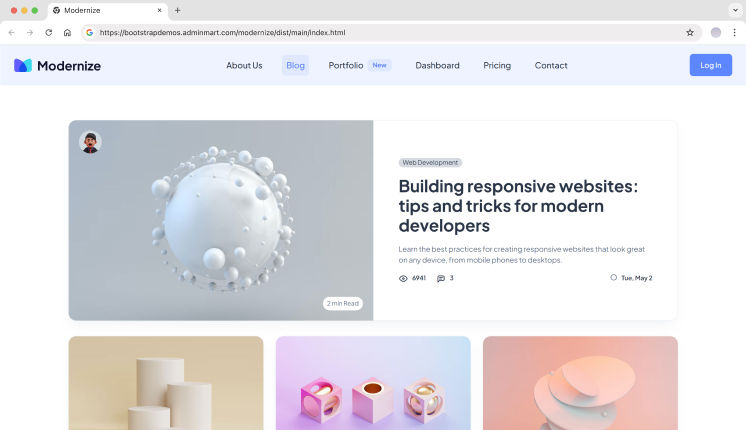
    Modernize

    Modernize is a developer-focused template that combines SaaS dashboards with beautiful landing and website pages. It includes prebuilt pages for marketing, portfolio, blog, and eCommerce sections, alongside multiple dashboard layouts, charts, tables, and forms.

    Key Features

    • Full SaaS website template with dashboards
    • Multiple frontend pages included
    • 150+ UI components and prebuilt apps
    • Dark/Light sidebar options and responsive design
    • Ideal for CRM, analytics, and SaaS platforms

    MaterialM

    MaterialM is a Bootstrap website template inspired by Material Design 3 principles. It’s perfect for SaaS startups looking for a modern design with multiple integrated pages. It supports dashboards, analytics, product pages, blogs, and eCommerce sections.

    Key Features

    • Material Design-inspired UI
    • Prebuilt landing and internal pages
    • Multiple dashboards and component sets
    • Fully responsive, RTL, and i18n support
    • Multi-framework compatibility: React, Vue, Next.js, Nuxt, Tailwind

    Matdash

    Matdash provides a complete SaaS web application template. Its landing pages, portfolio, blog, and dashboard layouts are designed for real-world SaaS workflows. With prebuilt dashboards, apps, and over 100+ pages, it’s ideal for startups building full-featured platforms.

    Key Features

    • Multi-page SaaS website template
    • Prebuilt dashboards and 100+ pages
    • 150+ reusable UI components
    • Dark/Light mode layouts
    • Fully responsive Bootstrap 5 design

    Spike

    Spike delivers a flexible Bootstrap template for startups and SaaS platforms. It includes landing pages, internal dashboards, frontend pages, and analytics layouts. The template is optimized for scalability and comes with many prebuilt apps and UI components.

    Key Features

    • Full SaaS-ready website template
    • 690+ pages and 100+ UI components
    • Multiple frontend pages and dashboard layouts
    • RTL support and responsive design
    • Regular updates and detailed documentation

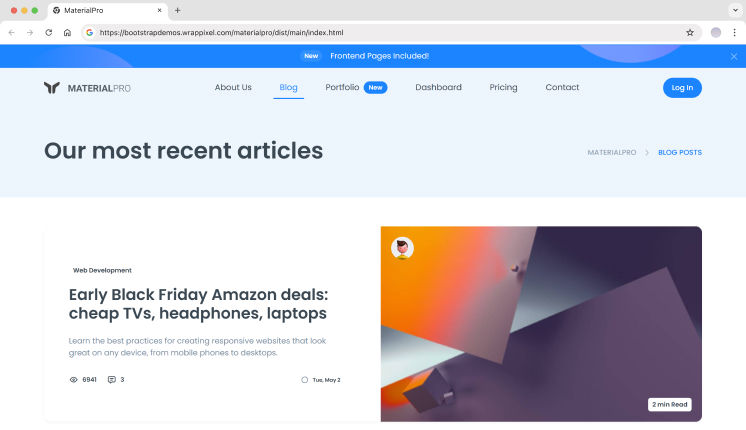
    MaterialPro

    MaterialPro is a premium Bootstrap template designed for enterprise and SaaS projects. It provides both public-facing website pages and admin dashboards. Its reusable components, multiple demo layouts, and responsive design make it a strong starting point for large web applications.

    Key Features

    • Enterprise-grade Bootstrap website template
    • 500+ pages and 500+ UI components
    • Prebuilt dashboards and apps
    • RTL and multi-framework ready
    • Fully responsive Bootstrap 5 layout

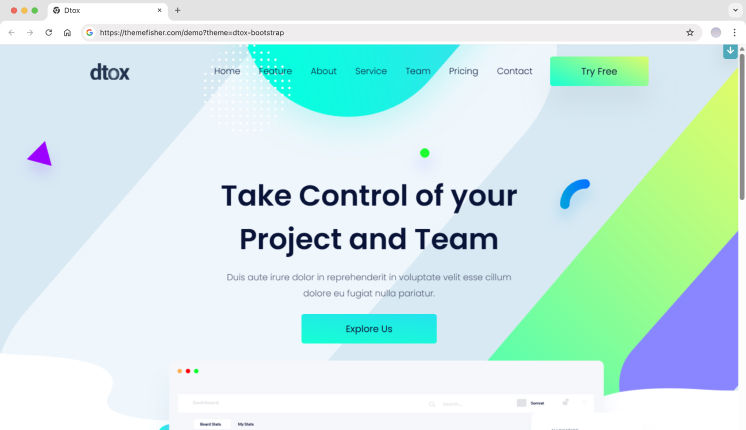
    Dtox

    Dtox is a business-ready Bootstrap template designed for SaaS, finance, and corporate websites. Its layout focuses on clarity and performance, making it suitable for professional use cases where speed, SEO, and structure matter more than flashy visuals.

    Key Features

    • High Google PageSpeed score on desktop
    • Clean and professional layout
    • Fully responsive design
    • Built with Bootstrap
    • Smooth animations without heavy scripts
    • SEO-friendly HTML structure
    • Fast loading performance
    • Simple customization workflow
    • Well-written documentation

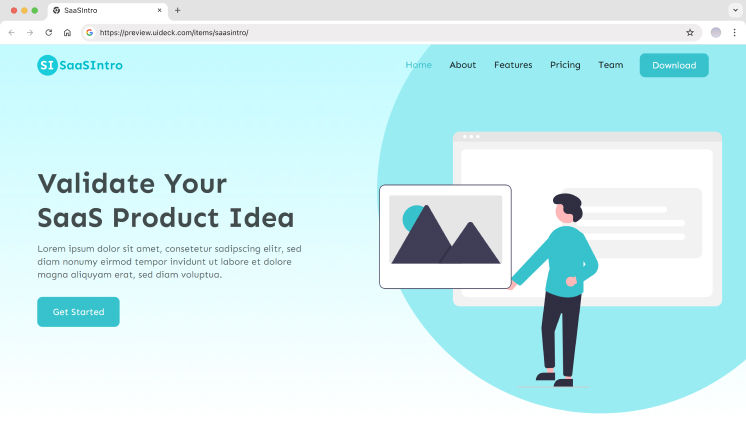
    SaaSIntro

    SaaSIntro is a simple yet professional Bootstrap 5 landing page template made for SaaS products, apps, and software tools. It includes all the essential sections needed to test ideas, collect leads, and launch quickly without overdesigning the interface.

    Key Features

    • Clean and minimal visual design
    • Fully responsive layout
    • Designed specifically for SaaS and software products
    • Built on the latest Bootstrap version
    • Free and premium versions available
    • Easy to customize and extend
    • Lightweight structure for fast loading

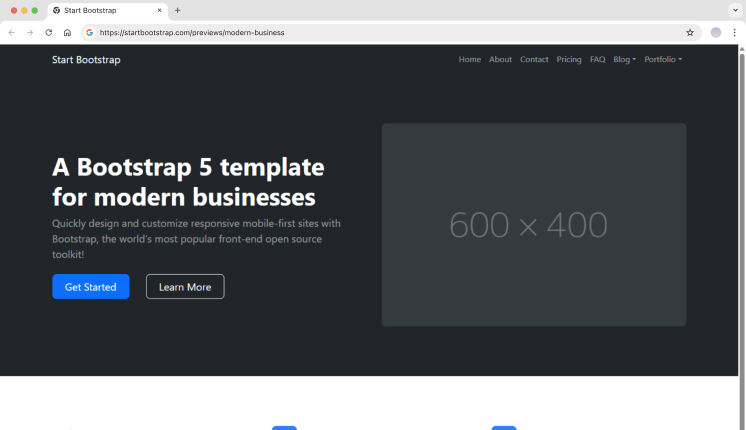
    Modern Business (StartBootstrap)

    Modern Business is a multipurpose Bootstrap 5 website template created for larger SaaS and business websites. It includes a wide range of ready-made pages, making it easier to build full websites without assembling layouts from scratch.

    Key Features

    • Built with Bootstrap 5
    • 17 ready-to-use HTML pages
    • Working PHP contact form
    • Homepage with image slider and captions
    • Multiple portfolio layout options
    • Bonus pages like pricing, FAQ, sidebar, and 404
    • Pre-styled call-to-action sections
    • Easy to edit and expand

    FAQ

    Is it possible to apply dashboard templates to website pages?

    Sure. A lot of SaaS dashboard templates (e.g. Modernize, Spike, Matdash, and MaterialM) also included landing pages, portfolios, blogs, contact and other sections of websites.

    Why use Bootstrap website templates for startups?

    They are time efficient, offer an early stage website with a uniform responsive layout, and let teams divert their time from user interface to product logic.

    What are the best Bootstrap templates for SaaS websites?

    SaaSCandy, Awake, and Studiova are some of the best templates to use for a SaaS website launch. They have a clean design with layouts and sections that help in conversions and come with pages for Home, Pricing, and Contact. This makes them perfect for a fast launch and validation of a SaaS product.


    Wrapping Up

    Bootstrap website templates provide an all-in-one solution for startups and SaaS teams that need both public-facing websites and applications.

    Templates like Studiova, Awake, Modernize, MaterialM, Matdash, Spike, and MaterialPro combine prebuilt landing pages, portfolio sections, blog layouts, and dashboard components, offering a complete package with ready-made sections for blogs, landing pages, portfolios, and dashboards. These templates speed up development, maintain design consistency, and provide a polished admin interface for startups out of the box.

    A reliable Bootstrap website template is a smart choice for your 2026 projects, whether you’re building a marketing site, a full SaaS platform, or something in between.

  • 10+ Open Source Bootstrap Sidebar Templates, Designs & Examples

    Every web project reaches a moment where pages start growing. What began as a simple layout suddenly needs navigation for dashboards, settings, reports, and users.

    This is where sidebars quietly become one of the most important parts of an application.

    Whether you’re building a SaaS product, an internal admin tool, or a client dashboard, a good sidebar helps users move around without thinking. A bad one, on the other hand, slows everyone down. This article is written for developers who want to avoid that mistake and pick the right Bootstrap sidebar from the start.


    What You’ll Learn From This Article

    In this guide, you’ll learn:

    • Why sidebars matter in real-world Bootstrap projects
    • The difference between dashboard-ready sidebars and simple code snippets
    • Which open source Bootstrap sidebars work best for SaaS, admin panels, and internal tools
    • How responsiveness, navigation structure, and customization affect usability
    • When to choose a full template and when a lightweight sidebar example is enough

    By the end, you should have a clear idea of which sidebar fits your project and why.


    Why Sidebars Are Important in Bootstrap Projects

    Sidebars do more than hold links. They define how users explore your application.

    In dashboards and SaaS apps, sidebars usually stay visible, giving quick access to important sections. In mobile layouts, they collapse or move off-canvas to save space. A well-designed sidebar keeps navigation predictable, reduces clicks, and scales as your app grows.

    Bootstrap makes this easier by offering a strong grid system, utility classes, and responsive helpers. That’s why Bootstrap sidebars are still widely used in production apps today.


    Let’s Explore Top Open Source Bootstrap Sidebars

    Below is a mix of modern sidebar templates and community-built examples. Some are full dashboard solutions, while others are simple layouts you can customize freely.

    MaterialM Sidebar

    MaterialM comes with a clean, Material-inspired sidebar built for modern admin dashboards. The layout is easy to follow and works well when your application has many pages or sections. It’s a good fit for dashboards where structure and consistency matter.

    Key Features

    • Collapsible and responsive sidebar
    • Icon and text-based navigation
    • Active states and nested menus
    • Designed for admin and SaaS dashboards

    Modernize Sidebar

    Modernize bootstrap sidebar

    Modernize offers a simple and modern Bootstrap sidebar that focuses on spacing and readability. It feels lightweight and works especially well for analytics dashboards, internal tools, and SaaS admin panels where clarity is important.

    Key Features

    • Clean and minimal sidebar UI
    • Fully responsive on all screen sizes
    • Multi-level navigation support
    • Ready for dashboard layouts

    Studiova Sidebar

    studiova bootstrap sidebar

    Studiova includes one of the most visually polished sidebars in this list. It’s designed for design startups, SaaS products, creative websites, and modern dashboards where navigation should look clean and professional. The sidebar adapts smoothly across devices and feels ready for real production use.

    Key Features

    • Modern and polished sidebar design
    • Built for SaaS and modern websites
    • Fully responsive layout
    • Easy to integrate into existing projects

    Matdash Sidebar

    matdash bootstrap sidebar

    Matdash provides a structured Bootstrap sidebar designed around real SaaS workflows. It works well for dashboards that need multiple sections while keeping navigation simple and easy to follow.

    Key Features

    • Well-structured sidebar menu
    • Smooth responsive behavior
    • Easy integration with dashboard pages
    • Designed for admin use cases

    MaterialPro Sidebar

    materialpro bootstrap sidebar

    MaterialPro offers a professional sidebar inspired by Material UI concepts. It’s built for large dashboards where clear navigation and scalability are important.

    Key Features

    • Professional sidebar layout
    • Nested menu support
    • Mobile-friendly design
    • Suitable for enterprise dashboards

    FreeDash Sidebar

    freedash bootstrap sidebar

    FreeDash is a free Bootstrap admin template that includes a ready-to-use sidebar. It’s a solid option for small projects, prototypes, or internal tools where you want something functional without extra setup.

    Key Features

    • Free and open source
    • Responsive sidebar navigation
    • Includes dashboard pages
    • Lightweight and easy to use

    Spike Sidebar

    Spike Sidebar

    Spike provides a simple and flexible Bootstrap sidebar that’s easy to customize. It works well for long-term admin projects and for teams maintaining existing Bootstrap applications.

    Key Features

    • Clean sidebar navigation
    • Responsive toggle support
    • Simple customization structure
    • Suitable for both new and legacy projects

    Collapsible Bootstrap Sidebar by Peter Kaagman

    Collapsible Bootstrap Sidebar by Peter Kaagman

    This is a simple collapsible sidebar built with plain Bootstrap. It’s a good starting point if you want full control over behavior without adding extra libraries.

    Key Features

    • Collapsible sidebar layout
    • Clean Bootstrap structure
    • Easy to customize
    • Ideal for small dashboards and internal tools

    Animated Bootstrap Sidebar by Yuliana

    Animated Bootstrap Sidebar by Yuliana

    This sidebar adds smooth animations to standard Bootstrap navigation. It’s useful when you want a modern touch without relying on heavy JavaScript.

    Key Features

    • Animated open and close behavior
    • Bootstrap 5 markup
    • Lightweight and fast
    • Suitable for modern dashboards

    Offcanvas Bootstrap Sidebar by Furkan Gulsen

    Offcanvas Bootstrap Sidebar by Furkan Gulsen

    This offcanvas sidebar works well for mobile-first layouts. It hides navigation until it’s needed, keeping the UI clean on smaller screens.

    Key Features

    • Offcanvas sidebar layout
    • Mobile-friendly navigation
    • Minimal JavaScript usage
    • Great for responsive designs

    Sidebar with Submenu by Bootdey

    Sidebar with Submenu by Bootdey

    This example focuses on multi-level navigation. It’s useful for dashboards that need nested menus without making things complicated.

    Key Features

    • Multi-level sidebar menus
    • Responsive design
    • Simple HTML and Bootstrap setup
    • Easy to customize

    Left & Right Sidebar Modal by Patrick

    This example includes both left and right sidebar layouts. It’s useful for content-heavy dashboards where different panels are needed.

    Key Features

    • Left and right sidebar layouts
    • Minimal UI design
    • Responsive behavior
    • Ideal for clean admin interfaces

    FAQ

    Which Bootstrap sidebar is best for SaaS applications?

    Studiova, Modernize, and MaterialM are strong choices for SaaS projects. They focus on responsiveness, clean navigation, and layouts that scale with growing products.

    Are Bootstrap sidebars still relevant today?

    Yes. Bootstrap is still widely used in real-world dashboards and enterprise applications. Sidebars remain a reliable navigation pattern, especially for admin and SaaS platforms.

    Should I choose a template or a sidebar snippet?

    If you’re building a full dashboard, a template saves time. If you want full control or are adding navigation to an existing project, a sidebar snippet is often enough.


    Wrapping Up

    Building a good sidebar is not about adding more features; it’s about making navigation feel natural.

    Modern Admin Templates like Modernize, Spike and MaterialM , show how sidebars can be clean, responsive, and ready for real-world use. Their open-source nature and multi-framework support make them practical for teams working across different tech stacks.

    At the same time, community-built sidebars are great for learning, prototyping, and custom solutions. With so many open source options available, you don’t need to start from scratch—you just need to choose what fits your project best.

    If you’ve built or discovered a useful Bootstrap sidebar, feel free to share it. Good sidebars help the entire developer community build better applications.

  • 10+ Best Dashboard Designs for 2026 (Free & Paid)

    In 2026, dashboards have started to become more important than ever before, especially when it comes to designing and developing intuitive and data-rich interfaces. Every management tool, analytical dashboards, or CRM systems, including an ecommerce dashboard require a template to ensure smooth interactions and a seamless user experience. As with the surge in importance of aesthetic and responsive functionality, this modern dashboard design has everything it takes to excel in the industry.

    Whether you are a developer looking to embed the latest designs in your web application or a business looking to streamline your operations and increase productivity, these dashboard templates and designs come in handy when you wish to design aesthetic and functional web interfaces.

    Let’s dive into the best designs of Figma, offering customizable features and modern layouts that are perfect for any project.


    Tips for Choosing the Final Dashboard Design

    When selecting the Figma or coded dashboard designs for your project, consider the following key elements:

    • Responsive Layouts Make sure the design can work on any device or screen. 
    • Customizability Make sure the template is easy to change for color patterns, elements, and designs.
    • User-Friendliness Keep interface designs handy and ensure they are easy to use to avoid frustrating the user.
    • Integration with Modern Frameworks Having designs that work with React, Next.js, and Tailwind will make your integration easier. 
    • Light/Dark Mode Support Some designs provide both modes and let users pick whichever they prefer.

    Explore top admin ui designs , including options like the Tailwind dashboard, which offer customizable features and sleek, modern layouts that are ideal for any project.

    Modernize

    Modernize is a sleek, minimalist react template that can be used for a range of applications. A web application that has a large or small complexity will benefit from Modernize’s clean and responsive design. Developers will also be pleased to see that it is easy to use and comes with a coded version and a Figma file.

    Key Features:

    • Simple and clean layout
    • Fully responsive for mobile and desktop devices
    • Light and dark mode themes are available for customization
    • Figma and coded export-ready files available
    • Charts, forms, and tables for advanced data management

    MaterialM

    Inspired by Google’s Material Design, MaterialM’s design is perfect for creating powerful and attractive dashboards. The design is mobile responsive and customizable to promote user-centered design. Developers love that the Figma file is ready for customization and the coded file is ready for use.

    Key Features:

    • Mobile and desktop responsive design
    • Responsive layout that follows Material Design
    • Widgets and other custom components
    • Frictionless modern transitions between components
    • Chairs, tables, and other components in modern design

    Dashboard UI Kit

    For developers who want to efficiently design clean, simple admin interfaces, the Dashboard UI Kit is a wonderful tool. This free design resource is versatile, responsive, and includes the backbone components for a dashboard, such as forms, charts, and tables.

    Key Features:

    • Clear and simple for ease of use
    • Responsive and optimized for mobile devices
    • Plug and play capabilities to any backend
    • Basic UI elements such as charts and tables
    • Completely free of charge with all modules

    Asanah

    Asanah is a modern, task-management-focused dashboard interface perfect for project managers and team collaboration. This template comes with several tools and components designed to manage tasks, track milestones, and keep teams on track.

    Key Features:

    • Task and milestone management tools
    • User-friendly interface with real-time progress updates
    • Customizable widgets and data views
    • Includes charts, project boards, and automated reminders
    • Fully responsive and mobile-friendly

    Dashboard

    This template is best for people who want to focus on getting a neat and uncomplicated user interface while developing for small to average businesses. This user-friendly design has options to add Widgets such as tables and charts.

    Key Features:

    • Simple design with minimal distractions
    • Easy-to-use components for integration
    • Fully responsive across all devices
    • Includes essential data visualization tools like graphs and charts
    • Perfect for small to medium-sized applications

    CRM Dashboard

    The purpose of the CRM Dashboard template is to assist in streamlining the tracking of customer relationships and user data with sales analysis.

    Key Features:

    • Customizable CRM features such as lead tracking and contact management
    • Responsive and mobile-friendly
    • Includes data visualizations for sales, performance, and activity tracking
    • Easy-to-use UI for managing customer data and communications
    • Available for free with all features included

    Venus

    Venus offers a highly customizable dashboard ui kit suitable for developers who need to create powerful, responsive, and easy-to-navigate user interfaces. It’s perfect for complex applications requiring a clean yet detailed UI.

    Key Features:

    • Fully responsive and optimized for all screen sizes
    • Includes a variety of customizable widgets
    • Data visualization tools for charts, graphs, and statistics
    • Interactive elements to engage users
    • Multiple layout options available

    Analytics Dashboard

    The Analytics Dashboard is perfect for data-driven projects, offering a clean design for tracking KPIs, analytics, and performance data. It’s fully responsive and comes with built-in charts, tables, and reports.

    Key Features:

    • Data analytics and visualization components
    • Easy to navigate and understand
    • Mobile-ready and responsive
    • Includes KPIs, graphs, and performance indicators

    Designo LMS Dashboard

    Custom-built for Learning Management Systems, Designo serves educational institutions and businesses that need to organize and manage course and student information. Designo offers a streamlined platform for admins to monitor student assignments, grades, and progress.

    Key Features:

    • Tailored for use in learning management systems
    • Facilitates tracking grades, assignments, and course progress
    • Variety of customizable elements for different needs
    • Mobile-friendly and easy to use
    • Clean and intuitive interface based on data

    UI Dashboard by PieCrust.uk

    This flexible, customizable dashboard template is designed to provide maximum flexibility for developers. With its comprehensive design elements, it’s a great option for building any type of admin panel or data management tool.

    Key Features:

    • Flexible and customizable design
    • Fully responsive and optimized for mobile
    • Easy-to-use components for quick integration
    • Includes charts, tables, and reports
    • Ideal for admin panels and data-driven applications

    HR Dashboard

    HR Dashboard is designed for human resource management, so you can monitor employee data, attendance, and performance. It’s sleek, efficient, and designed with all the resources you need to streamline your HR management.

    Key Features:

    • HR-focused design with employee tracking tools
    • Includes attendance tracking, leave management, and performance reports
    • Responsive layout for mobile and desktop use
    • Clean, intuitive interface with easy navigation

    SaaS B2B Dashboard

    Designed for SaaS companies, the SaaS B2B Dashboard allows you to track customer and sales data and other important metrics. If you need an operational overview, it’s an easy-to-use system designed for SaaS businesses.

    Key Features:

    • Selling and customer management functionalities
    • Mobile-friendly and fully responsive
    • No barriers for backend integration
    • Real-time reports, dashboards, and KPI tracking

    Modern Dashboard

    Modern Dashboard offers a sleek, modern interface with all the essential features for data management. It’s perfect for any business that needs an intuitive admin interface with real-time analytics and reporting.

    Key Features:

    • Sleek, modern design with essential data tools
    • Includes real-time data updates and reporting
    • Easy integration with backend systems
    • Customizable charts and tables for data presentation

    FAQs:

    Q1: How do I choose the best admin panel design template for my project?

    Consider factors like responsiveness, customization options, ease of integration, and the specific needs of your project. If you need advanced features, go for a paid template with a comprehensive set of tools.

    Q2: Can I modify these dashboard templates?

    Almost all the templates can be personalized, including the structure, theme, and new elements.

    Q3: Do these templates work with modern frameworks?

    Absolutely! The templates mentioned above are dashboard designs only, so you can build them in any framework that fits your needs. If you’re looking for ready-to-use, pre-coded templates, check out Modernize or MaterialM.

    Conclusion

    The best dashboard template designs for 2026 focus on being easy to use, flexible, and practical. Whether you need a creative dashboard design for a startup or a professional one for a big company, these templates give you a solid starting point to build responsive, user-friendly dashboards. Check out the options above, test the dashboard layout with their live previews, and download the designs to start your next project.