Category: React

  • 10 Essential React Ecosystem Tools: Build Better React Apps

    React.js, the most popular and frequently used JavaScript library for building user interfaces for modern web apps, has come a long way when we talk about react ecosystem. Developers not only love how easy it is to get started as a newbie (thanks to its official docs) but also how vast their community of developers and the tools they use are!

    These amazing new tools help to automate workflows, can be used as standalone software, can be used as a microservice, and even can help to detect faulty and vulnerable lines of JavaScript code you wrote.

    Searching for the best tools for react ecosystem? Either to build your react dashboard or website. Then let me tell you Modernize MUI react dashboard should be your first choice. This will help you think out of the box that how react ecosystem can be used to build such incredible web apps. If you’re also looking to develop high-quality mobile applications, consider partnering with an iOS App Development Company for expert solutions.


    10 Best Tools for React Ecosystem

    Here is the list of 10 Best Tools for React Ecosystem:

    Below, we talk about features of these tools for React developers.

    Whether you are using React templates or coding on React, these tools range from React Studio to CodeSandbox to Deepscan and more!

    1. Redux Toolkit

    Redux Toolkit is a powerful library for state management in React applications, designed to simplify and enhance the use of Redux. Redux has long been a popular choice for managing state in JavaScript applications, but its boilerplate code and complexity can be overwhelming. Redux Toolkit addresses these challenges by providing a set of tools and best practices to streamline the development process. If you’re looking for expert assistance in building scalable React applications, consider partnering with a ReactJS development company.

    Checkout Redux Toolkit by Clicking here


    2.  Zustand

    Zustand is a small, fast, and scalable state management library for React applications. Developed by Jannie Wiberg, Zustand aims to simplify state management with minimal boilerplate and excellent performance. Unlike more complex state management solutions like Redux, Zustand offers a more intuitive and less opinionated approach, making it an attractive option for developers looking to manage state in their React applications.

    Checkout Zustand by Clicking here


    3. React Studio 

    What is it?

    • React Studio is a fully-featured standalone desktop software to develop modern web apps for production with React.

    Top features:

    1. It gives developers an easy way to package new code and then hand it off to designers.
    1. No vendor lock-in. You will be keeping all the existing tools and integrations used in the project.
    1. It comes with an integrated Plugin Editor with API verifying abilities so that it’s easy to ensure interface compatibility between different versions.
    1. Comes with popular tooling’s like using create-react-app and Git version control.
    1. You can import your designs straight from Sketch, preview them on your mobile device for responsiveness and straightaway publish them to the web in one click!

    Checkout React Studio by Clicking here


    4. React Styleguidist
    What is it?

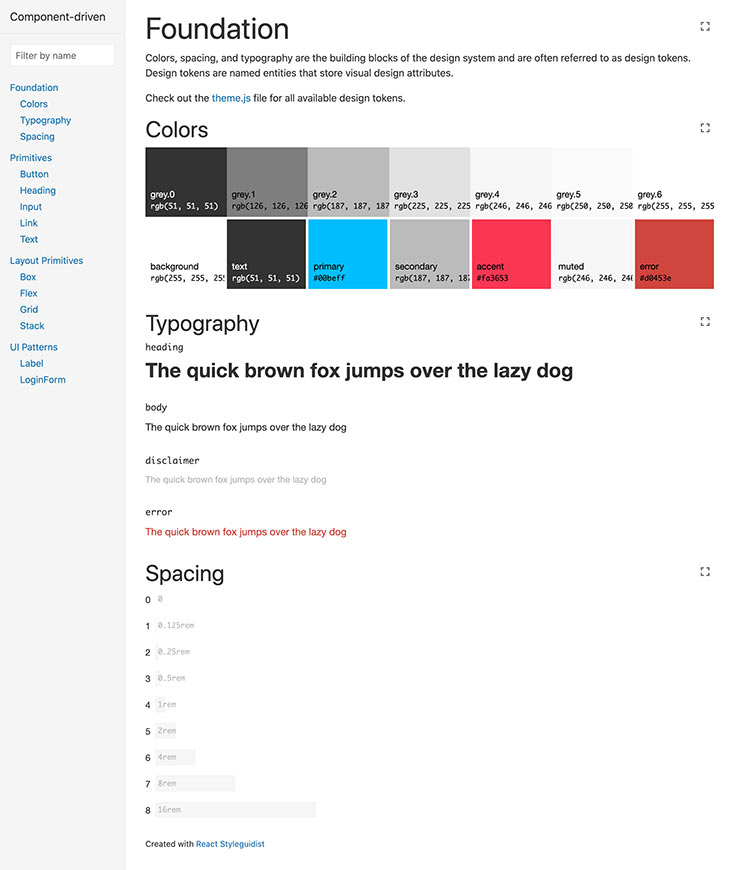
    • React Styleguidist is an isolated React component development environment with a living style guide.

    Top features:

    1. React Styleguidist comes with a development environment by itself with support for popular React-based technologies like JavaScript, TypeScript, and Flow.
    1. It works with create-react-app tooling out of the box.
    1. You can easily share components with your team as it gets all the components in one place with auto-generated documentation along with live examples.
    1. With its interactive playground, you can see how components react to different props and data changes right inside your browser.

    Checkout React Styleguidist by Clicking here


    5. React Slingshot 

    What is it?

    • React Slingshot is a comprehensive starter kit for rapid application development using React.

    Top features:

    1. React Slingshot comes with the traditional npm start command to start the development server in your default browser along with the ability to have hot reloaded, lining, and automated tests enabled!
    1. Rather than splitting the command line output into multiple lines, React Slingshot displays all the command-based feedback in a single line.
    1. If you are new to this library, then it even has a working example app to showcase its top features which guides you on how it all works together.
    1. It offers a rich developer experience because it uses technologies like Redux, React Router, Babel, Webpack, Jest, ESLint, and more!

    Checkout React Styleguidist GitHub link by Clicking here


    6. Openbase

    Openbase - react ecosystem

    What is it?

    • Openbase comes fourth in the best tools for the React ecosystem as it is an online tool to choose the right package for your React projects without any hassle.

    Top features:

    1. 500+ package categories are hand-picked, so you will most likely get your favorite one.
    1. The members of the Openbase community have 50K+ reviews and ratings given to hundreds of packages according to crucial developer experience metrics like documentation, ease of use, performance, etc.
    1. You will get a deep dive with dozens of metrics of each package like the bundle size, monthly commits to its repo, open issues, download time, popularity, version, and more!
    1. If you are a developer of a package, then you can claim it as its maintainer thanks to its open documentation.
    1. Can’t seem to find a suitable package but still want to explore a random one? Then Openbase has a random package finder which you can get access here.

    Checkout Openbase by Clicking here


    7. Codesandbox

    Codesandbox - react ecosystem

    What is it?

    • Codesandbox is an online IDE environment made to create, share, and get feedback with collaborative sandboxes for rapid web development in the React ecosystem.

    Top features:

    1. There’s no setup needed to create a new React-based sandbox. You just choose a template and it gives you all the necessary packages, tooling, and a running browser window!
    1. It’s collaborative. This means that you can get feedback and create it together, in real-time or asynchronously.
    1. The code you write updates live on the browser window and you can easily share, embed, or join someone else’s sandbox.
    1. It has a built-in NPM package directory of over 1 million+ packages which you can simply search and add to your [project without running a single line of the command line.
    1. It’s optimized for React-based environments and has support to import and run your GitHub repos directly from the browser.

    Checkout Codesandbox by Clicking here


    8. React Sight 

    React Sight

    What is it?

    • React Sight is a live view of the component hierarchy tree of your React application with support for React Router and Redux in the React ecosystem.

    Top features:

    1. This React visualizer is easy to set up on major browsers like Chrome and Firefox as extensions/add-ons. You just install it, run your React app, open dev tools, and start working with the React Sight panel!
    1. It requires you to have no modifications on your codebase, so you can keep working on your code while React Sight will make a live component hierarchy tree in the background.
    1. It has support for popular React tooling like React Fiber, React Router, Redux, and more!
    1. The extension is lightweight and unobtrusive and will show you how your application is working under the hood.
    1. With built-in filters, you can hide elements you don’t want to see so that you only focus on one particular component at a time.

    Checkout React Sight by Clicking here


    Also Read: Top 10 React IDEs for Developers in 2026


    9. Sentry

    What is it?

    • Sentry comes seventh in tools for the React ecosystem it is a service for developers who can make use of its excellent error tracking to performance monitoring in the React ecosystem.

    Top features:

    1. Sentry’s React SDK enables automatic reporting of errors and exceptions.
    1. It captures data by using an SDK within your application’s runtime and to install it you can simply run the following command:

    # Using npm

    npm install --save @sentry/react @sentry/tracing

    # Using yarn

    yarn add @sentry/react @sentry/tracing

    1. You can integrate source maps with the support of transpired, minified, and bundled JavaScript.
    1. It can identify performance issues beforehand with the distributed trace feature.
    1. With Sentry, you also get a beautiful visualization of your application’s data with specific dashboards.

    Checkout Sentry for React by Clicking here


    10. Deepscan

    Deepscan

    What is it?

    • Deepscan is a cutting-edge static analysis tool for your React and JavaScript code in the React ecosystem.

    Top features:

    1. Deepscan analyses your code by data-flow analysis and specific rule sets. 
    1. It focuses more on runtime errors within your application rather than coding conventions.
    1. It can find issues that are based on execution and data flow and not only syntax-based issues.
    1. The tool classifies issues as multi-level impacts and shows all the related information about that with a detailed guide to know what and where the problem is.
    1. Deepscan has great code inspection, GitHub integration, a good array of plugins and CLIs, and more!

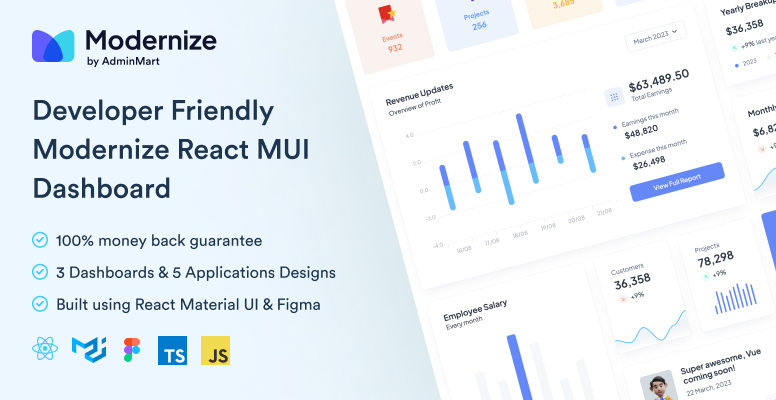
    If you are looking for React MUI Admin Dashboard Template then you can check out below useful Template which can save you time, money, and energy:

    Modernize Free React MUI Dashboard
    Great! Now you have an awesome new list of tools to use as a React developer. Put on some coding hats start using them and see how helpful they are in your workflow 🙂 So now you get to know the 10 best tools for the React ecosystem.


    If you’re looking for a detailed React cheatsheet, be sure to explore our blog for all the essential information.

    If you are building robust admin panels, don’t miss our exclusive collection of free React admin dashboard templates.

    Additionally, if you’re interested in creating website templates, check out our curated selection of free React website templates to enhance your project.

  • Top 12 React IDE for Developers

    Are you a React developer feeling frustrated by using that same old code editor every day and now want to explore some new and unheard editors?  You can use React IDE to help you out with such problems.

    What is React IDE?

    Using a code editor or a react IDE that has a sufficient amount of features you need and that fits perfectly into your own workflow is important for the entire work.

    In this article, we have compiled the top 10 IDEs and editors on which you can get your hands as a React developer with ample support for the JavaScript ecosystem and the features they provide.
    Enjoy the read!


    1. Visual Studio Code (VS Code)

    What is it?

    • Visual Studio Code(VS Code) is a free source-code editor made by Microsoft for Windows, Linux, and macOS.

    This react IDE has integrated Git version control and Terminal. It has a very large plugin ecosystem where you can find thousands of helper tools that work best for your tech stack and project.
    Chances are you are already using and loving this editor. In the Stack Overflow 2021 Developer Survey, VS Code was ranked the most popular developer environment tool.

    Top Features:

    1. IntelliSense: it provides you with better and smart code completions based on variable types, function definitions, and imported modules.
    1. Debugging: you can directly launch the debugger with breakpoints, call stacks, and more without ever leaving the editor.
    1. Git integration: you can easily review diffs, stage files, and make commits right from the editor. 
    1. Extensible and customizable: with its extensions gallery you can add new languages, themes, and debuggers, and connect to additional services. 

    2. WebStorm

    What is it?

    • WebStorm is a full-blown IDE made by JetBrains for web, JavaScript, and TypeScript development.

    With this react IDE, you can expect everything and more of what an IDE should provide to a React developer. It runs dozens of code inspections as you type your code and detects potential problems in it.


    It has smart code completion, on-the-fly error detection, powerful navigation, and refactoring. This comes with built-in support for all web-related technologies like JavaScript, TypeScript, React, Vue, Angular, Node.js, HTML, or style sheets, etc.

    Top Features:

    1. Smart code refactoring: it autocompletes your code, and detects and suggests fixes for errors and redundancies.
    1. Powerful dev tools: it comes with all the linters, build tools, terminal, and HTTP client to test and debug your web applications.
    1. Code navigation: in just one place you can look for files, classes, or symbols, and review all the code matches.
    1. Collaboration support: you can easily onboard your team members and other developers. WebStorm supports real-time code collaboration with sharing code styles, settings and even joining on a call!

    3. Atom

    What is it?

    • Atom is a free and open-source ‘hackable’ code editor for customizing almost anything without touching its config file. It was made by GitHub.

    This react IDE has a highly customizable environment and ease of installation. So if you are someone who wants to quickly set up a new React project without worrying about multiple steps of installation etc, then Atom may be a good choice.

    Top Features:

    1. Teletype: this is one of the highlight features of Atom as it allows you to share your entire workspace and edit code together in real-time.
    1. Full GitHub support: as it’s already bundled so you get to create new branches, stage and commit, push and pull, resolve merge conflicts, view pull requests, etc right out of the box!
    1. Built-in package manager: whether it’s about searching for your favorite package for that code library or if you want to be a pro by making your own, Atom has it all!
    1. File system browser: with this, it becomes easy to open your main file while browsing all of the existing ones from a single window.

    4. Sublime Text

    What is it?

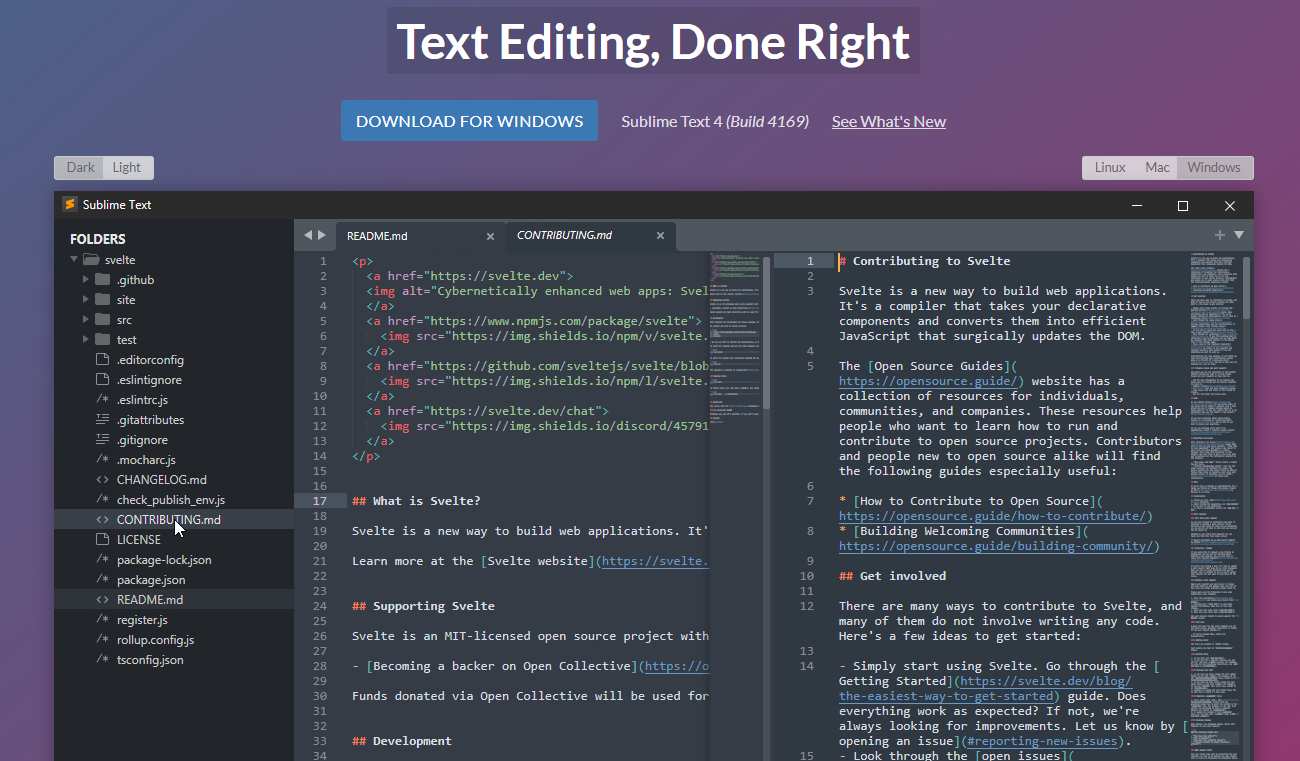
    • Sublime Text is a popular commercial code editor which natively supports many programming languages.

    No code editor talk can be finished without the mention of Sublime Text. It’s one of the most used editors in the world thanks to its slick interface, amazing features, and top-notch performance.
    All the projects in Sublime Text capture the full contents of the workspace, including modified and unsaved files. 

    Top Features:

    1. Split panes and navigation: use a simple modifier when performing actions that will split the interface to show multiple tabs at once. 
    1. Code definitions: it comes with features like Goto Definition, Goto Reference, and Goto Symbol by which you can explore the full definition in a small popup.
    1. Multiple selections: use keyboard shortcuts like ⌘+D to select the next occurrence of the current word, ⌘+K, ⌘+D to skip an occurrence.
    1. React/JS file support: TypeScript support comes by default with syntax-based features for all React and JS/JSX files.

    5. Reactide

    What is it?

    • Reactide(or React-IDE) is the first dedicated IDE for React web application development.

    This react IDE is a cross-platform desktop application that offers a custom simulator, making build-tool and server configuration unnecessary. Now you can simply reply on a single window for all of your code, browser preview, and more.


    If you get carried out while writing the React JSX code along with multiple browser windows then Reactide is here to help. It combines everything in one single place so that all the focus is on writing and reviewing the code.

    Top Features:

    1. Intuitive interface: this is probably one of the biggest strengths of Reactide when compared with others. It runs an integrated Node server and custom browser simulator and you can continually track changes through live reloading directly in the development environment.
    1. State flow visualization: it comes with a visual component tree that dynamically loads and changes based on components within the working directory while giving information about props and states at every component.
    1. Integrated Terminal: the built-in Terminal can be used for running commands in bin/bash for Unix, and cmd for Windows.
    1. Streamlined configurations: to start, just input your .js and .html entry points inside Reactide’s universal configuration and then run npm run reactide-server to kick off your project.

    6. Emacs

    What is it?

    One of the very highly adopted editors in the GNU world, Emacs has an interpreter for Emacs Lisp, a dialect of the Lisp programming language with extensions to support text editing.


    It supports a plethora of programming languages and other faculties of text editing. This also comes with a good and robust set of extensions and other features like Git integration, syntax highlighting, etc.

    Top Features:

    1. Content-aware editing modes: this includes syntax coloring, for many file types.
    1. More than code editing: you can use the project planner, mail and news reader, debugger interface, calendar, IRC client, and more.
    1. Extensive extension support: comes with a packaging system for downloading and installing extensions.

    7. Rekit Studio

    What is it?

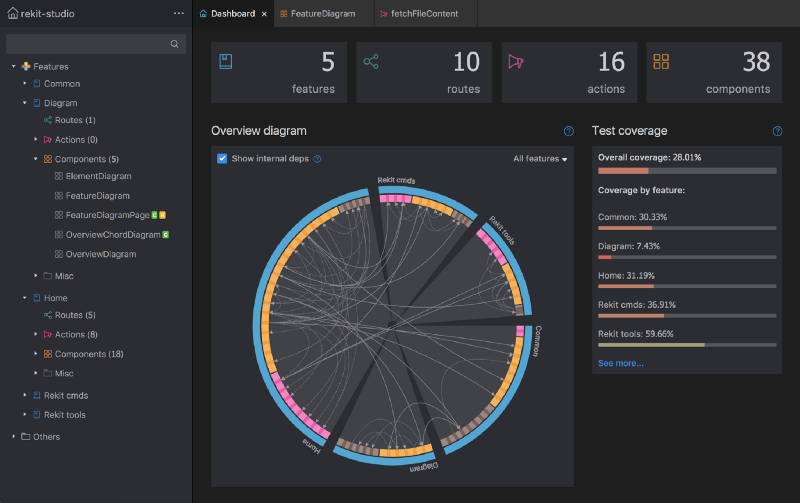
    • Rekit is a toolkit for building scalable web applications with React, Redux, and React-router. It’s an all-in-one solution for creating modern React apps.

    This react IDE provides you with the capability for code generation, dependency diagraming, refactoring, building, unit tests, and a meaningful way to navigate code. 


    Rekit creates applications bootstrapped by the Create React App tool and has the capability to scale, test, and maintain easily.

    Top Features:

    1. It helps you focus on business logic rather than dealing with massive libraries, patterns, configurations, etc.
    1. Comes with powerful tools like Rekit Studio which is the real IDE for React/Redux development and command line tools to create/rename/move/delete project elements like components, actions, etc. 
    1. Rekit can do code generation, dependency diagraming, refactoring, building, unit tests, and a meaningful way to navigate code.
    1. It’s highly capable of recognizing which files are components, which are actions, where routing rules are defined, and so on.

    8. Vim

    What is it?

    • Vim is a highly configurable text editor built to make creating and changing any kind of text very efficient. 

    This react IDE is a free and open-source, screen-based text editor program for Unix. The good part is Vim is designed for use both from a command-line interface and as a standalone application in a graphical user interface. 


    Vim has 12 different editing modes, 6 of which are variants of the 6 basic modes. Some of the common ones are Normal, Visual, Insert, Cmdlibe, etc.

    Top Features:

    1. Key mappings: you can execute complex commands with “key mappings,” which can be customized and extended. 
    1. Recording: this allows for the creation of macros to automate sequences of keystrokes and call internal or user-defined functions and mappings. 
    1. Extensive: it comes with a persistent, multi-level undo tree along with an extensive plugin system.
    1. Support: Vim supports hundreds of programming languages and file formats. It can also be integrated into various other tools easily.

    9. NetBeans

    What is it?

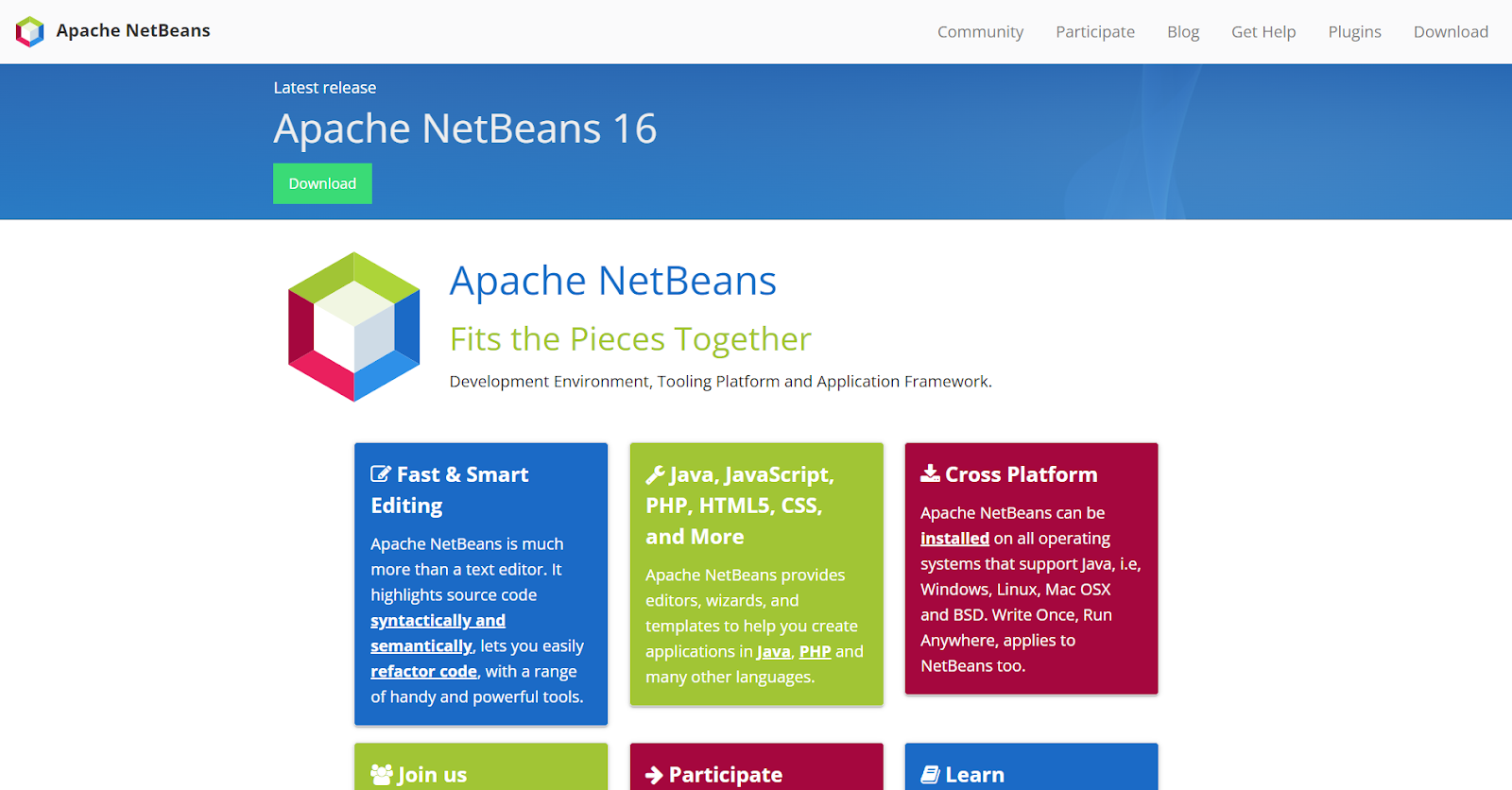
    • Apache NetBeans is a development environment, tooling platform, and application framework.

    This react IDE allows applications to be developed from a set of modular software components called modules. It was originally used for making Java applications but now has extensive support for all major tools and technologies including PHP, C, C++, HTML5, and JavaScript.


    The IDE provides editors, wizards, and templates to help you create applications in Java, PHP, and many other languages.

    Top Features:

    1. Fast and smart editing: it highlights source code both syntactically and semantically, and lets you easily refactor code, with a range of handy and powerful tools.
    1. CSS editor: this comes with code completion for style names, quick navigation through the navigator panel, displaying the CSS rule declaration in a ListView, and file structure in a Tree View.
    1. Modular: each module provides a well-defined function, such as support for editing, or support for the CVS versioning system.
    1. JavaScript editor: it has syntax highlighting, refactoring, code completion for native objects and functions, generation of JavaScript class skeletons, and generation of Ajax callbacks from a template.

    10. Notepad++

    What is it?

    • Notepad++ is a free source code editor and Notepad replacement that supports several languages.

    This react IDE is written in C++ and uses pure Win32 API and STL which ensures a higher execution speed and smaller program size. It supports tabbed editing, which allows working with multiple open files in a single window. 


    It features all the common editing tools like syntax highlighting, code folding, and limited autocompletion for programming, scripting, and markup languages, but not intelligent code completion or syntax checking. 

    Top Features:

    1. Collaborative editing: this allows multiple developers to work on the same file simultaneously while on different computers.
    1. Selection methods: it has support for various methods for text selection like block selection, column selection, and non-linear selection.
    1. Macros: for recording a sequence of editing commands to be executed repeatedly. 
    1. Other notable features include; advanced find and replace, split-screen editing/viewing, support for bookmarks, and a plugin system.

    11. Codux

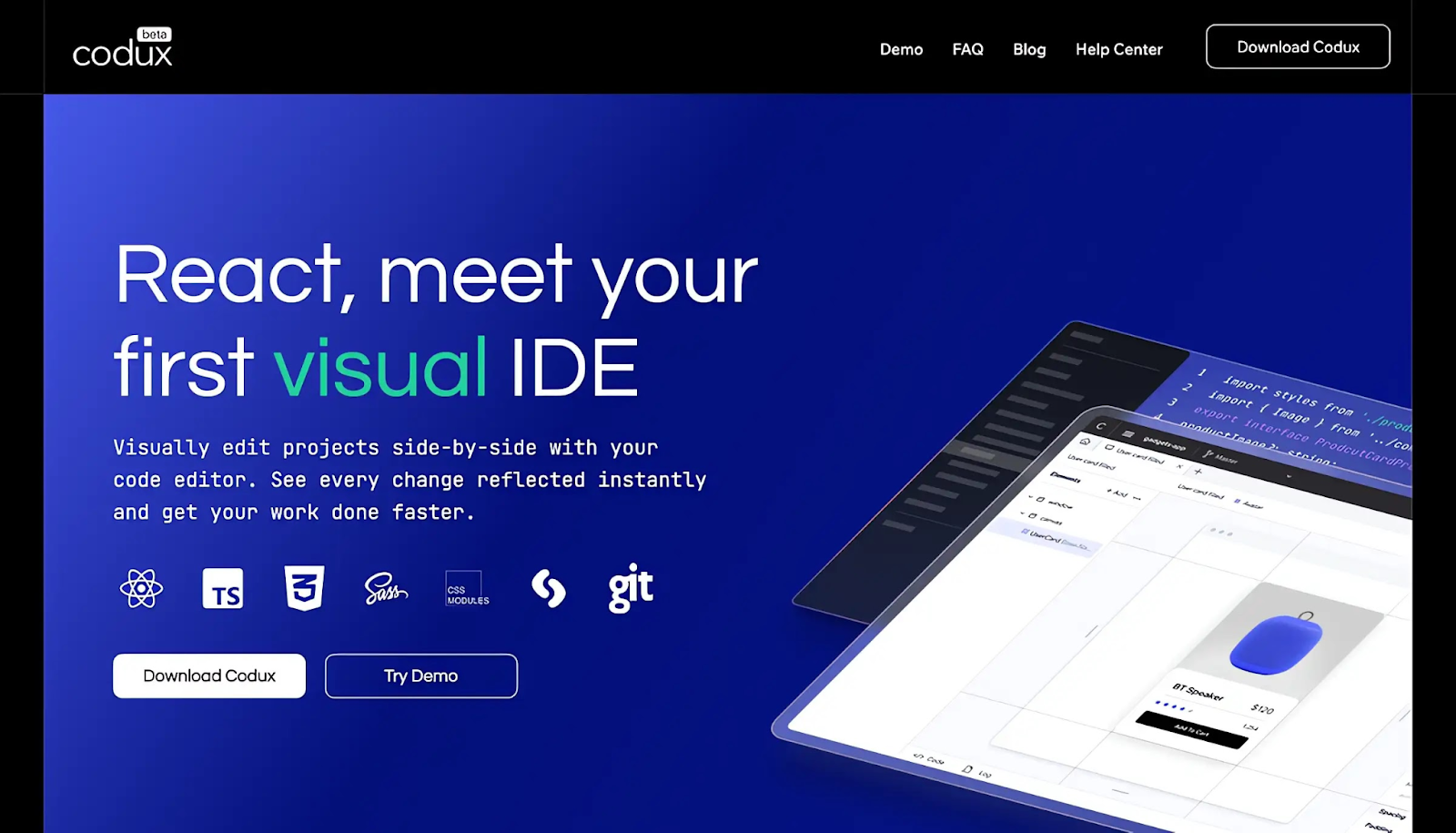
    Codux is a new visual IDE brought to you by the fine folks over at Wix, React IDE for developers. It is a powerful editor for building React applications with a visual-first approach, enabling developers and designers to collaborate seamlessly on web no need to install any extra setup.


    12. CodeSandbox

    CodeSandbox is a web based React IDE for developers, especially those working with JavaScript frameworks like React.js and React Native.

    Here are some of the key features and benefits of using CodeSandbox:

    Key Features and Benefits

    1. Browser-Based IDE:
      No Installation Needed: Developers can start coding right away without needing to install React.js, React Native, or other dependencies on their local machines.
      Accessibility: Being browser-based, CodeSandbox can be accessed from any machine with an internet connection, making remote or collaborative work easier.
    2. Template Support:
      Built-in Templates: CodeSandbox offers a variety of templates to start with, such as React with TypeScript, Next.js, Vue.js, Angular, and more.
      Enhanced Functionality: These templates provide a solid starting point and leverage best practices, helping developers kickstart their projects efficiently.
    3. TypeScript Integration:Type Safety: Using templates like React with TypeScript helps catch type errors and reduces the risk of assigning incorrect types to variables. This leads to more robust and maintainable code.
      Autocompletion and IntelliSense: TypeScript integration provides better autocompletion and IntelliSense, improving the developer experience.
    4. Built-in Preview Window:
      Real-Time Feedback: As developers type, the built-in preview window updates in real-time, giving immediate feedback on how changes affect the application.
      Better Understanding: This helps developers quickly understand the impact of their code, speeding up the development cycle and reducing the need for frequent context-switching.
    5. Live Collaboration:
      Pair Programming: CodeSandbox supports live collaboration, allowing multiple developers to work on the same codebase simultaneously.
      Code Reviews: Teammates can review code and provide feedback in real time, enhancing team productivity and collaboration.
    6. Deployment and Hosting:
      Easy Deployment: CodeSandbox offers easy deployment options through integrations with platforms like Vercel and Netlify, making it straightforward to deploy and share projects.
      Static and Dynamic Hosting: It supports both static and dynamic hosting needs, making it versatile for different types of projects.
    7. Version Control:
      GitHub Integration: CodeSandbox integrates with GitHub, allowing developers to sync their projects with repositories and manage version control effectively.
      Version History: It maintains a history of changes, making it easy to revert to previous states if needed.

    One can create impressive dashboard templates and themes by utilizing integrated development environments (IDEs). “Modernize React MUI Dashboard Theme” can provide excellent inspiration for designing such templates.

    You can also check the demo of Modernize React MUI Dashboard Theme


    We hope you liked this set of top 10 React IDE that you can use. If you like this post you’ll also like our free react templates that will help you out in building amazing react websites and applications. Let us know which one are you currently using and which one you will use after reading this article. Happy coding! We have a designed and developed free and premium react templates which you can use to build your react based web applications.

  • Top 8 React Developer Tools with Bonus Resources

    Whether you are just starting to learn React or you’re already full-time working professionally in it there is a huge count of React developer tools (both free and paid) that you can use in your personal or professional projects. They are always beneficial as they help speed up the workflow or get things done easily.

    For React Developers to take full advantage of the library so that coding with it becomes easier and faster, here are the Top 8 of the best React Developer Tools out there. You as a developer should bookmark and use as a reference whenever needed.


    Top React Developer Tools

    1. Reactide

    What is it?

    Reactide is a dedicated IDE for React web application development.

    If you ever wanted to have a separate IDE (not just an editor) just to fulfil all of your React development needs, then Reactide is the tool you need right now. It is the first IDE ever built and released just for React web application development.

    Explore some new and unheard ReactJS IDEs here.

    Features of this React Developer Tool:

    • Extensible: it runs an integrated Node server and custom browser simulator, eliminating the need to configure any servers or build tools.
    • Easy configuration: you can run a single command to streamline universal configuration.
    • Components visualization: you can navigate through a live representation of your app’s architecture.
    • Open-sourced: the code for this powerful tool is hosted on its GitHub repo so you can not only download it for Mac, Windows, and Linux platforms but also contribute to it.

    2. Bit

    What is it?

    Bit is a standard infrastructure for components for autonomous micro-frontend/web app development.

    Bit is a collection of almost everything you and your team may need to have fast releases, great consistency, and collaboration at a high scale to build components.

    Features of this React Developer Tool:

    • Split app development: with Bit, there is no need to do monolithic development. Instead, you work on modular apps composed of features built by teams working simultaneously.
    • Hosting and resuing: you and your team can build together a reusable component for your organization and then collaborate on new builds in the cloud.
    • Continuous release and component upgrades: you can deliver updates to app components with decoupled versions and release pipelines. 
    • Great at managing docs: Bit makes sure every component is documented, organized, and discoverable by anyone.

    3. Storybook

    What is it?

    Storybook is an open-source tool for building UI components and pages in isolation.

    It helps very much in streamlining UI development along with testing components and documenting them.

    Features of this React Developer Tool:

    • Durable interfaces: it comes with a sandbox environment to build the UIs you need in isolation so that more of the edge cases and states of an element is covered.
    • Testing UI easily: every time you write a story, you get a test case along with it. Along with this, you can reuse stories in your unit tests.
    • Document and share UI: everything in Storybook is searchable, with an option to share each story with your teammates for a single source of truth.
    • Available for multiple tech stacks: along with React, Storybook is also available for Vue, Angular, Web Components, Ember, HTML, and more!

    4. React Developer Tools

    What is it?

    React Developer Tools adds React debugging tools to the Chrome Developer Tools.

    This extension is so popular and useful that it’s recommended to install and use by everyone starting out to learn React. With extensive debugging with this tool, you can expect better bug-busting throughout the app development process!

    Features of this React Developer Tool:

    • Inspection: you can inspect the individual React component hierarchies in the Chrome Developer Tools.
    • The components tab: shows you all the root components that were rendered on the page, along with the subcomponents if available.
    • The profiler tab: this tab allows you to record performance information.
    • Deeper inspection: you can inspect and edit the selected component’s current props and state them in the panel right from this extension.

    5. React Cosmos

    What is it?

    React Cosmos is a sandbox for developing and testing UI components in isolation.

    With React Cosmos you don’t need to settle for the boring localhost:3000 dev environment and you can instead test and develop all components in isolation.

    Features of this React Developer Tool:

    • Visual TDD: with Test Driven Development in React Cosmos you can develop one component at a time, isolate the UI, and then iterate on it quickly. No need to reload the app on every change.
    • Component library: it doesn’t matter if it’s a blank slate or an edge case, you can bookmark each component state. The component library includes will organize everything you do.
    • Open platform: it’s not used just for developing and testing UI components but it can also be used for snapshot and visual regression testing, as well as custom integrations.
    • Maintainability: with reusable components, you can not only create awesome interfaces but also maintain the quality at scale.

    6. Belle

    What is it?

    Belle uses a set of configurable React components with great UX.

    With Belle, you can never be in doubt about the overall experience of your components. It provides you a set of commonly used React components like Toggle, Combo Box, Rating, Text Input, Button, Card, Select, etc.

    Features of this React Developer Tool:

    • Versatile and customizable: every component is optimized efficiently to work on both mobile and desktop devices.
    • Component library: it doesn’t matter if it’s a blank slate or an edge case, you can bookmark each component state. The component library includes will organize everything you do.
    • Open platform: it’s not used just for developing and testing UI components but it can also be used for snapshot and visual regression testing, as well as custom integrations.
    • Maintainability: with reusable components, you can not only create awesome interfaces but also maintain the quality at scale.

    7. React 360

    What is it?

    React 360 is a framework for the creation of interactive 360 experiences that run in your web browser.

    And yes, the same company that builds React is responsible for its VR version, i.e Facebook. It uses three.js to facilitate lower-level Web VR and WebGL APIs to create a VR experience on the browser.

    Features of this React Developer Tool:

    • Cross-platform development: you can create VR experiences to run on desktops, mobiles, and the web without many changes in different platforms.
    • 3D media: it has environment features that handle all the immersive media assets and configurations. That means you as a 360 developer will have precise control.
    • Enhanced performance: the overall architecture is designed.
    • Surfaces by React 360: this allows you to integrate UI panels into your apps by creating 2D interfaces that embed in 3D spaces.

    8. React Proto

    Imagine a tool that speaks both designer and developer languages fluently. That’s React-Proto for you. It gives you a canvas where you can visually craft your app’s structure — dragging components, setting up the hierarchy, and defining props and state. It’s like sketching out your app’s blueprint, but way more interactive.

    As you build your prototype visually, React-Proto is silently generating the corresponding React code behind the scenes.

    Key features of React-Proto that make a developer’s life easier

    • Quick Prototyping – Quickly create, drag, and resize components to create a visual representation of your application
    • Define component hierarchy – Define parent and child components along with props and state
    • Export Files – Inject files into an existing project, start a new project using create-react-app, or clone your favourite GitHub boilerplate

    Bonus React Developer Tools!

    Apart from the above 7 react developer tools, we also got you three more! Let’s take a very quick look at them:

    • Rekit: it’s a toolkit to build scalable web applications with React, Redux, and React-router. It’s an all-in-one solution for creating modern React apps. 
    • React Testing Library: it is a lightweight solution for testing React components. It provides utility functions on top of react-dom and react-dom/test-utils, in a way that encourages better testing practices.
    • Plasmic: it’s an all-in-one tool to visually build pages and components, integrate them into your React code and then set/push them to production.
    • WrapPixel – it’s a one-stop solution for your react template needs. It provides both free and premium versions for website templates and backend interfaces.

    If you are looking for a React Dashboard Template with Great Features, then please check this out from our partner:

    Modernize Free React MUI Dashboard

    And that was it!


    We hope these react developer tools will help you in your upcoming React projects. Keep on exploring the vast ecosystem React provides by keeping a tab on their official website.

    Did we miss a game-changing React development tool?

    Share your recommendations with the community by contacting us.

    We’re always on the lookout for innovative solutions to enhance the developer experience.

    Help us expand this resource by submitting your favorite React development tool for review.

    You can also checkout our detailed React Cheatsheet blog.

    Let’s build a robust toolset together!

  • Ultimate React⚛️Resource Collection, Every Developer Should Bookmark 📌

    Every developer needs resources! Whether you are just starting to learn the most popular JavaScript library or you’re already a pro in it, there are an immense number of resources both free and paid from where you can take some inspiration. Learn new concepts, or just listen to some podcasts.

    Here in this article, we are going to see more than the Top React Resources.

    React Resources:

    Here, are some of the best ones out there that you, as a React dev, should bookmark and use as a reference whenever required. They range from courses to learn React to some of the coolest events happening worldwide.

    Courses

    Courses are one of the useful React Resources to Learn:

    1. React Tutorial: Learn modern React from scratch, and practice in an intuitive environment. Throughout this course, you will build an online supermarket shopping app with Stripe integration.
    2. React Training: This is a comprehensive list of courses provided by the team of professionals from the React Training group. The same people who made React Router.
    3. React by ui.dev: From React Redux to Router and exclusive events, you get all in this course.
    4. Learn React for free: Learn all the key concepts while building two apps and doing interactive coding challenges along the way via Scrimba’s intuitive platform.
    5. React for Beginners: This is a premium step-by-step training course from Wes Bos to get you building real-world React.js + Firebase apps and website components.
    6. Complete Intro to React, v5: This Frontend Masters course starts from the ground up, getting to using the latest features in React, including hooks, effects, context, and portals.
    7. Building Web Applications with React: A complete collection of individual resources from Pluralsight. It starts by introducing the fundamentals of React. It then dives into how to design, style, and server render components, manage state, and test and optimize your application.
    8. Kati Frantz’s courses: Kati makes both free and paid React courses which include technologies like TypeScript, NodeJS, and testing.
    9. Epic React: More than a course, Epic React is a series of code-along interactive workshops by Kent C. Dodds which includes topics like Advanced React Patterns, React Performance, and more!
    10. React Security: Ryan Chenkie’s React Security is a series of courses, all aligned to get you to know how to add essential security features to your React application.

    Podcasts

    Podcasts are also one of the learning audio format React Resources.

    1. React 30: A 30-minute podcast about React and all things JavaScript.
    2. React Podcast: One of the oldest and most favorite podcasts which covers a variety of topics in the React ecosystem. It has 100+ episodes.
    3. React Roundup: A podcast dedicated to React and the community.

    Events

    This React Resource will help you to connect with React Community members in events:

    1. Reactjsday: From the organizers of events like JSDay, this year’s ReactJS Day has talks from industry leaders who will talk about testing, React Native, React Hooks, and more!
    2. Reactiveconf: The yearly conference targeted to connect the European tech community is holding this event with 10 workshops, 5+ speakers, and topics like PWA, Security, Optimization, and much more.
    3. React Wednesdays: React Wednesdays is a weekly chat show with the best and brightest from the React world with TJ VanToll, Principal Developer Advocate.
    4. Byteconf React: Byteconf React is a 100% free two-day conference with the best React speakers and teachers in the world.
    5. Community conferences: An official collection of all the upcoming React events.

    Articles/Blogs

    1. ReactJS Official Blog: A definitive thing to bookmark! Get ready to read all the things new to each version of React on their official website.
    2. Devglan: Devglan serves as a comprehensive hub where individuals can access a wealth of valuable resources, carefully selected and organized for their convenience.
    3. Feedly: Feedly is the fastest way to track the topics and trends that matter to you.
    4. Smashing Magazine: If you’re looking for high-quality React articles, then Smashing Magazine is a must. They have a wide and in-depth tutorial on a variety of topics.
    5. LogRocket Blog: LogRocket’s blogs are updated weekly. They have a bonus section on reference guides as well.
    6. DEV Community: An ever-growing community of developers who write and share their thoughts on the React ecosystem.
    7. Freecodecamp: The beginner’s favorite platform has a bunch of updated and quality articles for React posted regularly.
    8. Robin Wieruch’s Blog: A huge collection of articles comes from Robin who takes on topics like React Hooks, Redux, NodeJS, etc.
    9. Dave Ceddia’s Blog: Dave is a software engineer whose articles mainly cover the React ecosystem along with various other technologies like Tailwind, Git, Svelte, etc.
    10. Flavio Copes Blog: If you need some bite-sized tutorials or explanations, then Flavio masters it. The articles explain a small problem and solutions.

    Books/E-Books

    If you need books or e-books as React Resources, then they are as below:

    1. React from Zero by Kay Plößer: It’s a 20-lesson book that takes you step-by-step through how React works, using simple JavaScript.
    2. React JS Notes for Professionals by Goal Kicker: This book is written by people at Stackoverflow and has over 20 chapters detailing the important parts of ReactJS.
    3. The React Handbook by Flavio Copes: This book focuses heavily on learning some JavaScript concepts before diving into React topics.
    4. The Road To React by Robin Wieruch: A highly popular book that comes in three forms – The Bare Essentials, The Essentials, and The Professional.
    5. Pure React by Dave Ceddia: This book goes beyond by properly explaining why React is essential and teaches you how to build clones of big products like Slack, Reddit, Hacker News, and Pinterest.
    6. React Explained by Zac Gordon: Learn all the essential React concepts and make a final project at the end of databases and CRUD functionality.
    7. Learn React Hooks by Daniel Bugl: In this guide, you’ll be making a complex UI application with React Hooks while also learning about Context API.
    8. Learning React, 2nd Edition by Alex Banks and Eve Porcello: First you will learn how to work with functional programming and the latest ECMAScript features. Then you will be able to look at how React works under the hood.
    9. Fullstack React by Anthony Accomazzo, Nate Murray, Ari Lerner, Clay Allsopp, David Guttman, and Tyler McGinnis: This book has a huge resource of 15 chapters, sample apps, and detailed explanations and is up-to-date with the recent changes.
    10. React in Action by Mark Tielens Thomas: This book focuses on introducing front-end developers to the React world, it has ample examples to look into and also covers React tooling.

    React Templates

    Admin Dashboard Templates are very useful as React Resources for your current or upcoming project.

    1. Reactjs Templates by WrapPixel: They offer high-quality and free react admin dashboards and website templates under the MIT License. Which can help you to use it in your personal as well as commercial projects for free. There are also premium react templates included, which have lots of ready-to-use components with stunning designs. Do check.
    2. Made With Reactjs – A collection of projects made with React.js – Websites, UI Components, Frameworks, Apps, Templates and more!
    3. React Admin Templates by AdminMart : Has a variety of React templates. They also offer free and paid templates.
    4. React Themes – This is theme marketplace specially made for react developers, they offer a range of templates built on the latest react & trends. Download now & give your project a boost!

    We hope these React Resources will help you in boosting the React knowledge you need. Keep on exploring the vast ecosystem React provides by keeping a tab on their official website.

    If you are looking for React MUI Admin Dashboard Template then you can check out below useful Admin Template which can save you time, money, and energy:

    Modernize Free React MUI Dashboard


    If you’re searching for a comprehensive React cheatsheet, visit our blog for all the key details.

    For anyone creating powerful admin panels, check out our exclusive collection of free React admin dashboard templates.

    Also, if you’re looking to build website templates, explore our hand-picked list of free React website templates to improve your project.

  • React Cheat Sheet: Functional Components Edition

    React Cheat Sheet: Functional Components Edition

    React has evolved significantly since its inception, and with the rise of Hooks, functional components have become the go-to approach for building React applications. This cheat sheet provides an overview of the key concepts, features, and best practices for using functional components in React.

    1. Functional Components Basics

    A functional component is a plain JavaScript function that returns a React element.

    const MyComponent = () => { return
    Hello, World!
    ; };

    2. Using JSX

    JSX is a syntax extension that allows you to write HTML-like code within your JavaScript.

    const MyComponent = () => { return (

    Welcome to React

    ); };

    3. Props

    Props are used to pass data from a parent component to a child component.

    const Greeting = ({ name }) => { return

    Hello, {name}!

    ; }; // Usage

    4. Default Props

    You can define default props for a component.

    const Greeting = ({ name = "Guest" }) => {
      return <h1>Hello, {name}!</h1>;
    };
    

    5. State with useState

    The useState Hook allows you to add state to functional components.

    import { useState } from 'react';
    
    const Counter = () => {
      const [count, setCount] = useState(0);
    
      return (
        <div>
          <p>Count: {count}</p>
          <button onClick={() => setCount(count + 1)}>Increment</button>
        </div>
      );
    };
    

    6. Effect Hook: useEffect

    The useEffect Hook lets you perform side effects in functional components.

    import { useEffect } from 'react';
    
    const DataFetcher = () => {
      useEffect(() => {
        fetch('/api/data')
          .then(response => response.json())
          .then(data => console.log(data));
      }, []); // Empty dependency array means it runs once
    
      return <div>Data fetched. Check console.</div>;
    };
    

    7. Conditional Rendering

    Render different UI elements based on certain conditions.

    const LoginMessage = ({ isLoggedIn }) => {
      return (
        <div>
          {isLoggedIn ? <h1>Welcome back!</h1> : <h1>Please log in.</h1>}
        </div>
      );
    };
    

    8. Lists and Keys

    Render lists of data and use keys to help React identify which items have changed.

    const ItemList = ({ items }) => {
      return (
        <ul>
          {items.map(item => (
            <li key={item.id}>{item.name}</li>
          ))}
        </ul>
      );
    };
    

    9. Event Handling

    Handle events in functional components.

    const Button = () => {
      const handleClick = () => {
        alert('Button clicked!');
      };
    
      return <button onClick={handleClick}>Click Me</button>;
    };
    

    10. Forms and Controlled Components

    Handle form input with controlled components.

    const Form = () => {
      const [value, setValue] = useState('');
    
      const handleChange = (e) => {
        setValue(e.target.value);
      };
    
      const handleSubmit = (e) => {
        e.preventDefault();
        alert(`Submitted value: ${value}`);
      };
    
      return (
        <form onSubmit={handleSubmit}>
          <input type="text" value={value} onChange={handleChange} />
          <button type="submit">Submit</button>
        </form>
      );
    };
    

    11. Context API

    Use the Context API for state management across the component tree.

    import { createContext, useContext } from 'react';
    
    const MyContext = createContext();
    
    const MyProvider = ({ children }) => {
      const value = 'Hello from context';
    
      return (
        <MyContext.Provider value={value}>
          {children}
        </MyContext.Provider>
      );
    };
    
    const MyComponent = () => {
      const contextValue = useContext(MyContext);
    
      return <div>{contextValue}</div>;
    };
    

    12. Custom Hooks

    Create reusable logic with custom hooks.

    import { useState, useEffect } from 'react';
    
    const useFetch = (url) => {
      const [data, setData] = useState(null);
    
      useEffect(() => {
        fetch(url)
          .then(response => response.json())
          .then(data => setData(data));
      }, [url]);
    
      return data;
    };
    
    // Usage
    const DataComponent = () => {
      const data = useFetch('/api/data');
    
      return <div>{data ? JSON.stringify(data) : 'Loading...'}</div>;
    };
    

    13. Memoization with useMemo

    Optimize performance by memoizing expensive calculations.

    import { useMemo } from 'react';
    
    const ExpensiveComponent = ({ number }) => {
      const expensiveCalculation = useMemo(() => {
        // Assume this is a computationally expensive operation
        return number * 2;
      }, [number]);
    
      return <div>{expensiveCalculation}</div>;
    };
    

    14. useCallback

    Use useCallback to memoize functions to prevent unnecessary re-renders.

    import { useCallback } from 'react';
    
    const Button = ({ onClick }) => {
      return <button onClick={onClick}>Click me</button>;
    };
    
    const ParentComponent = () => {
      const handleClick = useCallback(() => {
        console.log('Button clicked');
      }, []);
    
      return <Button onClick={handleClick} />;
    };
    

    15. useReducer

    Manage complex state logic with the useReducer Hook.

    import { useReducer } from 'react';
    
    const reducer = (state, action) => {
      switch (action.type) {
        case 'increment':
          return { count: state.count + 1 };
        case 'decrement':
          return { count: state.count - 1 };
        default:
          throw new Error();
      }
    };
    
    const Counter = () => {
      const [state, dispatch] = useReducer(reducer, { count: 0 });
    
      return (
        <div>
          <p>Count: {state.count}</p>
          <button onClick={() => dispatch({ type: 'increment' })}>Increment</button>
          <button onClick={() => dispatch({ type: 'decrement' })}>Decrement</button>
        </div>
      );
    };
    

    16. Fragments

    Use fragments to group multiple elements without adding extra nodes to the DOM.

    const MyComponent = () => {
      return (
        <>
          <h1>Title</h1>
          <p>Description</p>
        </>
      );
    };
    

    17. Portals

    Render children into a DOM node outside the parent component’s DOM hierarchy.

    import { createPortal } from 'react-dom';
    
    const Modal = ({ children }) => {
      return createPortal(
        <div className="modal">
          {children}
        </div>,
        document.getElementById('modal-root')
      );
    };
    

    18. Error Boundaries with Error Boundary Component

    Use class components for error boundaries.

    import { Component } from 'react';
    
    class ErrorBoundary extends Component {
      constructor(props) {
        super(props);
        this.state = { hasError: false };
      }
    
      static getDerivedStateFromError(error) {
        return { hasError: true };
      }
    
      componentDidCatch(error, errorInfo) {
        console.log(error, errorInfo);
      }
    
      render() {
        if (this.state.hasError) {
          return <h1>Something went wrong.</h1>;
        }
    
        return this.props.children;
      }
    }
    
    // Usage
    <ErrorBoundary>
      <MyComponent />
    </ErrorBoundary>
    

    19. Lazy Loading with React.lazy and Suspense

    Dynamically import components to reduce the initial load time.

    import { lazy, Suspense } from 'react';
    
    const LazyComponent = lazy(() => import('./LazyComponent'));
    
    const App = () => {
      return (
        <Suspense fallback={<div>Loading...</div>}>
          <LazyComponent />
        </Suspense>
      );
    };
    

    20. PropTypes for Type Checking

    Use prop-types to document and enforce component prop types.

    import PropTypes from 'prop-types';
    
    const Greeting = ({ name }) => {
      return <h1>Hello, {name}!</h1>;
    };
    
    Greeting.propTypes = {
      name: PropTypes.string.isRequired,
    };
    

    Functional components offer a clean and straightforward way to build React applications, especially with the powerful capabilities introduced by Hooks. This cheat sheet provides a quick reference to essential concepts, helping you write effective and efficient React code.