Category: Learning

  • 29+ Top CMS Tools for Next.js Developers, SEO Experts & Marketers

    Choosing the right CMS can make or break your Next.js project.

    For most of us, WordPress was the first CMS we ever touched and for years, it ruled everything. But once Next.js entered the picture, things changed fast. APIs, Git workflows, static generation, and modern architecture pushed CMS tools to evolve rapidly. In this guide, we break down 29+ CMS tools built for today’s Next.js developers and how to choose the one that actually fits your project.

    Today we learn about how you can choose your cms tool for your nextjs projects.

    Why Use a CMS with Next.js?

    • Faster content updates without redeploying code
    • Better SEO with Static Site Generation (SSG) and Server Components
    • Clean separation between content and UI
    • Easy scaling for blogs, docs, SaaS sites, and marketing pages

    What is a Headless CMS ?

    A Headless CMS is a content management system that does not control how content looks on the frontend. It only manages and delivers content through APIs. The frontend (Next.js) decides how that content is rendered.

    In a headless setup:

    • The CMS stores content (blogs, pages, products)
    • Next.js fetches content via APIs or Git
    • Design and content are fully separated

    This approach fits perfectly with modern frameworks like Next.js, React, Vuejs, Nuxt and many more.

    For example, we have chosen Next.js for Now

    Headless CMS vs Traditional CMS

    Traditional CMS (like WordPress)

    • Backend and frontend are tightly coupled
    • Limited frontend flexibility
    • Harder to scale for performance

    Headless CMS

    • Frontend and backend are independent
    • Better performance and scalability
    • Works with any frontend (Next.js, React, mobile apps)

    Why Headless CMS is Ideal for Next.js

    • Supports Static Site Generation (SSG) and Server Components
    • Faster page loads and better Core Web Vitals
    • Easy multi-channel delivery (web, app, docs)
    • Cleaner developer workflow

    Types of CMS Tools for Next.js

    API-Based (Headless) CMS

    Content is fetched using REST or GraphQL APIs.

    Examples:

    • Strapi
    • Sanity
    • Contentful
    • Directus

    Best for: dynamic sites, SaaS apps, large content teams


    Git-Based CMS

    Content is stored in a Git repo as Markdown or MDX files.

    Examples:

    • Contentlayer
    • Tina CMS
    • Decap CMS

    Best for: developer-focused blogs, docs, open-source projects


    Hybrid / Visual CMS

    Combines visual editing with Git or API workflows.

    Examples:

    • KontentAI
    • Gitana

    Best for: marketing teams that need visual control


    Below is a curated list of headless CMS platforms commonly used with modern Next.js applications perfect for blogs, marketing sites, docs, ecommerce, and SaaS projects in 2026.

    Open Source (Self Hosted)

    WordPress

    WordPress is the most widely used CMS in the world. When used as a headless CMS, it delivers content via APIs while Next.js handles the frontend. This approach combines a familiar editor, a massive ecosystem, and modern performance. It works well for both small sites and large content platforms.

    Key Features:

    • REST API and WPGraphQL support
    • Large plugin ecosystem
    • Familiar admin dashboard
    • Custom post types and custom fields

    Pros:

    • Open source and self-hosted
    • Easy for content teams to use
    • Huge community and documentation
    • Highly extensible

    Drawbacks:

    • Requires plugins for GraphQL and advanced setups
    • Performance depends heavily on configuration
    • Can become complex with many plugins

    Pricing:

    • Free and open source
    • Hosting and premium plugins may add cost

    Who made it?

    WordPress was co-founded by Matt Mullenweg and Mike Little.

    Best For:

    • Blogs and content-heavy websites
    • Teams already familiar with WordPress
    • Headless marketing websites

    Strapi

    Strapi is an open-source, API-first headless CMS built with Node.js. It allows teams to define custom content structures and expose them via REST or GraphQL APIs. Strapi is self-hosted, giving full control over data and infrastructure.

    Key Features:

    • REST and GraphQL APIs
    • Visual content-type builder
    • Role and permission management
    • Self-hosted deployment

    Pros:

    • Fully open source
    • Easy to customize
    • Strong Next.js integration
    • Active community

    Drawbacks:

    • Admin UI customization requires development work
    • Scaling needs backend knowledge

    Pricing:

    • Free and open source
    • Paid cloud plans available

    Who made it?

    Strapi was founded by Pierre Burgy, Aurélien Georget, and Jim.

    Best For:

    • Custom Next.js applications
    • Teams needing full backend control
    • API-driven websites

    Payload CMS

    Payload CMS is a code-first, open-source headless CMS built with TypeScript. Content models, access rules, and logic are defined directly in code. It is designed for developers who want full control and strong integration with modern frameworks like Next.js.

    Key Features:

    • TypeScript-first architecture
    • REST and GraphQL APIs
    • Customizable admin panel
    • Built-in authentication and access control

    Pros:

    • Excellent developer experience
    • Ideal for version-controlled workflows
    • Highly customizable
    • No vendor lock-in

    Drawbacks:

    • Requires development knowledge
    • Less visual for non-technical editors

    Pricing:

    • Free and open source
    • Optional paid cloud hosting

    Who made it?

    Payload CMS was founded by Dan Ribbens, Elliot DeNolf, and James Mikrut.

    Best For:

    • Developer-focused Next.js projects
    • TypeScript-heavy applications
    • Custom backend logic

    Directus

    Directus is an open-source headless CMS that sits on top of any SQL database. It exposes data through REST and GraphQL APIs with a clean admin UI. Directus gives teams full ownership and control of their data.

    Key Features:

    • Works with existing SQL databases
    • REST and GraphQL APIs
    • Open source and self-hosted
    • Visual admin dashboard

    Pros:

    • Full data ownership
    • Database-agnostic
    • Clean and intuitive UI
    • Flexible content modeling

    Drawbacks:

    • Initial setup can be technical
    • UI is more data-focused than visual

    Pricing:

    • Free and open source
    • Paid cloud plans available

    Who made it?

    Directus was founded by Benjamin Haynes.

    Best For:

    • Database-driven Next.js applications
    • Teams needing full data control
    • Structured content projects

    Ghost

    Ghost is an open-source CMS built for blogging and publishing. It offers a clean writing experience, fast performance, and built-in SEO features. Ghost works well with Next.js through simple and efficient APIs.

    Key Features:

    • Built-in blog engine
    • Content and Admin APIs
    • SEO-friendly output
    • Membership and newsletter tools

    Pros:

    • Excellent writing experience
    • Fast and lightweight
    • Open source
    • Simple API

    Drawbacks:

    • Limited beyond blogging use cases
    • Less flexible content modeling

    Pricing:

    • Free and open source (self-hosted)
    • Paid Ghost(Pro) hosting available

    Who made it?

    Ghost was founded by John O’Nolan and Hannah Wolfe.

    Best For:

    • Blogs and online publications
    • Content-first Next.js websites
    • Newsletter-driven projects

    Keystone

    Keystone is an open-source CMS that generates a GraphQL API and admin UI directly from your schema. It is designed for developers who want flexibility, control, and a GraphQL-first backend.

    Key Features:

    • GraphQL-first architecture
    • Customizable admin UI
    • Powerful access control rules
    • TypeScript support

    Pros:

    • Strong developer control
    • Flexible schema design
    • Excellent GraphQL support

    Drawbacks:

    • Not beginner-friendly
    • Requires backend development experience

    Pricing:

    • Free and open source

    Who made it?

    Keystone is developed by Thinkmill.

    Best For:

    • Custom Next.js backends
    • GraphQL-based projects
    • Developer-led teams

    Webiny

    Webiny is an open-source, serverless headless CMS designed for enterprise-scale applications. It runs on cloud infrastructure and uses GraphQL for content delivery. Webiny is built for high scalability and extensibility.

    Key Features:

    • Serverless architecture
    • GraphQL API
    • Page and form builders
    • Plugin-based system

    Pros:

    • Automatically scales
    • No traditional server management
    • Open source
    • Enterprise-ready

    Drawbacks:

    • Requires cloud and DevOps knowledge
    • Setup is more complex

    Pricing:

    • Free and open source
    • Cloud infrastructure costs apply

    Who made it?

    Webiny was founded by Sven Al Hamad, Goran Candrlic, and Pavel Denisjuk.

    Best For:

    • Large Next.js applications
    • Serverless architectures
    • High-traffic websites

    ApostropheCMS

    ApostropheCMS is an open-source CMS focused on structured content and editorial workflows. It supports both traditional and headless use cases with modern APIs.

    Key Features:

    • Open-source and self-hosted
    • REST and GraphQL APIs
    • Flexible content modeling
    • Role-based permissions

    Pros:

    • Open source
    • Strong editorial workflow
    • Good for structured content
    • Developer-friendly

    Drawbacks:

    • Smaller plugin ecosystem
    • UI is less visual than SaaS CMSs
    • Requires backend setup

    Pricing:

    • Open-source self-hosted: Free
    • Enterprise support: Paid

    Who made it?

    ApostropheCMS is developed by Apostrophe Technologies.

    Best For:

    • Content-driven Next.js websites
    • Editorial teams
    • Custom CMS requirements

    The BCMS

    BCMS is an open-source, TypeScript-based headless CMS focused on performance and modern frontend frameworks. It uses a component-based content model and integrates seamlessly with Next.js.

    Key Features:

    • TypeScript support
    • Component-based content modeling
    • Live collaboration
    • Functions and cron jobs

    Pros:

    • Developer-friendly
    • High performance
    • Modern architecture
    • Strong Next.js support

    Drawbacks:

    • Smaller ecosystem
    • Limited beginner documentation

    Pricing:

    • Free and open source
    • Paid managed services available

    Who made it?

    BCMS was founded by Momcilo Popov.

    Best For:

    • Modern Next.js applications
    • Multilingual projects
    • Performance-focused teams

    Econic CMS (Enonic)

    Econic (by Enonic) is an open-source, API-first CMS designed for complex and enterprise-level projects. It focuses on structured content, flexibility, and strong backend capabilities.

    Key Features:

    • Open-source core
    • Headless and API-first
    • Powerful content modeling
    • GraphQL and REST APIs

    Pros:

    • Open source and self-hosted
    • Enterprise-ready features
    • Flexible content structure
    • Scales well

    Drawbacks:

    • Higher learning curve
    • Smaller community than WordPress
    • UI feels more technical

    Pricing:

    • Open-source self-hosted: Free
    • Managed/enterprise plans: Paid

    Who made it?

    Econic CMS is developed by Enonic, a company based in Norway.

    Best For:

    • Enterprise Next.js applications
    • Complex content models
    • Large teams with backend expertise

    Squidex

    Squidex is a mature open-source headless CMS focused on structured content and scalability. It is API-first and suitable for both small and large Next.js projects.

    Key Features:

    • Open-source and self-hosted
    • REST and GraphQL APIs
    • Versioning and workflows
    • Multi-language support
    • Asset management

    Pros:

    • Strong content modeling
    • Enterprise-ready features
    • Scales well
    • Active development

    Drawbacks:

    • UI is more functional than visual
    • Setup requires technical knowledge
    • Less beginner-friendly

    Pricing:

    • Self-hosted open source: Free
    • Squidex Cloud: Paid plans available

    Who made it?

    Squidex was created by Sebastian Stehle.

    Best For:

    • Content-heavy Next.js apps
    • Multilingual websites
    • Structured data projects

    Cromwell CMS

    Cromwell CMS is an open-source, React-based headless CMS with built-in ecommerce capabilities. It is designed for developers who want full control over both content and commerce.

    Key Features:

    • Open source
    • React and API-driven
    • Headless ecommerce support
    • Modular architecture
    • REST and GraphQL APIs

    Advantages:

    • Fully customizable
    • Good for ecommerce use cases
    • Modern tech stack
    • No vendor lock-in

    Drawbacks:

    • Smaller ecosystem
    • Limited documentation compared to larger CMSs
    • Requires developer involvement

    Pricing:

    • Free and open source

    Who made it?

    Cromwell CMS is developed by the Cromwell open-source team.

    Best For:

    • Headless ecommerce projects
    • Custom Next.js storefronts
    • Developers building from scratch

    Top CMS Tools for Next.js in 2026

    Prismic

    Prismic is widely recognized for its Slice Machine, a unique tool that empowers content teams to create and manage modular content blocks, also known as “slices.” This tool allows non-technical users to build and modify pages independently, without the need for constant developer involvement. It’s ideal for teams that need full control over page layouts and content structure. Additionally, Prismic supports both RESTful and GraphQL APIs, providing robust flexibility for developers.

    Key Features:

    • Slice Machine: Manage reusable content blocks easily.
    • Visual Page Builder: Non-developers can easily drag and drop slices to create and edit pages.
    • Preview Feature: See real-time previews of content before going live.
    • API Support: Both REST and GraphQL APIs are available for seamless integration.

    Advantages:

    • Framework Integration: Seamless integration with Next.js, React, Nuxt, and other modern frameworks.
    • Developer-Friendly Documentation: Comprehensive and clear API documentation, especially for Next.js.
    • Modular Content Creation: The “Slice” system makes creating and managing content blocks easy.

    Drawbacks:

    • Customization Limits: While it’s flexible, the customization of certain features can be restrictive.
    • Vendor Lock-In: The “Slices” feature could create challenges if migrating to other platforms.
    • Performance Issues: The content editor might occasionally be slower than expected.

    Pricing:

    • Free Plan: $0/month – Ideal for personal projects, PoCs, and small sites. Includes 1 user, unlimited documents and assets, 4M API calls/month, and 100GB CDN bandwidth.
    • Starter Plan: $10/month (billed annually). Includes 3 users, custom branding, and 3 locales.
    • Small Plan: $25/month (billed annually). Includes 7 users, 4 locales, and additional features.
    • Medium Plan: $150/month (billed annually). Includes 25 users, 5M API calls/month, and 500GB CDN bandwidth.
    • Platinum Plan: $675/month (billed annually). Includes unlimited users, 10M API calls/month, and 1TB CDN bandwidth.
    • Enterprise Plan: Custom pricing with extended support and additional features.

    Who Developed It?

    Prismic was co-founded by Sadek Drobi and Guillaume Bort in 2013.

    Best For:

    • Teams that want extensive control over page layout creation.
    • Ideal for developing custom websites and applications with Next.js.

    Sanity

    Sanity is a developer-first headless CMS that allows users to treat content as structured data rather than just text. With its unique GROQ query language, Sanity offers unparalleled flexibility and speed in querying data. Sanity’s real-time collaboration feature also enables multiple users to edit content simultaneously, making it perfect for teams. Sanity integrates seamlessly with Next.js, allowing developers to fully leverage its API-first architecture.

    Key Features:

    • Structured Content: Content is stored in a flexible, reusable format.
    • Customizable Admin Studio: Easily modify the admin panel to meet your specific needs.
    • GROQ API: A fast and efficient querying language.
    • Real-time Collaboration: Multiple editors can work on the same document at once.

    Advantages:

    • Great Developer Experience: Ideal for developers seeking full control over content architecture.
    • Flexible Integration: Works well with Next.js, providing a smooth integration experience.
    • Collaborative Features: Real-time content editing is a huge plus for teams.

    Drawbacks:

    • Learning Curve: The setup process can be complex for new users.
    • Editor Experience: The editor might not be as intuitive for non-developers.

    Pricing:

    • Free Plan: $0/month – Suitable for small teams with basic needs.
    • Growth Plan: $15/seat/month – Includes additional roles, private datasets, and more.
    • Enterprise Plan: Custom pricing – Includes advanced features like SSO, dedicated support, and extended collaboration tools.

    Who Developed It?

    Sanity was founded by Magnus Hillestad and Simen Svale.

    Best For:

    • Teams requiring full control over content architecture and workflow.
    • Developers who value customization and flexible content management.

    Hygraph (formerly GraphCMS)

    Hygraph is built entirely on GraphQL, making it a powerful solution for developers who need efficient data fetching and integration from multiple sources. Its Content Federation feature sets it apart by allowing content from various systems to be aggregated into one unified API. Ideal for projects where data needs to be pulled from several sources, Hygraph works seamlessly with Next.js to create fast, scalable applications.

    Key Features:

    • GraphQL Native: Optimized for GraphQL, offering faster and more efficient data fetching.
    • Content Federation: Aggregates content from different services into one interface.
    • Localization Tools: Manage content in multiple languages with ease.
    • Permissions: Detailed access control and workflows for content management.

    Advantages:

    • GraphQL Efficiency: High-speed data queries with minimal overhead.
    • Flexible Schema Customization: Tailor content models to suit your project’s needs.
    • Streamlined Publishing: Scheduled publishing and easy workflow automation.

    Drawbacks:

    • Learning Curve: Those new to GraphQL may find the platform challenging.
    • Documentation Gaps: In some areas, Hygraph’s documentation could be more comprehensive.

    Pricing:

    • Community Plan: Free – Includes 3 seats, 2 locales, and unlimited asset storage.
    • Professional Plan: From $199/month – Includes 10 seats, version retention, remote content federation, and more.
    • Enterprise Plan: Custom pricing – Includes advanced features such as SSO, audit logs, and infrastructure scaling.

    Who Developed It?

    Hygraph was created by Michael Lukaszczyk, Daniel Peintner, and Christopher Reusch.

    Best For:

    • Developers seeking a GraphQL-native CMS solution.
    • Teams that need a unified content management interface with multi-source integration.

    Storyblok

    Storyblok is a versatile CMS known for its powerful Visual Editor that lets content editors see live previews of their changes directly on the page. This makes it ideal for non-technical users who want to manage content without needing a developer. Storyblok is designed to integrate easily with Next.js, making it an excellent choice for developers who also want to provide a smooth editing experience for marketers and content creators.

    Key Features:

    • Visual Editor: Edit and preview content directly on the live page.
    • Component-Based Content: Use reusable components to structure content.
    • Multi-Language Support: Manage content in multiple languages with ease.
    • Robust APIs: Both RESTful and GraphQL APIs for data fetching and integration.

    Advantages:

    • User-Friendly Editor: Ideal for non-technical users to manage content.
    • Live Preview: See changes in real time, improving content creation efficiency.
    • Component Flexibility: The component-based approach offers great flexibility in design.

    Drawbacks:

    • Initial Setup Complexity: First-time users may face a steep learning curve.

    Pricing:

    • Starter Plan: Free forever – Includes 1 seat, 100GB traffic/month, and basic features.
    • Growth Plan: €90.75/month (billed annually) – Includes 5 seats and 400GB traffic/month.
    • Growth Plus Plan: €319.91/month (billed annually) – Includes 15 seats and 1TB traffic/month.
    • Enterprise Plan: Custom pricing – Includes advanced features, 99.9% uptime SLA, and priority support.

    Who Developed It?

    Storyblok was founded by Dominik Angerer.

    Best For:

    • Developers seeking a user-friendly CMS with strong visual editing capabilities.
    • Non-technical users looking to manage content efficiently with a seamless integration into Next.js.

    DatoCMS

    DatoCMS is a fully managed, API-first headless CMS that excels at delivering content quickly and efficiently. It is especially useful for marketing sites, SaaS platforms, and content-rich applications that require structured content and scalability. DatoCMS’ strong GraphQL-first architecture and global CDN support make it ideal for Next.js projects.

    Key Features:

    • GraphQL-first Content API: Allows for fast and efficient data retrieval.
    • Visual Content Schema Builder: Easily create structured content models.
    • Multilingual Support: Built-in features for managing content in multiple languages.
    • Real-Time Previews: Preview content updates before publishing.

    Advantages:

    • Fast GraphQL Integration: Excellent for performance-driven Next.js projects.
    • Built-In CDN: Global content delivery ensures fast load times.
    • Transparent Pricing: Predictable costs for teams with clear requirements.

    Drawbacks:

    • Not Self-Hosted: Unlike open-source CMSs, DatoCMS is fully cloud-based.
    • Limited Backend Customization: Compared to self-hosted CMS platforms.

    Pricing:

    • Free Plan: Includes 2 editors, 300 records, and 10GB traffic/month.
    • Professional Plan: Starts at €149/month (billed annually) – Includes 10 collaborators and additional features.
    • Enterprise Plan: Custom pricing – Includes SSO, advanced SLAs, and additional support.

    Who Developed It?

    DatoCMS was founded by Stefano Verna.

    Best For:

    • Teams needing fast and scalable Next.js content delivery with GraphQL APIs.
    • Projects that require strong localization support and reliable performance.

    Cosmic CMS

    Cosmic CMS is an advanced, API-first headless content management system designed to enable teams to rapidly create and deploy content-driven applications. Its powerful features include AI-assisted content generation and automated workflows, making it a scalable solution for businesses of all sizes. As a cloud-hosted platform, Cosmic CMS offers an intuitive interface combined with flexible API options to connect seamlessly with your Next.js frontend.

    Key Features:

    • AI-Powered Features: Leveraging AI to assist in content generation and SEO optimization, speeding up the content creation process.
    • Robust API: Includes a powerful API and open-source SDKs, simplifying integration and interaction with your systems.
    • User-Friendly Editor: Designed for both developers and content creators, this intuitive editor provides an optimal balance of ease of use and powerful features.
    • Secure Collaboration: Role-based permissions to manage access for different team members.

    Advantages:

    • Quick Setup: Fast, developer-friendly setup using a comprehensive API toolkit.
    • Modern UI: The intuitive editor is well-suited for both developers and non-technical users, making content management easier.
    • AI Integration: AI tools to automate content creation and improve SEO.

    Drawbacks:

    • Pricing Concerns: Costs can increase when adding features like webhooks or backups.
    • Cloud-Based Only: As a fully cloud-hosted service, it may not be ideal for teams requiring self-hosted solutions.

    Pricing:

    • Free: $0/month — Suitable for personal projects and prototyping.
    • Starter: Around $299/month — Ideal for small teams with increased storage and user limits.
    • Pro: Around $499/month — Includes more features and support for larger teams.
    • Enterprise: Custom pricing — Includes advanced features such as SSO and dedicated support.

    Who Developed It?

    Cosmic CMS was co-founded by Carson Gibbons and Tony Spiro in 2016.

    Best For:

    • Teams seeking a scalable, hosted CMS with strong API support for Next.js projects.
    • Businesses looking for an AI-assisted CMS to automate workflows and boost content creation efficiency.

    Caisy CMS

    Caisy CMS is a headless content management system known for its impressive speed, scalability, and powerful GraphQL API. It provides a smooth developer experience and a simple, user-friendly interface for content editors. Focused on real-time collaboration, Caisy offers features that make it perfect for teams working together on dynamic projects.

    Key Features:

    • GraphQL API: Optimized for high-speed, efficient data fetching, making it ideal for modern web applications.
    • Live Collaboration: Real-time content editing, allowing multiple users to work on content without conflicts.
    • UI Extensions: Customize the CMS interface with additional functionalities and features.
    • Image Optimization: Built-in tools to optimize images for performance and SEO.

    Advantages:

    • Generous Free Tier: Offers a free plan that’s perfect for small teams and startups.
    • Developer & Editor Friendly: A flexible system that’s easy to work with for both developers and content creators.
    • Great Collaboration: The real-time collaboration tools make it ideal for teams.

    Drawbacks:

    • Cost for Larger Teams: Paid plans can be costly for bigger teams with extensive needs.
    • Smaller Ecosystem: Compared to larger CMS platforms, Caisy has fewer plugins and integrations available.

    Pricing:

    • Free Plan: $0 forever — 3 users, 2 locales, 5,000 entries, and 1M API calls.
    • Growth Plan: ~$49/month — More users, locales, and API calls.
    • Enterprise Plan: ~$1,499/month — Includes custom quotas, roles, and SLA.

    Who Developed It?

    Caisy CMS was created by a team of experienced developers who previously ran a digital agency.

    Best For:

    • Small to medium-sized teams, startups, and marketing sites needing collaborative editing.
    • Next.js projects that require fast performance and seamless real-time collaboration.

    React Bricks

    React Bricks is a headless CMS specifically designed for React and Next.js projects, offering inline visual editing. Content editors use React components as “bricks” to build content blocks, which are then used to construct pages. This approach provides a seamless editing experience for content teams while maintaining complete control for developers.

    Key Features:

    • Inline Visual Editing: Content editors can edit content directly on the page, without needing a separate admin panel.
    • React Components as Bricks: Create reusable content blocks as React components.
    • Developer-Focused: Reduces the need for developers to manually define content fields, saving time and effort.
    • App Router Support: Supports Next.js App Router and React Server Components, improving performance.

    Advantages:

    • Developer Time Saving: Lets developers define content fields directly in React components.
    • Intuitive Editing: The inline editing interface makes it easy for non-technical users.
    • Great for Next.js: Built specifically for React and Next.js, ensuring smooth integration.

    Drawbacks:

    • Limited to React/Next.js: Not ideal if you want to use it with other frameworks.

    Pricing:

    • Pricing details are not publicly available, but it offers a flexible, subscription-based pricing model.

    Who Developed It?

    The founding team of React Bricks has not been publicly disclosed.

    Best For:

    • Next.js developers who want to give content editors a great inline editing experience while maintaining design control.
    • Projects that need flexible, component-based content management within a React ecosystem.

    Contentful

    Contentful is a widely-used, enterprise-level headless CMS known for its powerful content modeling and extensive integration marketplace. It provides a robust API and seamless integration with numerous third-party services. Contentful is ideal for large-scale projects that require scalability and flexibility.

    Key Features:

    • Flexible Content Modeling: Contentful allows users to design any content structure to suit their needs.
    • Integration Marketplace: Easily connect to third-party services and tools to enhance your content management workflow.
    • Rich APIs: Provides a suite of powerful APIs for flexible data access and management.
    • Enterprise Features: Includes SSO, advanced permissions, and more.

    Advantages:

    • Scalable: Perfect for large projects that require a flexible and scalable CMS.
    • Developer Flexibility: Offers a rich set of APIs for efficient content management.
    • Global CDN: Delivers content globally at high speed.

    Drawbacks:

    • Learning Curve: The extensive features can be overwhelming for new users.

    Pricing:

    • Free Plan: $0 forever — Includes 10 users, 2 roles, 2 locales, 100K API calls/month, 50GB CDN bandwidth, and 1 Starter Space.
    • Lite Plan: $300/month — Includes 20 users, 3 roles, 3 locales, 1M API calls/month, and 100GB CDN bandwidth.
    • Premium Plan: Custom pricing — Includes unlimited spaces, custom roles, enhanced security, 24/7 enterprise support, and up to 99.99% uptime SLA.

    Who Developed It?

    Contentful was founded by Sascha Konietzke and Paolo Negri in 2013.

    Best For:

    • Businesses with large-scale content needs, such as enterprises requiring extensive integration and customization.
    • Teams looking for a reliable, scalable solution to manage content across multiple digital channels.

    ButterCMS

    ButterCMS is a flexible and developer-friendly headless CMS, primarily focused on enabling developers to quickly integrate blogs or marketing pages into Next.js websites. It offers a complete content management solution without the overhead of traditional CMS platforms.

    Key Features:

    • Integrated Blog Engine: Provides an easy-to-integrate blog platform for your website.
    • Developer-Friendly APIs: REST and GraphQL APIs make integration simple and straightforward.
    • Multi-Site Support: Manage multiple sites from one centralized dashboard.
    • SEO Tools: Built-in SEO support helps optimize content for search engines.

    Advantages:

    • Quick Integration: Ideal for developers who need to quickly set up a blog or marketing site.
    • Flexible Content Management: The easy-to-use admin interface makes it accessible for content creators.
    • SEO Optimization: Includes built-in tools for improving organic traffic and page performance.

    Drawbacks:

    • Limited to Content Management: Primarily focused on content management rather than advanced features like e-commerce or complex workflows.

    Pricing:

    • Free Plan: $0/month — 50K API calls, 100GB bandwidth, and 50 blog posts.
    • Basic Plan: $71/month — 100K API calls, 250GB bandwidth, 500 blog posts, and 50 pages.
    • Advanced Plan: $224/month — Includes 500K API calls, 500GB bandwidth, unlimited blog posts, 100 pages, and 3 roles.
    • Professional Plan: $359/month — Includes 1M API calls, 1TB bandwidth, and advanced features.

    Who Developed It?

    ButterCMS was co-founded by Jake Lumetta and Abi Noda.

    Best For:

    • Teams needing a quick and easy solution for adding blogs or marketing pages to their Next.js websites.
    • Developers who want to avoid the complexity of traditional CMS systems.

    Git-Based CMS Tools

    GitCMS

    GitCMS is a fast, Git-powered headless CMS that enables static site generators to manage content efficiently. It is designed to turn a GitHub repository into an easy-to-use content management system, offering a Notion-like interface for non-technical users. This simplicity makes it an excellent choice for developers who want a lightweight solution to manage static content directly from a Git repository.

    Key Features:

    • Notion-like Visual Editor: A user-friendly rich-text editor for content creators without technical skills.
    • Git-Based Storage: Content is stored as Markdown files in your Git repository, offering seamless version control and collaboration.
    • Frontmatter Schema: Customize the content schema with various field types (title, text, media, etc.).
    • Automated Deployments: Supports GitHub Actions to automatically deploy content when changes are committed.

    Advantages:

    • Simplicity: Easy for non-technical users to manage content in a developer environment.
    • Version Control: Git-based setup ensures excellent collaboration and version history management.
    • Lightweight: No need for complex setups or databases.

    Drawbacks:

    • Limited Features: It may lack some advanced features found in more robust CMS options.
    • Git Knowledge Required: Non-technical users may still need some basic Git understanding to get started.

    Pricing:

    • Free Plan: Completely free and open-source.

    Who Developed It?

    GitCMS was developed by Waishnav.

    Best For:

    • Developers who want a simple Git-based solution to manage static site content without complex setups.
    • Teams that require a lightweight and efficient way to handle content without a database.

    Tina CMS

    Tina CMS is a modern Git-powered headless CMS that works seamlessly with Next.js, React, and TypeScript. It provides a robust visual editing experience that allows content creators to edit content directly within the live website, making it easy for non-technical users to collaborate with developers.

    Key Features:

    • Git-Based Management: Manage content directly in Git for version control and team collaboration.
    • Real-Time Visual Editing: Edit content on the page and see live previews in the website context.
    • Content Type Flexibility: Supports various content types like Markdown, MDX, and JSON.
    • Self-Hosted Option: Choose between a self-hosted backend for more control or a cloud-based solution.
    • Scalability and Performance: Designed to scale efficiently, handling complex projects with ease.

    Advantages:

    • Developer and Editor Collaboration: Seamlessly integrates Git workflows with content management.
    • Real-Time Previews: Content creators can preview edits instantly before publishing.
    • Support for Multiple Content Types: Adapts to various project needs with support for Markdown, MDX, and more.

    Drawbacks:

    • Learning Curve: Developers may face a learning curve when integrating custom features or workflows.

    Pricing:

    • Free Plan: Completely free and open-source.
    • Cloud Plan is available in Basic, Team, Business, Enterprise.
    • Basic: $0 forever Includes 2 users and 1 project with community support.
    • Team: $29/month (billed annually) Includes 3 users, team support, and more.
    • Business: $299/month (billed annually) Includes 20 users, advanced workflows, and AI features.
    • Enterprise: Custom pricing with advanced features and support.

    Who Developed It?

    Tina CMS is an open-source project with community contributions.

    Best For:

    • Projects where developers and content editors need to collaborate closely.
    • Teams looking for an open-source, Git-based CMS with visual editing capabilities.

    Decap CMS (Formerly Netlify CMS)

    Decap CMS is an open-source Git-based CMS ideal for static site generators like Next.js. It provides a simple admin interface for content editors and integrates easily with Git services such as GitHub, GitLab, and Bitbucket. It’s perfect for developers who need a straightforward solution for static site content management.

    Key Features:

    • Git-Based Content Storage: Content is stored directly in the Git repository, ensuring seamless integration with version control.
    • Open-Source: Fully customizable and free to use.
    • Simple Interface: A clean, user-friendly admin panel for easy content management.
    • Customizable: Extendable with custom widgets and preview styles.

    Advantages:

    • Easy to Set Up: Simple setup with minimal configuration required.
    • Open-Source: Customize the CMS according to your project’s needs.
    • Great for Static Sites: Works well for Jamstack and static site projects.

    Drawbacks:

    • Limited Hosting Support: Does not include built-in hosting features.
    • Basic Features: Lacks advanced CMS features compared to larger SaaS options.

    Pricing:

    • Free Plan: Open-source and free to use.

    Who Developed It?

    Decap CMS was created by Netlify, founded by Mathias Biilmann and Christian Bach.

    Best For:

    • Static Next.js sites with a simple content management workflow.
    • Projects that need a free, open-source CMS for static site content management.

    Pages CMS

    Pages CMS is a user-friendly CMS designed for static site generators like Next.js. It enables content teams to manage websites hosted on GitHub without needing to know Git or coding. It’s a hassle-free CMS that simplifies content management for non-technical users.

    Key Features:

    • Configurable: Customize content types, views, and search functionality.
    • Visual Editor: A rich-text editor with syntax highlighting and content styling.
    • GitHub Integration: Manage websites or apps directly on GitHub with deep integration.
    • Media Manager: Easily upload and manage images with a drag-and-drop interface.

    Advantages:

    • Non-Technical Friendly: Ideal for teams that don’t want to deal with the complexity of Git.
    • GitHub Integration: Perfect for developers who already work with GitHub.
    • Simple Interface: Easy to use without a steep learning curve.

    Drawbacks:

    • Limited Customization: May not be suitable for projects with complex content management needs.
    • Basic Features: Lacks some advanced CMS functionalities.

    Pricing:

    • Pricing is not specified publicly; it is likely a free or low-cost option for small projects.

    Who Developed It?

    Pages CMS was created by Ronan Berder.

    Best For:

    • Non-technical content teams managing a static Next.js site.
    • Projects that need a simple, GitHub-based CMS for easy content management.

    Suncel

    Suncel is a headless CMS specifically designed for medium-sized projects, providing a powerful and intuitive content management platform. With strong support for Next.js, it allows users to build dynamic, SEO-friendly websites using reusable component blocks. It also features a visual page builder, making it a great tool for content teams to manage and update content quickly.

    Key Features:

    • Page Organization: Helps organize pages according to Next.js routing structure.
    • Component Blocks: Create reusable content blocks for faster page building.
    • Visual Page Builder: A drag-and-drop editor that simplifies page layout and content management.
    • SEO Module: Built-in SEO tools for managing meta tags, schema, and social sharing tags.
    • Multilingual Support: Allows content creation in multiple languages for a global audience.

    Advantages:

    • Intuitive Interface: Makes content management easy for non-technical users.
    • SEO-Friendly: Built-in SEO tools help optimize pages for search engines.
    • Next.js Integration: Seamless integration with Next.js for quick setup and high performance.

    Drawbacks:

    • Technical Expertise Required: While the platform is user-friendly, some technical knowledge is needed for setup and customization.
    • Limited Pre-Made Components: Fewer pre-built components than some other CMS options.

    Pricing:

    • Free Plan: $0 forever – Includes 1 user, 20 pages, 1 locale, and 500GB traffic.
    • Starter Plan: $29/month – Includes 2 users, 100 pages, and 2 locales.
    • Standard Plan: $99/month – Includes up to 5 users and 500 pages.
    • Premium Plan: $399/month – Includes up to 20 users and unlimited pages.

    Who Developed It?

    Suncel’s founders are not widely publicized.

    Best For:

    • Medium-sized projects needing a visual page builder with reusable components.
    • Teams looking for a Next.js-friendly CMS with robust SEO management tools.

    Contentlayer

    Contentlayer is a lightweight Git-based CMS that transforms content stored in Markdown, MDX, YAML, and JSON files into structured, type-safe JSON data that can be directly imported into Next.js projects. It ensures a type-safe content workflow by generating TypeScript types based on the defined schema.

    Key Features:

    • Content Conversion: Converts local files (Markdown, MDX, YAML, JSON) into structured JSON data.
    • Type-Safe Workflow: Automatically generates TypeScript types for content, ensuring a reliable and safe workflow.
    • Incremental Builds: Speeds up Next.js builds with fast incremental and parallel processing.
    • Live Reloading: Instant feedback for developers with live reloading during content changes.

    Advantages:

    • Developer-Focused: Great for developers who prefer managing content directly in code.
    • Type Safety: Generates TypeScript types for content to catch data issues at compile time.
    • Fast Builds: Incremental builds speed up large content builds, improving performance.

    Drawbacks:

    • Not a Full CMS: Contentlayer is more of a content processor/SDK than a complete CMS.
    • No Content Editing UI: Lacks a built-in editor for non-technical users.

    Pricing:

    • Free: Open-source under the MIT license.

    Who Developed It?

    Contentlayer was developed by a community of contributors, initially led by Stackbit’s team.

    Best For:

    • Developers building static Next.js sites with content stored in local files.
    • Projects where type safety and performance are top priorities.

    FAQs

    Can I use Next.js without a CMS?

    Yes, you can hard-code content or use Markdown files, but a CMS can help you scale and manage content more efficiently, especially as your website grows.

    Is a headless CMS good for SEO?

    Yes, a headless CMS works well with SEO. Next.js handles SEO features like server-side rendering and optimization, while the CMS manages content, ensuring a seamless and efficient process.

    Which CMS is best for developers?

    Contentlayer and Sanity are both very developer-friendly. Contentlayer is great for working with local content files and integrates seamlessly with Next.js, while Sanity offers powerful customization and flexibility for developers.

    Which CMS is best for marketing teams?

    Prismic and React Bricks are great for marketing teams. Prismic’s Slice Machine allows teams to easily create and manage content with minimal developer input, while React Bricks provides a visual editor that enables efficient content management and page creation without heavy reliance on developers.

    Can I use these CMS tools for my React projects as well?

    Absolutely! Many of the CMS tools mentioned, including React Bricks, are designed to work seamlessly with React projects. These CMS options are highly compatible with React, offering a smooth development experience for building both static and dynamic sites.


    Final Thoughts About CMS Tools

    When working with Next.js, choosing the right headless CMS can make all the difference in delivering a flexible, high-performance solution. The best CMS for your project depends on various factors like team size, content volume, and how hands-on you want your team to be with editing and management.

    For those building blogs, documentation sites, dashboards, or SaaS marketing platforms, combining Next.js with a modern headless CMS is a smart, long-term strategy.

    In this guide, we’ve covered 26+ of the top headless CMS options for Next.js in 2026, outlining their key features, pros, cons, and pricing all in one place. These CMS tools provide developers and businesses with the flexibility and control that traditional systems can’t match.

    Ultimately, the choice of CMS comes down to your project’s specific needs its size, complexity, level of customization required, and how much control you want over the content management process.

    Take the time to evaluate each option carefully and select the one that aligns best with your goals. We hope this guide helps you find the perfect CMS to power your Next.js project and take your web development to the next level.

  • The Efficiency of Tailwind CSS: A Game-Changer for Frontend Developers

    The journey of CSS frameworks has been nothing short of a rollercoaster. From the days when styling a website felt like taming a wild beast, to the advent of frameworks that promised to simplify this process, we’ve come a long way. Traditional CSS, with its cascading nature, was a powerful tool for styling the web but often led to complexity and challenges as projects grew.

    Developers found themselves wrestling with specificity wars, maintaining large style sheets, and trying to keep their designs consistent across a sprawling website. Frameworks like Bootstrap and Foundation entered the scene, offering a beacon of hope with their ready-to-use components and grid systems. While they significantly improved productivity, they also introduced their own set of challenges. Developers frequently had to override styles to fit their design needs, leading to bloated CSS and a departure from the original design system these frameworks provided.


    What is Tailwind CSS ?

    Diving deeper into the heart of modern frontend development, we encounter a concept that’s reshaping how we think about styling web applications: utility-first CSS. At the forefront of this transformative wave is Tailwind CSS, a framework that has fundamentally altered the landscape of web design and development. Let’s explore what Tailwind CSS is, its utility-first approach, and why it’s becoming an indispensable tool for frontend developers around the globe.

    Let’s Learn Tailwind CSS Basics

    Tailwind CSS, crafted by Adam Wathan, emerged from a simple yet revolutionary idea: instead of fighting against CSS, why not leverage its strengths to our advantage? Tailwind provides a set of low-level utility classes that can be combined directly in your HTML, enabling you to build complex, responsive designs without ever leaving your markup. This approach marks a departure from traditional CSS and component-based frameworks, offering a level of flexibility and efficiency previously unseen.

    The Utility-First Paradigm

    At its core, Tailwind CSS champions a utility-first methodology. This means that instead of starting with abstracted components or styling from a global stylesheet, developers begin with a palette of functional utility classes that apply specific CSS properties. Think of Tailwind as giving you the building blocks to construct your design directly in the HTML, block by block.

    <div class="bg-gray-800 text-white p-5 rounded-lg shadow-lg">
      <h1 class="text-2xl font-bold">Hello, Tailwind!</h1>
      <p class="mt-3">Welcome to the utility-first world of CSS.</p>
    </div>

    In this snippet, bg-gray-800 sets the background color, text-white defines the text color, p-5 applies padding, rounded-lg gives the corners a large radius, and shadow-lg adds a large shadow. Each class name is intuitive, reflecting the style property it applies, making your markup both the blueprint and the canvas of your design.

    Why Tailwind CSS Stands Out

    Tailwind CSS’s utility-first approach has several distinct advantages:

    • Rapid Prototyping: Tailwind speeds up the design process, allowing for quick iterations directly in the HTML.
    • High Customizability: Tailwind can be extensively customized to fit your project’s design needs. With Tailwind’s configuration file, tailoring your design system is as straightforward as modifying a JavaScript object.
    • Reduced Styling Redundancy: By using utility classes, you avoid repeating styles, leading to DRYer (Don’t Repeat Yourself) code.
    • Consistent Design Language: Tailwind enforces a consistent design language across your project, reducing the chances of deviating from the intended design.

    Tailwind CSS’s latest iteration, version 3.0, enhances these benefits with features like Just-in-Time (JIT) compilation, improved performance, and even more customization options. It’s not just a tool but a new way of thinking about styling web applications, encouraging a closer integration between design and development.

    One of the biggest advantages of Tailwind CSS is how easily it adapts to complex UI layouts, such as admin panels or data dashboards. That’s why many developers prefer starting their projects with Tailwind dashboard templates, which are pre-designed admin interfaces built entirely with Tailwind utilities.

    These templates take full advantage of Tailwind’s strengths, responsive grids, reusable components, and easy theme customization, allowing developers to launch a fully functional dashboard in hours instead of weeks or months. If you’re looking for inspiration or a ready-made foundation, you can explore some of the best Tailwind dashboard templates crafted by the WrapPixel team. They showcase exactly how Tailwind’s utility-first approach can be scaled to real-world, production-ready dashboards.

    The Growing Popularity of Tailwind CSS

    Since its inception, Tailwind CSS has seen a meteoric rise in popularity among frontend developers. Its approachable syntax, combined with the power and flexibility it offers, makes it a go-to choice for projects of all sizes. From solo developers crafting personal websites to large teams building complex web applications, Tailwind CSS has proven itself to be a game-changer.

    In conclusion, Tailwind CSS represents a paradigm shift in frontend development, emphasizing utility over convention, flexibility over rigidity, and efficiency over complexity. Its utility-first approach, championed by Adam Wathan, has not only won over a vast community of developers but has also set a new standard for how we approach web design. As Tailwind CSS continues to evolve, its impact on the industry is undeniable, paving the way for a more intuitive and enjoyable web development experience.

    Key Features of Tailwind CSS

    Tailwind CSS has swiftly risen through the ranks to become a favorite among frontend developers, thanks to its innovative features and design principles. Let’s delve into the key features of Tailwind CSS that set it apart from traditional CSS frameworks and methodologies.

    Utility-First Approach

    The utility-first approach of Tailwind CSS is a cornerstone of its design philosophy, offering unparalleled productivity and flexibility. This method provides developers with a suite of utility classes that can be composed to build any design directly within HTML markup. Unlike traditional CSS, where you might create bespoke classes for elements and then define their styling, Tailwind’s utility classes mean you’re effectively styling as you build your HTML structure.

    <button class="bg-blue-500 hover:bg-blue-700 text-white font-bold py-2 px-4 rounded">
      Click me
    </button>

    In this example, the utility classes clearly describe the button’s appearance: blue background, white text, bold font, padding, and rounded edges. Adding hover:bg-blue-700 changes the background color on hover, showcasing Tailwind’s intuitive approach to states and interactions.

    Responsiveness and Mobile-First Design

    Tailwind CSS embraces a mobile-first design philosophy, providing a fluid and responsive framework out of the box. By using Tailwind’s prefix system, developers can create designs that adapt to various screen sizes with minimal effort. This approach ensures that applications are accessible and user-friendly across all devices.

    <div class="text-sm sm:text-base md:text-lg lg:text-xl">
      Responsive text size
    </div>

    This snippet demonstrates how Tailwind CSS adjusts the text size based on the screen width, scaling up from text-sm on small screens to text-xl on larger screens. The sm:md:, and lg: prefixes apply styles at specific breakpoints, illustrating Tailwind’s responsive design capabilities.

    Customization and Configuration

    Tailwind CSS is highly customizable, allowing developers to tailor the framework to their project’s specific needs. Through the tailwind.config.js file, developers can define custom themes, breakpoints, and even extend the default set of utility classes. This level of customization ensures that Tailwind can adapt to any design system.

    module.exports = {
      theme: {
        extend: {
          colors: {
            'custom-blue': '#243c5a',
          },
          spacing: {
            '72': '18rem',
          },
        },
      },
    }

    Here, the configuration file is extended to include a custom color (custom-blue) and a new spacing value (72). These customizations are then available as utility classes within the project, for example, bg-custom-blue or p-72.

    Performance Benefits

    One of the most significant advantages of Tailwind CSS is its focus on performance. The utility-first approach, combined with Tailwind’s Just-in-Time (JIT) mode, ensures that only the styles you use are included in the final CSS bundle. This results in significantly smaller file sizes, faster loading times, and an overall more efficient application.

    Before JIT, developers had to be mindful of purging unused styles for production builds. With JIT mode enabled by default in Tailwind CSS 3.0, this is handled automatically, generating CSS on the fly and ensuring optimal performance.

    <!-- Only the utilities used are compiled, leading to minimal CSS output -->
    <div class="max-w-md mx-auto bg-white rounded-xl shadow-md overflow-hidden md:max-w-2xl">
      <div class="md:flex">
        <div class="p-8">
          <div class="uppercase tracking-wide text-sm text-indigo-500 font-semibold">Case study</div>
          <a href="#" class="block mt-1 text-lg leading-tight font-medium text-black hover:underline">Finding simplicity in complexity</a>
          <p class="mt-2 text-gray-500">Exploring the benefits of a utility-first CSS framework in modern web development.</p>
        </div>
      </div>
    </div>

    In this comprehensive example, each utility class contributes to the overall design, from the container’s max width and margin to the text styling and padding. The JIT compiler includes only these specific utilities in the final CSS, streamlining the styling process and enhancing performance.

    Tailwind CSS’s innovative features—utility-first design, built-in responsiveness, extensive customization, and performance optimization—make it an invaluable tool for modern web development. These capabilities allow developers to craft intricate designs with efficiency and precision, heralding a new era of frontend development.

    Why Tailwind CSS is a Game-Change?

    Tailwind CSS has emerged as a pivotal force in the world of web development, redefining how developers approach styling. Its innovative features not only streamline the development process but also enhance the overall design and collaboration among teams. Let’s explore why Tailwind CSS is considered a game-changer in the industry.

    Faster Prototyping

    Tailwind CSS accelerates the design process, enabling developers to quickly prototype and iterate on designs directly within HTML. This immediacy allows for rapid visualization of ideas, significantly reducing the time from concept to prototype. With Tailwind’s utility classes, you can style elements on the go, without the back-and-forth between CSS files and HTML.

    <!-- Quick prototyping with Tailwind CSS -->
    <div class="flex items-center justify-center min-h-screen">
      <div class="px-4 py-2 bg-blue-500 text-white rounded hover:bg-blue-700 transition duration-300">
        Quick Prototype
      </div>
    </div>

    In this snippet, we create a centered button with a hover effect in just a few lines of code, demonstrating how quickly a design can come to life.

    Improved Consistency

    Tailwind CSS promotes consistency across your projects by providing a standardized set of utility classes. This ensures that design elements remain uniform, regardless of who works on the project or when they contribute. By using predefined utilities, teams can maintain a coherent design system, reducing discrepancies and enhancing the user experience.

    <!-- Consistent design with utility classes -->
    <div class="text-gray-900 bg-gray-200 p-4">
      Consistent Styling
    </div>
    <div class="text-gray-900 bg-gray-200 p-4 mt-2">
      Across Elements
    </div>

    These examples show how easily consistency can be achieved across different elements using the same set of utility classes.

    Less CSS to Maintain

    One of the significant advantages of Tailwind CSS is the reduction in the amount of custom CSS that needs to be written and maintained. By leveraging Tailwind’s comprehensive suite of utilities, developers can style elements directly in HTML, minimizing the need for custom classes and extensive stylesheets. This leads to cleaner codebases and less maintenance over time.

    !-- Minimal custom CSS required -->
    <input class="form-input mt-1 block w-full border-gray-300 focus:border-indigo-500 focus:ring focus:ring-indigo-500 focus:ring-opacity-50 rounded-md shadow-sm" type="text" placeholder="Less CSS to maintain">
    

    This input field styled entirely with Tailwind classes illustrates the minimal need for custom CSS.

    Enhanced Team Collaboration

    Tailwind CSS facilitates better collaboration within development teams by providing a common language of utility classes. This standardization simplifies communication about design implementations and reduces the learning curve for new team members. With Tailwind, developers can easily understand and contribute to the project’s design without deep diving into complex CSS files.

    <!-- Easy collaboration with standardized utilities -->
    <div class="bg-white shadow overflow-hidden sm:rounded-lg">
      <div class="px-4 py-5 sm:px-6">
        Easy Team Collaboration
      </div>
    </div>

    In this component, the use of Tailwind classes makes it straightforward for any team member to modify or extend the design without extensive knowledge of the project’s CSS architecture.

    Tailwind CSS stands out not just for its technical merits but also for its impact on the workflow and culture of development teams. Its utility-first approach, combined with the benefits of faster prototyping, improved consistency, reduced maintenance, and enhanced collaboration, solidifies its position as a game-changer in frontend development. Tailwind CSS empowers developers to create more with less, pushing the boundaries of what’s possible in web design and development.

    Conclusion

    Tailwind CSS has undeniably revolutionized frontend development with its utility-first approach, offering unparalleled efficiency, consistency, and flexibility in web design. By significantly reducing the time required for prototyping, ensuring design uniformity across projects, minimizing the maintenance of custom CSS, and enhancing team collaboration, Tailwind CSS paves the way for a more streamlined and productive development process. Its impact on the future of frontend projects is poised to be profound, encouraging developers to rethink traditional CSS practices. Whether you’re building a small personal project or a large-scale web application, integrating Tailwind CSS can lead to cleaner code, faster development times, and a more enjoyable coding experience.

    Discover the efficiency and flexibility of Tailwind CSS and create dashboards that stand out.

    Start building better dashboards today with Wrappixel’s Tailwind templates.

  • 10 Essential React Ecosystem Tools: Build Better React Apps

    React.js, the most popular and frequently used JavaScript library for building user interfaces for modern web apps, has come a long way when we talk about react ecosystem. Developers not only love how easy it is to get started as a newbie (thanks to its official docs) but also how vast their community of developers and the tools they use are!

    These amazing new tools help to automate workflows, can be used as standalone software, can be used as a microservice, and even can help to detect faulty and vulnerable lines of JavaScript code you wrote.

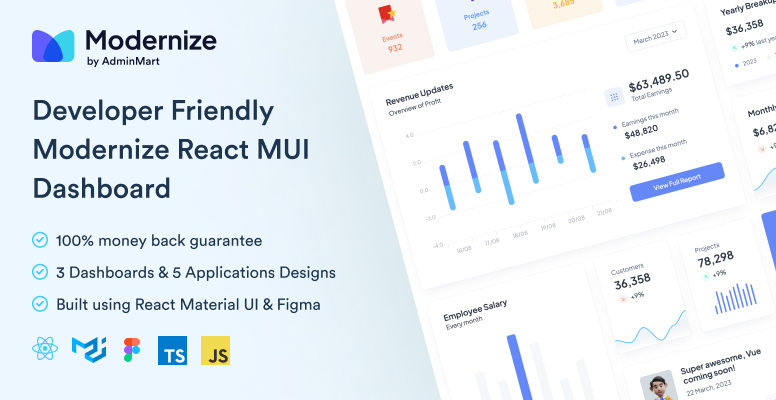
    Searching for the best tools for react ecosystem? Either to build your react dashboard or website. Then let me tell you Modernize MUI react dashboard should be your first choice. This will help you think out of the box that how react ecosystem can be used to build such incredible web apps. If you’re also looking to develop high-quality mobile applications, consider partnering with an iOS App Development Company for expert solutions.


    10 Best Tools for React Ecosystem

    Here is the list of 10 Best Tools for React Ecosystem:

    Below, we talk about features of these tools for React developers.

    Whether you are using React templates or coding on React, these tools range from React Studio to CodeSandbox to Deepscan and more!

    1. Redux Toolkit

    Redux Toolkit is a powerful library for state management in React applications, designed to simplify and enhance the use of Redux. Redux has long been a popular choice for managing state in JavaScript applications, but its boilerplate code and complexity can be overwhelming. Redux Toolkit addresses these challenges by providing a set of tools and best practices to streamline the development process. If you’re looking for expert assistance in building scalable React applications, consider partnering with a ReactJS development company.

    Checkout Redux Toolkit by Clicking here


    2.  Zustand

    Zustand is a small, fast, and scalable state management library for React applications. Developed by Jannie Wiberg, Zustand aims to simplify state management with minimal boilerplate and excellent performance. Unlike more complex state management solutions like Redux, Zustand offers a more intuitive and less opinionated approach, making it an attractive option for developers looking to manage state in their React applications.

    Checkout Zustand by Clicking here


    3. React Studio 

    What is it?

    • React Studio is a fully-featured standalone desktop software to develop modern web apps for production with React.

    Top features:

    1. It gives developers an easy way to package new code and then hand it off to designers.
    1. No vendor lock-in. You will be keeping all the existing tools and integrations used in the project.
    1. It comes with an integrated Plugin Editor with API verifying abilities so that it’s easy to ensure interface compatibility between different versions.
    1. Comes with popular tooling’s like using create-react-app and Git version control.
    1. You can import your designs straight from Sketch, preview them on your mobile device for responsiveness and straightaway publish them to the web in one click!

    Checkout React Studio by Clicking here


    4. React Styleguidist

    What is it?

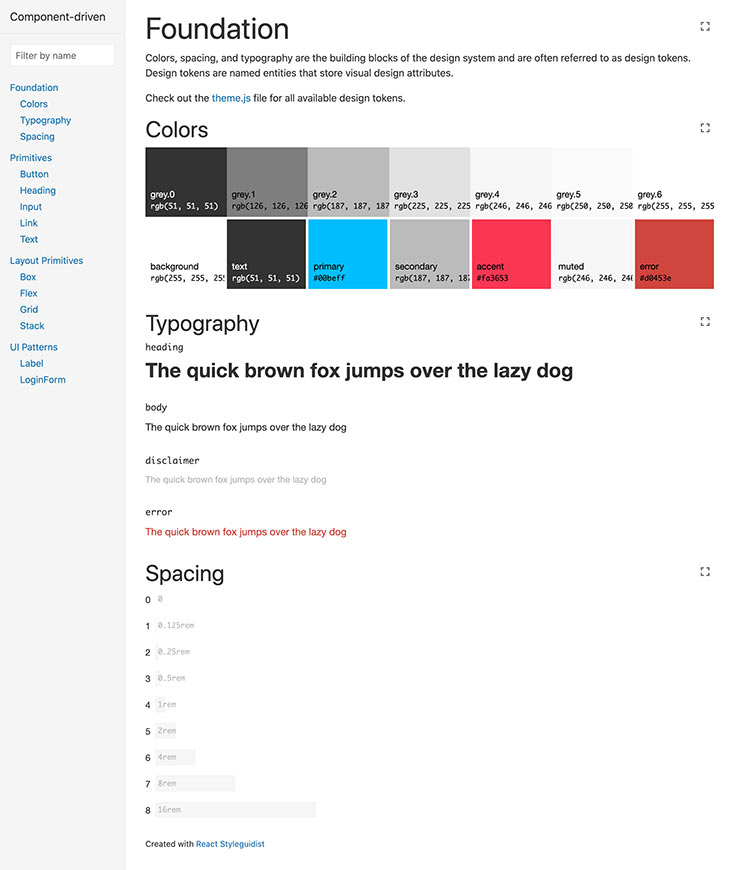
    • React Styleguidist is an isolated React component development environment with a living style guide.

    Top features:

    1. React Styleguidist comes with a development environment by itself with support for popular React-based technologies like JavaScript, TypeScript, and Flow.
    1. It works with create-react-app tooling out of the box.
    1. You can easily share components with your team as it gets all the components in one place with auto-generated documentation along with live examples.
    1. With its interactive playground, you can see how components react to different props and data changes right inside your browser.

    Checkout React Styleguidist by Clicking here


    5. React Slingshot 

    What is it?

    • React Slingshot is a comprehensive starter kit for rapid application development using React.

    Top features:

    1. React Slingshot comes with the traditional npm start command to start the development server in your default browser along with the ability to have hot reloaded, lining, and automated tests enabled!
    1. Rather than splitting the command line output into multiple lines, React Slingshot displays all the command-based feedback in a single line.
    1. If you are new to this library, then it even has a working example app to showcase its top features which guides you on how it all works together.
    1. It offers a rich developer experience because it uses technologies like Redux, React Router, Babel, Webpack, Jest, ESLint, and more!

    Checkout React Styleguidist GitHub link by Clicking here


    6. Openbase

    Openbase - react ecosystem

    What is it?

    • Openbase comes fourth in the best tools for the React ecosystem as it is an online tool to choose the right package for your React projects without any hassle.

    Top features:

    1. 500+ package categories are hand-picked, so you will most likely get your favorite one.
    1. The members of the Openbase community have 50K+ reviews and ratings given to hundreds of packages according to crucial developer experience metrics like documentation, ease of use, performance, etc.
    1. You will get a deep dive with dozens of metrics of each package like the bundle size, monthly commits to its repo, open issues, download time, popularity, version, and more!
    1. If you are a developer of a package, then you can claim it as its maintainer thanks to its open documentation.
    1. Can’t seem to find a suitable package but still want to explore a random one? Then Openbase has a random package finder which you can get access here.

    Checkout Openbase by Clicking here


    7. Codesandbox

    Codesandbox - react ecosystem

    What is it?

    • Codesandbox is an online IDE environment made to create, share, and get feedback with collaborative sandboxes for rapid web development in the React ecosystem.

    Top features:

    1. There’s no setup needed to create a new React-based sandbox. You just choose a template and it gives you all the necessary packages, tooling, and a running browser window!
    1. It’s collaborative. This means that you can get feedback and create it together, in real-time or asynchronously.
    1. The code you write updates live on the browser window and you can easily share, embed, or join someone else’s sandbox.
    1. It has a built-in NPM package directory of over 1 million+ packages which you can simply search and add to your [project without running a single line of the command line.
    1. It’s optimized for React-based environments and has support to import and run your GitHub repos directly from the browser.

    Checkout Codesandbox by Clicking here


    8. React Sight 

    React Sight

    What is it?

    • React Sight is a live view of the component hierarchy tree of your React application with support for React Router and Redux in the React ecosystem.

    Top features:

    1. This React visualizer is easy to set up on major browsers like Chrome and Firefox as extensions/add-ons. You just install it, run your React app, open dev tools, and start working with the React Sight panel!
    1. It requires you to have no modifications on your codebase, so you can keep working on your code while React Sight will make a live component hierarchy tree in the background.
    1. It has support for popular React tooling like React Fiber, React Router, Redux, and more!
    1. The extension is lightweight and unobtrusive and will show you how your application is working under the hood.
    1. With built-in filters, you can hide elements you don’t want to see so that you only focus on one particular component at a time.

    Checkout React Sight by Clicking here


    Also Read: Top 10 React IDEs for Developers in 2026


    9. Sentry

    What is it?

    • Sentry comes seventh in tools for the React ecosystem it is a service for developers who can make use of its excellent error tracking to performance monitoring in the React ecosystem.

    Top features:

    1. Sentry’s React SDK enables automatic reporting of errors and exceptions.
    1. It captures data by using an SDK within your application’s runtime and to install it you can simply run the following command:

    # Using npm

    npm install --save @sentry/react @sentry/tracing

    # Using yarn

    yarn add @sentry/react @sentry/tracing

    1. You can integrate source maps with the support of transpired, minified, and bundled JavaScript.
    1. It can identify performance issues beforehand with the distributed trace feature.
    1. With Sentry, you also get a beautiful visualization of your application’s data with specific dashboards.

    Checkout Sentry for React by Clicking here


    10. Deepscan

    Deepscan

    What is it?

    • Deepscan is a cutting-edge static analysis tool for your React and JavaScript code in the React ecosystem.

    Top features:

    1. Deepscan analyses your code by data-flow analysis and specific rule sets. 
    1. It focuses more on runtime errors within your application rather than coding conventions.
    1. It can find issues that are based on execution and data flow and not only syntax-based issues.
    1. The tool classifies issues as multi-level impacts and shows all the related information about that with a detailed guide to know what and where the problem is.
    1. Deepscan has great code inspection, GitHub integration, a good array of plugins and CLIs, and more!

    If you are looking for React MUI Admin Dashboard Template then you can check out below useful Template which can save you time, money, and energy:

    Modernize Free React MUI Dashboard

    Great! Now you have an awesome new list of tools to use as a React developer. Put on some coding hats start using them and see how helpful they are in your workflow 🙂 So now you get to know the 10 best tools for the React ecosystem.


    If you’re looking for a detailed React cheatsheet, be sure to explore our blog for all the essential information.

    If you are building robust admin panels, don’t miss our exclusive collection of free React admin dashboard templates.

    Additionally, if you’re interested in creating website templates, check out our curated selection of free React website templates to enhance your project.

  • Top 12 React IDE for Developers

    Are you a React developer feeling frustrated by using that same old code editor every day and now want to explore some new and unheard editors?  You can use React IDE to help you out with such problems.

    What is React IDE?

    Using a code editor or a react IDE that has a sufficient amount of features you need and that fits perfectly into your own workflow is important for the entire work.

    In this article, we have compiled the top 10 IDEs and editors on which you can get your hands as a React developer with ample support for the JavaScript ecosystem and the features they provide.
    Enjoy the read!


    1. Visual Studio Code (VS Code)

    What is it?

    • Visual Studio Code(VS Code) is a free source-code editor made by Microsoft for Windows, Linux, and macOS.

    This react IDE has integrated Git version control and Terminal. It has a very large plugin ecosystem where you can find thousands of helper tools that work best for your tech stack and project.
    Chances are you are already using and loving this editor. In the Stack Overflow 2021 Developer Survey, VS Code was ranked the most popular developer environment tool.

    Top Features:

    1. IntelliSense: it provides you with better and smart code completions based on variable types, function definitions, and imported modules.
    1. Debugging: you can directly launch the debugger with breakpoints, call stacks, and more without ever leaving the editor.
    1. Git integration: you can easily review diffs, stage files, and make commits right from the editor. 
    1. Extensible and customizable: with its extensions gallery you can add new languages, themes, and debuggers, and connect to additional services. 

    2. WebStorm

    What is it?

    • WebStorm is a full-blown IDE made by JetBrains for web, JavaScript, and TypeScript development.

    With this react IDE, you can expect everything and more of what an IDE should provide to a React developer. It runs dozens of code inspections as you type your code and detects potential problems in it.


    It has smart code completion, on-the-fly error detection, powerful navigation, and refactoring. This comes with built-in support for all web-related technologies like JavaScript, TypeScript, React, Vue, Angular, Node.js, HTML, or style sheets, etc.

    Top Features:

    1. Smart code refactoring: it autocompletes your code, and detects and suggests fixes for errors and redundancies.
    1. Powerful dev tools: it comes with all the linters, build tools, terminal, and HTTP client to test and debug your web applications.
    1. Code navigation: in just one place you can look for files, classes, or symbols, and review all the code matches.
    1. Collaboration support: you can easily onboard your team members and other developers. WebStorm supports real-time code collaboration with sharing code styles, settings and even joining on a call!

    3. Atom

    What is it?

    • Atom is a free and open-source ‘hackable’ code editor for customizing almost anything without touching its config file. It was made by GitHub.

    This react IDE has a highly customizable environment and ease of installation. So if you are someone who wants to quickly set up a new React project without worrying about multiple steps of installation etc, then Atom may be a good choice.

    Top Features:

    1. Teletype: this is one of the highlight features of Atom as it allows you to share your entire workspace and edit code together in real-time.
    1. Full GitHub support: as it’s already bundled so you get to create new branches, stage and commit, push and pull, resolve merge conflicts, view pull requests, etc right out of the box!
    1. Built-in package manager: whether it’s about searching for your favorite package for that code library or if you want to be a pro by making your own, Atom has it all!
    1. File system browser: with this, it becomes easy to open your main file while browsing all of the existing ones from a single window.

    4. Sublime Text

    What is it?

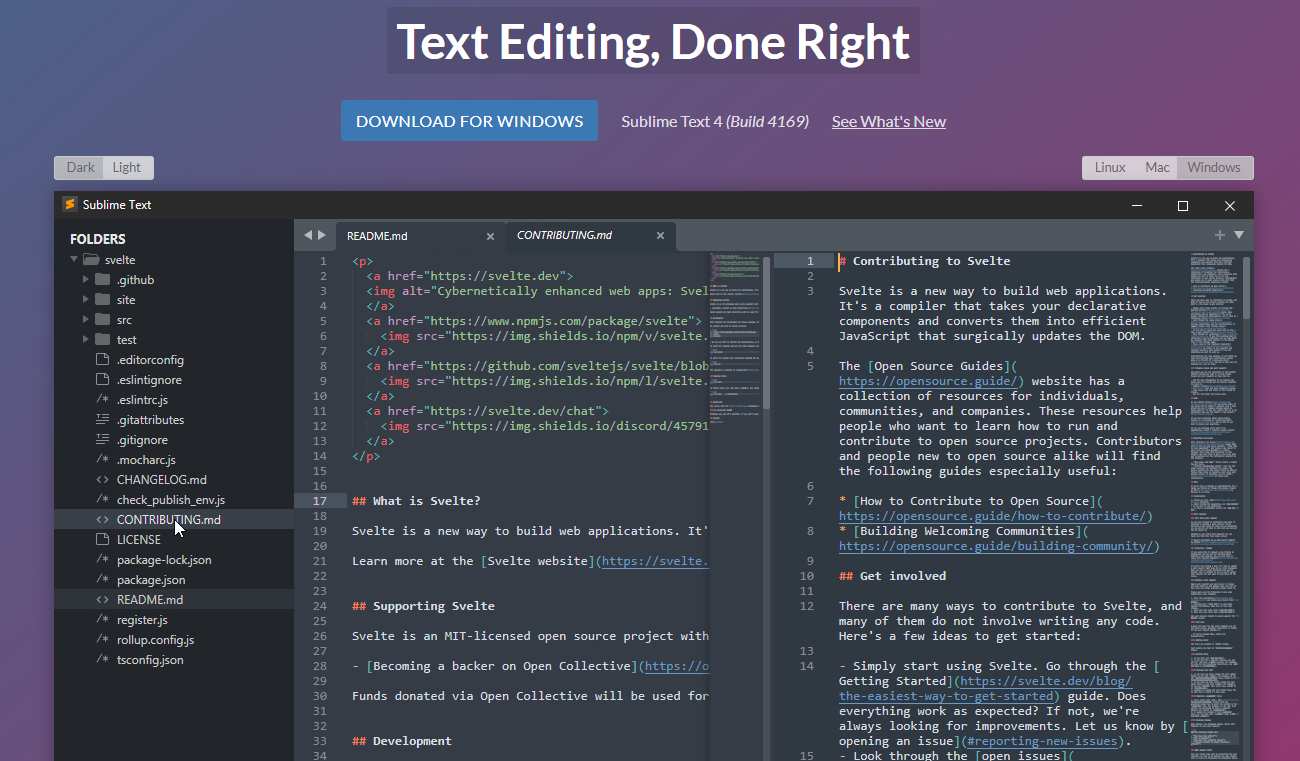
    • Sublime Text is a popular commercial code editor which natively supports many programming languages.

    No code editor talk can be finished without the mention of Sublime Text. It’s one of the most used editors in the world thanks to its slick interface, amazing features, and top-notch performance.
    All the projects in Sublime Text capture the full contents of the workspace, including modified and unsaved files. 

    Top Features:

    1. Split panes and navigation: use a simple modifier when performing actions that will split the interface to show multiple tabs at once. 
    1. Code definitions: it comes with features like Goto Definition, Goto Reference, and Goto Symbol by which you can explore the full definition in a small popup.
    1. Multiple selections: use keyboard shortcuts like ⌘+D to select the next occurrence of the current word, ⌘+K, ⌘+D to skip an occurrence.
    1. React/JS file support: TypeScript support comes by default with syntax-based features for all React and JS/JSX files.

    5. Reactide

    What is it?

    • Reactide(or React-IDE) is the first dedicated IDE for React web application development.

    This react IDE is a cross-platform desktop application that offers a custom simulator, making build-tool and server configuration unnecessary. Now you can simply reply on a single window for all of your code, browser preview, and more.


    If you get carried out while writing the React JSX code along with multiple browser windows then Reactide is here to help. It combines everything in one single place so that all the focus is on writing and reviewing the code.

    Top Features:

    1. Intuitive interface: this is probably one of the biggest strengths of Reactide when compared with others. It runs an integrated Node server and custom browser simulator and you can continually track changes through live reloading directly in the development environment.
    1. State flow visualization: it comes with a visual component tree that dynamically loads and changes based on components within the working directory while giving information about props and states at every component.
    1. Integrated Terminal: the built-in Terminal can be used for running commands in bin/bash for Unix, and cmd for Windows.
    1. Streamlined configurations: to start, just input your .js and .html entry points inside Reactide’s universal configuration and then run npm run reactide-server to kick off your project.

    6. Emacs

    What is it?

    One of the very highly adopted editors in the GNU world, Emacs has an interpreter for Emacs Lisp, a dialect of the Lisp programming language with extensions to support text editing.


    It supports a plethora of programming languages and other faculties of text editing. This also comes with a good and robust set of extensions and other features like Git integration, syntax highlighting, etc.

    Top Features:

    1. Content-aware editing modes: this includes syntax coloring, for many file types.
    1. More than code editing: you can use the project planner, mail and news reader, debugger interface, calendar, IRC client, and more.
    1. Extensive extension support: comes with a packaging system for downloading and installing extensions.

    7. Rekit Studio

    What is it?

    • Rekit is a toolkit for building scalable web applications with React, Redux, and React-router. It’s an all-in-one solution for creating modern React apps.

    This react IDE provides you with the capability for code generation, dependency diagraming, refactoring, building, unit tests, and a meaningful way to navigate code. 


    Rekit creates applications bootstrapped by the Create React App tool and has the capability to scale, test, and maintain easily.

    Top Features:

    1. It helps you focus on business logic rather than dealing with massive libraries, patterns, configurations, etc.
    1. Comes with powerful tools like Rekit Studio which is the real IDE for React/Redux development and command line tools to create/rename/move/delete project elements like components, actions, etc. 
    1. Rekit can do code generation, dependency diagraming, refactoring, building, unit tests, and a meaningful way to navigate code.
    1. It’s highly capable of recognizing which files are components, which are actions, where routing rules are defined, and so on.

    8. Vim

    What is it?

    • Vim is a highly configurable text editor built to make creating and changing any kind of text very efficient. 

    This react IDE is a free and open-source, screen-based text editor program for Unix. The good part is Vim is designed for use both from a command-line interface and as a standalone application in a graphical user interface. 


    Vim has 12 different editing modes, 6 of which are variants of the 6 basic modes. Some of the common ones are Normal, Visual, Insert, Cmdlibe, etc.

    Top Features:

    1. Key mappings: you can execute complex commands with “key mappings,” which can be customized and extended. 
    1. Recording: this allows for the creation of macros to automate sequences of keystrokes and call internal or user-defined functions and mappings. 
    1. Extensive: it comes with a persistent, multi-level undo tree along with an extensive plugin system.
    1. Support: Vim supports hundreds of programming languages and file formats. It can also be integrated into various other tools easily.

    9. NetBeans

    What is it?

    • Apache NetBeans is a development environment, tooling platform, and application framework.

    This react IDE allows applications to be developed from a set of modular software components called modules. It was originally used for making Java applications but now has extensive support for all major tools and technologies including PHP, C, C++, HTML5, and JavaScript.


    The IDE provides editors, wizards, and templates to help you create applications in Java, PHP, and many other languages.

    Top Features:

    1. Fast and smart editing: it highlights source code both syntactically and semantically, and lets you easily refactor code, with a range of handy and powerful tools.
    1. CSS editor: this comes with code completion for style names, quick navigation through the navigator panel, displaying the CSS rule declaration in a ListView, and file structure in a Tree View.
    1. Modular: each module provides a well-defined function, such as support for editing, or support for the CVS versioning system.
    1. JavaScript editor: it has syntax highlighting, refactoring, code completion for native objects and functions, generation of JavaScript class skeletons, and generation of Ajax callbacks from a template.

    10. Notepad++

    What is it?

    • Notepad++ is a free source code editor and Notepad replacement that supports several languages.

    This react IDE is written in C++ and uses pure Win32 API and STL which ensures a higher execution speed and smaller program size. It supports tabbed editing, which allows working with multiple open files in a single window. 


    It features all the common editing tools like syntax highlighting, code folding, and limited autocompletion for programming, scripting, and markup languages, but not intelligent code completion or syntax checking. 

    Top Features:

    1. Collaborative editing: this allows multiple developers to work on the same file simultaneously while on different computers.
    1. Selection methods: it has support for various methods for text selection like block selection, column selection, and non-linear selection.
    1. Macros: for recording a sequence of editing commands to be executed repeatedly. 
    1. Other notable features include; advanced find and replace, split-screen editing/viewing, support for bookmarks, and a plugin system.

    11. Codux

    Codux is a new visual IDE brought to you by the fine folks over at Wix, React IDE for developers. It is a powerful editor for building React applications with a visual-first approach, enabling developers and designers to collaborate seamlessly on web no need to install any extra setup.


    12. CodeSandbox

    CodeSandbox is a web based React IDE for developers, especially those working with JavaScript frameworks like React.js and React Native.

    Here are some of the key features and benefits of using CodeSandbox:

    Key Features and Benefits

    1. Browser-Based IDE:
      No Installation Needed: Developers can start coding right away without needing to install React.js, React Native, or other dependencies on their local machines.
      Accessibility: Being browser-based, CodeSandbox can be accessed from any machine with an internet connection, making remote or collaborative work easier.
    2. Template Support:
      Built-in Templates: CodeSandbox offers a variety of templates to start with, such as React with TypeScript, Next.js, Vue.js, Angular, and more.
      Enhanced Functionality: These templates provide a solid starting point and leverage best practices, helping developers kickstart their projects efficiently.
    3. TypeScript Integration:Type Safety: Using templates like React with TypeScript helps catch type errors and reduces the risk of assigning incorrect types to variables. This leads to more robust and maintainable code.
      Autocompletion and IntelliSense: TypeScript integration provides better autocompletion and IntelliSense, improving the developer experience.
    4. Built-in Preview Window:
      Real-Time Feedback: As developers type, the built-in preview window updates in real-time, giving immediate feedback on how changes affect the application.
      Better Understanding: This helps developers quickly understand the impact of their code, speeding up the development cycle and reducing the need for frequent context-switching.
    5. Live Collaboration:
      Pair Programming: CodeSandbox supports live collaboration, allowing multiple developers to work on the same codebase simultaneously.
      Code Reviews: Teammates can review code and provide feedback in real time, enhancing team productivity and collaboration.
    6. Deployment and Hosting:
      Easy Deployment: CodeSandbox offers easy deployment options through integrations with platforms like Vercel and Netlify, making it straightforward to deploy and share projects.
      Static and Dynamic Hosting: It supports both static and dynamic hosting needs, making it versatile for different types of projects.
    7. Version Control:
      GitHub Integration: CodeSandbox integrates with GitHub, allowing developers to sync their projects with repositories and manage version control effectively.
      Version History: It maintains a history of changes, making it easy to revert to previous states if needed.

    One can create impressive dashboard templates and themes by utilizing integrated development environments (IDEs). “Modernize React MUI Dashboard Theme” can provide excellent inspiration for designing such templates.

    You can also check the demo of Modernize React MUI Dashboard Theme


    We hope you liked this set of top 10 React IDE that you can use. If you like this post you’ll also like our free react templates that will help you out in building amazing react websites and applications. Let us know which one are you currently using and which one you will use after reading this article. Happy coding! We have a designed and developed free and premium react templates which you can use to build your react based web applications.