Category: CSS

  • 15+ Admin Panel Templates Free Download HTML5 and CSS3 of 2026

    Creating an admin panel for your project in 2026 doesn’t have to be difficult. If you’re struggling to find the right HTML theme, we’ve got you covered. We’ve handpicked some of the best Admin Panel Templates Free Download HTML5 and CSS3 of 2026, that are simple, modern, and perfect for any project. 

    Looking for simple admin panel templates? You are at right place

    These templates are designed with the latest trends to make your project look professional and work smoothly. They’re lightweight, responsive, and easy to customize, saving you time and effort. Whether you’re a beginner or an expert, these admin panel templates will meet all your needs without complications.

    Below, we’ve curated a list of the free HTML & CSS admin panel templates that are lightweight, responsive, and easy to customize. Also if you are looking for some Free React Dashboard Templates or Tailwind Admin Templates, check WrapPixel.


    Top Admin Panel Templates Free Download HTML5 and CSS3

    MaterialM

    Developers love the MaterialM free bootstrap template for its Google Material Design, extensive features, and Bootstrap foundation, making it a dependable choice. The MaterialM HTML Admin Template is designed to simplify the development process while maintaining a professional and polished appearance. Its clean structure and modern design make it ideal for beginners and experienced developers alike.

    Why Choose MaterialM ?

    • Completely Free : No hidden costs, just a high-quality template ready to use.
    • Built with Bootstrap : Leverages the latest web technologies for smooth performance.
    • Easy Customization : Clean, well-organized code allows for hassle-free customization.
    • Fully Responsive : Adapts perfectly to any screen size, ensuring a great user experience.
    • Pre-built Pages : Includes login, registration, forms, tables, and more.

    Final Thoughts on MaterialM

    MaterialM is a versatile template that’s perfect for beginners and pros alike. Its pre-built pages and intuitive design make it a go-to solution for quick and efficient development. Whether you’re building a fintech platform, healthcare application, or crypto dashboard, MaterialM provides the tools you need to get started quickly.

    Github Star’s – 5


    Tailwindadmin

    Tailwindadmin is a modern admin interface system built using Tailwind CSS. It comes with ready-made UI components, dashboard screens, and layout patterns that keep things clean, scalable, and developer-friendly.

    Why Choose Tailwindadmin?

    • Built with Tailwind CSS for a modular and customizable design.
    • Fully responsive and optimized for performance.
    • Easy to integrate and customize.

    Final Thoughts on Tailwindadmin

    If you want an admin UI kit that’s modern, consistent, and scalable, Tailwindadmin is a solid choice. It saves development time, reduces unnecessary design work, and helps maintain a clean look across your dashboard pages.

    Github Star’s – 60


    Modernize

    The Modernize Free Bootstrap Admin Template is a visually appealing option that combines style and functionality. If you want a template that’s both trendy and practical, this one’s for you. You don’t need to search any further if you’re seeking a free bootstrap admin template that is visually appealing, well-designed, has lots of functionality, and has a trendy appearance. The Modernize Free Bootstrap Admin Template includes all the tools you need to easily construct your web application. Its clean, straightforward style will add a polished and captivating appeal to your next project.

    Modernize Free React Dashboard

    Why Choose Modernize ?

    • Visually stunning design with a clean layout.
    • Packed with essential features for effortless development.
    • Fully responsive and compatible with all devices.
    • Built with Bootstrap, ensuring modern and efficient performance.

    Final Thoughts on Modernize

    Modernize is ideal for developers who want a polished and captivating simple admin panel without spending hours on customization. Its simplicity and elegance make it a standout choice.

    Github Star’s – 28 


    Spike

    The Spike Bootstrap Admin Dashboard is a unique blend of functionality and aesthetics. Powered by Bootstrap, it offers a fresh and modern approach to admin panel design. Spike is perfect for developers looking for something different yet highly functional. Its innovative design and ease of use make it a strong contender in the world of admin templates.

    Why Spike Stands Out ?

    • Combines appearance and functionality seamlessly.
    • Built with Bootstrap, ensuring responsiveness and compatibility.
    • Easy to integrate and customize for your specific needs.

    Final Thoughts on Spike

    If you’re searching for a free, feature-rich template that doesn’t compromise on quality, MaterialM is an excellent choice.

    Github Star’s – 17


    Star Admin

    Star Admin is a beautifully designed simple admin panel template featuring a fine selection of useful Bootstrap components and elements. Its impressive typography and colorful interface make it a favorite among developers.

    Why Choose Star Admin ?

    • Elegant and user-friendly design.
    • Pre-built pages that are intuitive and well-structured.
    • Offers a wide range of components for customization.

    Final Thoughts on Star Admin

    Star Admin strikes the perfect balance between style and practicality. It’s an excellent choice for developers looking to create modern, professional, and user-friendly interfaces.

    Github Star’s – 366


    MatDash

    MatDash is a free and modern admin dashboard template designed for developers who want a clean and responsive interface for their admin panels. Built with Bootstrap 5, it offers a sleek design, easy customization, and a variety of ready-to-use components. Whether you’re building a small app or a complex web system, MatDash provides a solid foundation to get started quickly.

    Why Choose MatDash Template ?

    • Modern & Clean Design : Features a minimalist layout with a professional look, perfect for today’s admin dashboards.
    • Built with Bootstrap : Uses the latest Bootstrap framework, ensuring responsiveness and compatibility across devices.
    • Free & Open Source : Completely free to use and customize, ideal for personal or commercial projects.
    • Easy to Customize : Simple structure and clean code make it easy for developers to modify and extend features.
    • Great for Beginners & Experts : Suitable for developers at all levels, offering both simplicity and flexibility.

    Final Thoughts on MatDash

    MatDash is an excellent choice for anyone looking for a lightweight and stylish Bootstrap admin template. It combines functionality with a clean UI, making it easy to build powerful dashboards without unnecessary complexity.

    Github Star’s – 18


    MaterialPro

    MaterialPro Bootstrap Lite is a powerful and competent admin template based on HTML and CSS . Inspired by Google Material Design principles, it’s packed with essential Bootstrap components and UI elements.

    Why Choose MaterialPro ?

    • Responsive UI Elements : Perfect for building dynamic web applications.
    • Google Material Design : Sleek and professional look.
    • Pre-built Widgets : Speeds up development with ready-to-use components.

    Final Thoughts on MaterialPro

    MaterialPro is a robust and flexible template that caters to a wide range of projects. Its clean design and reusable components make it a must-have for developers.

    Github Star’s – 18


    AdminKit

    AdminKit is a new and modern dashboard from Paul Laros. Built on Bootstrap, it’s lightweight, fast, and easy to use.

    Why Choose AdminKit ?

    • Clean and minimalistic design.
    • Fully responsive and compatible with all devices.
    • Includes pre-built pages and components for quick setup.

    Final Thoughts on AdminKit

    This Admin Template is a great choice for developers looking for a fresh and modern admin template. Its simplicity and efficiency make it ideal for small to medium-sized projects.

    Github Star’s – 1.6k


    Admin LTE

    Although AdminLTE is one of the older templates, it remains a popular choice due to its reliability and versatility. It’s packed with features and works seamlessly across all major browsers.

    Why Admin LTE is Still Relevant ?

    • Supports over 18 plugins, including Chart.js , DataTables , and Select2 .
    • Offers customizable layouts and light/dark modes.
    • Compatible with modern frameworks like Angular , React , and Vue.js .

    Final Thoughts on Admin LTE

    Admin LTE proves that old can be gold. Its rich feature set and flexibility make it a timeless option for developers.

    Github Star’s – 44.7k


    Adminator

    While Adminator is an older template, it’s still widely used by developers. Its simplicity and ease of use make it a reliable choice for small projects.

    Why Adminator Still Works ?

    • Simple and straightforward design.
    • Lightweight and easy to customize.
    • Compatible with most modern browsers.

    Final Thoughts on Adminator

    Adminator may not be as feature-rich as newer templates, but its simplicity and reliability make it a solid option for basic simple admin panels.

    Github Star’s – 4.5k


    FreeDash

    If you’re searching for a free, eye-catching, and elegantly designed Bootstrap admin template, FreeDash is All in one template for you. Whether you’re building a dashboard for a small project or a more complex application, FreeDash offers all the essential features you need to get started quickly. Its clean folder structure, organized code, and hassle-free setup make it an ideal choice for developers of all skill levels.

    Why Choose FreeDash Admin Template ?

    • Google Fonts : Includes customizable typography for a professional look.
    • Easy Folder Structure : Simplifies navigation and makes customization straightforward.
    • Organized Code Structure : Ensures clean and maintainable code for hassle-free development.
    • Hassle-Free Setup Process : Quick and easy to integrate into your project.
    • 1 Basic Dashboard : A clean and functional starting point for your admin panel.
    • Forms Variations : Multiple form styles to suit different use cases.
    • Table Variations : Offers various table designs for data management.
    • Charts Examples : Pre-built chart components for data visualization.
    • 3 Useful Applications : Includes ready-to-use app templates for added functionality.
    • Login and Register Pages : Comes with authentication pages to save time during development.

    Final Thoughts on FreeDash

    Its sleek design, organized structure, and practical features like forms, tables, and charts make it versatile enough for a wide range of projects. If you want a reliable and stylish starting point for your next project, FreeDash is definitely worth considering.

    Github Star’s – 101 


    Apollo

    The Apollo Bootstrap HTML Admin Template is a modern and feature-rich solution for developers looking to create professional admin dashboards. From charts to notifications, this template ensures a smooth development experience while maintaining a clean and professional design.

    Why Choose Apollo ?

    • Chart.js Integration : Comes with three different chart types for dynamic data visualization.
    • Built with Bootstrap : Leverages the latest version of Bootstrap for a responsive and efficient experience.
    • Collapsible Sidebar : Automatically collapses on browser resize, ensuring usability across devices.
    • Notifications & Avatar Components : Adds interactivity and enhances user engagement.
    • Login/Register Pages : Saves time with ready-to-use authentication pages.

    Final Thoughts on Apollo

    Whether you’re working on a small project or a larger system, Apollo provides the tools you need to create a professional and engaging dashboard effortlessly.

    Github Star’s – 24


    Light Blue

    The Light Blue HTML Admin Template is a versatile and lightweight admin dashboard built with Bootstrap and pure JavaScript . Designed to work seamlessly on both small mobile devices and large desktops, this template is perfect for creating a wide range of web applications, including SaaS dashboard, CMS, CRM systems, data analytics software, and project management tools.

    Why Choose Light Blue ?

    • Fully Responsive : Works flawlessly on all screen sizes, ensuring a consistent user experience.
    • Pure JavaScript : Lightweight and fast, without relying on heavy libraries like jQuery.
    • Versatile Use Cases : Suitable for building any type of web application, from SAAS to project management systems.
    • Bootstrap-Powered : Built with Bootstrap for a modern and responsive design.
    • Customizable : Easy to adapt and modify based on your project requirements.

    Final Thoughts on Light Blue

    Whether you’re creating a CRM, CMS, or SAAS platform, Light Blue provides the tools and performance you need to succeed.

    Github Star’s – 9


    Conclusion

    Whether you’re building a small project or a large-scale application, above all HTML & CSS admin panel templates offer something for everyone. From the sleek design of MaterialM to the versatility of Admin LTE , each template brings its own strengths to the table. For beginners, FreeDash and Spike are excellent starting points, while experienced developers might appreciate the advanced features of MaterialPro and Modernize .

    Take your time to explore these templates and choose the one that best fits your project requirements. 

    Happy coding! 🚀💻


    If you’re unsure or need help deciding on choosing the right template, feel free to submit a support form today, and we’ll guide you through the process.

  • CSS Animation Mastery: Top 23+ Resources and Tools for Developers

    A text fading in and out or a link popping up when hovered. What do these two things have in common? Yes, they all animate.

    What’s special about the custom web development space is that along with static elements, it also provides an infinite possibility of dynamic elements which can animate the way it is needed. It can be done via simple CSS rules or by using a library or even a generator tool that would do the same.

    It’s just a matter of what type of animation you want and how you want to implement them. So that you don’t have to hop around from one website to another, we have curated 20 of the best CSS animation resources from libraries to generator tools in this article. Pick your favourite and start implementing it!


    List of CSS Animation Resources

    Whirl

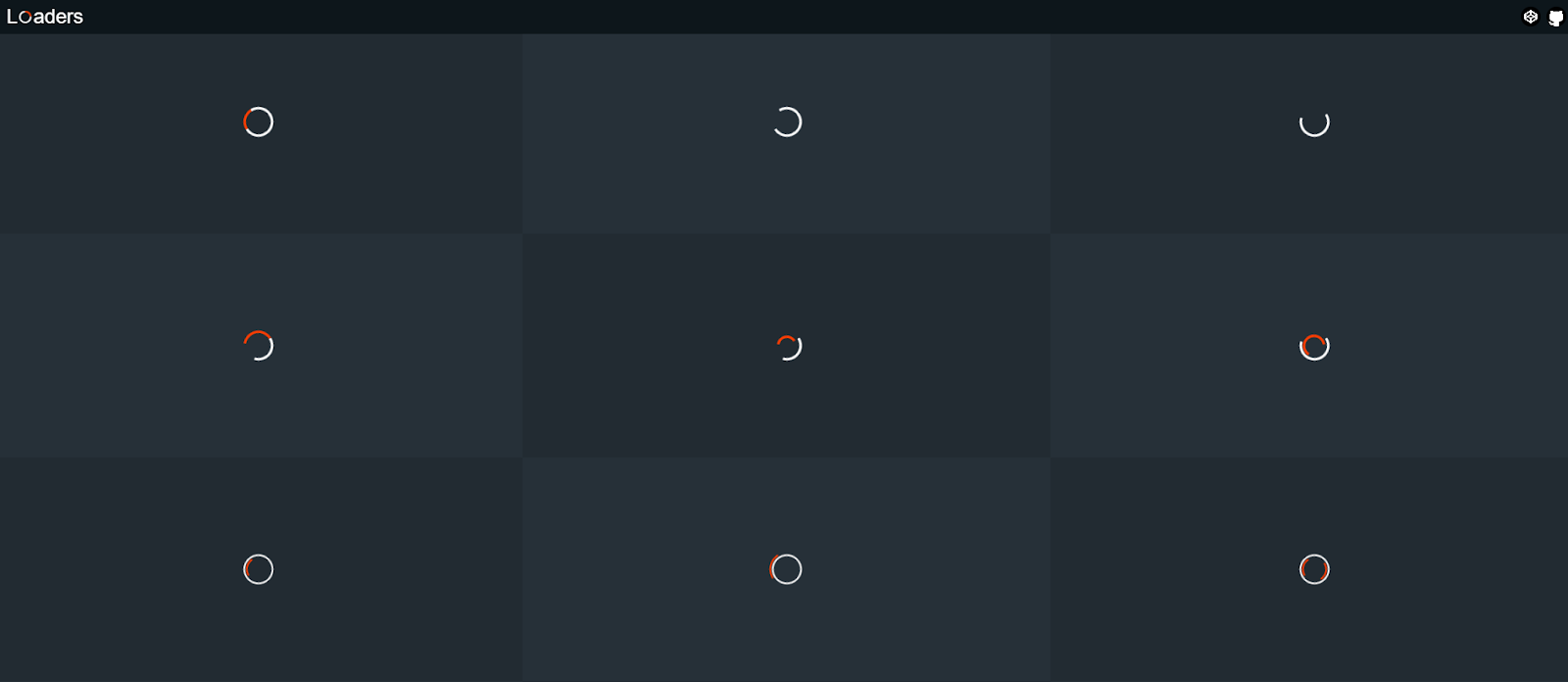
    Made by Jhey Tompkins, a CSS wizard himself, Whirl is a curation of CSS-loading animations. It takes the pain out of a developer because it already has 106 whirls and more.

    Take a look at the demo website to get a taste of what types of loaders are available.

    Usage:

    You can install it on your projects via NPM or Yarn commands –

    npm i @jh3y/whirl
    yarn add @jh3y/whirl

    Else, if you want to get a quick spin-up, you are free to use the CSS or SASS files.


    Magic Effects

    Ever wanted to have some special effects on your website without having to learn some complex software programs?

    The Magic Effects library has got them all. Whether you want the usual static effects like OPENDOWNLEFT which makes an element appear as if it’s opening from a box and then going down, or something more real-life like PERSEPECTIVEUPRETURN that uses the CSS perspective property to make you feel like the element is in a 3D space, this library suits the best!

    Usage:

    The good thing is that we can use it with both CSS and JavaScript files. Let’s see how to do it in CSS:

    npm i magic.css
    yarn add magic.css

    You can also include its minified version in your HTML boilerplate:

    <link rel="stylesheet" href="yourpath/magic.min.css">


    Animista

    What makes Animista unique from others you say? Well, it has a fully-featured animation demo workspace where you can literally preview each of the different types of animation it has to offer along with different options like delay, iteration count, direction, fill mode, and more!

    And did I tell you that each of its 15 ‘Basic’ animation types has more than 10 sub-animations! It’s mind-blowing to see how much we can achieve with Animista.

    Usage:

    There are three steps to this-

    1. Get a taste of different animations from its editor.
    2. Pick your favorite ones by clicking on the heart button.
    3. When you are ready, click the download button on the top-right corner to access the download screen.

    When you do this, an animate.css file will be downloaded which you can then easily add to your project directory.


    Hamburgers

    Did someone say, “Treat!”? Well, yes but for developers. Hamburger is a collection of 10+ examples of CSS hamburger animations that are very well-suited for navigation for mobile devices.

    From the usual ‘Boring’ one to the exciting ‘Empathic’, you can get them all. The good thing here is that it has tremendous support for different stacks be it SASS or Ruby on Rails.

    Usage:

    (1) Download the file from here.

    (2) Include the following in your HTML:

    <link href="dist/hamburgers.css" rel="stylesheet">

    (3) Add base HTML:

    <button class="hamburger" type="button">
    <span class="hamburger-box">
    <span class="hamburger-inner"></span>
    </span>
    </button>

    (4) Append the class name of the type of hamburger you want:

    <button class="hamburger hamburger--collapse" type="button">
    <span class="hamburger-box">
    <span class="hamburger-inner"></span>
    </span>
    </button>

    (5) Finally, trigger the active state:

    <button class="hamburger hamburger--collapse is-active" type="button">
    <span class="hamburger-box">
    <span class="hamburger-inner"></span>
    </span>
    </button>

    Animate.css

    This has to come right? Probably one of the most popular CSS animation libraries out there. Animate.css is one of those libraries which work great for emphasis, home pages, sliders, and attention-guiding hints.

    With the powers of NPM, Post CSS + postcss-preset-env, you can create custom builds pretty easily. For accessibility, it supports [prefers-reduced-motion] media query.

    Usage:

    npm install animate.css --save
    yarn add animate.css

    Or add its CDN:

    <link rel="stylesheet" href="https://cdnjs.cloudflare.com/ajax/libs/animate.css/4.1.1/animate.min.css" />

    Then use it on any element like this:

    <div class="animate__animated animate__bounce"></div>

    Hover.css

    Finding some inspiration on different hover states and how they should animate? Hover.css got you back with an amazing set of 2D, icons, borders, and speech bubbles animations to integrate into your button or link styles.

    The best part? All effects make use of a single element and are self-contained so you can easily copy and paste them whenever needed.

    Usage:

    Install it by running the following commands-

    npm install hover.css --save
    bower install hover --save

    Or you can directly download its ZIP code. Once it is installed, you can use it like:

    <a href="#" class="hvr-grow">Add to Basket</a>

    GSAP

    GSAP or GreenSock Animation Platform is not just another CSS library, it’s an entire platform of animation services on the web which can be achieved by both CSS and JavaScript.

    What stands out is that it’s really powerful and packed with tonnes of customizable features. If you are someone who is fed up with the usual entrance, hover, or glow animations, GSAP allows you to completely code out your entire animation sequences from scratch!

    Usage:

    There is so much to choose from here that they made an entire webpage just to choose what to install. Go to this page and select the different features you want to incorporate and make sure you visit their Getting Started guide.


    Motion UI

    Motion UI is a SASS library for creating flexible CSS transitions and animations. The core utility here is to transition components in and out. You can then apply these transitions to any UI element you like.

    You can tinker around with the variety of animations it has to offer on its demo page linked above. The code is mostly in SCSS and CSS also so you can use features of both.

    Usage:

    You can install it via the following commands-

    bower install motion-ui --save
    npm install motion-ui --save

    Infinite

    Probably the simplest of the lot here. Infinite is a simple set of useful infinite CSS animations that you can drop into your project.

    It mainly focuses on the pulsating effects of an element. Some of the animations it has to offer include; pulsateopacityPulse and alertPulse.

    Usage:

    The usage is really simple. You just have to include its infinite.css file in your project and then you are ready to go!


    AnimXYZ

    This one claims to be the first composable CSS animation toolkit. AnimXYZ is powered by CSS variables which opens an infinite amount of possibilities that can be achieved with this library without you writing a single [@keyframes](https://developer.mozilla.org/en-US/docs/Web/CSS/@keyframes) code.

    What’s great is that it supports the major front-end contenders like Vue, React, and SCSS out of the box!

    Usage:

    Install it with:

    with npm
    npm install @animxyz/core
    # with yarn
    yarn add @animxyz/core

    Or simply use it with a CDN:

    <link rel="stylesheet" href="https://cdn.jsdelivr.net/npm/@animxyz/core@0.4.0/dist/animxyz.min.css">

    WOW.js

    Need a wonderful reveal animation library, especially on scroll? WOW got you!

    It works close to Animate.css and you can easily customize the style, delay, length, offset, and iterations of each animation you chose. One plus point here is that you can customize its default settings easily!

    Usage:

    Here are some steps to follow-

    (1) Link Animate.css in HTML:

    <link rel="stylesheet" href="css/animate.css">

    (2) Link and activate WOW.js:

    <script src="js/wow.min.js"></script>
    <script>
    new WOW().init();
    </script>

    (3) Use it in an element:

    <h3 class="wow">Content to Reveal Here</h3>

    Wicked CSS

    Wicked CSS is developed for those who want to spice up their sites with some sweet animation effects it offers.

    It has some really sweet animation demos and examples on its website and offers just enough effects you might need on any regular project like zoomershake or fadeIn.

    Usage:

    1. Download the Wicked CSS file from here.
    2. Add this to your HTML:
      <link rel="stylesheet" href="css/wickedcss.css">
    3. Apply the animation you want:
      <div class="barrelRoll">My animation</div>

    CSS Libraries 📚

    React spring

    React Spring is a powerful animation library for React that helps developers create smooth and interactive animations. It leverages the power of physics-based animation principles to provide more natural and realistic motion compared to traditional CSS-based animations.

    Framer Motion

    Framer Motion is a powerful and flexible animation library for React that enables developers to create complex and performant animations with ease. It is built on top of the Framer library and offers a simple yet powerful API for adding animations to React components.

    Framer Motion stands out for its advanced features, smooth animations, and ease of use.


    CSS Animation Generators ⚙️

    Angry Tools

    The first of the lot is from Angry Tools and they managed to put some of the common animations you will need in a project in a single place.

    With their interactive demo by which you can control the animation function, you get the desired code immediately which you can then copy/paste or adjust the values accordingly.

    Discover the excellence of Modernize Free Tailwind CSS Admin, a free admin template built on Tailwind  Preline Framework, enriched with various additional features, all wrapped in an eye-catching and gracefully designed package.

    Download Free Now


    WAIT! Animate

    It promises to calculate updated keyframe percentages of animation given a wait time.

    This means you can insert a delay between each animation iteration using pure CSS, without JavaScript with this tool. It also supports SASS mixins.


    Ceaser

    Want to tinker around with the bezier curve functions? Maybe you want to have some ease-out at first and then go with easeInSine?

    Fret not because Ceaser is that tool that has mastered curves early in this game. It has more than 10 curve types that can be further customized accordingly with duration, effects, and opacity values.


    Ultimate CSS Gradient Generator by ColorZilla

    The gold mine for gradients! When you have a synchronized preview by your side along with browser support and an interactive tool for making the perfect gradient, you can’t complain much.

    There are a plethora of options available in this tool from changing the hue/saturation to getting SASS code, complex multi-stop gradients, and more.


    CSS Loaders Libraries

    Flowbite Spinner

    Flowbite’s pre-built spinner components offer a versatile and efficient solution for visually indicating loading states within your application. With customizable options for color, size, and style, you can seamlessly integrate spinners into various UI elements like buttons, forms, or content sections to enhance user experience during data fetching operations.

    By providing clear visual feedback, Flowbite spinners contribute to a more responsive and intuitive user interface.

    Preline UI Loaders

    This is an open-source Tailwind CSS components loading library for any needs. Comes with UI examples & blocks, loader templates, plugins, Figma design system.

    Material Tailwind CSS Spinners

    By Utilizing CreativeTim’s Material Tailwind CSS Spinner to catch your users’ attention during loading. This will make the experience smooth and interesting.

    Easily integrate this spinner animation into your website, and let it do the work while you focus on delivering exceptional user experiences.

    UIVerse Loaders

    Transform dull loading screens into captivating experiences. Uiverse offers a rich library of open-source loaders that any developer can easily use those to improve app performance and user satisfaction.
    This is Open-Source loaders made with Tailwind CSS & available free for everyone.


    Miscellaneous CSS Animation tools

    CSS Animation tutorials and guides

    This is a curated weekly roundup of all the latest in web animation. You get:

    • Inspirations on all the new projects made by developers with CSS animations.
    • A complete guide on how to start working on an animation project with the latest CSS standards.
    • Tutorials with demos and code examples.
    • A weekly newsletter that shares the latest and greatest animations.

    Cool CSS Animation

    With this website, you can easily discover CSS animations by learning to code really cool animations with amazing effects.
    You get:

    • CSS animation examples: to get some inspiration.
    • CSS animation tutorials: to learn some cool HTML and CSS tricks.
    • CSS animation cheat sheets: to code CSS animations faster with code snippets.

    Wrapping Up on CSS Animation Tools

    We hope this curated collection of CSS animation resources has ignited your creativity!
    Do you have a CSS animation tool that’s missing from our list? Your Animation tool helps us keep this resource up-to-date and relevant.

    Don’t forget to bookmark your favorites and share your animated masterpieces on twitter, Tag @Wrappixel so we can share your work! 

    Let’s make the web a more dynamic and engaging place together.


    If you’re looking for great CSS Loader Tools, check out our collection of best and unique CSS Loader Tools.

    Also, if you’re creating an admin dashboard for your project, take a look at our free HTML5 and CSS3 Admin Panel Templates.

  • Boost Your Website’s Style & Speed with These 20+ CSS Loader Tools

    One of the fundamental principles of User Experience (UX) is that a visitor expects to see some feedback when they do actionable work on a website or an app. For example, when you click on a download button to download a file to your machine, the file processes in the background. On the front, till the file is ready, we want to let the user know that some process is running in the background, and they have to wait for a few seconds till the download begins. Here the CSS loader can be helpful. Let’s see the best and unique CSS loaders.

    If the website shows nothing, most users will conclude that something is wrong with your site. By doing this, they will be able to navigate away before they realize your site has been processing their request!

    You don’t want that to happen, so to solve this issue in CSS, we have the concept of adding a ‘loading’ state. This animation lets the user know that their request has been received and that the site is loading some relevant information.

    Now, how to make one? If you have never coded a CSS loader, or just want to get some inspiration for some of the best ones, we have curated it all for you in this article.

    Tailwind CSS Spinners (Loaders)

    1. Flowbite Spinner

    Flowbite’s pre-built spinner components offer a versatile and efficient solution for visually indicating loading states within your application. With customizable options for color, size, and style, you can seamlessly integrate spinners into various UI elements like buttons, forms, or content sections to enhance user experience during data fetching operations.

    By providing clear visual feedback, Flowbite spinners contribute to a more responsive and intuitive user interface.

    2. Preline UI Loaders

    This is an open-source Tailwind CSS components loading library for any needs. Comes with UI examples & blocks, loader templates, plugins, Figma design system.

    3. Material Tailwind CSS Spinners

    By Utilizing CreativeTim’s Material Tailwind CSS Spinner to catch your users’ attention during loading. This will make the experience smooth and interesting.

    Easily integrate this spinner animation into your website, and let it do the work while you focus on delivering exceptional user experiences.

    4. UIVerse Loaders

    Transform dull loading screens into captivating experiences. Uiverse offers a rich library of open-source loaders that any developer can easily use those to improve app performance and user satisfaction.
    This is Open-Source loaders made with Tailwind CSS & available free for everyone.

    User-Friendly Tailwind CSS Admin Dashboard Template

    Spike Tailwind admin dashboard is your gateway to beautiful design and efficient development.

    Download it for free and build faster dashboards with this tailwind template.


    CSS Loaders (CodePen)

    The following CSS loaders are available as CodePen demos:

    CSS Loader

    1. Neumorphism Gradient Loader

    This loader is a mixed breed of both neumorphism and gradient design – the two highly trending things in the frontend world as of now.

    What’s unique?

    It heavily relies on box-shadows , pseudo-classes and the filter property to achieve this effect.

    // Box shadow
    box-shadow: -5px -5px 5px rgba(255, 255, 255, 0.1),
        10px 10px 10px rgba(0, 0, 0, 0.4),
        inset -5px -5px 5px rgba(255, 255, 255, 0.2),
        inset 10px 10px 10px rgba(0, 0, 0, 0.4);
    // Pseudo class
    .loader:before {
      content: "";
      .
      .
      .
    }
    // Filter property
    filter: blur(20px);
    

    2. Loading Animation w/ Translate and Z-index

    These blue-shaped circles showcase the best depth effect between themselves thanks to the different z-index values they have. They also animate on top of each other for a more natural transition.

    What’s unique?

    Not only z-index, but also it has some cool blue linear-gradient and transform properties on the x-axis.

    // Linear gradient
    background: linear-gradient(45deg,
          rgba(2,0,36,1) 0%,
          rgba(9,9,121,1) 35%,
          rgba(0,212,255,1) 100%);
    // Z-index and transforms
    @keyframes move-1 {
      0%   {z-index: 3; transform: translateX(0);}
      .
      .
      .
      100% {z-index: 1; transform: translateX(0);}
    }
    

    3. Pure CSS loader #30: 1 element metaballs animation

    Well, here is a meatball sticking to various other balls (circles) in a smooth animation.

    Take a look at how it attaches to two and one of the balls on different axes. This is something appreciable!

    What’s unique?

    First of all, the code is in SASS (.scss) and therefore you can expect some cool use cases of the same with custom variables, @for flow control, and CSS blend mode.

    // Custom variables
    $n: 10;
    $r: 1.5em;
    $oa: -90deg;
    $ba: 360deg/$n;
    $hl: 2*$r;
    .
    .
    .
    // Flow control
    @for $i from 0 to $n {
            $ca: $oa + $i*$ba;
            $sh: $sh, 
                    $rc*cos($ca) $rc*sin($ca) currentcolor
    }
    // Blend mode
    .loader {
           .
           .
           .
            mix-blend-mode: multiply;
           .
           .
           .
    }
    

    4. Pure CSS loader #31 – 1 element swappy

    Here’s a cool swappy animation where you have a box container inside which we have a circle that morphs or ‘swaps’ away from its shape after a set interval of time. It goes from a circle to a square to again a circle.

    What’s unique?

    1. The animation values can be changed dynamically as per your liking as it uses SASS variables.
    2. The use of @for inside the animation @keyframes code.
    3. Use of clip-path to morph the shape.
    // Dynamic animation 
    body {  .
            .
            .
            animation: fsx 4*$t steps(1) infinite
    }
    // Use of @for inside @keyframes
    @keyframes fbg {
            @for $i from 0 to $n {
                    #{$i/$n*100%} { background: nth($c, $i + 1) }
            }
    }
    // Use of clip-path
    @keyframes exp {
            0%, #{$q} { clip-path: inset(0 .5*$d $d round 50%) }
            100% { clip-path: inset(0 round 50%/ 0) }
    }

    5. Spiral Loading

    Need something infinite? This loading animation goes on and on with a soothing spiral shape. The good part is that towards the end it fades away and towards its origin, it stays solid white. It gives an immersive and soothing loading experience.

    What’s unique?

    You can change the number of circles you want to have in the spiral, the diameter, radius, and duration. It makes a ring of circles by using the transform: rotate() function.

    // Control the amount of circles, diameter, radius and duration
    .circle {
      $circle-count: 60;
      $circle-diameter: 0.5em;
      $ring-radius: 4em;
      $duration: 3s;
      .
      .
      .
    }
    // Using rotate() to make a ring of circles
    transform: rotate($ratio * 720deg) translateX($ring-radius);
    

    6. Liquid Loader

    Imagine a loader that is like a two-way open pipe. On one end, it takes in some liquid, and on the other one, it spits out the same liquid. Sound weird?

    Then add an ultra-cool gradient to it and make it realistic with amazing shadow play. This is the liquid loader you don’t want to miss to take a look!

    What’s unique?

    It uses CSS filter property and many of the CSS-SVG values like stop-colorstroke-dasharray and more!

    // CSS filter
    .skugga {
      filter: blur(5px);
      .
      .
      .
    }
    // CSS-SVG values
    .strecken {
      stroke-dasharray: 26 54;
      fill: none;
      stroke: url(#gradient);
      stroke-width: 23;
      stroke-linecap: round;
    }
    

    7. Gradient Spinner

    This looks like the perfect match for your upcoming meditation or breathing app. Or maybe it can also be used on a smart home appliance website where you want to mimic the dial functionality via a loading animation.

    What makes it great is the choice of animation speed and the gradient color. It’s not too much and it fits so well!

    What’s unique?

    1. Use of linear-gradient values.
    2. It uses the blur filter.
    3. Pseudo-classes like :nth-child() and :after are used..loader {
      .
      .
      .
      background: linear-gradient(#f07e6e, #84cdfa, #5ad1cd);
      animation: animate 1.2s linear infinite;}

    8. Hexagon Loading With CSS (2)

    It’s nothing but one of the simplest animations you can offer on your website. A thin-line hexagon forms itself and completes its shape in a loop.

    What’s unique?

    It achieves this effect by using the transform: rotate() function and with extra cautious values of @keyframes.

    // Use of rotate
    div:nth-of-type(2){transform:rotate(60deg)}
    div:nth-of-type(3){transform:rotate(-60deg)}
    // Use of precise values in @keyframes
    @keyframes load1 {
      0%{bottom:0;height:0}
      6.944444444%{bottom:0;height:100%}
      50%{top:0;height:100%}
      59.944444433%{top:0;height:0}
    /*   91.6666667%{top:0;height:0%;} */
    }
    

    9. Terminal Spinner

    In love with your terminal where you run various commands? Well, then why not make a CSS loader out of it?

    This one is monochrome (just as all terminal things should be), it flashes and blinks in a conform cycle and it does it all well!

    What’s unique?

    The clever use of pseudo-classes combined with an animation block, which in itself uses the content property.

    // Pseudo class
    .spinner:after {
      animation: changeContent .8s linear infinite;
      display: block;
      content: "⠋";
      font-size: 80px;
    }
    // The animation block
    @keyframes changeContent {
      10% { content: "⠙"; }
      20% { content: "⠹"; }
      30% { content: "⠸"; }
      40% { content: "⠼"; }
      50% { content: "⠴"; }
      60% { content: "⠦"; }
      70% { content: "⠧"; }
      80% { content: "⠇"; }
      90% { content: "⠏"; }
    }
    

    10. Weird Loader

    Talk about loaders being drunk! This is a set of two circles that feel like they are competing with each other in the Weirdest of All Competition!

    If your website is funky and quite animated, then this one will suit you the best.

    What’s unique?

    It has some of the best animation stops used which gives it a weird animation feel

    // Use of animation stops
    @keyframes circle--1 {
            0% {
                    top: 50%;
            }
            50% {
                    top: 120%;
            }
            100% {
                    top: 50%;
            }
    }
    @keyframes circle--2 {
            0% {
                    top: 50%;
            }
            50% {
                    top: -50%;
            }
            100% {
                    top: 50%;
            }
    }
    

    Misc CSS Loader Libraries and Resources

    This mixed bag of tools contains some of the best loader libraries and other miscellaneous resources.


    1. CSS Load.net

    The first of the lot is a loader generator with a preset of tons of editable spinning animations right from the browser!

    All you need to do is select an animation preset, change its color, size, and speed, and then hit the ‘Get the code’ button. It will give you both the HTML and CSS needed to bake that animation right into your project.


    2. Epic Spinners

    Developed by Epicmax and designed by Vasili Savitski, Epic Spinners is a great collection of CSS-only spinners ranging from a ‘flower spinner’ to a ‘trinity rings spinner’.

    The examples shown here are as epic as their name. Once you select a spinner or your choice, it will show you the HTML + CSS code. Not only that, but it also has VueJS support. So you can also simply copy the Vue code too!


    3. LOADING.io

    This one is a collection of CSS loading animations dedicated to speed, and simplicity and is dev-friendly.

    The beautiful part is that the size of each icon is less than 1KB even before it’s minimized! To use, just click the loader you want, get the CSS code, copy it to your CSS file, and then finally copy the HTML wherever you want to implement that loader.


    4. Spinkit

    If you are someone who likes the route of simple things then Spinkit offers just that. It uses the bare minimum requirements needed to achieve the spin or the loading effect.

    With the transform and opacity properties, it’s amazing to see how many different loading spinners can be made! You can also check out its  GitHub repo.


    5. 30 CSS Page Preload Animations

    As the name suggests, this provides you with a total of 30 loading animations ranging from some square and round animations to the other 10+ miscellaneous loaders at your disposal.

    These animations are best suited for content that takes some time to load like an image gallery. You can easily customize them as it’s made with vanilla CSS.


    6. CSS Loaders

    A general situation that we all might face while going through websites/apps is to wait for something to get loaded. Considering this, created a collection of such loaders. It’s developed using pure CSS. Hence, it will load fast and is easily customizable too.

    Each loader has been build on top of a single HTML tag, so that it is easily portable. Hence, more convenient to be integrated with projects.


    7. LDRS 

    Open-source loading animations for your next project

    A collection of 44 lightweight loaders & spinners. Available as web components for drop-in usage, or copy-paste HTML and CSS.

    Features of LDRS – 

    ✓ Purposefully designed — Unique enough to be interesting. Simple enough to actually use.

    ✓ Customizable — Set the size, color, speed, line weight and more

    ✓ Tiny — Dues-paying member of the iddy biddy bundle committee

    ✓ No GIFs — Built with HTML, modern CSS and some sleek SVG

    ✓ Typed — No one likes a squiggly red underline

    ✓ Zero dependencies — Zero worries 🍻


    We hope you liked these cool and unique CSS loading animation resources. You can use your favorite ones as all of them have great documentation and come with plenty of examples and use cases.

    If you are looking for React MUI Admin Dashboard Template then you can check out below useful Admin Template which can save you time, money, and energy:

    Modernize Free React MUI Dashboard

    Also if you’re looking for pre-built Material UI Templates that could skyrocket your development process, then visit the page now.

    If you are also looking for CSS Animation Resources then please check out this article : 22+ Best CSS Animation Resources.

    Good luck!