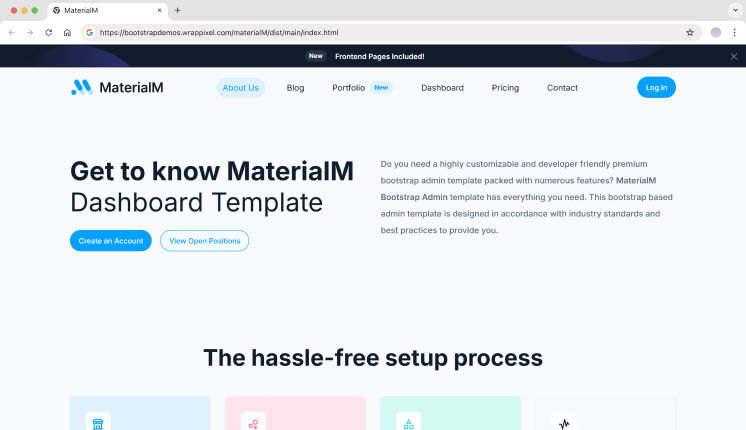
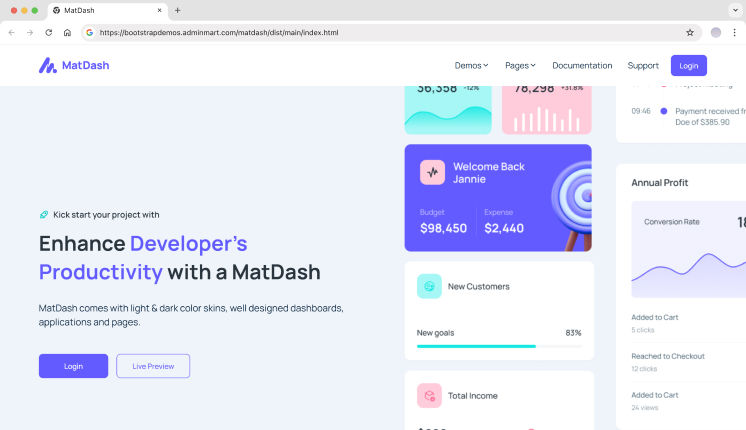
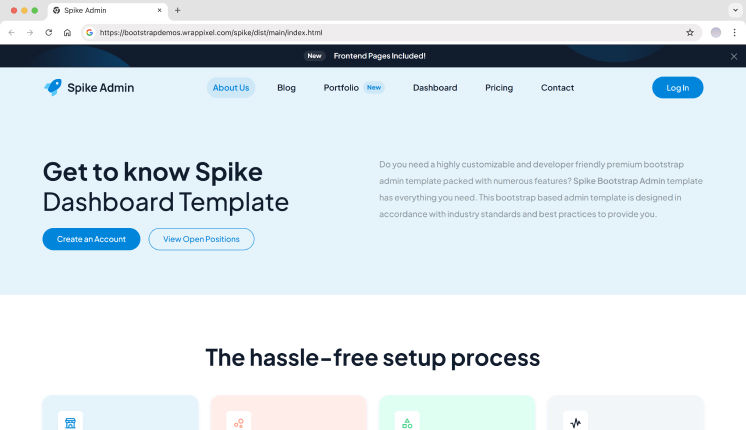
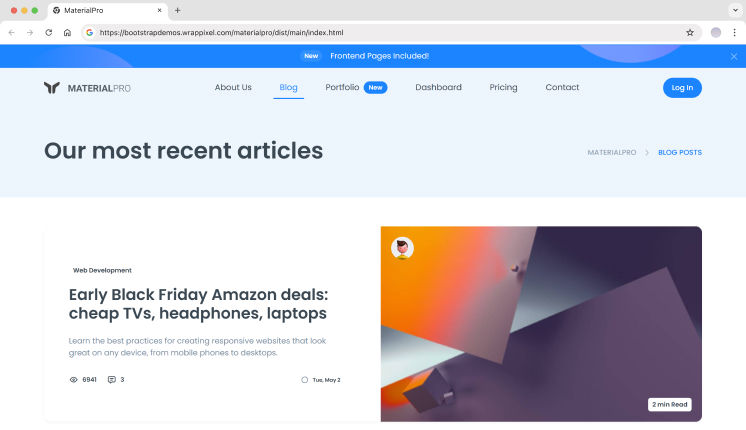
Modern development tools enable you to build production-ready web applications much faster by combining AI code generation with premium React templates. This hybrid approach uses AI tools to create backend infrastructure while connecting it to professionally designed frontend templates. This guide explains how this integration works, what to consider when choosing tools, and how to implement it for your projects.
TL;DR
Hybrid stack combines AI-generated backends with premium React templates to significantly accelerate development
AI tools create complete server infrastructure while premium templates provide professional UI components
Choose your stack based on project needs: consider serverless vs. traditional backends and database requirements
Integration requires proper API structure, security configuration, and thorough code review
This approach can substantially reduce development time while maintaining professional standards
What Is the Hybrid Stack Approach?
The hybrid stack combines two development accelerators: AI-generated backend code and premium React templates. AI tools can generate server-side systems with databases, APIs, and authentication based on detailed prompts. Premium templates provide tested frontend components, responsive layouts, and professional interfaces.
This approach works because modern AI models understand backend frameworks like Express.js, FastAPI, and Django. They can generate data models, API endpoints, and security configurations from detailed prompts. Premium templates from providers like Hostinger Horizons ship with pre-built dashboards, admin panels, and UI components that integrate with any backend.
The method delivers applications in 2-3 weeks compared to traditional 2-3 month timelines. You eliminate 3-6 weeks of UI development work while reducing backend coding time by 60-70%. The combination works best for SaaS dashboards, e-commerce admin interfaces, and internal business tools where speed and professional appearance matter.
Why This Stack Works for Modern Development
Speed Without Sacrificing Quality
Premium React templates cost $49-199 but replace $5,000-15,000 worth of custom UI development. Templates include components you use in every application: data tables, charts, form builders, and navigation systems. AI generates your backend code in hours, letting you focus on custom features and business logic rather than standard functionality.
According to Statista, over 80% of developers worldwide report that AI tools significantly improve their productivity.
Professional Standards Built In
Quality templates meet WCAG accessibility standards and include responsive layouts tested across devices. They ship with TypeScript support, optimized bundle sizes, and proper state management. AI-generated backends follow framework conventions and include error handling, input validation, and security patterns when you specify these requirements in your prompts.
Flexibility for Custom Features
You maintain full control over both layers. Modify template components to match your brand. Adjust AI-generated code to add custom business logic. The stack doesn’t lock you into proprietary systems or force specific architectural decisions.
Choosing Your Technology Stack
Frontend Foundation
Your template choice determines your frontend stack. Next.js templates work best with serverless functions and API routes. Standard React templates with Vite offer faster development builds and simpler deployment. TailwindCSS templates provide utility-first styling that’s easy to customize. These Material-UI templates give you Google’s design system with extensive component libraries.
Look for dashboard templates with extensive component counts, TypeScript support, and active maintenance. Professional templates update regularly and maintain active GitHub repositories or support channels.
Backend Framework Selection
ChatGPT excels at generating Express.js servers with MongoDB schemas and middleware configurations. Claude produces clean Python FastAPI code with Pydantic models and async operations. GitHub Copilot works in real-time within VS Code or Cursor IDE for any framework.
Express.js suits rapid prototyping and JavaScript-heavy teams. FastAPI delivers high performance with automatic API documentation. Django provides batteries-included functionality for data-heavy applications. Choose based on your team’s expertise and performance requirements.
Database and Hosting
MongoDB Atlas offers flexible schemas that match AI-generated models. PostgreSQL provides relational structure with strong data integrity. Supabase combines PostgreSQL with authentication and real-time features.
Hostinger supports both React frontends and Node.js backends with straightforward deployment. Vercel specializes in Next.js hosting with serverless functions. Netlify handles static sites with serverless function support. AWS Amplify manages full-stack applications with built-in CI/CD.
Step-by-Step Integration Process
1. Select Your Premium React Template
Evaluate templates based on your application requirements. Verify that component libraries include the features you need: dashboards, data tables, charts, and forms. Check tech stack compatibility with your planned backend approach.
Review documentation quality and update frequency. Check license terms carefully, as they vary between single-application and multi-use scenarios.
2. Generate Your Backend with AI
Structure your AI prompts with clear specifications. Define data models with field types and relationships. List required API endpoints with HTTP methods. Specify authentication methods like JWT or OAuth. Include database preferences and framework choices.
Example prompt structure: “Create an Express.js API with User, Product, and Order models. User has email, password, and role fields. Product belongs to User. Include JWT authentication, input validation, and MongoDB schemas with proper indexing.”
Review generated code for security issues. Check for SQL injection vulnerabilities in database queries. Verify API keys use environment variables. Confirm password hashing uses bcrypt or Argon2 with proper salt rounds. Look for proper input sanitization and rate limiting implementations.
3. Set Up API Routes and Structure
Organize your API with RESTful conventions. Use GET for retrieval, POST for creation, PUT for updates, DELETE for removal. Version your API from the start with patterns like /api/v1/users and /api/v1/products/:id.
Next.js API routes live in /app/api or /pages/api directories depending on your Next.js version. Separate Express servers typically run on port 3001 for backend while React runs on 3000 during development. Implement middleware for request logging, authentication verification, and input sanitization.
Structure error responses consistently with appropriate status codes: 200 for success, 400 for client errors, 401 for unauthorized, 404 for not found, 500 for server errors.
4. Connect Frontend to Backend
Create a centralized API service file like src/services/api.js that handles all backend calls. Store base URLs in environment variables: REACT_APP_API_URL for Create React App or NEXT_PUBLIC_API_URL for Next.js.
Choose your data fetching pattern based on complexity. Simple applications use useEffect with fetch or Axios. Complex applications benefit from React Query’s caching and automatic refetching. SWR offers similar functionality with a smaller bundle size.
Configure CORS on your backend to accept requests from your frontend origin. Development allows http://localhost:3000. Production specifies your actual domain. Handle loading states with skeleton screens. Display errors through toast notifications or alert components included in your template.
5. Implement Authentication Flow
Store JWT tokens in httpOnly cookies for security or localStorage for simpler implementation. Create login and registration endpoints that return tokens. Add authentication middleware that verifies tokens on protected routes.
Implement token refresh logic to prevent session loss during active use. Store refresh tokens separately from access tokens. Check token expiration before API calls and refresh automatically when needed.
Premium templates include authentication pages and components. Adapt these to your backend’s token structure rather than rebuilding from scratch.
6. Add AI Services to Your Application
Create dedicated backend endpoints like /api/ai/chat or /api/ai/generate that accept user input and return AI responses. Install the Vercel AI SDK with npm install ai. Import OpenAI or Anthropic SDK in your backend code. Initialize with API keys from environment variables.
Implement rate limiting at 10-20 requests per minute per user to control costs. Track token usage per request to monitor expenses.
Handle streaming responses by sending Server-Sent Events from backend to frontend. React components display partial responses as they arrive. The useChat hook from Vercel AI SDK simplifies streaming implementation.
Store conversation history in your database for context-aware responses. Cache recent conversations in Redis to reduce database queries. Handle errors for API timeouts, rate limits, and invalid responses with appropriate user feedback.
Common Integration Challenges and Solutions
CORS Configuration Issues
CORS errors occur when frontend and backend run on different origins during development. Configure your backend to accept requests from http://localhost:3000. Use the cors package in Express: app.use(cors({ origin: ‘http://localhost:3000’, credentials: true })). Update the origin for production deployment.
Environment Variable Management
Keep API keys and secrets in .env files that never commit to version control. Use different .env files for development and production. React requires REACT_APP_ or NEXT_PUBLIC_ prefixes for client-side variables. Backend variables need no prefix.
Type Safety Between Layers
Generate TypeScript types from your backend schemas. Use tools like openapi-typescript to create frontend types from API documentation. Validate data with Zod at the boundary between frontend and backend. This catches type mismatches before they cause runtime errors.
Testing Your Integrated Application
API Testing
Test endpoints with Postman or Thunder Client before connecting the frontend. Verify authentication flows, error handling, and data validation. Check that rate limiting works as expected. Confirm CORS headers allow frontend requests.
Frontend Integration Testing
Test loading states, error displays, and successful data fetching. Verify authentication redirects work correctly. Check that forms validate input and display backend errors. Confirm AI features handle streaming responses and show appropriate feedback.
Performance Monitoring
Monitor API response times and database query performance. Track bundle size to keep frontend load times under 3 seconds. Measure AI service costs and token usage. Set up error tracking with Sentry or similar tools to catch production issues.
Deploying Your Hybrid Application
Deploy your React frontend to Vercel, Netlify, or traditional hosting. Deploy your backend to the same platform if supported or use separate services. Configure environment variables for production API URLs and keys. Set up continuous deployment from your Git repository.
Monitor application performance and error rates after launch. Set up logging for both frontend and backend errors. Implement backup strategies for your database. Configure SSL certificates for secure HTTPS connections.
Conclusion
The hybrid stack approach combines AI code generation efficiency with premium template quality. You build production applications in weeks while maintaining professional standards. Start with a template that matches your requirements, generate your backend with detailed AI prompts, and connect the layers with proper security and error handling. This method scales from simple dashboards to complex SaaS applications while keeping development costs and timelines predictable.
Frequently Asked Questions
What is an AI-generated backend?
An AI-generated backend is server-side code created by language models like ChatGPT or Claude based on detailed prompts specifying data models, API endpoints, and authentication requirements. These tools produce Express.js, FastAPI, or Django frameworks with database schemas, middleware, and security configurations in hours instead of weeks.
How do premium React templates reduce development time?
Premium React templates provide pre-built UI components, dashboards, data tables, and navigation systems that eliminate weeks of frontend development work. They include tested responsive layouts, accessibility features, and TypeScript support that would take significant time and resources to build from scratch.
What technical skills do you need to integrate AI backends with React templates?
You need basic understanding of REST APIs, HTTP methods, and environment variable configuration to connect frontend and backend layers. Familiarity with JavaScript, React hooks like useEffect, and data fetching patterns helps you adapt template components to your generated API endpoints.
How much does this development approach cost?
Premium React templates typically range from budget-friendly to mid-range prices depending on features and licensing. AI API usage costs vary based on your usage volume and chosen provider. The overall approach can significantly reduce development costs compared to hiring developers to build custom frontends and backends from scratch.
What are the main security concerns when using AI-generated code?
AI-generated backends require manual review for SQL injection vulnerabilities in database queries, hardcoded API keys that should use environment variables, and weak password hashing that needs bcrypt or Argon2 implementation. You must also implement proper CORS configuration, rate limiting, and input validation regardless of what the AI generates.
Building a SaaS product rarely starts with a blank screen. It starts with pressure.
Pressure to ship fast. Pressure to look polished. Pressure to support real users from day one.
Most SaaS founders don’t fail because of ideas they struggle because building a solid UI foundation takes time. This is where Bootstrap Starter Templates quietly save weeks of effort.
Instead of starting from a blank project, a good starter template gives you structure layouts, components, and pages so you can focus on building real features.
These templates act as a base structure that teams customize as the product evolves.
Key Features to Look for in Starter Templates
Free vs Premium Bootstrap Starter Templates
Free starter templates
Basic UI
Limited layouts
Community-based updates
Premium templates
Production-ready dashboards
Consistent design systems
Long-term updates
Professional support
Many startups begin free – but switch to premium as the product grows.
What You’ll Learn From This Article
In this article, we walk through freemium and open-source Bootstrap starter templates used in real SaaS products. You’ll see options ranging from lightweight free kits to more structured admin starters designed for scaling applications.
We’ll also highlight which templates work best for:
MVPs and early-stage startups
Analytics-heavy dashboards
SaaS admin panels
Website-first SaaS launches
Freemium Bootstrap Starter Templates for SaaS Startups
Below are some of the most practical and developer-friendly Bootstrap starter templates you can use in 2026.
FreeDash – Free Bootstrap Starter Kit for SaaS MVPs
FreeDash is one of the best free Bootstrap starter kits available if you need a dashboard-first setup without upfront cost. It offers a clean layout with a premium feel while keeping things simple.
This makes FreeDash a strong option for early-stage SaaS products, prototypes, and internal tools.
Key Features
1 basic dashboard
3 built-in application pages
35+ page templates
15+ UI components
Bootstrap 5 based
Feather icons included
SCSS-based styling
Basic form and table examples
Fully responsive design
Best for: Small teams, MVPs, analytics-heavy admin dashboards
The official Bootstrap examples are the most minimal and standards-compliant way to start a Bootstrap project. Maintained by the Bootstrap core team, these examples focus on clean layouts, core components, and best practices rather than full SaaS dashboards.
They work well as a learning base or as a lightweight starting point for custom SaaS interfaces.
Key Features
Official Bootstrap-maintained examples
Clean HTML, CSS, and JS structure
Bootstrap 5 components and layouts
Starter layouts for dashboards, pricing, checkout, and blog pages
No vendor lock-in or proprietary tooling
Ideal reference for Bootstrap best practices
Best For: Developers who want a clean, official Bootstrap starting point without extra abstractions or dependencies.
MaterialM – Open Source Material Design Bootstrap Starter
MaterialM is a modern, open-source admin template inspired by Material Design 3. It’s designed for SaaS teams that want structure, scalability, and a clean design system from day one.
It works especially well with backend frameworks like Django, while still supporting modern frontend stacks.
Key Features
3 dashboard layouts (eCommerce, Analytics, CRM)
6 frontend page templates
100+ UI components
Dark & light mode
RTL and internationalization support
Breadcrumb-based navigation
Multi-step forms and validation UI
Calendar, DataTables, and editor integrations
Multi-framework support (Django, React, Vue, Next.js, Tailwind, Nuxt, Vite, Shadcn)
Best for: Performance-focused SaaS products, CRM and eCommerce dashboards
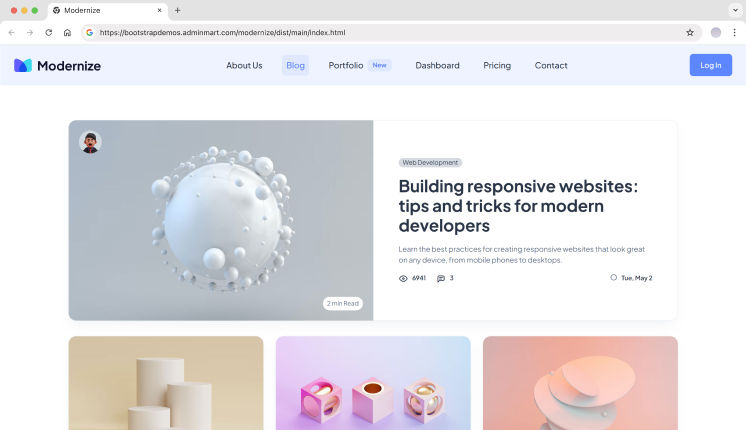
Modernize is built for teams working on data-heavy SaaS platforms. It provides a wide range of dashboards, apps, and UI components, reducing the need to build common features from scratch.
This makes it suitable for long-term SaaS projects with growing complexity.
Key Features
6+ dashboard variations
600+ page templates
150+ UI components
13+ built-in apps (email, chat, calendar, invoice, blog, eCommerce)
4+ frontend website pages
Dark & light sidebar options
6 predefined theme colors
Bootstrap 5 based
Sass-based CSS
Regular updates and documentation
Best for: CRM systems, analytics tools, SaaS admin platforms
💡 If you’re building dashboards like these, pairing them with a well-structured sidebar can save a lot of time. You may also want to explore our Bootstrap Sidebar Templates for scalable navigation layouts.
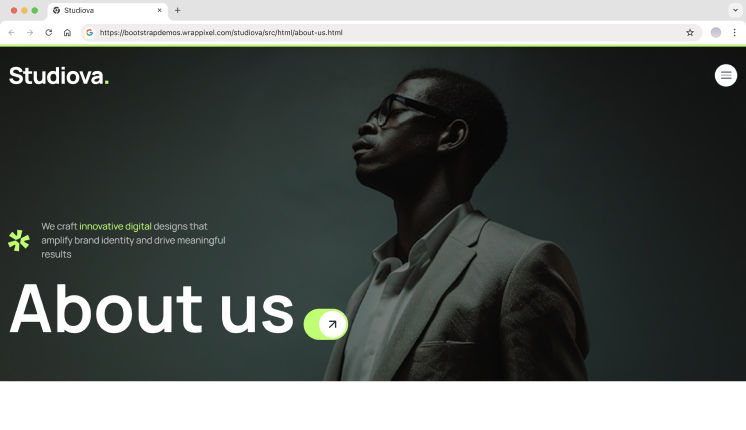
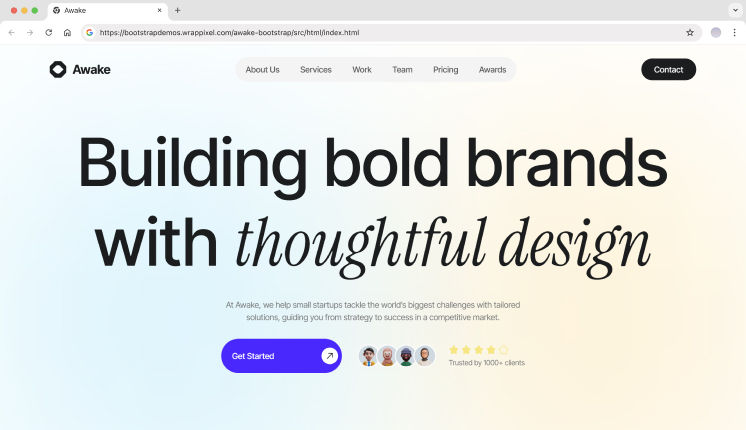
Awake – Bootstrap Starter for SaaS Agency Websites
Awake Agency is more than an admin template. It’s a complete Bootstrap starter designed for launching SaaS websites quickly.
Instead of focusing only on dashboards, it provides sections, layouts, and components needed to build marketing pages, pricing pages, and product sites.
Key Features
Ready-made website sections
Homepage, pricing, and feature layouts
Reusable Bootstrap components
Clean and modern design
Easy to extend into dashboards later
Best for: SaaS landing pages, startup websites, product launches
Matdash focuses on real SaaS workflows with a balanced mix of dashboards, apps, and UI components. It’s ideal for teams that want structure without losing flexibility.
Key Features
2 dashboard layouts
100+ page templates
150+ UI components
9 built-in applications
4+ frontend pages
Bootstrap 5 framework
Dark & light sidebar
Sass-based styling
Detailed documentation
Best for: SaaS admin dashboards, internal tools, workflow-based apps
Spike is a feature-rich Bootstrap starter designed for large SaaS platforms. It includes extensive layouts and components, making it suitable for enterprise-level dashboards.
Key Features
690+ page templates
100+ UI components
Multiple dashboard demos
RTL support
Advanced charts and tables
Calendar and email layouts
Easy customization
Regular updates and support
Best for: Enterprise SaaS platforms, feature-heavy admin systems
💡 Instead of choosing a starter template, most SaaS products just need authentication screens. You can explore our Bootstrap Login Page Templates to quickly add login and signup flows that match your dashboard UI.
MDBootstrap (MDB) Starter Template
MDBootstrap extends Bootstrap with Material Design components and SaaS-friendly UI kits. It provides ready-made starters that combine Bootstrap’s layout system with richer UI elements for modern web applications.
MDB is commonly used for dashboards, admin panels, and data-heavy SaaS interfaces.
Key Features
Bootstrap-based Material Design components
Prebuilt SaaS dashboards and admin layouts
Authentication-ready pages
UI kits with tables, charts, and forms
Commercial-friendly licensing options
Large component library beyond core Bootstrap
Best For: SaaS dashboards that need a more visual, Material-style UI while staying on Bootstrap.
Blazor Bootstrap is a Bootstrap starter system designed specifically for .NET developers using Blazor (WebAssembly or Server). It provides a structured foundation that connects Bootstrap UI with Blazor components and services.
This makes it ideal for teams building SaaS products in the .NET ecosystem.
Key Features
Blazor WebAssembly and Server support
Bootstrap-based responsive UI components
Starter layout, navigation, and app shell
Chart.js and Sortable.js integrations
Service registration and dependency setup
Clean Program.cs and layout scaffolding
Best For: .NET teams building SaaS dashboards or internal tools using Blazor and Bootstrap.
WebPixels Bootstrap Starter Kit is a clean, developer-focused starter template created for modern web projects. It provides a simple yet scalable Bootstrap structure that works well for SaaS MVPs and marketing-first applications.
Maintained on GitHub, it’s easy to fork and customize.
Key Features
Open-source Bootstrap starter kit
Clean folder structure and SCSS setup
Ready-made layouts and UI blocks
Modern design patterns without bloat
Easy customization for SaaS or marketing sites
GitHub-hosted and community-friendly
Best For: SaaS MVPs, landing-page-first products, and developers who want full control over the UI.
This Laravel Bootstrap 5 starter kit combines backend scaffolding with a Bootstrap-powered frontend. It integrates Inertia.js, Vue 3, and server-side rendering, making it suitable for real production SaaS apps.
It’s a strong option for teams building multi-page SaaS platforms with Laravel.
Key Features
Laravel 9 backend scaffolding
Bootstrap 5 UI templates
Inertia.js with SSR support
Vue 3 integration
Authentication scaffolding
Role-based access control
Database migrations and seeders
SPA-like navigation with server rendering
Best For: Laravel-based SaaS products that need auth, roles, and scalable Bootstrap UI from day one.
Hugo Bootstrap Skeleton is a static-site starter template that combines Hugo’s speed with Bootstrap’s layout system. It’s designed for blogs, documentation sites, and simple SaaS marketing websites.
It’s especially useful for teams that want fast builds and minimal backend complexity.
Key Features
Hugo static site generator
Bootstrap-based theme structure
Module-based theme setup
Customizable layout and styling options
Image processing support
Docker and npm tooling
Multiple deployment targets
Best For: Documentation sites, blogs, and marketing-focused SaaS websites built with Hugo and Bootstrap.
What is the best Bootstrap starter template for SaaS?
Templates like MaterialM, Modernize, and Matdash are well suited for SaaS dashboards because they include auth flows, navigation, and scalable layouts.
Are Bootstrap starter templates still relevant in 2026?
Yes. Bootstrap remains widely used in enterprise dashboards and SaaS products due to its stability and ecosystem.
Should startups use free or premium templates?
Free templates work for MVPs, but premium starter templates save time as products grow and require consistent UI systems.
Final Thoughts
For SaaS startups, speed and consistency are critical. Bootstrap starter templates provide a dependable UI foundation that helps teams ship faster, minimize design debt, and stay focused on building core product features instead of UI infrastructure.
Whether you choose a dashboard-first solution is Spike, Modernize & a website-oriented starter such as Awake Agency, a well-structured Bootstrap template enables scalable development from day one.
In 2026, using a Bootstrap starter template isn’t a shortcut, it’s a practical, developer-first decision that supports long-term product growth.
Dashboards, analytics tools, and complex admin panels in 2025 still live or die by how fast they feel in the browser. Users expect instant responses. Anything less drives them away.
Why Frontend Performance Still Matters
Google’s Core Web Vitals now set hard thresholds that directly affect search rankings and user engagement. Largest Contentful Paint should stay under 2.5 seconds. Interaction to Next Paint needs to land below 200 milliseconds. Miss these targets on a data-heavy product, and you lose both conversions and trust.
Consider a React-based dashboards that renders 50k table rows while simultaneously redrawing multiple high-frequency charts. The main thread chokes. Filters become unresponsive. Scrolling stutters. Users click a button and wait. This kind of slow UI destroys engagement faster than any missing feature ever could.
Rust and WebAssembly offer a way to move CPU-heavy UI logic out of JavaScript without rewriting entire apps. The Rust programming language compiles directly to WebAssembly, producing modules that run at near-native speeds inside the browser sandbox. Many teams now turn to a rust development services company to build WebAssembly modules that speed up frontend interactions for dashboards and admin panels.
Common UI Bottlenecks in Modern Web Apps
Modern frontend stacks like React, Vue, Angular, and SvelteKit can start to slow down when heavy rendering and complex logic compete for the same main thread. This is especially noticeable in admin panels and dashboards, where users expect every click, filter, and scroll to respond instantly.
Things get worse when the app works with large datasets. Long loops in JavaScript, parsing big JSON responses, or recalculating layouts too often can freeze the browser for noticeable moments. Chart libraries that repaint the canvas on every update add extra load, particularly in interfaces where data changes all the time.
These slowdowns usually show up in the same ways:
User input stops responding;
Scrolling becomes choppy and inconsistent;
Animations drop frames under load;
Filters feel delayed after each change;
Large tables take too long to recalculate.
When these symptoms appear together, the main thread is overloaded and the browser struggles to keep up with both rendering and logic at the same time.
Memory pressure makes things worse. Virtual DOM updates create many temporary objects, which leads to noticeable garbage collection pauses. In data-heavy interfaces, repeated recalculations over large in-memory datasets can freeze sliders, delay form input, and interrupt smooth scrolling.
Most of these bottlenecks come from CPU-heavy and numeric processing tasks. Those parts of the frontend are strong candidates for moving into WebAssembly modules, while JavaScript continues managing UI structure and user interactions.
Key Performance Benefits for UI-Heavy Apps
Picture a Vue or React admin console rendering multiple charts, advanced filters, and real-time metrics streams. The JavaScript layer manages components and DOM updates. A Rust+Wasm module handles the hot numeric path where raw data becomes aggregated values ready for display.
These benefits appear when developers identify hotspots through profiling. Data aggregation, sorting, encoding, or spatial calculations often consume the majority of CPU time in complex dashboards. Moving just those parts into Rust modules delivers measurable gains without touching the rest of the codebase.
Rust+Wasm works well with existing UI frameworks because JavaScript still owns the DOM, event handlers, and component trees. The compiled module behaves like a high-speed library you call with input data and receive processed results. Your React hooks or Vue composables remain unchanged.
These performance improvements become especially noticeable in UI-heavy applications:
Lower CPU usage during heavy data transforms;
Shorter input lag under rapid user interaction;
Smoother chart animations at 60 fps targets;
Faster recalculation for filters and group-by operations;
Reduced frame drops while scrolling large tables.
These wins translate directly into more responsive dashboards. Users on older hardware or browser-based virtual desktops notice the improvement immediately. JavaScript alone often struggles in those environments.
When WebAssembly Makes Sense for UI Projects
Not every frontend feature needs Rust. WebAssembly helps most when profiling shows that raw computation, not rendering, is slowing the interface. If Chrome DevTools regularly reports long JavaScript tasks above 50ms, the bottleneck is usually CPU work that can be moved out of the main thread.
Wasm is especially useful in data-heavy interfaces where the browser struggles to keep up with calculations. Typical signals that a feature is a good candidate include:
Large datasets processed on the client side;
Frequent numeric or statistical calculations;
Heavy filtering, sorting, or grouping logic;
Parsing of large JSON, CSV, or binary files;
Noticeable input lag during data updates.
These cases usually point to compute-heavy logic that does not need direct DOM access. That makes them ideal for Rust modules compiled to WebAssembly. Interest in this approach is also reflected in the growing Rust market, where front-end performance use cases are becoming more common alongside traditional systems development.
WebAssembly is far less useful for simple UI flows like forms, modals, or basic state updates. A practical strategy is to move one slow function to Rust, measure frame times and interaction speed, and only expand adoption if real gains appear.
Final Thoughts on Frontend Performance Optimization
Modern dashboards and admin panels gain real benefits when they move selected hot paths to Rust+Wasm while keeping the rest of the UI stack unchanged. This approach requires less work than a full rewrite and delivers measurable improvements in frame times and input responsiveness.
JavaScript and TypeScript still handle DOM logic, routing, and component trees. State mutations, event handlers, and component lifecycle hooks all remain in the language your team already knows. Rust focuses on numeric processing that otherwise blocks the main thread and causes visible jank.
We encourage readers to set up a simple experiment. Profile one slow interaction in an existing app using Chrome DevTools. Identify the compute-heavy function. Reimplement it in Rust, compile to Wasm, integrate with wasm-bindgen. Compare before and after interaction timings. The end results often speak for themselves.
According to our data, this incremental approach beats full rewrites. Teams maintain their design systems, templates, and frontend frameworks. They eliminate specific bottlenecks without disrupting projects already in production. Build on what works. Fast improvements, not risky overhauls.
shadcn/ui has evolved into a code-distribution layer for modern React applications built with Next.js and Tailwind CSS. Unlike traditional UI libraries, it ships source code directly into your project, meaning long-term maintainability, type safety, and architectural decisions become your responsibility.
As the ecosystem grows, third-party registries and Shadcn UI libraries are emerging to extend it, but not all follow production-grade engineering standards.
This list filters the ecosystem using measurable engineering signals, rather than relying on visual polish or hype. Evaluation covers installation workflow, GitHub activity, maintenance cadence, TypeScript strictness, accessibility compliance, React Server Component boundaries, and real-world integration with Next.js and Tailwind CSS.
If you are building a production SaaS dashboard, analytics tool, internal admin panel, or marketing system, this checklist will help you validate before adopting any Shadcn extension.
Checklist for best Shadcn UI libraries
Before installing any Shadcn extension or registry, validate it against the criteria below.
Validation Area
What to Check
Why It Matters for Devs
GitHub Activity
Release frequency, issue response time, open PR age, contributor diversity
Indicates long-term sustainability and reduced project risk
Installation Method
Supports shadcn@latest add or clear npm, pnpm, yarn, bun setup
Reduces manual setup and integration errors
TypeScript Support
Strict typing, no implicit any, clean build in strict mode
Prevents runtime issues and improves DX
Next.js Compatibility
Works with App Router, SSR safe, no hydration issues
Critical for production Next.js applications
Accessibility
Uses Radix primitives or follows ARIA standards, proper keyboard navigation
Prevents unexpected performance regression in production builds
Best Shadcn UI Libraries
A curated list of the 10+ best Shadcn UI libraries built for real-world React and Next.js development. These libraries focus on usability, clean structure, and smooth integration.
Shadcn Space provides high-quality components, Shadcn UI blocks, and dashboard shells built for React-based projects. It focuses on layout scaffolding, CLI integration, and design to code workflow. The project includes registry support and modern installation tooling.
Kibo UI extends Shadcn with higher-order components beyond base primitives. It includes structured business logic components for production apps. Designed for data-heavy dashboards and internal tooling.
Kokonut UI provides animated UI components aligned with Tailwind CSS and shadcn/ui conventions. It focuses on interaction-driven interfaces and marketing layouts. Commonly used in SaaS landing pages.
8bitcn by TheOrcDev delivers retro-styled UI components for shadcn projects. It blends pixel aesthetic design with accessibility practices. Suitable for creative dashboards and niche branding.
SmoothUI focuses on animated sections built for marketing and product pages. It integrates motion logic with shadcn style component structure. Designed for controlled animation workflows.
Cult UI provides reusable React components aligned with accessibility standards. It supports structured layouts for application interfaces. Often included in curated shadcn ecosystem lists.
UI Layouts supplies dashboard scaffolds and layout foundations. It reduces the time spent building sidebars and routing structures, enabling a focus on admin and internal tool setups.
ReUI is another good shadcn/ui library that offers accessible UI patterns with theme support. It emphasizes structured forms and interaction components. Designed for application first development.
Efferd delivers minimal Shadcn styled components for simple dashboards. It focuses on reducing dependency complexity. Useful when UI needs are straightforward.
TweakCN is a visual theme editor for Shadcn UI projects. It allows developers to modify Tailwind variables through a UI. Designed for branding and refining the design system.
1. Is Shadcn UI production-ready for enterprise SaaS?
shadcn/ui is production-safe because it ships source code directly into your project. However, third-party registries must be validated for their maintenance cadence, TypeScript strict mode, and compatibility with the Next.js App Router before being rolled out to an enterprise.
2. Do Shadcn UI libraries work with React Server Components?
Yes, if they implement correct use client boundaries and avoid unnecessary client-side expansion. Always test production builds to detect hydration mismatches.
3. How do Shadcn extensions affect bundle size?
Libraries that depend on animation frameworks such as Framer Motion or GSAP can increase the JavaScript payload. Measure bundle output using the next build and validate Lighthouse scores before committing to production.
Final Thoughts
The Shadcn ecosystem is expanding rapidly, but component count alone should not drive adoption. When evaluating any extension, think beyond visuals: consider long-term maintainability, React Server Component compatibility, TypeScript rigor, and bundle performance.
Libraries built on top of shadcn/ui give you ownership of code. That flexibility is powerful, but it also means the team inherits technical debt if validation is skipped.
In 2026, frontend advantage won’t come from having more components. It will come from choosing the right architectural foundations.
Most modern apps require date pickers – from SaaS dashboards and booking systems to analytics filters and admin panels.
We tested and reviewed 9 free Shadcn date picker components from real repositories and component libraries. This list focuses on real developer needs, such as timezone handling, date ranges, form integration, and production readiness.
This guide is based on actual component code, GitHub activity, TypeScript support, and integration with React and Next.js.
How We Tested These Components
We installed and tested each react date picker in a modern Next.js App Router project to verify real-world compatibility.
We only included components that are actively maintained, reusable, and production-ready.
All components listed here are 100% free and open source.
Across the list, you’ll find support for three primary selection modes:
Date Picker – Select a single calendar date
Date & Time Picker -Allows selection of both date and time
Date Range Picker – Select a start and end date
When you should use a Shadcn date picker
Shadcn date pickers are ideal for:
SaaS analytics dashboards for filtering data by date
Booking and scheduling systems – for single or range date selection
Admin panels with reporting filters
Financial tools that analyze data-based metrics
CRM systems that track activity history
Any application already using shadcn/ui and Tailwind CSS
How to Choose the Right Date Picker
Criteria
What to Check
Selection Type
Single date, range, or datetime support
Form Handling
Works with controlled inputs and form libraries
Styling
Compatible with Tailwind CSS
Timezone / Localization
Needed for global or regional apps
Customization
Supports custom trigger, popover, or layout
Dependencies
Uses modern libraries like react-day-picker or date utilities
Quick Comparison Table
If you prefer a quick overview before diving into implementation details, here’s a side-by-side comparison:
Component
Picker Type
Range Support
Timezone Support
Form Friendly
Best For
Shadcn Space
Datetime + Range
✅
❌
✅
SaaS dashboards
Tailwindadmin
Date + Range
✅
❌
✅
Admin panels
Datetime Picker (huybuidac)
Datetime
❌
✅
✅
Global SaaS apps
Date Range Picker (johnpolacek)
Date Range
✅
❌
✅
Analytics filtering
Shadcn Date Picker (flixlix)
Date + Range
✅
❌
✅
General applications
Shadcn Calendar (sersavan)
Date + Range
✅
Partial
✅
Custom dashboards
Date Time Picker (Rudrodip)
Datetime + Range
✅
❌
✅
Booking systems
Datetime Picker (Maliksidk19)
Datetime
❌
❌
✅
Internal tools
Persian Calendar (MehhdiMarzban)
Date + Range
✅
Locale-based
✅
Regional apps
Best Free Shadcn Date Picker Components
Below is a curated list of free, production-ready Shadcn date picker components. Each component has been thoroughly tested for integration with React, Next.js, TypeScript, and Tailwind CSS.
Shadcn Space Date Picker
This collection provides multiple ready-to-use date picker components built specifically for shadcn/ui projects. It includes standard date pickers, calendar popovers, and form-integrated pickers. All components follow shadcn component architecture, making them easy to integrate into existing projects.
This component provides production-ready date picker examples used in real dashboard interfaces. It includes calendar dropdown picker and input-based picker implementations. The code follows modular patterns suitable for scalable dashboard systems.
This is a powerful and fully customizable component that simplifies date and time selection in React applications built with the Shadcn UI framework. With advanced features designed to enhance the user experience, this datetime picker provides seamless integration and a responsive, user-friendly interface. Whether you need a robust datetime, date, or time picker, this provides the flexibility and functionality needed for modern applications.
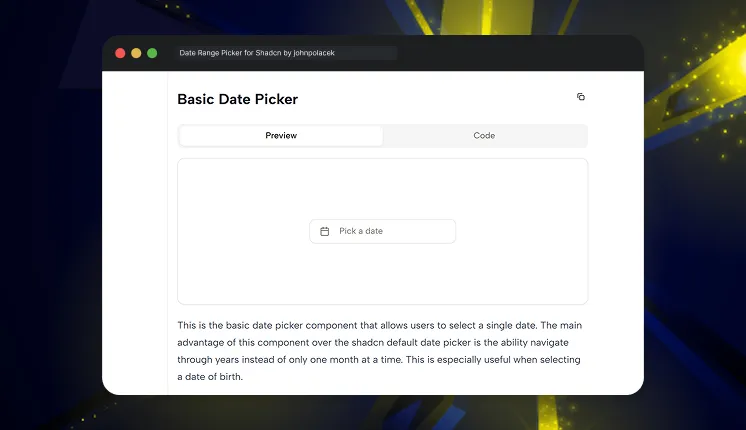
This is a reusable component built for Shadcn using beautifully designed components from Radix UI and Tailwind CSS. It provides a dropdown interface to allow users to select or enter a range of dates and includes additional options such as preset date ranges and an optional date comparison feature.
This custom Shadcn component aims to provide a more advanced alternative to the default date picker component. It is built on top of the react-day-picker library, which provides a wide range of customization options.
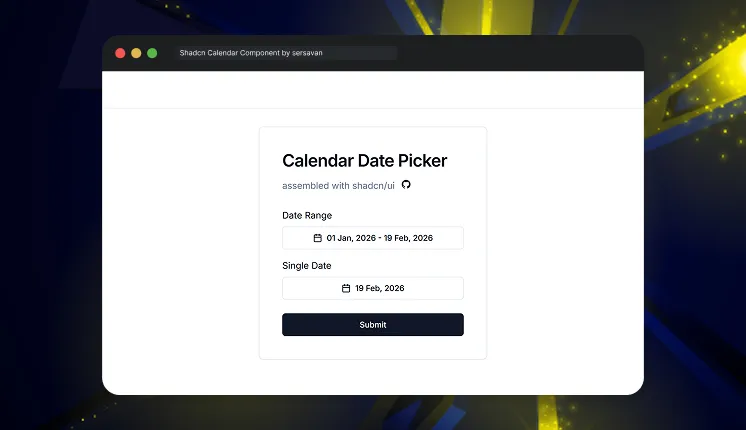
This is a reusable calendar and date range picker built for shadcn/ui projects. It is designed for React and Next.js apps using TypeScript and Tailwind CSS. The component focuses on clean UI, easy customization, and smooth date selection. It helps developers quickly add flexible calendar functionality to modern web applications.
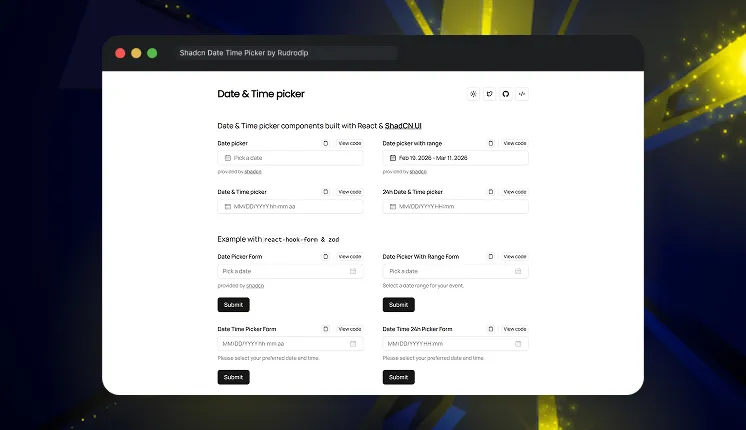
This project features a range of Date and Time picker components built with ShadCN. These examples demonstrate the versatility and functionality of the component across various use cases.
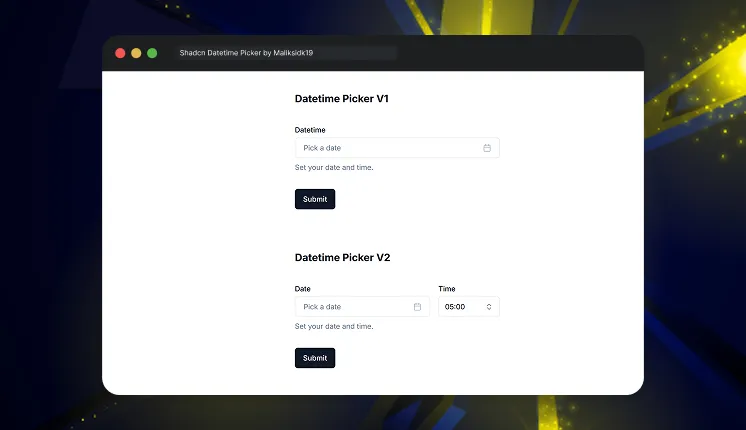
This project provides a beautifully crafted datetime picker component built using the Shadcn UI. It offers an intuitive interface for selecting dates and times in React applications.
1. Which is the best Shadcn date picker for SaaS dashboards?
Date pickers from Shadcn Space and Tailwindadmin are strong choices because their components are regularly updated and well-maintained. They offer support for analytics filtering and are built with a scalable component architecture, making them reliable for growing applications.
2. Which Shadcn date picker supports timezone?
The datetime picker by huybuidac supports timezone selection, min date, and max date validation. This is useful for global SaaS applications.
3. Can I use these date pickers in Next.js projects?
Yes, all components are built with React, TypeScript, and Tailwind CSS, and work directly in Next.js apps.
Final Thoughts
These 9 free shadcn date picker components provide production-ready solutions for modern applications. They support core needs like date selection, datetime input, analytics filtering, and scheduling.
For most SaaS and dashboard applications, the datetime picker by Shadcn Space and the date range picker by johnpolacek provide the best flexibility and scalability.
If you’re building with shadcn/ui, you can also explore our curated collection of shadcn blocks to quickly create modern pages and layouts. We’ve also prepared a detailed guide on shadcn libraries that you can check out to discover more useful tools for your projects.
BootstrapMade is often the first stop for developers looking for clean Bootstrap website templates. It works well for portfolios, agencies, and simple marketing sites.
But when projects grow into SaaS platforms, admin dashboards, or scalable web apps, many teams start searching for BootstrapMade alternatives that offer more structure, flexibility, and long-term value.
How We Evaluated BootstrapMade Alternatives
When reviewing BootstrapMade alternatives, we focused on how well each platform supports modern Bootstrap usage, not just visual demos. The goal was to identify solutions that help developers move from static Bootstrap pages to production-ready websites and applications.
To identify the best BootstrapMade alternatives in 2026, we evaluated each platform based on how well it supports modern development workflows and real-world project needs.
Evaluation Checkpoint
Why It Matters for Bootstrap Templates
Bootstrap version support
Ensures compatibility with Bootstrap 5+ and avoids outdated markup
Website template completeness
Includes real pages like Home, About, Blog, Contact, Pricing, and Portfolio
Admin & dashboard availability
Allows extending a Bootstrap website into SaaS or admin systems
Component reusability
Makes Bootstrap components easier to reuse across multiple pages
Layout scalability
Supports growing a simple site into a multi-page or app-style layout
Theming & customization
Enables brand customization, dark mode, and layout variations
Clean Bootstrap code structure
Avoids bloated or demo-only markup that’s hard to maintain
Documentation & examples
Helps developers customize templates without reverse engineering
Production readiness
Suitable for real deployments, not just UI demos or mockups
Long-term maintenance
Indicates regular updates and Bootstrap compatibility over time
Best BootstrapMade alternatives
Below are the BootstrapMade alternatives developers choose today.
WrapPixel
WrapPixel offers one of the most complete Bootstrap ecosystems available. While BootstrapMade focuses mainly on website templates, WrapPixel goes deeper with admin dashboards, SaaS starters, and multi-framework UI systems.
Why it’s a strong BootstrapMade alternative
WrapPixel doesn’t limit you to just a marketing website. It provides full SaaS-ready UI foundations, including dashboards, authentication pages, analytics screens, and reusable components. This makes it suitable for projects that evolve beyond static pages.
Key Features
Large collection of free and premium templates
Strong focus on admin dashboards and SaaS starter kits
Multi-framework support including Next.js, React, Tailwind, MUI, Shadcn, Nuxt, Vue.js, and Angular
AdminMart is built with a clear focus on admin dashboards and data-driven applications. Unlike BootstrapMade, which targets front-end websites, AdminMart helps developers build functional backend UIs faster.
Why it’s a strong BootstrapMade alternative
If your project includes dashboards, tables, charts, and complex navigation, AdminMart offers a much stronger foundation than traditional website templates.
StartBootstrap is a community-driven platform offering open-source Bootstrap templates. It’s widely used for learning, side projects, and simple production websites.
Why it’s a strong BootstrapMade alternative
StartBootstrap offers free, MIT-licensed templates with clean Bootstrap code, making it a good alternative for developers who want simplicity without cost.
Key Features
Fully open-source Bootstrap templates
MIT license for all templates
Lightweight landing pages and one-page layouts
Simple starter templates for small projects
Clean and beginner-friendly code structure
Portfolio, agency, and product landing templates
Easy to customize for quick projects
Community-driven and widely adopted
Great learning resource for Bootstrap beginners
Minimal dependencies and fast setup
Pricing: Free version available & paid version starts at $29
Best for:Beginners, landing pages, small websites, and lightweight projects.
BootstrapTaste is more of a curation and inspiration platform than a traditional template provider. It helps developers discover Bootstrap designs created by the community.
Why it’s a strong BootstrapMade alternative
Instead of downloading full templates, developers use BootstrapTaste to explore UI ideas and layout patterns that can be adapted into custom projects.
Key Features
Curated collection of Bootstrap templates and designs
Focus on design inspiration and layout discovery
Mix of free and premium Bootstrap themes
Ready-made UI blocks and sections
Modern, trend-based layout styles
Community-contributed designs
Responsive and mobile-friendly templates
Useful for prototyping and early UI planning
Covers agency, startup, and business website designs
Ideal for browsing and comparing Bootstrap layouts
Pricing: Free version available for Now
Best for: Design inspiration, UI research, and early-stage prototyping.
It’s also a great choice for static site projects powered by Hugo or Astro, and for teams looking for Bootstrap-based website templates that offer real structure instead of minimal starting points.
Why it’s a strong BootstrapMade alternative
Themefisher stands out as a strong BootstrapMade alternative because it goes beyond basic demo-style templates and offers more functional, website-ready layouts.
Key Features
Wide collection of Bootstrap-based website templates and landing pages
Strong focus on marketing websites, portfolios, travel sites, and business pages
Ready-to-use homepage layouts with clean and modern designs
Includes both website templates and admin-style layouts in select themes
Pro templates ship with SASS-based styling for easier customization
Multiple homepage variations for faster website setup
Lightweight and performance-friendly designs
Supports static site generators like Hugo and Astro, in addition to standard HTML & Bootstrap
Active open-source presence with free templates available on GitHub
Easy to extend for blogs, landing pages, and small business websites
Pricing: Free version available & paid version starts at $37
Best for:Suited for developers building marketing websites and landing pages, as well as travel, portfolio, and business websites that need clean, production-ready layouts.
HTMLstream provides a wide collection of free and premium Bootstrap themes, UI kits, and admin templates. All products are HTML & Bootstrap-based, making them framework-agnostic and easy to integrate.
Why it’s a strong BootstrapMade alternative
HTMLstream offers forever-free, open-source Bootstrap themes along with premium-quality UI kits. It bridges the gap between marketing websites and basic admin interfaces without overcomplication.
Key Features
Large library of Bootstrap themes, UI kits, and snippets
Forever-free open-source Bootstrap templates available
Premium Bootstrap themes and admin dashboards
Landing pages, portfolios, and business website templates
Reusable UI kits and component libraries
Admin dashboard templates with real-world layouts
Clean and framework-agnostic HTML structure
Detailed demos and style guides
Suitable for agencies, startups, and front-end developers
Strong focus on polished UI and design consistency
Pricing: Free version available & paid version starts at $39
Best for:Marketing websites, SaaS landing pages, simple admin dashboards, and HTML-first projects.
Templatemo is a long-standing platform offering a large collection of free, responsive Bootstap templates. It focuses on simplicity, accessibility, and ready-to-use designs that help developers and beginners build modern websites effortlessly.
Why it’s a strong BootstrapMade alternative
Templatemo stands out for its 100% free templates with clean code, responsive design, and easy customization ideal for students, freelancers, and small businesses who want to get started without cost or complexity.
Key Features
100% free HTML and CSS templates
Built with modern frameworks like Bootstrap
Fully responsive and mobile-friendly layouts
SEO-ready and lightweight designs
Easy-to-edit structure for quick customization
No registration or login required for downloads
Regularly updated collection
Covers multiple categories: business, portfolio, and personal websites
Ideal for fast web design prototypes and learning projects
Pricing: Completely free
Best for: Beginners, students, and developers looking for free, ready-to-use HTML templates for quick project launches.
Themesberg is a professional design studio offering beautifully crafted UI kits, dashboards, and templates built with Bootstrap, Tailwind, React, and Laravel. It’s known for its design precision and developer-friendly documentation.
Why it’s a strong BootstrapMade alternative Themesberg goes beyond static templates by providing fully functional UI systems and components that accelerate both design and development workflows.
Key Features
Premium-quality UI kits and dashboards
Built with Bootstrap, Tailwind, React, and Vue
Pixel-perfect design and typography
Fully documented and developer-focused
Free and paid products available
Modern themes for SaaS, admin panels, and marketing sites
Responsive, fast, and accessible layouts
Open-source projects for community use
Regular updates and support from the Themesberg team
Pricing: Free and premium options available
Best for: Teams and developers looking for high-end UI kits and dashboards for web apps and SaaS platforms.
BootstrapMade is best for simple websites, but modern projects often need dashboards, auth pages, and scalable layouts. In 2026, alternatives like WrapPixel and AdminMart offer more structure and long-term flexibility for real applications.
Are these alternatives good for websites and production apps?
Yes. These templates are used in real products, not just demos. AdminMart works well for dashboards and internal tools, while WrapPixel is ideal if you need both website templates and admin panels in one setup.
Which BootstrapMade alternative is best for long-term projects?
WrapPixel and AdminMart are better choices for long-term growth. They provide reusable components, regular updates, and layouts designed for SaaS and production environments.
Wrapping Up
WrapPixel is a great starting point—but it’s not the endgame for most serious products.
If your project goes beyond a static website and into SaaS platforms, analytics dashboards, or multi-framework applications, platforms like WrapPixel provide a far more complete ecosystem.
In short:
Which BootstrapMade Alternative Should You Choose?
Choose WrapPixel if:
You need simple free website templates
You want multi-framework support
Your project is mostly front-end marketing
You don’t need dashboards or advanced admin UI designs
Choose AdminMart if:
You need production-ready dashboard layouts
You’re building a SaaS, Ecommerce products or admin dashboards
You want scalable UI components
You value long-term updates and documentation
Choosing the right BootstrapMade alternative early can save months of refactoring later.
When you’re building a SaaS product, admin dashboard, or internal tool, writing UI from scratch slows everything down. That’s why modern teams are moving toward Shadcn blocks – composable, accessible, and production-ready UI sections built on Shadcn, Radix UI, Base UI, and Tailwind CSS.
In this guide, we’ll explore over 30+ essential Shadcn UI blocks for startups, highlight real-world examples with code, and explain how to integrate them into real products.
This article is written for developers, founders, and product teams building with React, Next.js, and Tailwind CSS.
Shadcn blocks are prebuilt UI sections composed of multiple Shadcn components. These blocks typically include layouts such as:
Dashboards
Sidebars
Auth pages
Pricing sections
Tables
Forms
Settings pages
Instead of assembling the UI from scratch, you copy a block, drop it into your codebase, and adapt it to your product’s data and logic.
Shadcn Space Blocks Features
Feature
Description
Responsive Previews
View block layouts across mobile, tablet, and desktop screens.
Install Anywhere
Install blocks via CLI using pnpm, npm, yarn, or bun.
Open in v0
Preview blocks live and edit them in v0 with one click.
Theme Toggle (Light/Dark)
Built-in support to switch theme styles.
Figma Preview
Access corresponding Figma designs for each block.
Copy-Paste Ready
Copy the JSX directly into your React or Next.js project.
30+ Essential Shadcn UI Blocks for Startups
Below are the most commonly used blocks across SaaS and startup products.
Agency Hero Section
A conversion-focused hero layout built for service-based and product-driven teams. Uses clear typography hierarchy, CTA prioritization, and responsive spacing to establish intent immediately. Designed to plug directly into marketing or product entry pages without refactoring.
A structured pricing block with three plan tiers optimized for comparison clarity. Supports scalable pricing models and maps cleanly to Stripe or custom billing logic. Keeps pricing decisions frictionless for users.
A lightweight content section for communicating the company’s mission, vision, or background. Designed to be readable without interrupting primary navigation or conversion flows. Easy to adapt for static or CMS-driven content.
A feature listing block with icon support and equal-width columns. Designed to keep content scannable while maintaining consistent spacing and alignment across breakpoints.
A structured footer layout with multiple link groups and brand context. Acts as a stable layout anchor across marketing and application pages. Designed for extensibility without visual clutter.
A testimonial carousel block designed for dynamic or static data sources. Preserves layout stability while cycling content, making it suitable for performance-sensitive landing pages.
A responsive top navigation bar supporting branding, links, and action items. Handles layout shifts cleanly across screen sizes and works for both public and authenticated states.
A visually distinct call-to-action section using gradient emphasis without sacrificing readability. Designed to reduce distraction and guide users toward a single primary action.
A form-centric contact block designed for direct integration with API routes or third-party handlers. Keeps layout minimal while supporting validation and submission feedback.
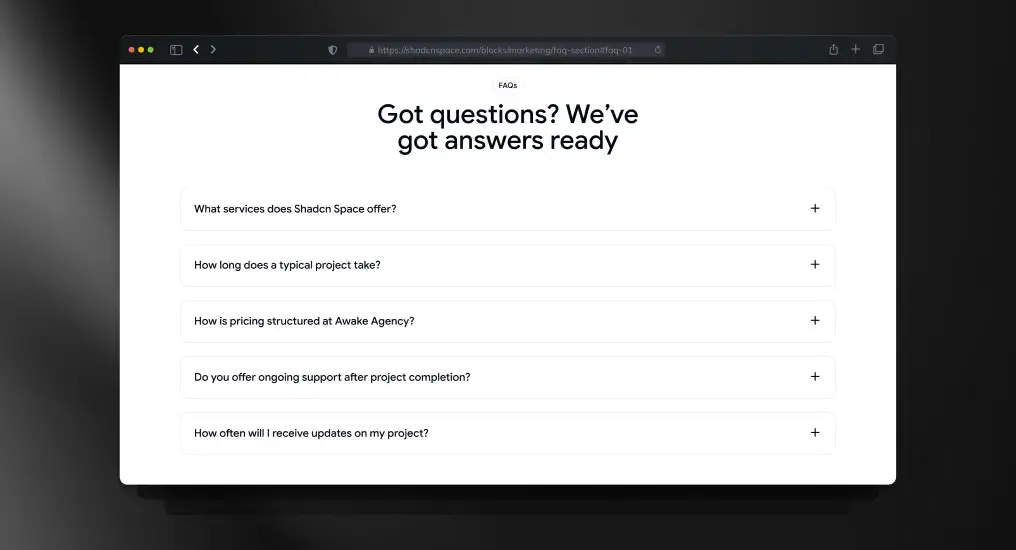
An expandable FAQ layout optimized for readability and SEO. Keeps long-form content compact while allowing users to scan and reveal only relevant answers.
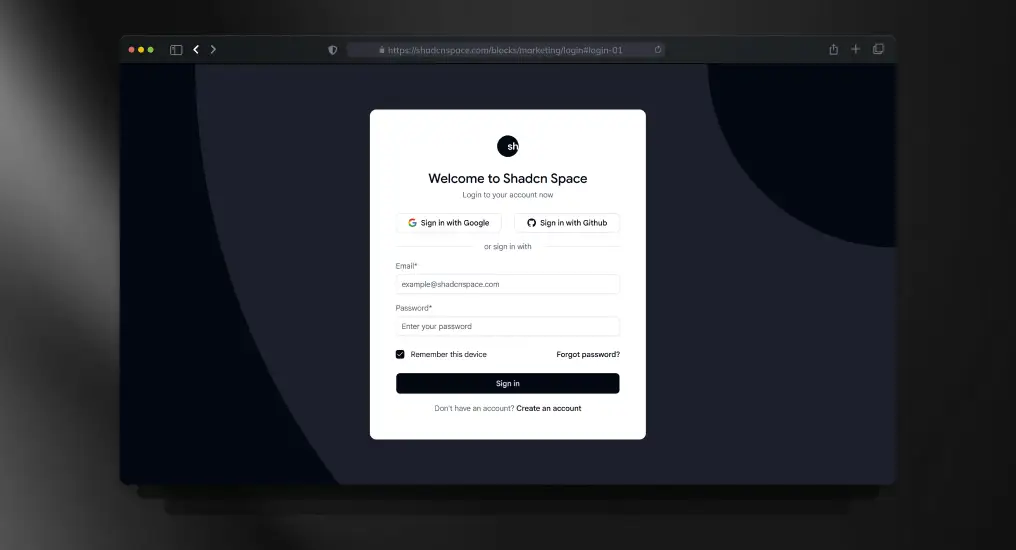
A standard authentication layout supporting email/password and external providers. Designed to integrate with any auth system without enforcing implementation details.
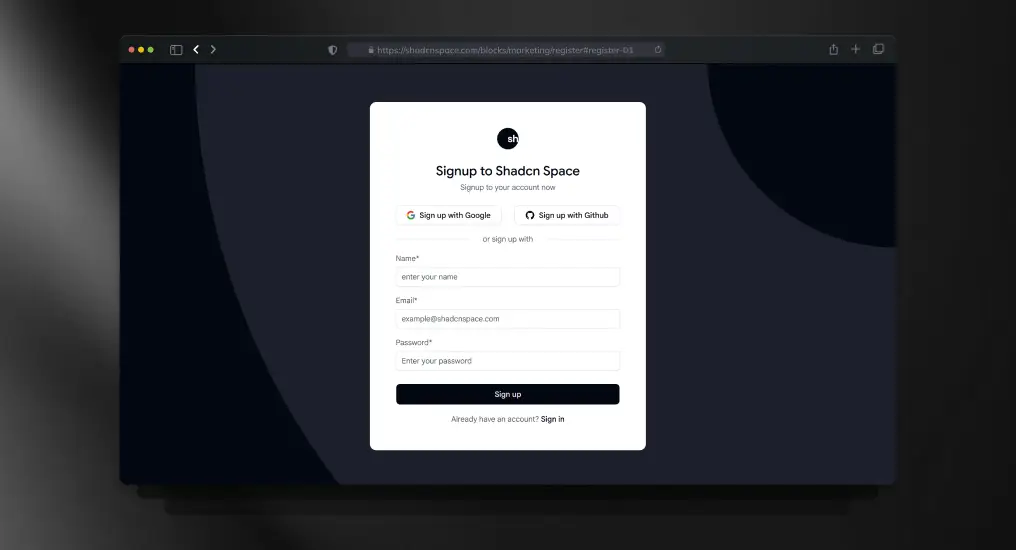
A full registration layout supporting validation, onboarding flows, and progressive disclosure. Built to scale from simple signup to complex onboarding.
1. Are Shadcn Space blocks free to use in commercial projects?
Yes – Shadcn Space blocks are free, open source, and can be used in both personal and commercial projects with no licensing restrictions. You can copy, modify, and ship them in production without attribution requirements.
2. Can I customize Shadcn UI blocks after copying them?
Absolutely. Since Shadcn UI blocks are not a locked component library, you fully own the code. You can customize layouts, styles, components, and logic using Tailwind CSS, CSS variables, or your own design system.
3. Do Shadcn Space blocks support dark mode?
Yes. All Shadcn UI blocks support light and dark themes using CSS variables and Tailwind’s theming patterns, making them easy to integrate with existing theme toggles.
4. Can I install blocks via CLI?
Absolutely – use pnpm, npm, yarn, or bun to install blocks directly.
5. Is Figma design support available for these blocks?
Yes. Each block includes an associated Figma preview, allowing designers and developers to collaborate more effectively between design and code.
Final Thoughts
Shadcn blocks from Shadcn Space provide a developer-friendly, production-ready UI foundation that accelerates design to code without lock-in. Whether you’re launching an MVP, building an admin dashboard, or scaling your SaaS UI, these blocks save hours of development time while retaining full customization control.
Start building faster – drop in blocks, tweak styles, and ship interfaces you’re proud of. Also, if you are looking for Shadcn Templates, you can check WrapPixel.
If you’re exploring the ecosystem further, we’ve also prepared a detailed guide on shadcn libraries to help you get started.
Choosing the right CMS can make or break your Next.js project.
For most of us, WordPress was the first CMS we ever touched and for years, it ruled everything. But once Next.js entered the picture, things changed fast. APIs, Git workflows, static generation, and modern architecture pushed CMS tools to evolve rapidly. In this guide, we break down 29+ CMS tools built for today’s Next.js developers and how to choose the one that actually fits your project.
Today we learn about how you can choose your cms tool for your nextjs projects.
Why Use a CMS with Next.js?
Faster content updates without redeploying code
Better SEO with Static Site Generation (SSG) and Server Components
Clean separation between content and UI
Easy scaling for blogs, docs, SaaS sites, and marketing pages
What is a Headless CMS ?
A Headless CMS is a content management system that does not control how content looks on the frontend. It only manages and delivers content through APIs. The frontend (Next.js) decides how that content is rendered.
In a headless setup:
The CMS stores content (blogs, pages, products)
Next.js fetches content via APIs or Git
Design and content are fully separated
This approach fits perfectly with modern frameworks like Next.js, React, Vuejs, Nuxt and many more.
For example, we have chosen Next.js for Now
Headless CMS vs Traditional CMS
Traditional CMS (like WordPress)
Backend and frontend are tightly coupled
Limited frontend flexibility
Harder to scale for performance
Headless CMS
Frontend and backend are independent
Better performance and scalability
Works with any frontend (Next.js, React, mobile apps)
Why Headless CMS is Ideal for Next.js
Supports Static Site Generation (SSG) and Server Components
Faster page loads and better Core Web Vitals
Easy multi-channel delivery (web, app, docs)
Cleaner developer workflow
Types of CMS Tools for Next.js
API-Based (Headless) CMS
Content is fetched using REST or GraphQL APIs.
Examples:
Strapi
Sanity
Contentful
Directus
Best for: dynamic sites, SaaS apps, large content teams
Git-Based CMS
Content is stored in a Git repo as Markdown or MDX files.
Examples:
Contentlayer
Tina CMS
Decap CMS
Best for: developer-focused blogs, docs, open-source projects
Hybrid / Visual CMS
Combines visual editing with Git or API workflows.
Examples:
KontentAI
Gitana
Best for: marketing teams that need visual control
Below is a curated list of headless CMS platforms commonly used with modern Next.js applications perfect for blogs, marketing sites, docs, ecommerce, and SaaS projects in 2026.
Open Source (Self Hosted)
WordPress
WordPress is the most widely used CMS in the world. When used as a headless CMS, it delivers content via APIs while Next.js handles the frontend. This approach combines a familiar editor, a massive ecosystem, and modern performance. It works well for both small sites and large content platforms.
Key Features:
REST API and WPGraphQL support
Large plugin ecosystem
Familiar admin dashboard
Custom post types and custom fields
Pros:
Open source and self-hosted
Easy for content teams to use
Huge community and documentation
Highly extensible
Drawbacks:
Requires plugins for GraphQL and advanced setups
Performance depends heavily on configuration
Can become complex with many plugins
Pricing:
Free and open source
Hosting and premium plugins may add cost
Who made it?
WordPress was co-founded by Matt Mullenweg and Mike Little.
Strapi is an open-source, API-first headless CMS built with Node.js. It allows teams to define custom content structures and expose them via REST or GraphQL APIs. Strapi is self-hosted, giving full control over data and infrastructure.
Key Features:
REST and GraphQL APIs
Visual content-type builder
Role and permission management
Self-hosted deployment
Pros:
Fully open source
Easy to customize
Strong Next.js integration
Active community
Drawbacks:
Admin UI customization requires development work
Scaling needs backend knowledge
Pricing:
Free and open source
Paid cloud plans available
Who made it?
Strapi was founded by Pierre Burgy, Aurélien Georget, and Jim.
Payload CMS is a code-first, open-source headless CMS built with TypeScript. Content models, access rules, and logic are defined directly in code. It is designed for developers who want full control and strong integration with modern frameworks like Next.js.
Key Features:
TypeScript-first architecture
REST and GraphQL APIs
Customizable admin panel
Built-in authentication and access control
Pros:
Excellent developer experience
Ideal for version-controlled workflows
Highly customizable
No vendor lock-in
Drawbacks:
Requires development knowledge
Less visual for non-technical editors
Pricing:
Free and open source
Optional paid cloud hosting
Who made it?
Payload CMS was founded by Dan Ribbens, Elliot DeNolf, and James Mikrut.
Directus is an open-source headless CMS that sits on top of any SQL database. It exposes data through REST and GraphQL APIs with a clean admin UI. Directus gives teams full ownership and control of their data.
Ghost is an open-source CMS built for blogging and publishing. It offers a clean writing experience, fast performance, and built-in SEO features. Ghost works well with Next.js through simple and efficient APIs.
Key Features:
Built-in blog engine
Content and Admin APIs
SEO-friendly output
Membership and newsletter tools
Pros:
Excellent writing experience
Fast and lightweight
Open source
Simple API
Drawbacks:
Limited beyond blogging use cases
Less flexible content modeling
Pricing:
Free and open source (self-hosted)
Paid Ghost(Pro) hosting available
Who made it?
Ghost was founded by John O’Nolan and Hannah Wolfe.
Keystone is an open-source CMS that generates a GraphQL API and admin UI directly from your schema. It is designed for developers who want flexibility, control, and a GraphQL-first backend.
Webiny is an open-source, serverless headless CMS designed for enterprise-scale applications. It runs on cloud infrastructure and uses GraphQL for content delivery. Webiny is built for high scalability and extensibility.
Key Features:
Serverless architecture
GraphQL API
Page and form builders
Plugin-based system
Pros:
Automatically scales
No traditional server management
Open source
Enterprise-ready
Drawbacks:
Requires cloud and DevOps knowledge
Setup is more complex
Pricing:
Free and open source
Cloud infrastructure costs apply
Who made it?
Webiny was founded by Sven Al Hamad, Goran Candrlic, and Pavel Denisjuk.
ApostropheCMS is an open-source CMS focused on structured content and editorial workflows. It supports both traditional and headless use cases with modern APIs.
Key Features:
Open-source and self-hosted
REST and GraphQL APIs
Flexible content modeling
Role-based permissions
Pros:
Open source
Strong editorial workflow
Good for structured content
Developer-friendly
Drawbacks:
Smaller plugin ecosystem
UI is less visual than SaaS CMSs
Requires backend setup
Pricing:
Open-source self-hosted: Free
Enterprise support: Paid
Who made it?
ApostropheCMS is developed by Apostrophe Technologies.
Best For:
Content-driven Next.js websites
Editorial teams
Custom CMS requirements
The BCMS
BCMS is an open-source, TypeScript-based headless CMS focused on performance and modern frontend frameworks. It uses a component-based content model and integrates seamlessly with Next.js.
Econic (by Enonic) is an open-source, API-first CMS designed for complex and enterprise-level projects. It focuses on structured content, flexibility, and strong backend capabilities.
Key Features:
Open-source core
Headless and API-first
Powerful content modeling
GraphQL and REST APIs
Pros:
Open source and self-hosted
Enterprise-ready features
Flexible content structure
Scales well
Drawbacks:
Higher learning curve
Smaller community than WordPress
UI feels more technical
Pricing:
Open-source self-hosted: Free
Managed/enterprise plans: Paid
Who made it?
Econic CMS is developed by Enonic, a company based in Norway.
Squidex is a mature open-source headless CMS focused on structured content and scalability. It is API-first and suitable for both small and large Next.js projects.
Cromwell CMS is an open-source, React-based headless CMS with built-in ecommerce capabilities. It is designed for developers who want full control over both content and commerce.
Key Features:
Open source
React and API-driven
Headless ecommerce support
Modular architecture
REST and GraphQL APIs
Advantages:
Fully customizable
Good for ecommerce use cases
Modern tech stack
No vendor lock-in
Drawbacks:
Smaller ecosystem
Limited documentation compared to larger CMSs
Requires developer involvement
Pricing:
Free and open source
Who made it?
Cromwell CMS is developed by the Cromwell open-source team.
Prismic is widely recognized for its Slice Machine, a unique tool that empowers content teams to create and manage modular content blocks, also known as “slices.” This tool allows non-technical users to build and modify pages independently, without the need for constant developer involvement. It’s ideal for teams that need full control over page layouts and content structure. Additionally, Prismic supports both RESTful and GraphQL APIs, providing robust flexibility for developers.
Visual Page Builder: Non-developers can easily drag and drop slices to create and edit pages.
Preview Feature: See real-time previews of content before going live.
API Support: Both REST and GraphQL APIs are available for seamless integration.
Advantages:
Framework Integration: Seamless integration with Next.js, React, Nuxt, and other modern frameworks.
Developer-Friendly Documentation: Comprehensive and clear API documentation, especially for Next.js.
Modular Content Creation: The “Slice” system makes creating and managing content blocks easy.
Drawbacks:
Customization Limits: While it’s flexible, the customization of certain features can be restrictive.
Vendor Lock-In: The “Slices” feature could create challenges if migrating to other platforms.
Performance Issues: The content editor might occasionally be slower than expected.
Pricing:
Free Plan: $0/month – Ideal for personal projects, PoCs, and small sites. Includes 1 user, unlimited documents and assets, 4M API calls/month, and 100GB CDN bandwidth.
Starter Plan: $10/month (billed annually). Includes 3 users, custom branding, and 3 locales.
Small Plan: $25/month (billed annually). Includes 7 users, 4 locales, and additional features.
Medium Plan: $150/month (billed annually). Includes 25 users, 5M API calls/month, and 500GB CDN bandwidth.
Platinum Plan: $675/month (billed annually). Includes unlimited users, 10M API calls/month, and 1TB CDN bandwidth.
Enterprise Plan: Custom pricing with extended support and additional features.
Who Developed It?
Prismic was co-founded by Sadek Drobi and Guillaume Bort in 2013.
Best For:
Teams that want extensive control over page layout creation.
Ideal for developing custom websites and applications with Next.js.
Sanity is a developer-first headless CMS that allows users to treat content as structured data rather than just text. With its unique GROQ query language, Sanity offers unparalleled flexibility and speed in querying data. Sanity’s real-time collaboration feature also enables multiple users to edit content simultaneously, making it perfect for teams. Sanity integrates seamlessly with Next.js, allowing developers to fully leverage its API-first architecture.
Key Features:
Structured Content: Content is stored in a flexible, reusable format.
Customizable Admin Studio: Easily modify the admin panel to meet your specific needs.
GROQ API: A fast and efficient querying language.
Real-time Collaboration: Multiple editors can work on the same document at once.
Advantages:
Great Developer Experience: Ideal for developers seeking full control over content architecture.
Flexible Integration: Works well with Next.js, providing a smooth integration experience.
Collaborative Features: Real-time content editing is a huge plus for teams.
Drawbacks:
Learning Curve: The setup process can be complex for new users.
Editor Experience: The editor might not be as intuitive for non-developers.
Pricing:
Free Plan: $0/month – Suitable for small teams with basic needs.
Growth Plan: $15/seat/month – Includes additional roles, private datasets, and more.
Enterprise Plan: Custom pricing – Includes advanced features like SSO, dedicated support, and extended collaboration tools.
Who Developed It?
Sanity was founded by Magnus Hillestad and Simen Svale.
Best For:
Teams requiring full control over content architecture and workflow.
Developers who value customization and flexible content management.
Hygraph is built entirely on GraphQL, making it a powerful solution for developers who need efficient data fetching and integration from multiple sources. Its Content Federation feature sets it apart by allowing content from various systems to be aggregated into one unified API. Ideal for projects where data needs to be pulled from several sources, Hygraph works seamlessly with Next.js to create fast, scalable applications.
Key Features:
GraphQL Native: Optimized for GraphQL, offering faster and more efficient data fetching.
Content Federation: Aggregates content from different services into one interface.
Localization Tools: Manage content in multiple languages with ease.
Permissions: Detailed access control and workflows for content management.
Advantages:
GraphQL Efficiency: High-speed data queries with minimal overhead.
Flexible Schema Customization: Tailor content models to suit your project’s needs.
Streamlined Publishing: Scheduled publishing and easy workflow automation.
Drawbacks:
Learning Curve: Those new to GraphQL may find the platform challenging.
Documentation Gaps: In some areas, Hygraph’s documentation could be more comprehensive.
Pricing:
Community Plan: Free – Includes 3 seats, 2 locales, and unlimited asset storage.
Professional Plan: From $199/month – Includes 10 seats, version retention, remote content federation, and more.
Enterprise Plan: Custom pricing – Includes advanced features such as SSO, audit logs, and infrastructure scaling.
Who Developed It?
Hygraph was created by Michael Lukaszczyk, Daniel Peintner, and Christopher Reusch.
Best For:
Developers seeking a GraphQL-native CMS solution.
Teams that need a unified content management interface with multi-source integration.
Storyblok is a versatile CMS known for its powerful Visual Editor that lets content editors see live previews of their changes directly on the page. This makes it ideal for non-technical users who want to manage content without needing a developer. Storyblok is designed to integrate easily with Next.js, making it an excellent choice for developers who also want to provide a smooth editing experience for marketers and content creators.
Key Features:
Visual Editor: Edit and preview content directly on the live page.
Component-Based Content: Use reusable components to structure content.
Multi-Language Support: Manage content in multiple languages with ease.
Robust APIs: Both RESTful and GraphQL APIs for data fetching and integration.
Advantages:
User-Friendly Editor: Ideal for non-technical users to manage content.
Live Preview: See changes in real time, improving content creation efficiency.
Component Flexibility: The component-based approach offers great flexibility in design.
Drawbacks:
Initial Setup Complexity: First-time users may face a steep learning curve.
Pricing:
Starter Plan: Free forever – Includes 1 seat, 100GB traffic/month, and basic features.
Growth Plan: €90.75/month (billed annually) – Includes 5 seats and 400GB traffic/month.
Growth Plus Plan: €319.91/month (billed annually) – Includes 15 seats and 1TB traffic/month.
Enterprise Plan: Custom pricing – Includes advanced features, 99.9% uptime SLA, and priority support.
Who Developed It?
Storyblok was founded by Dominik Angerer.
Best For:
Developers seeking a user-friendly CMS with strong visual editing capabilities.
Non-technical users looking to manage content efficiently with a seamless integration into Next.js.
DatoCMS is a fully managed, API-first headless CMS that excels at delivering content quickly and efficiently. It is especially useful for marketing sites, SaaS platforms, and content-rich applications that require structured content and scalability. DatoCMS’ strong GraphQL-first architecture and global CDN support make it ideal for Next.js projects.
Key Features:
GraphQL-first Content API: Allows for fast and efficient data retrieval.
Cosmic CMS is an advanced, API-first headless content management system designed to enable teams to rapidly create and deploy content-driven applications. Its powerful features include AI-assisted content generation and automated workflows, making it a scalable solution for businesses of all sizes. As a cloud-hosted platform, Cosmic CMS offers an intuitive interface combined with flexible API options to connect seamlessly with your Next.js frontend.
Key Features:
AI-Powered Features: Leveraging AI to assist in content generation and SEO optimization, speeding up the content creation process.
Robust API: Includes a powerful API and open-source SDKs, simplifying integration and interaction with your systems.
User-Friendly Editor: Designed for both developers and content creators, this intuitive editor provides an optimal balance of ease of use and powerful features.
Secure Collaboration: Role-based permissions to manage access for different team members.
Advantages:
Quick Setup: Fast, developer-friendly setup using a comprehensive API toolkit.
Modern UI: The intuitive editor is well-suited for both developers and non-technical users, making content management easier.
AI Integration: AI tools to automate content creation and improve SEO.
Drawbacks:
Pricing Concerns: Costs can increase when adding features like webhooks or backups.
Cloud-Based Only: As a fully cloud-hosted service, it may not be ideal for teams requiring self-hosted solutions.
Pricing:
Free: $0/month — Suitable for personal projects and prototyping.
Starter: Around $299/month — Ideal for small teams with increased storage and user limits.
Pro: Around $499/month — Includes more features and support for larger teams.
Enterprise: Custom pricing — Includes advanced features such as SSO and dedicated support.
Who Developed It?
Cosmic CMS was co-founded by Carson Gibbons and Tony Spiro in 2016.
Best For:
Teams seeking a scalable, hosted CMS with strong API support for Next.js projects.
Businesses looking for an AI-assisted CMS to automate workflows and boost content creation efficiency.
Caisy CMS is a headless content management system known for its impressive speed, scalability, and powerful GraphQL API. It provides a smooth developer experience and a simple, user-friendly interface for content editors. Focused on real-time collaboration, Caisy offers features that make it perfect for teams working together on dynamic projects.
Key Features:
GraphQL API: Optimized for high-speed, efficient data fetching, making it ideal for modern web applications.
Live Collaboration: Real-time content editing, allowing multiple users to work on content without conflicts.
UI Extensions: Customize the CMS interface with additional functionalities and features.
Image Optimization: Built-in tools to optimize images for performance and SEO.
Advantages:
Generous Free Tier: Offers a free plan that’s perfect for small teams and startups.
Developer & Editor Friendly: A flexible system that’s easy to work with for both developers and content creators.
Great Collaboration: The real-time collaboration tools make it ideal for teams.
Drawbacks:
Cost for Larger Teams: Paid plans can be costly for bigger teams with extensive needs.
Smaller Ecosystem: Compared to larger CMS platforms, Caisy has fewer plugins and integrations available.
Pricing:
Free Plan: $0 forever — 3 users, 2 locales, 5,000 entries, and 1M API calls.
Growth Plan: ~$49/month — More users, locales, and API calls.
Enterprise Plan: ~$1,499/month — Includes custom quotas, roles, and SLA.
Who Developed It?
Caisy CMS was created by a team of experienced developers who previously ran a digital agency.
Best For:
Small to medium-sized teams, startups, and marketing sites needing collaborative editing.
Next.js projects that require fast performance and seamless real-time collaboration.
React Bricks is a headless CMS specifically designed for React and Next.js projects, offering inline visual editing. Content editors use React components as “bricks” to build content blocks, which are then used to construct pages. This approach provides a seamless editing experience for content teams while maintaining complete control for developers.
Key Features:
Inline Visual Editing: Content editors can edit content directly on the page, without needing a separate admin panel.
React Components as Bricks: Create reusable content blocks as React components.
Developer-Focused: Reduces the need for developers to manually define content fields, saving time and effort.
App Router Support: Supports Next.js App Router and React Server Components, improving performance.
Advantages:
Developer Time Saving: Lets developers define content fields directly in React components.
Intuitive Editing: The inline editing interface makes it easy for non-technical users.
Great for Next.js: Built specifically for React and Next.js, ensuring smooth integration.
Drawbacks:
Limited to React/Next.js: Not ideal if you want to use it with other frameworks.
Pricing:
Pricing details are not publicly available, but it offers a flexible, subscription-based pricing model.
Who Developed It?
The founding team of React Bricks has not been publicly disclosed.
Best For:
Next.js developers who want to give content editors a great inline editing experience while maintaining design control.
Projects that need flexible, component-based content management within a React ecosystem.
Contentful is a widely-used, enterprise-level headless CMS known for its powerful content modeling and extensive integration marketplace. It provides a robust API and seamless integration with numerous third-party services. Contentful is ideal for large-scale projects that require scalability and flexibility.
Key Features:
Flexible Content Modeling: Contentful allows users to design any content structure to suit their needs.
Integration Marketplace: Easily connect to third-party services and tools to enhance your content management workflow.
Rich APIs: Provides a suite of powerful APIs for flexible data access and management.
Enterprise Features: Includes SSO, advanced permissions, and more.
Advantages:
Scalable: Perfect for large projects that require a flexible and scalable CMS.
Developer Flexibility: Offers a rich set of APIs for efficient content management.
Global CDN: Delivers content globally at high speed.
Drawbacks:
Learning Curve: The extensive features can be overwhelming for new users.
Pricing:
Free Plan: $0 forever — Includes 10 users, 2 roles, 2 locales, 100K API calls/month, 50GB CDN bandwidth, and 1 Starter Space.
Lite Plan: $300/month — Includes 20 users, 3 roles, 3 locales, 1M API calls/month, and 100GB CDN bandwidth.
Premium Plan: Custom pricing — Includes unlimited spaces, custom roles, enhanced security, 24/7 enterprise support, and up to 99.99% uptime SLA.
Who Developed It?
Contentful was founded by Sascha Konietzke and Paolo Negri in 2013.
Best For:
Businesses with large-scale content needs, such as enterprises requiring extensive integration and customization.
Teams looking for a reliable, scalable solution to manage content across multiple digital channels.
ButterCMS is a flexible and developer-friendly headless CMS, primarily focused on enabling developers to quickly integrate blogs or marketing pages into Next.js websites. It offers a complete content management solution without the overhead of traditional CMS platforms.
Key Features:
Integrated Blog Engine: Provides an easy-to-integrate blog platform for your website.
Developer-Friendly APIs: REST and GraphQL APIs make integration simple and straightforward.
Multi-Site Support: Manage multiple sites from one centralized dashboard.
SEO Tools: Built-in SEO support helps optimize content for search engines.
Advantages:
Quick Integration: Ideal for developers who need to quickly set up a blog or marketing site.
Flexible Content Management: The easy-to-use admin interface makes it accessible for content creators.
SEO Optimization: Includes built-in tools for improving organic traffic and page performance.
Drawbacks:
Limited to Content Management: Primarily focused on content management rather than advanced features like e-commerce or complex workflows.
Pricing:
Free Plan: $0/month — 50K API calls, 100GB bandwidth, and 50 blog posts.
Basic Plan: $71/month — 100K API calls, 250GB bandwidth, 500 blog posts, and 50 pages.
Advanced Plan: $224/month — Includes 500K API calls, 500GB bandwidth, unlimited blog posts, 100 pages, and 3 roles.
Professional Plan: $359/month — Includes 1M API calls, 1TB bandwidth, and advanced features.
Who Developed It?
ButterCMS was co-founded by Jake Lumetta and Abi Noda.
Best For:
Teams needing a quick and easy solution for adding blogs or marketing pages to their Next.js websites.
Developers who want to avoid the complexity of traditional CMS systems.
GitCMS is a fast, Git-powered headless CMS that enables static site generators to manage content efficiently. It is designed to turn a GitHub repository into an easy-to-use content management system, offering a Notion-like interface for non-technical users. This simplicity makes it an excellent choice for developers who want a lightweight solution to manage static content directly from a Git repository.
Key Features:
Notion-like Visual Editor: A user-friendly rich-text editor for content creators without technical skills.
Git-Based Storage: Content is stored as Markdown files in your Git repository, offering seamless version control and collaboration.
Frontmatter Schema: Customize the content schema with various field types (title, text, media, etc.).
Automated Deployments: Supports GitHub Actions to automatically deploy content when changes are committed.
Advantages:
Simplicity: Easy for non-technical users to manage content in a developer environment.
Version Control: Git-based setup ensures excellent collaboration and version history management.
Lightweight: No need for complex setups or databases.
Drawbacks:
Limited Features: It may lack some advanced features found in more robust CMS options.
Git Knowledge Required: Non-technical users may still need some basic Git understanding to get started.
Pricing:
Free Plan: Completely free and open-source.
Who Developed It?
GitCMS was developed by Waishnav.
Best For:
Developers who want a simple Git-based solution to manage static site content without complex setups.
Teams that require a lightweight and efficient way to handle content without a database.
Tina CMS is a modern Git-powered headless CMS that works seamlessly with Next.js, React, and TypeScript. It provides a robust visual editing experience that allows content creators to edit content directly within the live website, making it easy for non-technical users to collaborate with developers.
Key Features:
Git-Based Management: Manage content directly in Git for version control and team collaboration.
Real-Time Visual Editing: Edit content on the page and see live previews in the website context.
Content Type Flexibility: Supports various content types like Markdown, MDX, and JSON.
Self-Hosted Option: Choose between a self-hosted backend for more control or a cloud-based solution.
Scalability and Performance: Designed to scale efficiently, handling complex projects with ease.
Advantages:
Developer and Editor Collaboration: Seamlessly integrates Git workflows with content management.
Real-Time Previews: Content creators can preview edits instantly before publishing.
Support for Multiple Content Types: Adapts to various project needs with support for Markdown, MDX, and more.
Drawbacks:
Learning Curve: Developers may face a learning curve when integrating custom features or workflows.
Pricing:
Free Plan: Completely free and open-source.
Cloud Plan is available in Basic, Team, Business, Enterprise.
Basic: $0 forever Includes 2 users and 1 project with community support.
Team: $29/month (billed annually) Includes 3 users, team support, and more.
Business: $299/month (billed annually) Includes 20 users, advanced workflows, and AI features.
Enterprise: Custom pricing with advanced features and support.
Who Developed It?
Tina CMS is an open-source project with community contributions.
Best For:
Projects where developers and content editors need to collaborate closely.
Teams looking for an open-source, Git-based CMS with visual editing capabilities.
Decap CMS is an open-source Git-based CMS ideal for static site generators like Next.js. It provides a simple admin interface for content editors and integrates easily with Git services such as GitHub, GitLab, and Bitbucket. It’s perfect for developers who need a straightforward solution for static site content management.
Key Features:
Git-Based Content Storage: Content is stored directly in the Git repository, ensuring seamless integration with version control.
Open-Source: Fully customizable and free to use.
Simple Interface: A clean, user-friendly admin panel for easy content management.
Customizable: Extendable with custom widgets and preview styles.
Advantages:
Easy to Set Up: Simple setup with minimal configuration required.
Open-Source: Customize the CMS according to your project’s needs.
Great for Static Sites: Works well for Jamstack and static site projects.
Drawbacks:
Limited Hosting Support: Does not include built-in hosting features.
Basic Features: Lacks advanced CMS features compared to larger SaaS options.
Pricing:
Free Plan: Open-source and free to use.
Who Developed It?
Decap CMS was created by Netlify, founded by Mathias Biilmann and Christian Bach.
Best For:
Static Next.js sites with a simple content management workflow.
Projects that need a free, open-source CMS for static site content management.
Pages CMS is a user-friendly CMS designed for static site generators like Next.js. It enables content teams to manage websites hosted on GitHub without needing to know Git or coding. It’s a hassle-free CMS that simplifies content management for non-technical users.
Key Features:
Configurable: Customize content types, views, and search functionality.
Visual Editor: A rich-text editor with syntax highlighting and content styling.
GitHub Integration: Manage websites or apps directly on GitHub with deep integration.
Media Manager: Easily upload and manage images with a drag-and-drop interface.
Advantages:
Non-Technical Friendly: Ideal for teams that don’t want to deal with the complexity of Git.
GitHub Integration: Perfect for developers who already work with GitHub.
Simple Interface: Easy to use without a steep learning curve.
Drawbacks:
Limited Customization: May not be suitable for projects with complex content management needs.
Basic Features: Lacks some advanced CMS functionalities.
Pricing:
Pricing is not specified publicly; it is likely a free or low-cost option for small projects.
Who Developed It?
Pages CMS was created by Ronan Berder.
Best For:
Non-technical content teams managing a static Next.js site.
Projects that need a simple, GitHub-based CMS for easy content management.
Suncel is a headless CMS specifically designed for medium-sized projects, providing a powerful and intuitive content management platform. With strong support for Next.js, it allows users to build dynamic, SEO-friendly websites using reusable component blocks. It also features a visual page builder, making it a great tool for content teams to manage and update content quickly.
Key Features:
Page Organization: Helps organize pages according to Next.js routing structure.
Component Blocks: Create reusable content blocks for faster page building.
Visual Page Builder: A drag-and-drop editor that simplifies page layout and content management.
SEO Module: Built-in SEO tools for managing meta tags, schema, and social sharing tags.
Multilingual Support: Allows content creation in multiple languages for a global audience.
Advantages:
Intuitive Interface: Makes content management easy for non-technical users.
SEO-Friendly: Built-in SEO tools help optimize pages for search engines.
Next.js Integration: Seamless integration with Next.js for quick setup and high performance.
Drawbacks:
Technical Expertise Required: While the platform is user-friendly, some technical knowledge is needed for setup and customization.
Limited Pre-Made Components: Fewer pre-built components than some other CMS options.
Pricing:
Free Plan: $0 forever – Includes 1 user, 20 pages, 1 locale, and 500GB traffic.
Starter Plan: $29/month – Includes 2 users, 100 pages, and 2 locales.
Standard Plan: $99/month – Includes up to 5 users and 500 pages.
Premium Plan: $399/month – Includes up to 20 users and unlimited pages.
Who Developed It?
Suncel’s founders are not widely publicized.
Best For:
Medium-sized projects needing a visual page builder with reusable components.
Teams looking for a Next.js-friendly CMS with robust SEO management tools.
Contentlayer is a lightweight Git-based CMS that transforms content stored in Markdown, MDX, YAML, and JSON files into structured, type-safe JSON data that can be directly imported into Next.js projects. It ensures a type-safe content workflow by generating TypeScript types based on the defined schema.
Key Features:
Content Conversion: Converts local files (Markdown, MDX, YAML, JSON) into structured JSON data.
Type-Safe Workflow: Automatically generates TypeScript types for content, ensuring a reliable and safe workflow.
Incremental Builds: Speeds up Next.js builds with fast incremental and parallel processing.
Live Reloading: Instant feedback for developers with live reloading during content changes.
Advantages:
Developer-Focused: Great for developers who prefer managing content directly in code.
Type Safety: Generates TypeScript types for content to catch data issues at compile time.
Fast Builds: Incremental builds speed up large content builds, improving performance.
Drawbacks:
Not a Full CMS: Contentlayer is more of a content processor/SDK than a complete CMS.
No Content Editing UI: Lacks a built-in editor for non-technical users.
Pricing:
Free: Open-source under the MIT license.
Who Developed It?
Contentlayer was developed by a community of contributors, initially led by Stackbit’s team.
Best For:
Developers building static Next.js sites with content stored in local files.
Projects where type safety and performance are top priorities.
Yes, you can hard-code content or use Markdown files, but a CMS can help you scale and manage content more efficiently, especially as your website grows.
Is a headless CMS good for SEO?
Yes, a headless CMS works well with SEO. Next.js handles SEO features like server-side rendering and optimization, while the CMS manages content, ensuring a seamless and efficient process.
Which CMS is best for developers?
Contentlayer and Sanity are both very developer-friendly. Contentlayer is great for working with local content files and integrates seamlessly with Next.js, while Sanity offers powerful customization and flexibility for developers.
Which CMS is best for marketing teams?
Prismic and React Bricks are great for marketing teams. Prismic’s Slice Machine allows teams to easily create and manage content with minimal developer input, while React Bricks provides a visual editor that enables efficient content management and page creation without heavy reliance on developers.
Can I use these CMS tools for my React projects as well?
Absolutely! Many of the CMS tools mentioned, including React Bricks, are designed to work seamlessly with React projects. These CMS options are highly compatible with React, offering a smooth development experience for building both static and dynamic sites.
Final Thoughts About CMS Tools
When working with Next.js, choosing the right headless CMS can make all the difference in delivering a flexible, high-performance solution. The best CMS for your project depends on various factors like team size, content volume, and how hands-on you want your team to be with editing and management.
For those building blogs, documentation sites, dashboards, or SaaS marketing platforms, combining Next.js with a modern headless CMS is a smart, long-term strategy.
In this guide, we’ve covered 26+ of the top headless CMS options for Next.js in 2026, outlining their key features, pros, cons, and pricing all in one place. These CMS tools provide developers and businesses with the flexibility and control that traditional systems can’t match.
Ultimately, the choice of CMS comes down to your project’s specific needs its size, complexity, level of customization required, and how much control you want over the content management process.
Take the time to evaluate each option carefully and select the one that aligns best with your goals. We hope this guide helps you find the perfect CMS to power your Next.js project and take your web development to the next level.
A smooth, professional, and functional user experience is the core goal of any SaaS product or startup website. But building a marketing site, portfolio, blog, or a full SaaS admin platform from scratch takes time, often weeks of repetitive layout and UI work.
Using the right Bootstrap website templates can significantly reduce that effort.
These templates aren’t limited to single-page designs. Most come as complete website kits with essential pages like Home, About Us, Portfolio, Blog, and Contact Us already structured. Many also include integrated admin dashboards, reusable UI blocks, and layout systems that help you build a real web application instead of starting from a blank project.
In this article, we review Bootstrap website templates that combine public-facing websites with full SaaS dashboards. These options are well suited for developers, product teams, and startups that want a clean codebase, consistent UI patterns, and a faster path from idea to production.
Why SaaS Startups Use Bootstrap Website Templates
SaaS startups need speed, maintainability, and flexibility. A website template built with Bootstrap gives you:
Prebuilt, responsive pages ready to launch
Consistent UI and design system across frontend and admin dashboard
Customizable layouts and components for new features
Reduced development time, letting teams focus on product logic instead of basic UI
With a high-quality Bootstrap website template, startups can ship both the public site and backend dashboards seamlessly.
What Is a Bootstrap Website Template?
A Bootstrap website template is a pre-designed collection of pages and UI components built using Bootstrap 5. Most templates include:
Landing/Home pages with call-to-action sections
About, Portfolio, Blog, and Contact pages
Authentication flows like login and signup
Dashboard pages and admin panels
Reusable components like forms, tables, charts, and modals
Responsive layouts that work across devices
These templates act as a full SaaS website foundation—marketing pages and internal dashboards included.
Use Cases for Bootstrap Website Templates
Full SaaS platforms with marketing websites
Startup homepages with portfolio and blog sections
Internal tools with public-facing entry pages
Analytics dashboards with prebuilt reports and tables
Multi-role web applications
By using a ready-made Bootstrap template, teams can focus on building unique features instead of reinventing the wheel.
What You’ll Learn From This Article
This article highlights modern Bootstrap website templates that provide full web apps and SaaS-ready solutions. You’ll discover templates that include both the public-facing website pages and fully functional dashboards. You’ll also see how responsive, multi-page structures help scale your project while saving development time.
Top Bootstrap Website Templates
Studiova
Studiova offers one of the most visually striking website templates in this list. It’s designed for modern startups, creative agencies, and SaaS products. The template includes all essential pages like Home, Portfolio, Blog, About Us, Contact, and integrates seamlessly with admin dashboards for a complete web application.
Key Features
Full SaaS-ready website template
Clean, modern, and visually polished UI
Fully responsive and production-ready layouts
Prebuilt sections for marketing and dashboard pages
Awake Agency is more than just a website template; it’s a full SaaS-ready starter system. You get all the important sections and components needed for launching a website or web app, including portfolios, blogs, and admin dashboards. Perfect for startups that want speed without compromising design quality.
Key Features
Ready-to-use pages for Home, About, Blog, Contact
Components for SaaS marketing and internal dashboards
SaaSCandy is a clean and modern single-page Bootstrap 5 template built for SaaS startups and product websites. It focuses on clear messaging, smooth interactions, and conversion-friendly sections that help teams present their product without unnecessary complexity. The layout stays lightweight while still offering everything needed for a polished launch.
Modernize is a developer-focused template that combines SaaS dashboards with beautiful landing and website pages. It includes prebuilt pages for marketing, portfolio, blog, and eCommerce sections, alongside multiple dashboard layouts, charts, tables, and forms.
MaterialM is a Bootstrap website template inspired by Material Design 3 principles. It’s perfect for SaaS startups looking for a modern design with multiple integrated pages. It supports dashboards, analytics, product pages, blogs, and eCommerce sections.
Matdash provides a complete SaaS web application template. Its landing pages, portfolio, blog, and dashboard layouts are designed for real-world SaaS workflows. With prebuilt dashboards, apps, and over 100+ pages, it’s ideal for startups building full-featured platforms.
Spike delivers a flexible Bootstrap template for startups and SaaS platforms. It includes landing pages, internal dashboards, frontend pages, and analytics layouts. The template is optimized for scalability and comes with many prebuilt apps and UI components.
MaterialPro is a premium Bootstrap template designed for enterprise and SaaS projects. It provides both public-facing website pages and admin dashboards. Its reusable components, multiple demo layouts, and responsive design make it a strong starting point for large web applications.
Dtox is a business-ready Bootstrap template designed for SaaS, finance, and corporate websites. Its layout focuses on clarity and performance, making it suitable for professional use cases where speed, SEO, and structure matter more than flashy visuals.
SaaSIntro is a simple yet professional Bootstrap 5 landing page template made for SaaS products, apps, and software tools. It includes all the essential sections needed to test ideas, collect leads, and launch quickly without overdesigning the interface.
Key Features
Clean and minimal visual design
Fully responsive layout
Designed specifically for SaaS and software products
Modern Business is a multipurpose Bootstrap 5 website template created for larger SaaS and business websites. It includes a wide range of ready-made pages, making it easier to build full websites without assembling layouts from scratch.
Is it possible to apply dashboard templates to website pages?
Sure. A lot of SaaS dashboard templates (e.g. Modernize, Spike, Matdash, and MaterialM) also included landing pages, portfolios, blogs, contact and other sections of websites.
Why use Bootstrap website templates for startups?
They are time efficient, offer an early stage website with a uniform responsive layout, and let teams divert their time from user interface to product logic.
What are the best Bootstrap templates for SaaS websites?
SaaSCandy, Awake, and Studiova are some of the best templates to use for a SaaS website launch. They have a clean design with layouts and sections that help in conversions and come with pages for Home, Pricing, and Contact. This makes them perfect for a fast launch and validation of a SaaS product.
Wrapping Up
Bootstrap website templates provide an all-in-one solution for startups and SaaS teams that need both public-facing websites and applications.
Templates like Studiova, Awake, Modernize, MaterialM, Matdash, Spike, and MaterialPro combine prebuilt landing pages, portfolio sections, blog layouts, and dashboard components, offering a complete package with ready-made sections for blogs, landing pages, portfolios, and dashboards. These templates speed up development, maintain design consistency, and provide a polished admin interface for startups out of the box.
A reliable Bootstrap website template is a smart choice for your 2026 projects, whether you’re building a marketing site, a full SaaS platform, or something in between.
Login Page is the first screen users see and they interact with your product.
Before exploring features or dashboards, this single page shapes whether the experience feels smooth or frustrating. For developers, it’s where security, layout, and usability come together in one small but critical flow.
Every web app starts at one place the login page.
While new frameworks keep coming and going, Bootstrap continues to power a large number of real-world websites and dashboards.
Many SaaS products, admin panels, and internal tools still rely on it every day.
That’s why Bootstrap login pages are far from outdated they remain a reliable and practical choice when you need something stable, familiar, and easy to sign in.
Building a secure Bootstrap login page is a key step in protecting user data and managing access to your application. Whether you’re working on a SaaS product, an admin panel, or an internal business tool, the login page acts as the gateway to your system.
Why Login Forms Are Important
From a simple admin panel to a large enterprise dashboard, every web application requires a login page. A well-designed login form ensures:
Secure user authentication
Controlled access to dashboards and data
Better user experience and trust
Scalable authentication flows for growing products
A thoughtfully designed Bootstrap login form improves usability while maintaining consistency across your UI.
Responsive Bootstrap Login Page Templates
In this article, we share responsive Bootstrap login page examples built using HTML, CSS, JavaScript, and Bootstrap 5. These examples cover different use cases such as SaaS products, admin dashboards, landing portals, and authentication modals.
Studiova Login Page
Studiova offers stylish Bootstrap login page designs for design studios, production companies, and creative agencies. The layout feels premium and professional, making it ideal for business portals and SaaS dashboards. This template includes beautifully designed login and signup pages along with social media authentication options. It supports a wide range of modern frontend setups, allowing teams to build using React, Tailwind, Next.js, Vue.js, or Nuxt.js without changing the overall UI structure.
Modernize provides a clean and responsive Bootstrap login template suitable for modern dashboards and SaaS products. The UI focuses on clarity, spacing, and performance, making it easy to integrate into real-world applications. It works well for both admin dashboards and SaaS authentication flows.This login layout is flexible enough to be implemented across multiple frameworks, including Angular, React, Tailwind, Next.js, Vue.js, and Nuxt.js, making it suitable for diverse project stacks.
MaterialM is one of the most stylish Bootstrap login UI designs, inspired by Material Design principles. It comes as part of a fully featured admin dashboard and offers a polished, enterprise-ready authentication experience suitable for large-scale applications. It works well across different frontend ecosystems and can be easily integrated with Angular, React, Tailwind, Next.js, Vue.js, and Nuxt.js based applications.
FreeDash is a completely free Bootstrap login page template bundled with a functional admin dashboard. It’s fully responsive and well-suited for SaaS products, dashboards, and lightweight web applications. This template is available in bootstrap only.
Spike includes a login page along with a fully functional admin dashboard, making it a solid choice for scalable Bootstrap-based projects. It works well for SaaS products, admin panels, and applications that require a modern yet reliable authentication flow. This login page can be available across various frameworks such as Angular, React, Tailwind, Next.js, Vue.js, and Nuxt.js, offering long-term scalability.
Matdash offers a complete dashboard solution with built-in authentication pages. It includes separate login and signup screens designed specifically for real-world SaaS workflows. The layout is responsive, clean, and easy to customize with modern styling updates.This login template compatible with popular frontend frameworks like Angular, React, Tailwind, Next.js, Vue.js, and Nuxt.js, making it easy to scale.
This is a Material-inspired Bootstrap login modal with two panels login and registration. The registration panel slides in when triggered, creating a smooth user experience. It’s fully responsive and well-suited for SaaS products, dashboards, and lightweight web applications.
An older but still widely used Bootstrap login page from MDBootstrap. Suitable for traditional Bootstrap projects. This login page is best suited for developers maintaining legacy projects or building simple authentication flows. It is currently limited to the Bootstrap framework only.
A minimal and simple Bootstrap sign-in page, perfect for lightweight projects and quick implementations. Its lightweight structure allows developers to customize styling and authentication logic easily. This template is limited to Bootstrap-based projects.
This Bootstrap login page uses an overlay image layout that adds a modern visual appeal to the authentication screen. The design has been tested across all major browsers and works smoothly on different devices.
A beautifully designed and responsive login page, living up to its name. Built on the Bootstrap framework, it ensures full responsiveness across mobile, tablet, and desktop devices.
This transparent Bootstrap login page is perfect for applications that require background visuals or full-screen imagery. The transparent form design blends smoothly with background images while maintaining readability and usability. It’s a great option for creative portals, landing pages, or modern SaaS products.
A fully animated Bootstrap 5 login form built using pure Bootstrap and CSS animations. This Animated Login Form is a fully animated Bootstrap 5 login page designed to enhance user engagement. Built using Bootstrap 5 and CSS animations, it delivers smooth transitions without relying on heavy JavaScript.
This Split Login Page features a two-column layout where one side displays promotional content or imagery and the other contains the login form. The default layout uses a white theme, but it can be easily customized to match your brand.
Modal Login is a free and responsive Bootstrap modal login form designed for smooth user interactions. It allows users to sign in without leaving the current page, improving usability and engagement. The form includes social media login buttons and is easy to customize for different authentication needs. Works well for SaaS apps and dashboards.
A well-designed Bootstrap login page plays a critical role in user experience, security, and product perception.
Whether you’re building a SaaS platform, admin dashboard, or internal tool, choosing the right Bootstrap login template can save development time and ensure consistency across your application.