Author: Vaibhav Gupta

  • 7+ Best Shadcn sidebar examples for modern dashboards

    Sidebars are not just navigation; they define how users interact with complex UI systems. Most production dashboards built with React and Next.js use a scalable sidebar. It helps manage routing, permissions, and persistent layouts.

    We evaluated these sidebar implementations based on:

    • Component composition and reusability
    • State handling and responsiveness
    • Accessibility and keyboard navigation
    • Fit into the Real World of SaaS Dashboards

    This guide is for developers building SaaS dashboards, admin panels, or internal tools using Next.js or React. If you’re looking for a responsive retractable sidebar or deciding how to structure navigation without breaking UX at scale, this will help. You will learn which sidebar pattern fits your layout, data, and user flow.


    What is a Shadcn Sidebar?

    A Shadcn sidebar is a composable, config-driven navigation system built using shadcn/ui and Tailwind CSS. It is often used in React and Next.js admin dashboards.

    It is not just a visual navigation vertical panel. It acts as a persistent layout boundary, a route-aware state layer, and often an RBAC filtering surface. In production SaaS apps, the sidebar directly affects scalability, rendering performance, layout persistence, and how cleanly we can separate navigation logic from presentation components.

    For developers seeking ready-made components and structured patterns, explore curated Shadcn UI libraries to accelerate the development of scalable dashboards.

    Before choosing or implementing a sidebar pattern, developers should evaluate architectural constraints. Such as navigation depth, expected item scale, responsiveness strategy, and whether routing and role logic are static or dynamic. 

    Most scalable implementations follow a config-first structure in which navigation is stored as structured data, mapped to UI components, highlighted via the router’s pathname, and wrapped in a shared layout to avoid duplication. The table below combines strategic questions with implementation principles to help you make an architecture-level decision rather than just a UI choice.


    How the Shadcn sidebar works in a Next.js App

    In a typical Next.js App Router setup:

    app/
    ├─ (dashboard)/
    │   ├─ layout.tsx
    │   ├─ page.tsx

    The sidebar lives inside layout.tsx, ensuring it persists across route changes. Navigation is usually defined in a config file and mapped to sidebar components dynamically. This avoids duplication and keeps routing logic centralized.

    Sidebar architecture decision matrix

    DimensionDecision PointRecommended ApproachArchitectural Impact
    Navigation DepthFlat vs Multi-levelUse nested config with children[] and recursive renderingAffects expand state logic and active path propagation
    Scalability10 vs 50+ itemsConfig-driven JSON/TS structurePrevents JSX bloat and improves maintainability
    State ManagementFixed vs CollapsibleStore collapse state in global store (Context/Zustand)Avoids full layout re-renders
    Route HighlightingActive route handlingUse usePathname() and normalized path matchingEnables parent auto-expansion and accurate highlighting
    RBAC / Dynamic NavStatic vs Role-basedFilter navigation config before renderKeeps UI components pure and reusable
    ResponsivenessDesktop-only vs Mobile-firstImplement drawer pattern with shared nav configPrevents logic duplication across breakpoints
    Layout PersistencePer-page vs Shared layoutWrap pages inside dashboard layoutEnsures sidebar does not unmount on navigation
    ReusabilitySingle app vs Multi-app systemExport navigation config as reusable moduleEnables cross-product consistency
    Separation of ConcernsLogic vs UI couplingMap config → Sidebar components declarativelyImproves testability and scalability

    This matrix helps teams choose a sidebar pattern based on application complexity rather than visual preference. In large SaaS systems, navigation architecture affects performance, maintainability, and developer velocity over time.


    Best Sidebar Sidebar Examples

    When implementing these shadcn sidebar patterns, memoise navigation trees, avoid inline functions in maps, and ensure keyboard accessibility with focus management and aria attributes.

    Admin Dashboard Sidebar

    Admin Dashboard Sidebar

    A navigation system with nested routes and grouped menus, scaled fully into multi-layer dashboards, addresses complex information architecture problems without overwhelming users. In any sidebar-supported navigation pattern, icons are available for all nodes, and sections can be collapsed.

    This system is designed for applications where deep hierarchies are more important than simplicity. Moreover, it is a free and open-source shadcn sidebar with Figma design.

    Key features:

    • Multi-level navigation with collapsible groups
    • Icon + label mapping for quick scanning
    • Ideal for RBAC-based dashboards
    • Works well with layout persistence

    Best for: SaaS analytics dashboards, CRM systems


    Mini Sidebar Navigation

    Mini Sidebar Navigation

    A collapsed-first sidebar that prioritizes screen real estate while keeping navigation accessible through icons. Expands on interaction, making it suitable for dense dashboards where content space is critical. Reduces visual noise without sacrificing usability.

    Key features:

    • Icon-only default with hover/expand behavior
    • Space-efficient layout for data-heavy screens
    • Smooth transition states
    • Minimal cognitive load

    Best for: Trading dashboards, data visualization apps


    Two Column Sidebar

    Two Column Sidebar

    Splits navigation into primary and secondary layers, improving hierarchy and reducing clutter. The first column handles top-level sections, while the second dynamically updates based on selection. Helps structure large apps without deep nesting.

    Key features:

    • Dual-layer navigation system
    • Context-aware secondary menu
    • Reduces deep nesting issues
    • Better discoverability of features

    Best for: Enterprise tools, project management platforms


    Compact Dashboard Navigation

    Compact Dashboard Navigation

    A tighter, optimized version of a traditional sidebar that balances readability with space usage. Maintains labels but reduces padding and spacing for higher information density. Works well when you need both clarity and efficiency.

    Key features:

    • Reduced spacing without hurting usability
    • Optimized for medium-density dashboards
    • Clean alignment and grouping
    • Faster navigation scanning

    Best for: Internal tools, admin panels with moderate complexity


    Admin Sidebar with Promo

    Admin Sidebar with Promo

    Combines navigation with a promotional or informational section, typically used for upgrades, announcements, or feature highlights. Adds a product growth layer directly into the UI without interrupting workflows.

    Key features:

    • Embedded promo or CTA section
    • Supports feature announcements
    • Maintains navigation clarity
    • Useful for product-led growth flows

    Best for: SaaS products with upsell flows


    Shadcn Responsive Sidebar

    Shadcn Responsive Sidebar

    A mobile-first sidebar that switches among drawer, overlay, and fixed layouts based on screen size. Designed for seamless transitions across devices while maintaining consistent navigation logic. Ensures usability across breakpoints.

    Key features:

    • Drawer-based mobile navigation
    • Adaptive layout behavior
    • Touch-friendly interactions
    • Works with responsive layout systems

    Best for: Cross-device SaaS apps, mobile dashboards


    Shadcn Sidebar with Navigation

    Shadcn Sidebar with Navigation

    A flexible and extensible sidebar implementation from the open-source ecosystem. Focuses on composability, allowing developers to plug in routing, authentication, and dynamic menus easily. Ideal for custom builds.

    Key features:

    • Open-source and customizable
    • Easy integration with routing logic
    • Modular component structure
    • Extendable for dynamic data

    Best for: Custom dashboards, developer-first builds


    Frequently Asked Questions

    1. How do I manage active route highlighting in a Shadcn sidebar with Next.js?

    Use the router from Next.js and compare the pathname with the nav item routes. Keep this logic outside UI components so you can re-use it across layouts.

    2. Should I use a collapsible sidebar?

    Yes, especially if your dashboard has a lot of data. Collapsible sidebars let you focus while keeping your navigation accessible.

    3. What is the best way to structure sidebar navigation for large apps?

    Use a config-driven approach. Store navigation as an array with nested children. This is helpful when roles, rules, or feature flags are involved.


    Final Thoughts

    In modern SaaS dashboards, the sidebar architecture affects routing, permission handling, layout persistence, and overall system maintainability. The right design will cut technical debt, boost developer speed, and keep navigation consistent as things get more complex.

    When you’re using Shadcn to build your web app, go with the configuration-driven approach. A well-organised dashboard sidebar saves time, helps you scale, and keeps your front-end clean and easy to maintain.

  • Top 10 Shadcn UI Libraries for 2026

    shadcn/ui has evolved into a code-distribution layer for modern React applications built with Next.js and Tailwind CSS. Unlike traditional UI libraries, it ships source code directly into your project, meaning long-term maintainability, type safety, and architectural decisions become your responsibility.

    As the ecosystem grows, third-party registries and Shadcn UI libraries are emerging to extend it, but not all follow production-grade engineering standards.

    This list filters the ecosystem using measurable engineering signals, rather than relying on visual polish or hype. Evaluation covers installation workflow, GitHub activity, maintenance cadence, TypeScript strictness, accessibility compliance, React Server Component boundaries, and real-world integration with Next.js and Tailwind CSS.

    If you are building a production SaaS dashboard, analytics tool, internal admin panel, or marketing system, this checklist will help you validate before adopting any Shadcn extension.


    Checklist for best Shadcn UI libraries

    Before installing any Shadcn extension or registry, validate it against the criteria below.

    Validation AreaWhat to CheckWhy It Matters for Devs
    GitHub ActivityRelease frequency, issue response time, open PR age, contributor diversityIndicates long-term sustainability and reduced project risk
    Installation MethodSupports shadcn@latest add or clear npm, pnpm, yarn, bun setupReduces manual setup and integration errors
    TypeScript SupportStrict typing, no implicit any, clean build in strict modePrevents runtime issues and improves DX
    Next.js CompatibilityWorks with App Router, SSR safe, no hydration issuesCritical for production Next.js applications
    AccessibilityUses Radix primitives or follows ARIA standards, proper keyboard navigationEnsures accessibility compliance and usability
    Dark Mode SupportUses Tailwind tokens or CSS variablesPrevents theme conflicts in SaaS dashboards
    Component ModularityComponents are composable and not tightly coupledEnables reuse across multiple app sections
    Documentation QualityCode examples, prop documentation, real use casesReduces onboarding time for teams
    RSC CompatibilityProper “use client” boundaries, no unnecessary client component expansion, safe hydration patternsPrevents hydration bugs and improves performance in App Router
    Bundle & Dependency ImpactExternal dependencies (Framer Motion, GSAP), tree-shaking support, ESM compatibility, client boundary expansionPrevents unexpected performance regression in production builds

    Best Shadcn UI Libraries

    A curated list of the 10+ best Shadcn UI libraries built for real-world React and Next.js development. These libraries focus on usability, clean structure, and smooth integration.


    Shadcn Space

    Shadcn Space

    Shadcn Space provides high-quality components, Shadcn UI blocks, and dashboard shells built for React-based projects. It focuses on layout scaffolding, CLI integration, and design to code workflow.  The project includes registry support and modern installation tooling.

    Tech stack: ShadcnUI v3.5, Radix UI v1, Base UI v1, React v19, Next.js v16, Tailwind CSS v4

    GitHub Stars: 330

    Last Updated: Jan 2026

    Key features:

    • 100+ UI components and structured sections
    • Light and dark mode support is built into components
    • Open in v0 support for rapid prototyping
    • Figma preview and design reference link
    • CLI documentation for registry-based installs
    • Supports npm, pnpm, yarn, and bun installation
    • Supports MCP Server

    Kibo UI

    Kibo UI

    Kibo UI extends Shadcn with higher-order components beyond base primitives. It includes structured business logic components for production apps. Designed for data-heavy dashboards and internal tooling.

    Tech stack: ShadcnUI v3.5, Radix UI v1, React v19, TypeScript v5, Tailwind CSS v4

    GitHub Stars: 3.6K+

    Last Updated: Dec 2025

    Key features:

    • Registry-based installation workflow
    • Advanced data tables with sorting and filtering
    • Complex input components and validation patterns
    • Accessible components built on Radix primitives
    • TypeScript first architecture
    • Clear usage documentation with examples

    Kokonut UI

    Kokonut UI

    Kokonut UI provides animated UI components aligned with Tailwind CSS and shadcn/ui conventions. It focuses on interaction-driven interfaces and marketing layouts. Commonly used in SaaS landing pages.

    Tech stack: ShadcnUI v3.5, Next.js v16, React v19, Radix UI v1, Tailwind CSS v4

    GitHub Stars: 1.8K+

    Last Updated: Jan 2026

    Key features:

    • 100+ animated and static components
    • Motion integration using Framer Motion
    • Tailwind utility-based styling consistency
    • Copy-ready registry components
    • Live component previews
    • Light and dark compatible styling patterns

    8bitcn

    8bitcn

    8bitcn by TheOrcDev delivers retro-styled UI components for shadcn projects. It blends pixel aesthetic design with accessibility practices. Suitable for creative dashboards and niche branding.

    Tech stack: ShadcnUI v3.7, Radix UI v1, React v19, Next.js v16, Tailwind CSS v4

    GitHub Stars: 1.6K+

    Last Updated: Feb 2026

    Key features:

    • Retro-themed component system
    • Accessible focus states and keyboard navigation
    • Registry-compatible copy workflow
    • Consistent Tailwind utility structure
    • Dark mode compatible component

    SmoothUI

    SmoothUI

    SmoothUI focuses on animated sections built for marketing and product pages. It integrates motion logic with shadcn style component structure. Designed for controlled animation workflows.

    Tech stack: ShadcnUI v3.5, GSAP, React v19, Tailwind CSS v4

    GitHub Stars: 685

    Last Updated: Feb 2026

    Key features:

    • Hero, pricing, testimonial animation blocks
    • Motion prop-based configuration
    • Works alongside the shadcn registry components
    • Tailwind structured styling
    • Lightweight integration setup

    Cult UI

    Cult UI

    Cult UI provides reusable React components aligned with accessibility standards. It supports structured layouts for application interfaces. Often included in curated shadcn ecosystem lists.

    Tech stack: ShadcnUI v3.5, Vite v4, React v19, Tailwind CSS v4

    GitHub Stars: 3.3K+

    Last Updated: Feb 2026

    Key features:

    • Accessible modal and navigation components
    • Form patterns built with TypeScript
    • Layout primitives for Next.js projects
    • Tailwind-driven spacing system
    • Compatible with the shadcn registry approach

    UI Layouts

    UI Layouts

    UI Layouts supplies dashboard scaffolds and layout foundations. It reduces the time spent building sidebars and routing structures, enabling a focus on admin and internal tool setups.

    Tech stack: ShadcnUI v3.5, Framer Motion, React v19, Tailwind CSS v4

    GitHub Stars: 3.2K+

    Last Updated: 2024

    Key features:

    • Multiple dashboard layout templates
    • Sidebar, header, and nested routing skeletons
    • Ready layout states for quick integration
    • Tailwind-based configuration
    • Compatible with shadcn components

    ReUI

    ReUI

    ReUI is another good shadcn/ui library that offers accessible UI patterns with theme support. It emphasizes structured forms and interaction components. Designed for application first development.

    Tech stack: ShadcnUI v3.8, Base UI v1, React v19, Radix UI v1, Tailwind CSS v4

    GitHub Stars: 2.5K+

    Last Updated: Feb 2026

    Key features:

    • Accessible dropdowns and popovers
    • Structured form components
    • Theme-aware class patterns
    • TypeScript support
    • Compatible with Radix patterns

    Efferd

    Efferd

    Efferd delivers minimal Shadcn styled components for simple dashboards. It focuses on reducing dependency complexity. Useful when UI needs are straightforward.

    Tech stack: ShadcnUI v3.5, Next.js v16, React v19, Radix UI v1, Tailwind CSS v4

    GitHub Stars: 127

    Last Updated: Dec 2025

    Key features:

    • Minimal card and table components
    • Low dependency footprint
    • Quick integration with Tailwind projects
    • Lightweight structure
    • Compatible with shadcn patterns

    TweakCN

    TweakCN

    TweakCN is a visual theme editor for Shadcn UI projects. It allows developers to modify Tailwind variables through a UI. Designed for branding and refining the design system.

    Tech stack: ShadcnUI v2.5, Next.js v15, React v19, Radix UI v1, Tailwind CSS v4

    GitHub Stars: 9.4K+

    Last Updated: Dec 2025

    Key features:

    • Visual theme customization interface
    • Tailwind variable editor
    • Theme preset system
    • Export-ready configuration
    • Works with npm, pnpm, yarn, and bun setups

    Frequently Asked Questions

    1. Is Shadcn UI production-ready for enterprise SaaS?

    shadcn/ui is production-safe because it ships source code directly into your project. However, third-party registries must be validated for their maintenance cadence, TypeScript strict mode, and compatibility with the Next.js App Router before being rolled out to an enterprise.


    2. Do Shadcn UI libraries work with React Server Components?

    Yes, if they implement correct use client boundaries and avoid unnecessary client-side expansion. Always test production builds to detect hydration mismatches.


    3. How do Shadcn extensions affect bundle size?

    Libraries that depend on animation frameworks such as Framer Motion or GSAP can increase the JavaScript payload. Measure bundle output using the next build and validate Lighthouse scores before committing to production.


    Final Thoughts

    The Shadcn ecosystem is expanding rapidly, but component count alone should not drive adoption. When evaluating any extension, think beyond visuals: consider long-term maintainability, React Server Component compatibility, TypeScript rigor, and bundle performance.

    Libraries built on top of shadcn/ui give you ownership of code. That flexibility is powerful, but it also means the team inherits technical debt if validation is skipped.

    In 2026, frontend advantage won’t come from having more components. It will come from choosing the right architectural foundations.

  • 9+ Best Free Shadcn Date Picker Components for React and Next.js in 2026

    Most modern apps require date pickers – from SaaS dashboards and booking systems to analytics filters and admin panels.

    We tested and reviewed 9 free Shadcn date picker components from real repositories and component libraries. This list focuses on real developer needs, such as timezone handling, date ranges, form integration, and production readiness.

    This guide is based on actual component code, GitHub activity, TypeScript support, and integration with React and Next.js.


    How We Tested These Components

    We installed and tested each react date picker in a modern Next.js App Router project to verify real-world compatibility.

    We validated every component for:

    • Installation inside Next.js App Router
    • Tested with strict TypeScript mode enabled
    • Controlled and uncontrolled usage patterns
    • Integration with react-hook-form
    • Date range and datetime behavior
    • Timezone handling (where supported)
    • SSR and hydration safety
    • Dependency footprint (react-day-picker, date-fns, etc.)
    • GitHub activity and maintenance status

    We only included components that are actively maintained, reusable, and production-ready.

    All components listed here are 100% free and open source.

    Across the list, you’ll find support for three primary selection modes:

    • Date Picker – Select a single calendar date
    • Date & Time Picker -Allows selection of both date and time
    • Date Range Picker – Select a start and end date

    When you should use a Shadcn date picker

    Shadcn date pickers are ideal for:

    • SaaS analytics dashboards for filtering data by date
    • Booking and scheduling systems – for single or range date selection
    • Admin panels with reporting filters
    • Financial tools that analyze data-based metrics
    • CRM systems that track activity history
    • Any application already using shadcn/ui and Tailwind CSS

    How to Choose the Right Date Picker


    Quick Comparison Table

    If you prefer a quick overview before diving into implementation details, here’s a side-by-side comparison:


    Best Free Shadcn Date Picker Components

    Below is a curated list of free, production-ready Shadcn date picker components. Each component has been thoroughly tested for integration with React, Next.js, TypeScript, and Tailwind CSS.


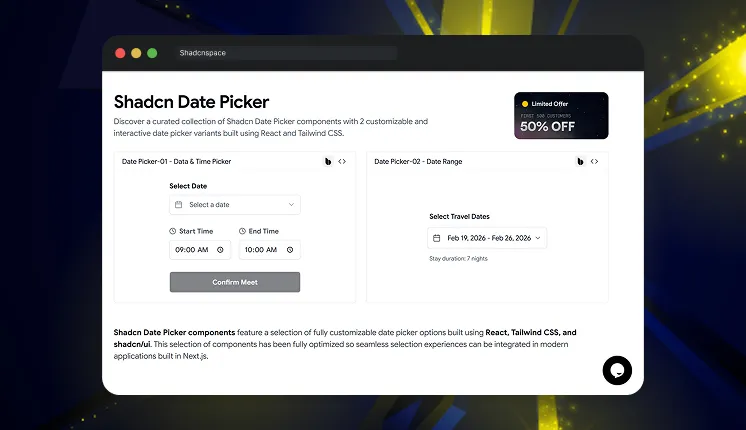
    Shadcn Space Date Picker

    Shadcn Space Date Picker

    This collection provides multiple ready-to-use date picker components built specifically for shadcn/ui projects. It includes standard date pickers, calendar popovers, and form-integrated pickers. All components follow shadcn component architecture, making them easy to integrate into existing projects.

    Tech stack: ShadcnUI v3.5, Radix UI v1, Base UI v1, React v19, TypeScript v5, Tailwind CSS v4

    Last Updated: Feb 2026

    Key features:

    • Includes calendar, popover, and input-based picker patterns
    • Uses composable shadcn component structure
    • Clean TypeScript component implementation
    • Supports form integration with controlled inputs
    • Compatible with Next.js server and client components

    Best for: SaaS dashboards, admin panels, and internal tools


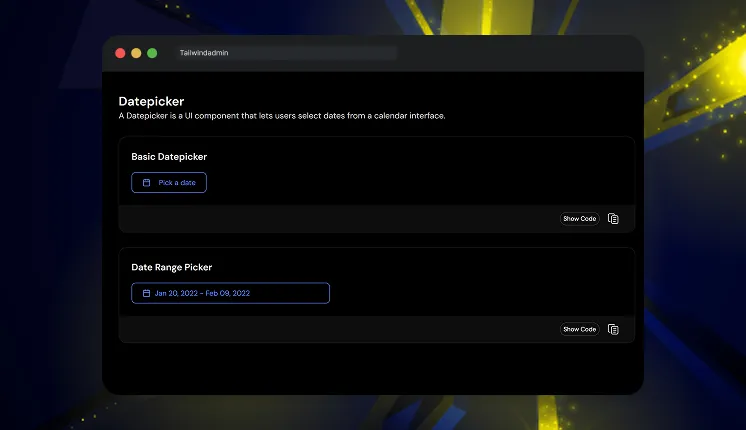
    Tailwindadmin Shadcn Date Picker

    Tailwindadmin Shadcn Date Picker

    This component provides production-ready date picker examples used in real dashboard interfaces. It includes calendar dropdown picker and input-based picker implementations. The code follows modular patterns suitable for scalable dashboard systems.

    Tech stack: ShadcnUI v3.5, Next.js v16, React v19, TypeScript v5, Tailwind CSS v4

    Last Updated: Feb 2026

    • Dashboard-focused picker UI patterns
    • Modular component separation
    • Clean Tailwind utility usage
    • Designed for analytics and reporting filters
    • Works well inside complex form systems

    Best for: Admin dashboards and analytics interfaces


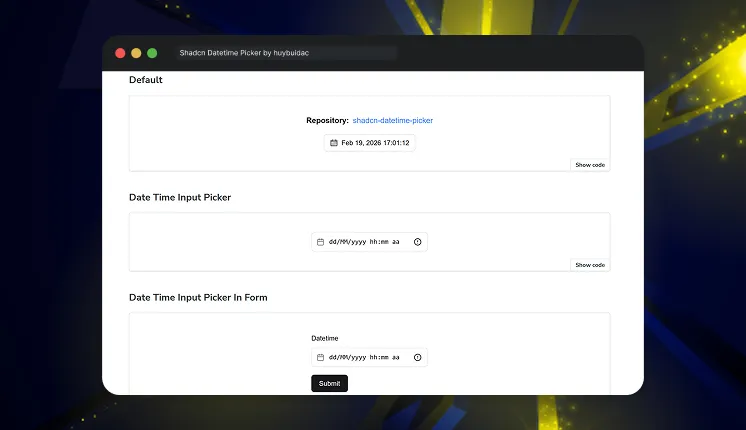
    Shadcn Datetime Picker by huybuidac

    Shadcn Datetime Picker by huybuidac

    This is a powerful and fully customizable component that simplifies date and time selection in React applications built with the Shadcn UI framework. With advanced features designed to enhance the user experience, this datetime picker provides seamless integration and a responsive, user-friendly interface. Whether you need a robust datetime, date, or time picker, this provides the flexibility and functionality needed for modern applications.

    Tech stack: ShadcnUI v2, Next.js v14, React v18, Radix UI v1, Tailwind CSS v3

    GitHub Stars: 202

    Last Updated: 2024

    Key features:

    • Combined date and time picker support
    • Timezone support for global apps
    • Min and max date validation
    • Custom trigger rendering support
    • Works with React state and form libraries

    Best for: SaaS apps with timezone and datetime requirements


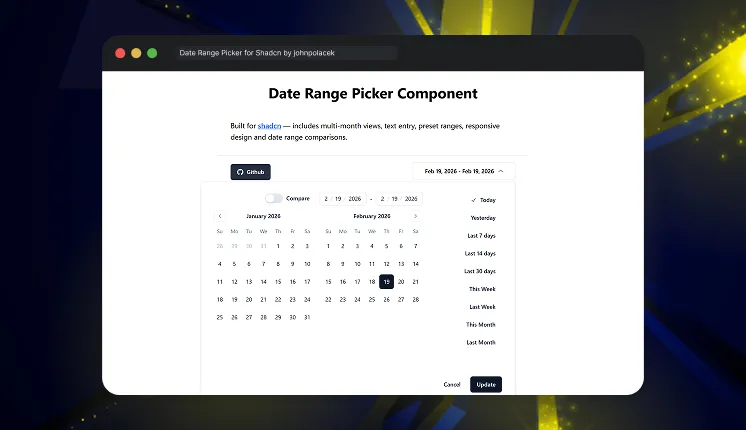
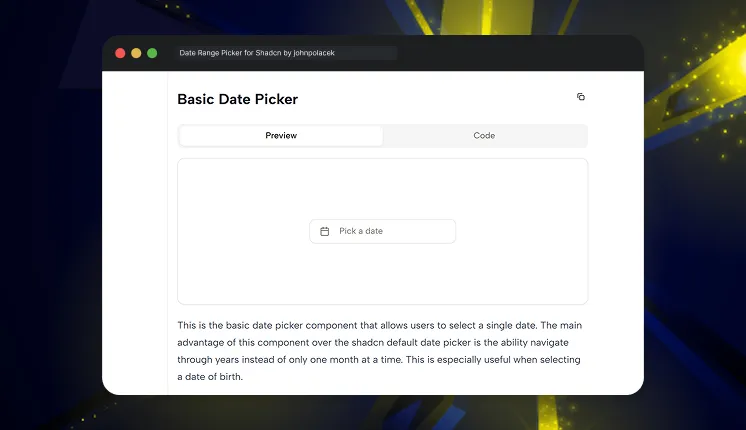
    Date Range Picker for Shadcn by johnpolacek

    Date Range Picker for Shadcn by johnpolacek

    This is a reusable component built for Shadcn using beautifully designed components from Radix UI and Tailwind CSS. It provides a dropdown interface to allow users to select or enter a range of dates and includes additional options such as preset date ranges and an optional date comparison feature.

    Tech stack: Radix UI v1, Mocha.js v10, React v18, Jest v29.5, Tailwind CSS v3

    GitHub Stars: 1K+

    Last Updated: 2024

    • Native date range selection support
    • Optimized for analytics filtering
    • Clean range selection state logic
    • Works with controlled components
    • Designed for dashboard usage

    Best for: Analytics dashboards and reporting systems


    Shadcn Date Picker by flixlix

    Shadcn Date Picker by flixlix

    This custom Shadcn component aims to provide a more advanced alternative to the default date picker component. It is built on top of the react-day-picker library, which provides a wide range of customization options.

    Tech stack: ShadcnUI v2.6, Next.js v15, Radix UI v1, React v19, Tailwind CSS v3

    GitHub Stars: 363

    Last Updated: Dec 2025

    • Single date selection
    • Date range selection
    • Month and year navigation
    • Easy integration into existing UI systems
    • Supports Light & Dark Mode

    Best for: General application date selection


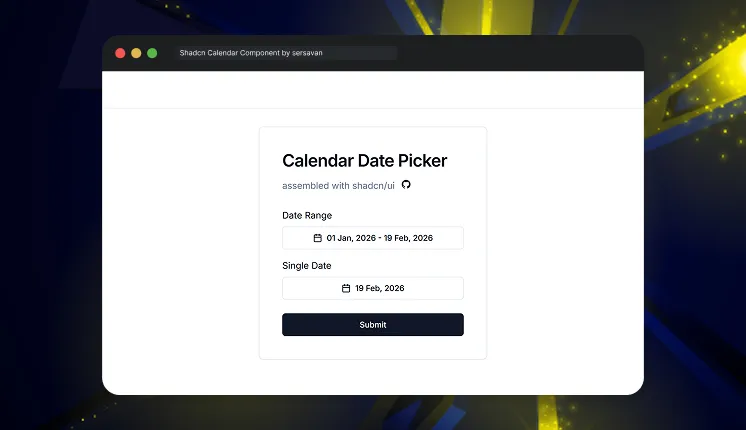
    Shadcn Calendar Component by sersavan

    Shadcn Calendar Component by sersavan

    This is a reusable calendar and date range picker built for shadcn/ui projects. It is designed for React and Next.js apps using TypeScript and Tailwind CSS. The component focuses on clean UI, easy customization, and smooth date selection. It helps developers quickly add flexible calendar functionality to modern web applications.

    Tech stack: Next.js v14, Radix UI v1, Zod v3, React v18, Tailwind CSS v3

    GitHub Stars: 327

    Last Updated: Dec 2025

    • Single date and date range selection support
    • Easy state management
    • Timezone-aware date handling 
    • Predefined date ranges like Today, Last 7 Days, This Month
    • Minimal setup required

    Best for: Custom calendar integrations


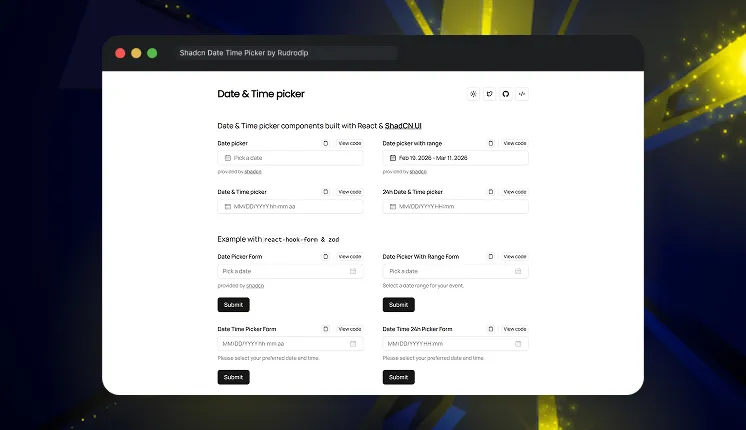
    Shadcn Date Time Picker by Rudrodip

    Shadcn Date Time Picker by Rudrodip

    This project features a range of Date and Time picker components built with ShadCN. These examples demonstrate the versatility and functionality of the component across various use cases.

    Tech stack: Next.js v14, Radix UI v1, Zod v3, React v18, Tailwind CSS v3

    GitHub Stars: 283

    Last Updated: May 2025

    • Supports combined date and time selection
    • Date range & 12h formats available 
    • Integrates with react-hook-form and Zod for form handling & validation 
    • Clean TypeScript implementation
    • Live examples with copy/view code UI for quick implementation 

    Best for: Booking systems and scheduling apps


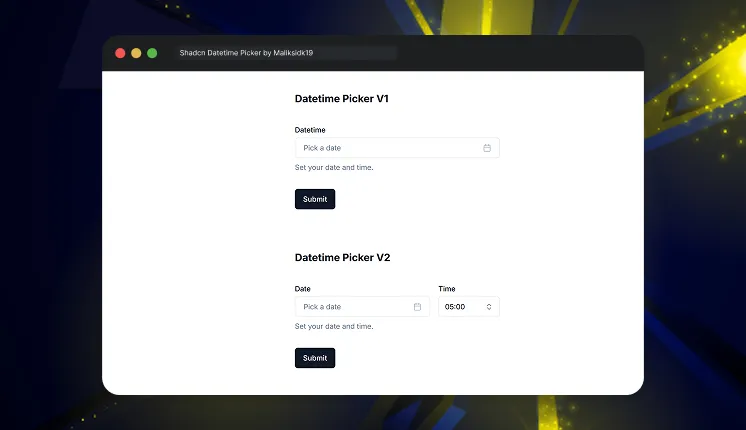
    Shadcn Datetime Picker by Maliksidk19

    Shadcn Datetime Picker by Maliksidk19

    This project provides a beautifully crafted datetime picker component built using the Shadcn UI. It offers an intuitive interface for selecting dates and times in React applications.

    Tech stack: Next.js v15, Radix UI v1, React v19, Tailwind CSS v3

    GitHub Stars: 266

    Last Updated: March 2025

    • Supports combined datetime selection
    • Works with controlled input components
    • Customizable Layout
    • Easy integration into dashboards
    • Lightweight implementation

    Best for: Internal tools and admin apps


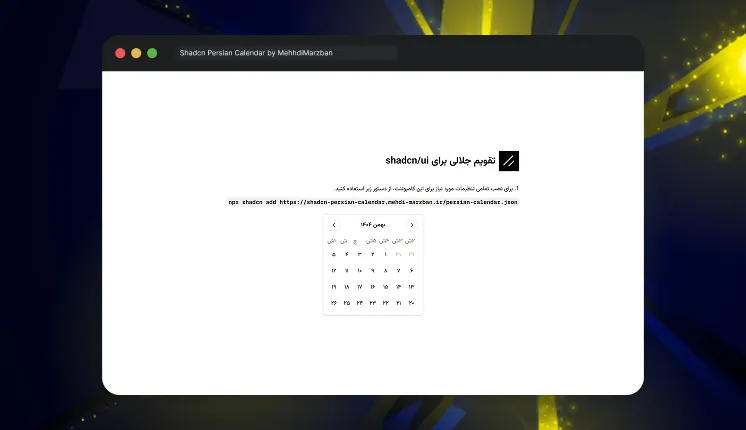
    Shadcn Persian Calendar by MehhdiMarzban

    Shadcn Persian Calendar by MehhdiMarzban

    This is a beautiful, accessible, and customizable Persian (Jalali) date picker component for React applications built with Shadcn UI components.

    Tech stack: Next.js v15, Radix UI v1, React v19, Tailwind CSS v3

    GitHub Stars: 27

    Last Updated: Feb 2025

    • Persian calendar support
    • Single date, range, and multiple date selection modes
    • Accessible (WAI-ARIA compliant)
    • Year switcher
    • Supports Dark mode

    Best for: Persian and regional applications


    Frequently Asked Questions

    Date pickers from Shadcn Space and Tailwindadmin are strong choices because their components are regularly updated and well-maintained. They offer support for analytics filtering and are built with a scalable component architecture, making them reliable for growing applications.


    The datetime picker by huybuidac supports timezone selection, min date, and max date validation. This is useful for global SaaS applications.


    Yes, all components are built with React, TypeScript, and Tailwind CSS, and work directly in Next.js apps.


    Final Thoughts

    These 9 free shadcn date picker components provide production-ready solutions for modern applications. They support core needs like date selection, datetime input, analytics filtering, and scheduling.

    For most SaaS and dashboard applications, the datetime picker by Shadcn Space and the date range picker by johnpolacek provide the best flexibility and scalability.

    If you’re building with shadcn/ui, you can also explore our curated collection of shadcn blocks to quickly create modern pages and layouts. We’ve also prepared a detailed guide on shadcn libraries that you can check out to discover more useful tools for your projects.

  • 30+ Best Shadcn Blocks for Startups & SaaS Dashboards

    When you’re building a SaaS product, admin dashboard, or internal tool, writing UI from scratch slows everything down. That’s why modern teams are moving toward Shadcn blocks – composable, accessible, and production-ready UI sections built on Shadcn, Radix UI, Base UI, and Tailwind CSS.

    In this guide, we’ll explore over 30+ essential Shadcn UI blocks for startups, highlight real-world examples with code, and explain how to integrate them into real products.

    This article is written for developers, founders, and product teams building with React, Next.js, and Tailwind CSS.

    For more information and better clarity, visit our official documentation guide.


    What are Shadcn Blocks?

    Shadcn blocks are prebuilt UI sections composed of multiple Shadcn components. These blocks typically include layouts such as:

    • Dashboards
    • Sidebars
    • Auth pages
    • Pricing sections
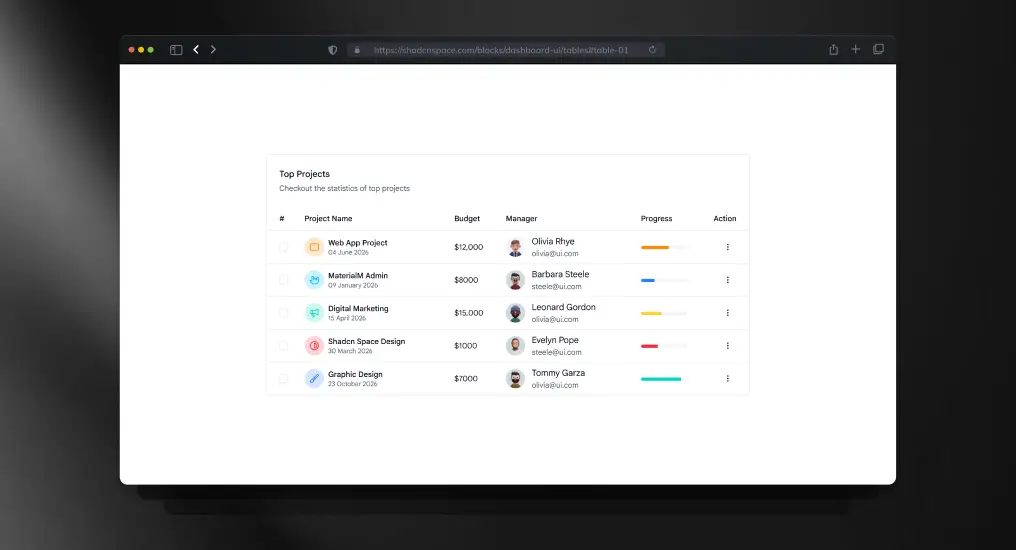
    • Tables
    • Forms
    • Settings pages

    Instead of assembling the UI from scratch, you copy a block, drop it into your codebase, and adapt it to your product’s data and logic.


    Shadcn Space Blocks Features

    FeatureDescription
    Responsive PreviewsView block layouts across mobile, tablet, and desktop screens.
    Install AnywhereInstall blocks via CLI using pnpm, npm, yarn, or bun.
    Open in v0Preview blocks live and edit them in v0 with one click.
    Theme Toggle (Light/Dark)Built-in support to switch theme styles.
    Figma PreviewAccess corresponding Figma designs for each block.
    Copy-Paste ReadyCopy the JSX directly into your React or Next.js project.

    30+ Essential Shadcn UI Blocks for Startups

    Below are the most commonly used blocks across SaaS and startup products.


    Agency Hero Section

    Agency Hero Section

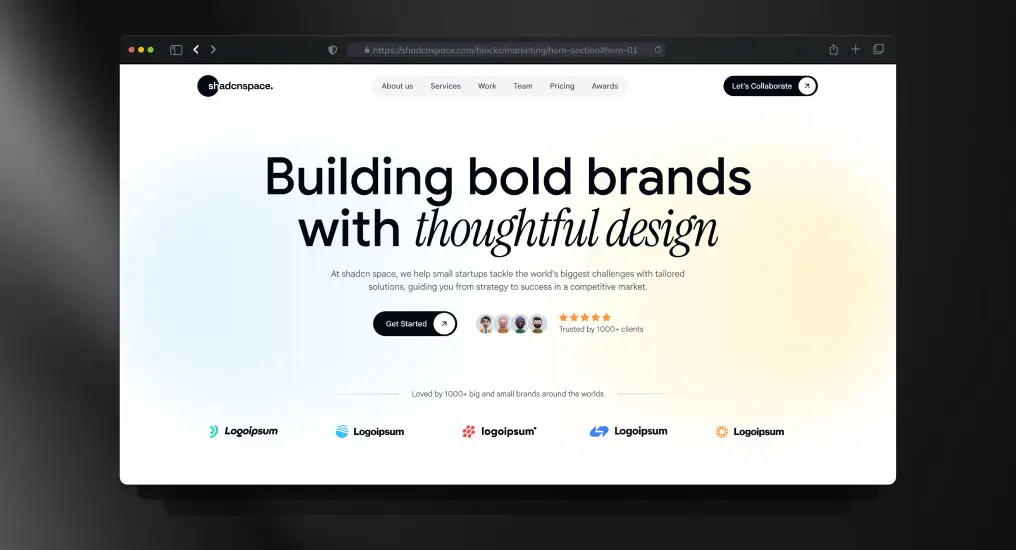
    A conversion-focused hero layout built for service-based and product-driven teams. Uses clear typography hierarchy, CTA prioritization, and responsive spacing to establish intent immediately. Designed to plug directly into marketing or product entry pages without refactoring.

    Use Cases

    • SaaS landing page hero
    • Agency or studio homepage
    • Product launch announcement
    • Startup marketing website
    • Campaign-specific landing page

    Three-Tier Pricing Layout Section

    Three-Tier Pricing Layout Section

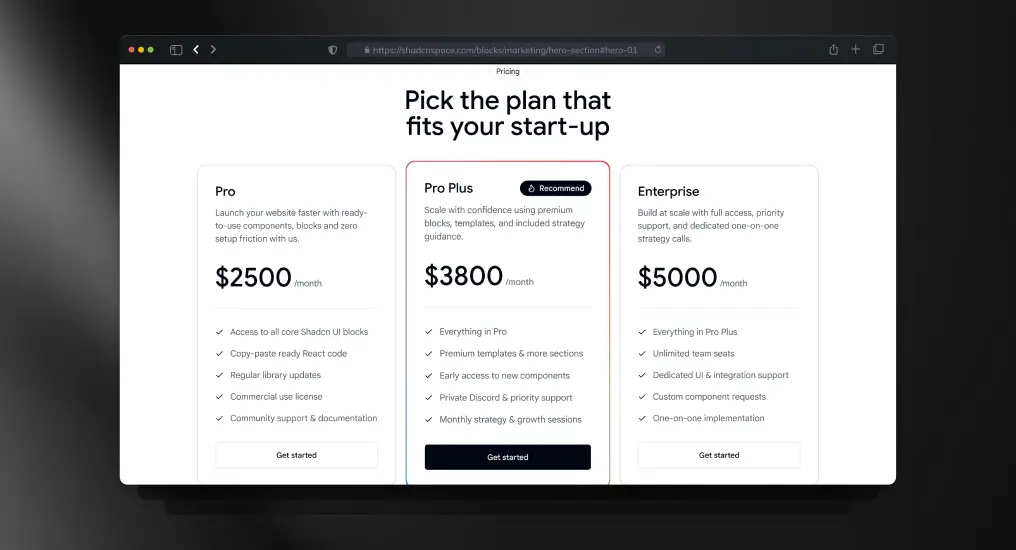
    A structured pricing block with three plan tiers optimized for comparison clarity. Supports scalable pricing models and maps cleanly to Stripe or custom billing logic. Keeps pricing decisions frictionless for users.

    Use Cases

    • SaaS subscription pricing
    • Plan comparison pages
    • Early-stage MVP pricing
    • Startup vs enterprise plans
    • Product monetization pages

    Two Charts Side by Side

    Two Charts Side by Side

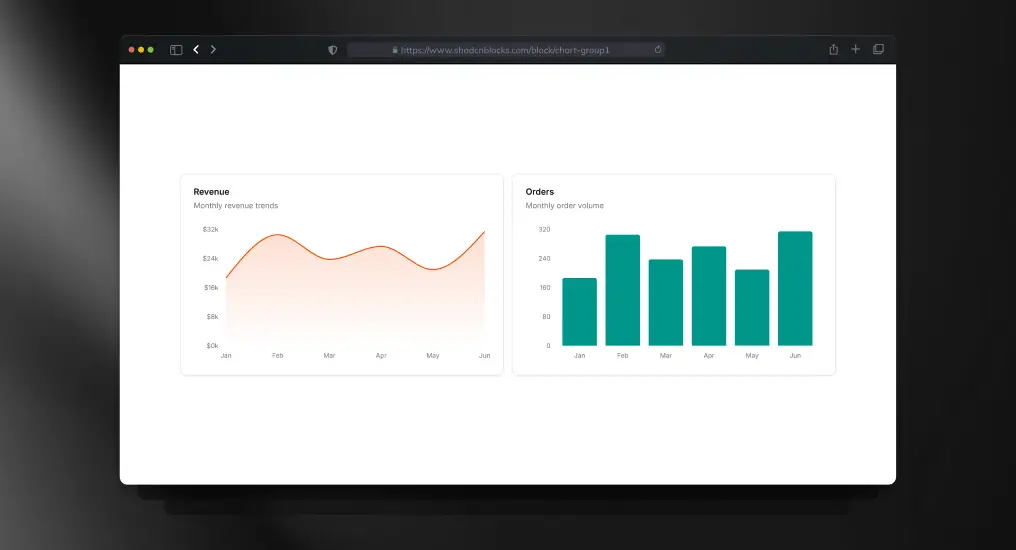
    A comparative chart layout for displaying related metrics together. Designed to maintain visual balance across screen sizes.

    Use Cases

    • Metric comparison
    • A/B test analysis
    • Performance benchmarking
    • Analytics dashboards
    • Business insights

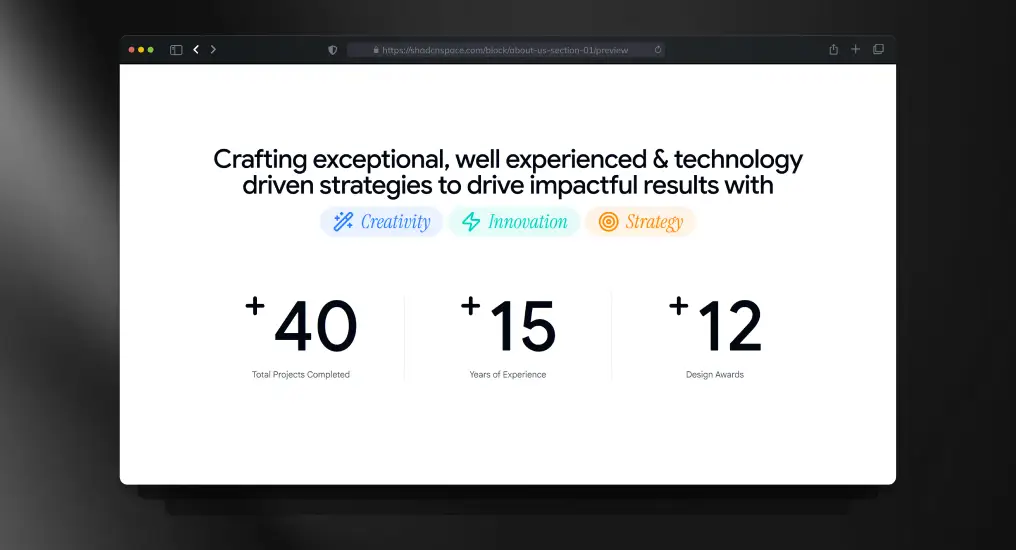
    About Us Section

    About Us Section

    A lightweight content section for communicating the company’s mission, vision, or background. Designed to be readable without interrupting primary navigation or conversion flows. Easy to adapt for static or CMS-driven content.

    Use Cases

    • About the company page
    • Startup story section
    • Mission & vision content
    • Team introduction area
    • Brand narrative pages

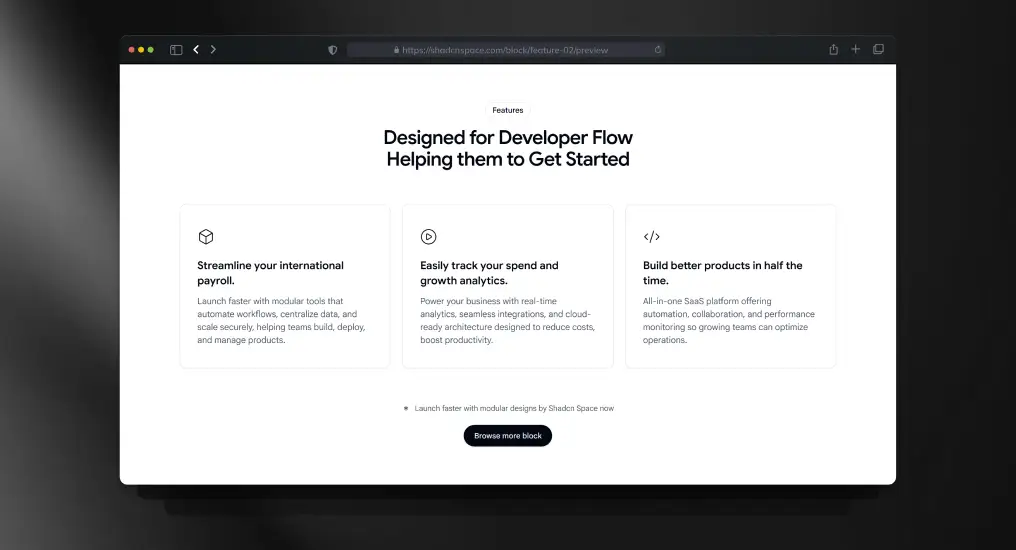
    Three Columns Feature with Icons

    Three Columns Feature with Icons

    A feature listing block with icon support and equal-width columns. Designed to keep content scannable while maintaining consistent spacing and alignment across breakpoints.

    Use Cases

    • Product feature highlights
    • Homepage value propositions
    • Competitive comparison sections
    • Post-hero content blocks
    • Marketing feature summaries

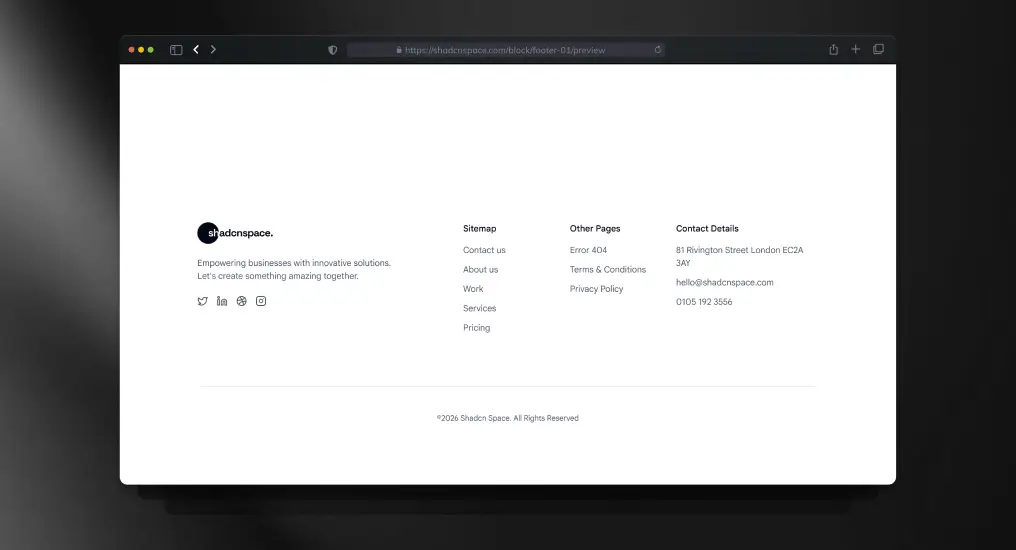
    Multi-Column Footer Layout

    A structured footer layout with multiple link groups and brand context. Acts as a stable layout anchor across marketing and application pages. Designed for extensibility without visual clutter.

    Use Cases

    • Site-wide footer
    • Legal and policy links
    • Resource navigation
    • Newsletter signup area
    • Marketplace or SaaS footer

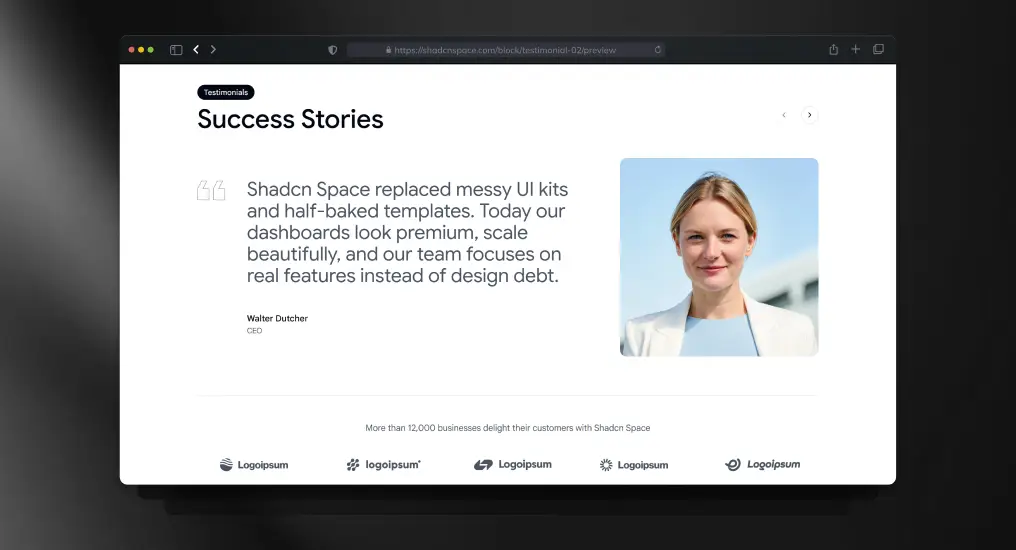
    Testimonial Slider Showcase

    Testimonial Slider Showcase

    A testimonial carousel block designed for dynamic or static data sources. Preserves layout stability while cycling content, making it suitable for performance-sensitive landing pages.

    Use Cases

    • Social proof sections
    • Customer success highlights
    • Case study previews
    • Trust-building on landing pages
    • Product credibility sections

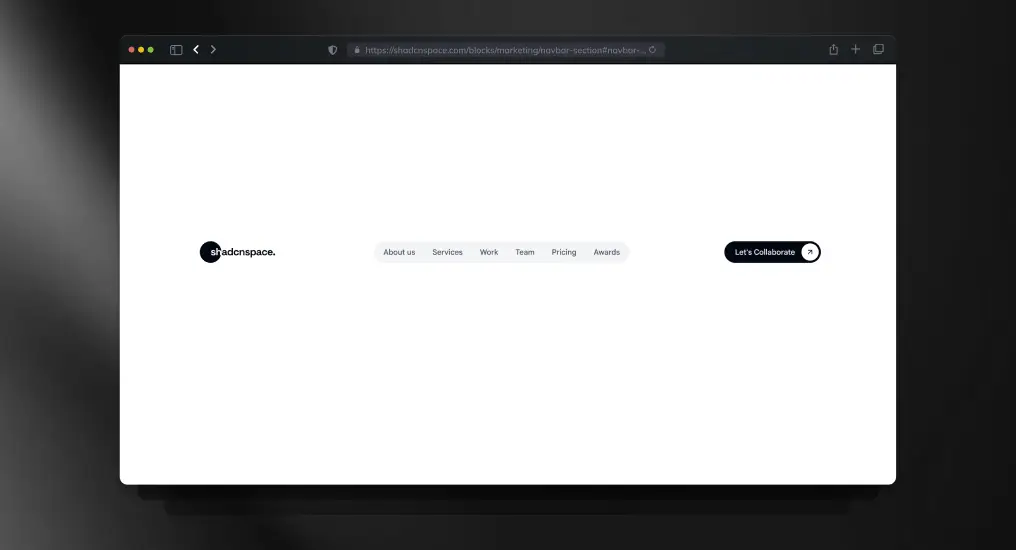
    Navigation Bar Block

    A responsive top navigation bar supporting branding, links, and action items. Handles layout shifts cleanly across screen sizes and works for both public and authenticated states.

    Use Cases

    • Marketing website navigation
    • Logged-in app header
    • Sticky navigation layouts
    • Dropdown menu integration
    • Product navigation bar

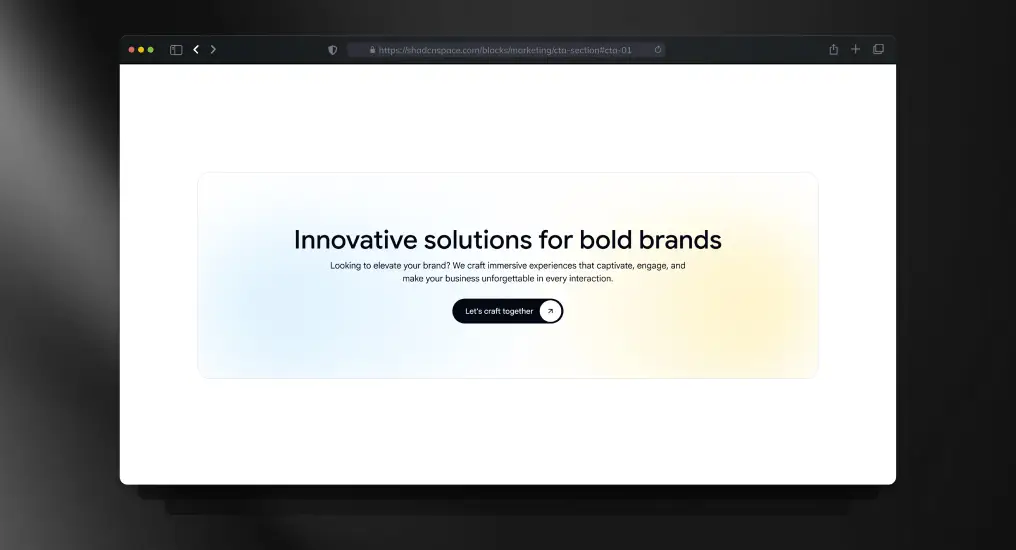
    Gradient CTA Block

    Gradient CTA Block

    A visually distinct call-to-action section using gradient emphasis without sacrificing readability. Designed to reduce distraction and guide users toward a single primary action.

    Use Cases

    • Signup prompts
    • Early access invitations
    • Product demo CTAs
    • Newsletter subscriptions
    • Conversion-focused sections

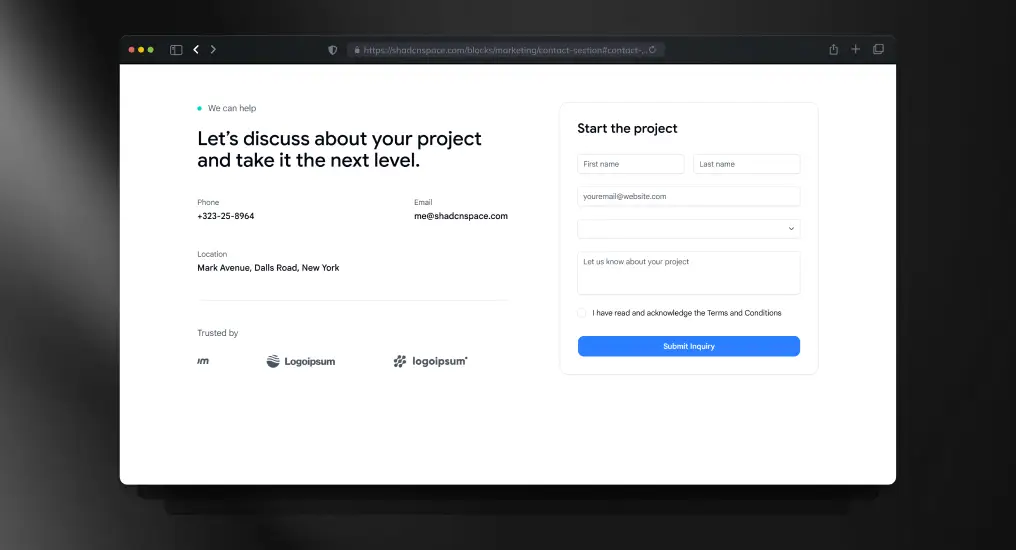
    Project Inquiry Contact Form

    Project Inquiry Contact Form

    A form-centric contact block designed for direct integration with API routes or third-party handlers. Keeps layout minimal while supporting validation and submission feedback.

    Use Cases

    • Contact pages
    • Project inquiry forms
    • Partnership requests
    • Support ticket entry
    • Lead capture forms

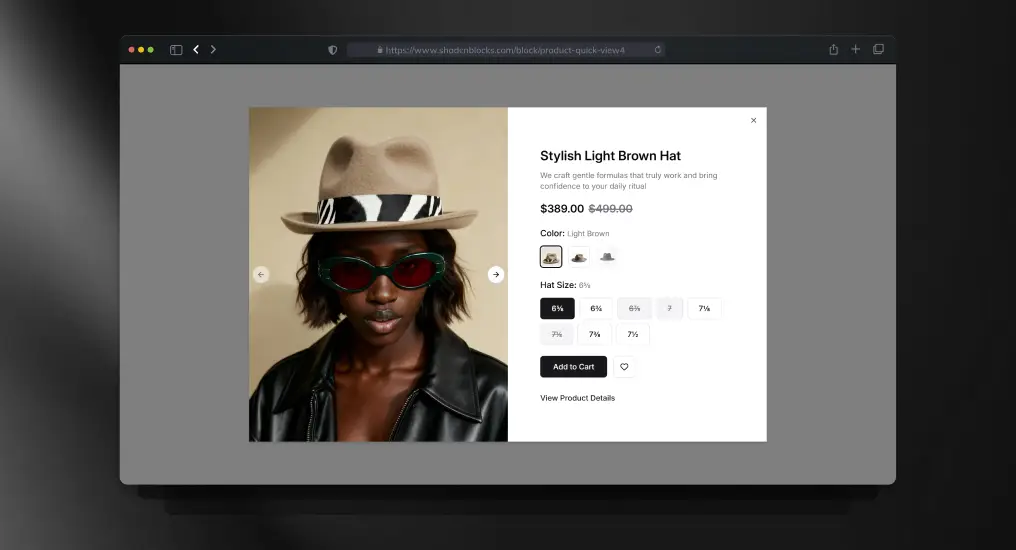
    Product Quick View

    Product Quick View

    A modal-style product preview block for fast browsing without navigation changes.

    Use Cases

    • Ecommerce quick previews
    • Product comparison
    • Upsell opportunities
    • Faster browsing flows
    • Catalog interfaces

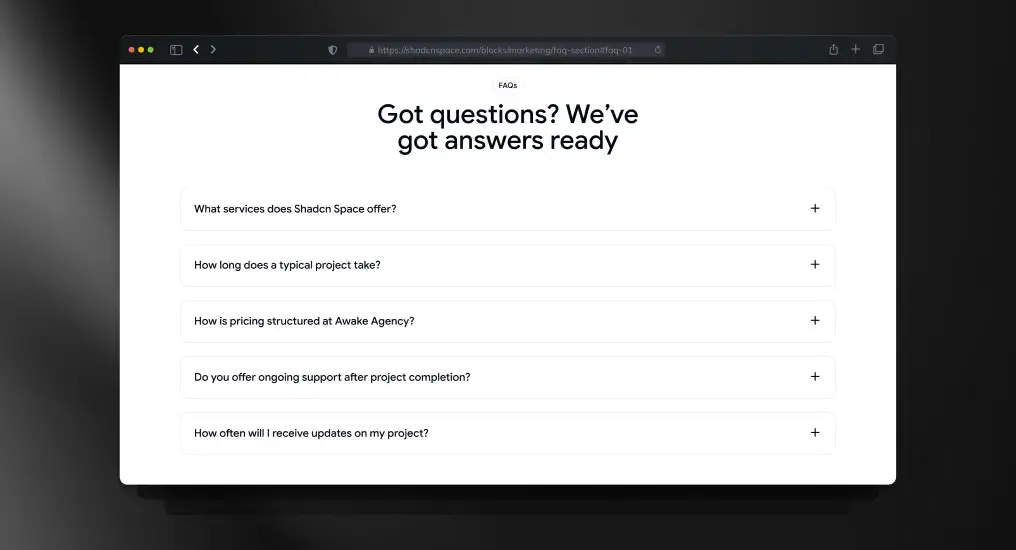
    Accordion-Style FAQ Section

    Accordion-Style FAQ Section

    An expandable FAQ layout optimized for readability and SEO. Keeps long-form content compact while allowing users to scan and reveal only relevant answers.

    Use Cases

    • Product FAQs
    • Pricing clarification sections
    • Documentation pages
    • Sales enablement content
    • Support resources

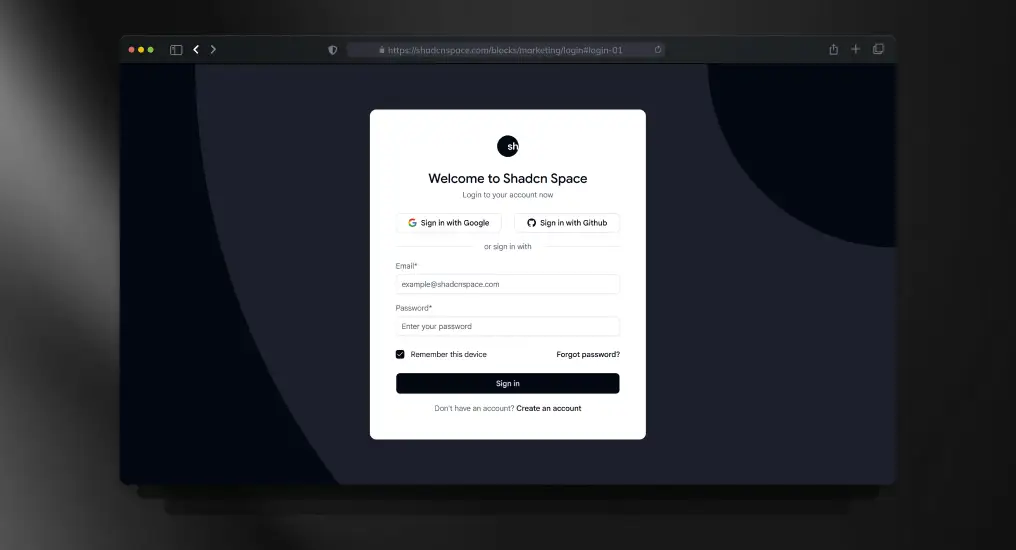
    Login Page Block

    Login Page Block

    A standard authentication layout supporting email/password and external providers. Designed to integrate with any auth system without enforcing implementation details.

    Use Cases

    • SaaS login pages
    • Customer portals
    • Admin access screens
    • Secure app entry points
    • Auth gateway pages

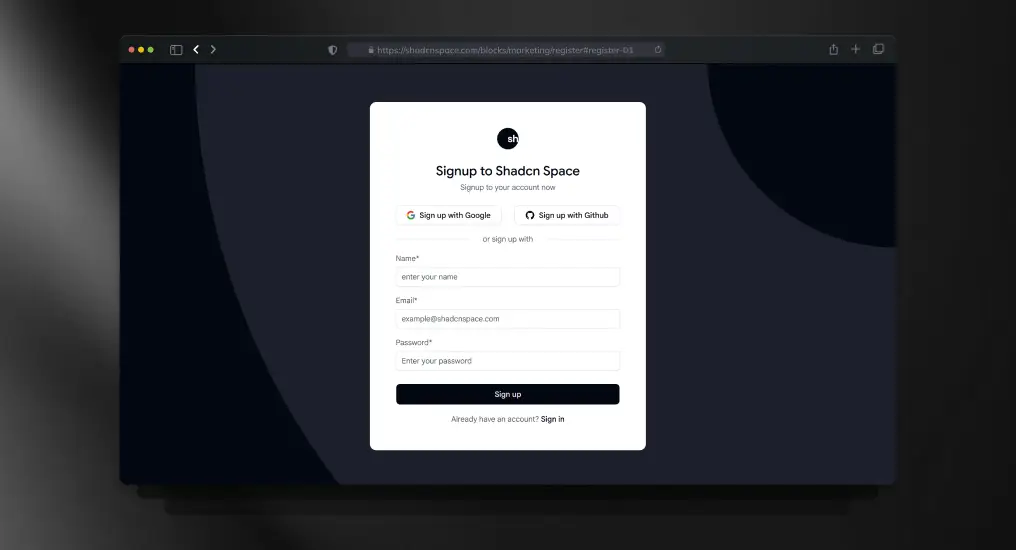
    Sign-Up Page Block

    Sign-Up Page Block

    A full registration layout supporting validation, onboarding flows, and progressive disclosure. Built to scale from simple signup to complex onboarding.

    Use Cases

    • New user registration
    • Beta access signup
    • Email-based onboarding
    • Product trial entry
    • Account creation pages

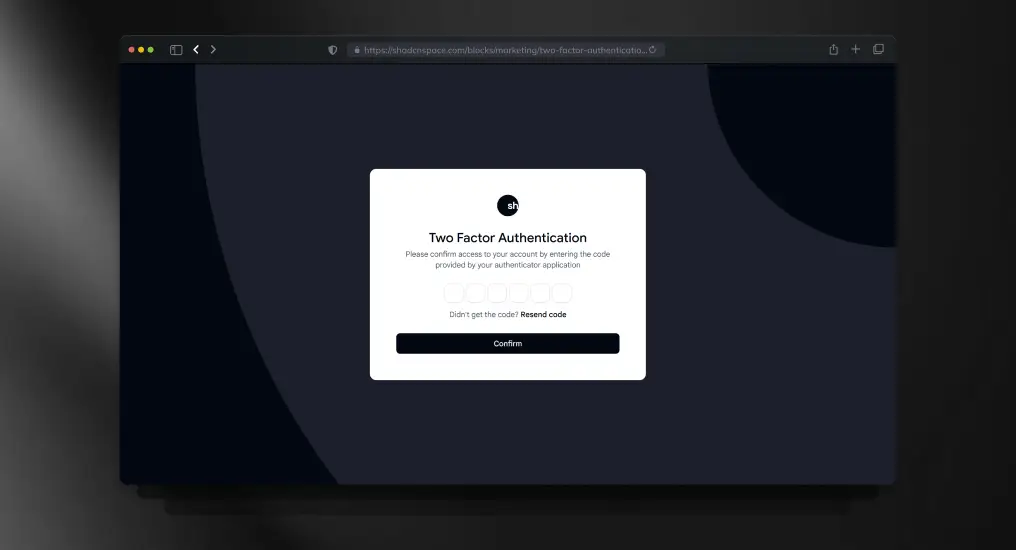
    Two-Factor Authentication Page

    Two-Factor Authentication Page

    A focused verification layout for OTP or security codes. Designed to minimize cognitive load during sensitive authentication steps.

    Use Cases

    • Secure login flows
    • Financial dashboards
    • Admin verification steps
    • Account protection layers
    • Sensitive action confirmation

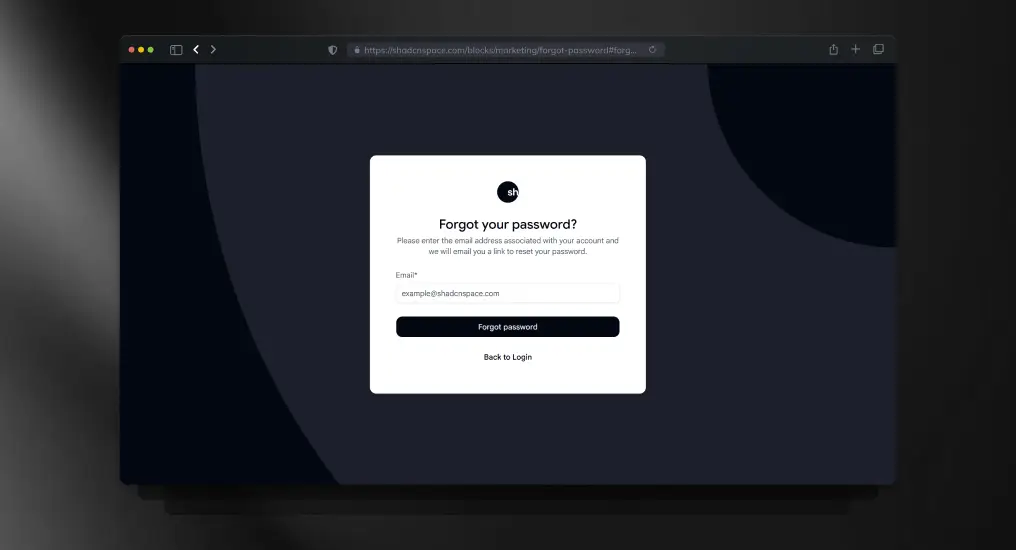
    Forgot Password Page

    Forgot Password Page

    An isolated password recovery layout designed to keep authentication flows predictable and simple. Easily integrates with email-based reset systems.

    Use Cases

    • Password recovery
    • Account maintenance
    • Support workflows
    • Credential reset flows
    • Auth error recovery

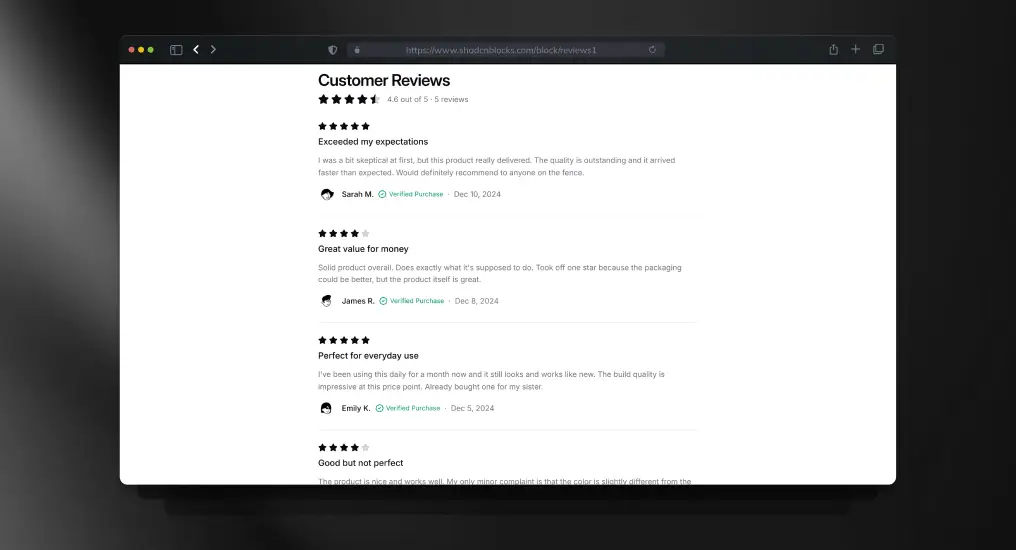
    Customer Reviews Block

    Customer Reviews Block

    A review listing block optimized for readability and trust. Supports ratings, comments, and structured content.

    Use Cases

    • Product review sections
    • Social proof displays
    • Ecommerce product pages
    • Feedback showcases
    • Trust-building UI

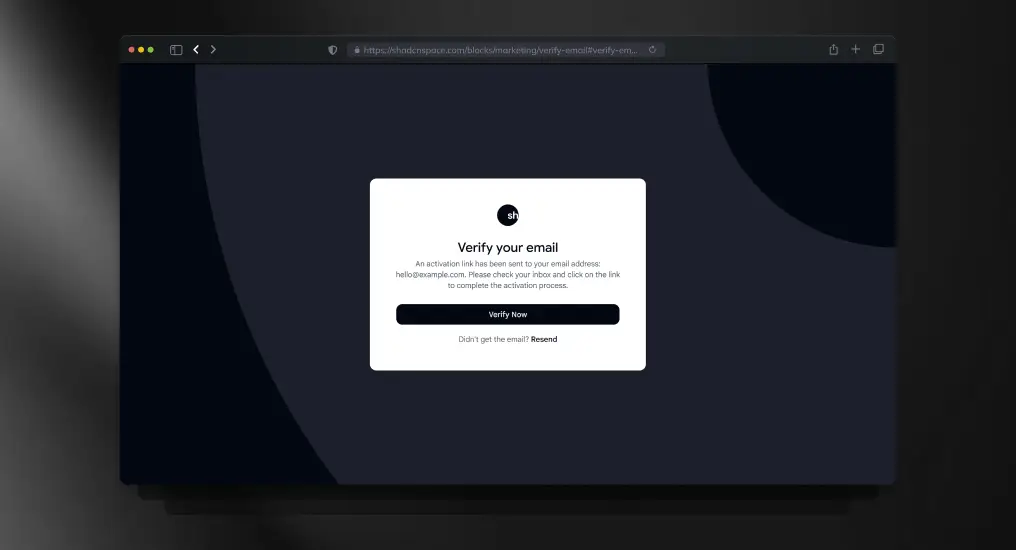
    Email Verification Page

    Email Verification Page

    A post-registration verification layout used to gate full product access. Keeps users focused on completing activation without distraction.

    Use Cases

    • Account activation
    • Email confirmation flows
    • Post-signup onboarding
    • Security enforcement
    • Access gating pages

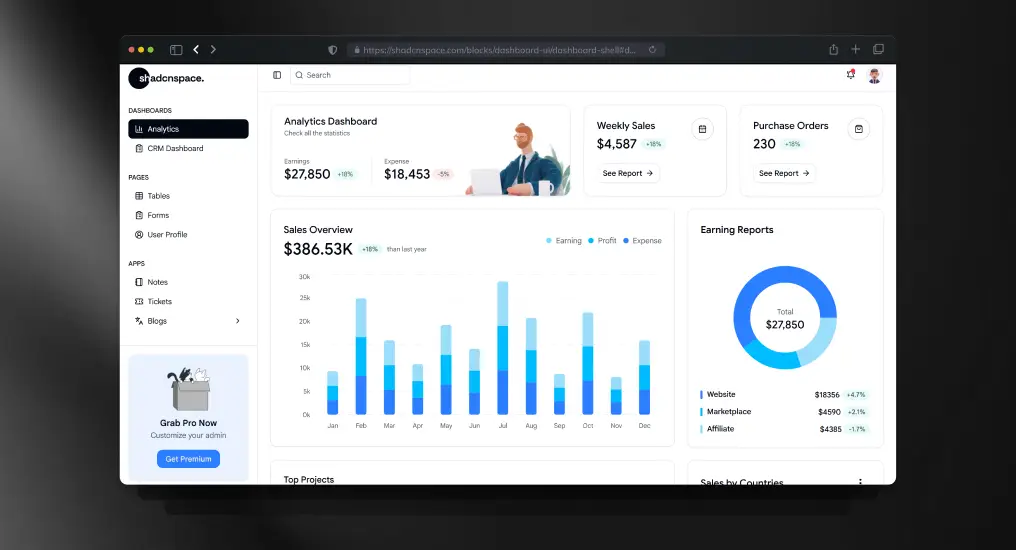
    Dashboard Shell

    Dashboard Shell

    A master application layout combining sidebar and main content regions. Establishes a consistent structure for complex, multi-view interfaces.

    Use Cases

    • SaaS admin dashboards
    • Analytics platforms
    • Internal tools
    • Multi-module applications
    • Back-office systems

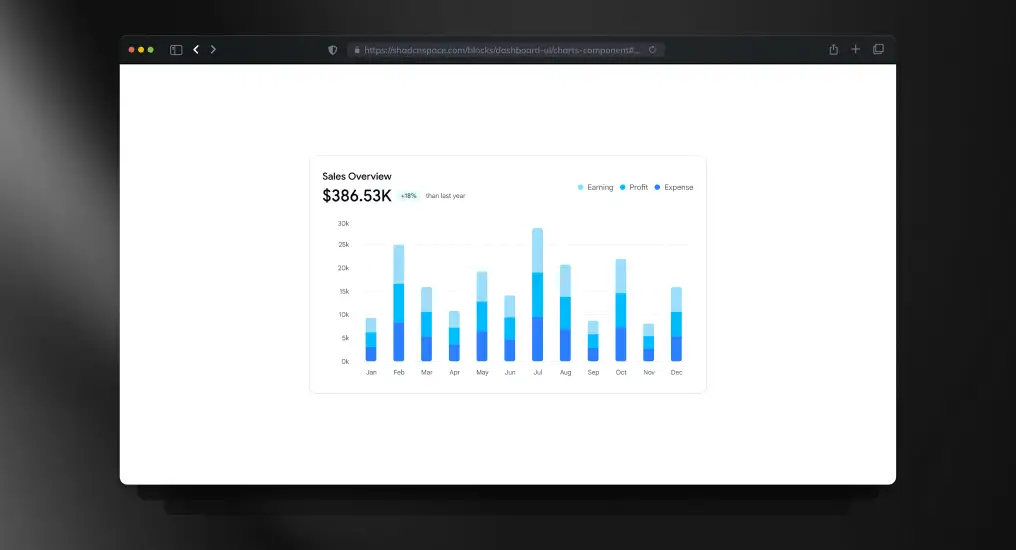
    Sales Performance Bar Chart

    Sales Performance Bar Chart

    A chart-focused block optimized for performance and clarity. Abstracts layout concerns while remaining chart-library agnostic.

    Use Cases

    • Revenue tracking
    • Sales analytics
    • KPI dashboards
    • Performance reports
    • Business intelligence views

    Shopping Cart Block

    Shopping Cart Block

    A cart layout showing selected items, quantities, and totals. Designed to integrate with checkout or payment flows.

    Use Cases

    • Ecommerce carts
    • Subscription add-ons
    • Order previews
    • Checkout preparation
    • Product bundling

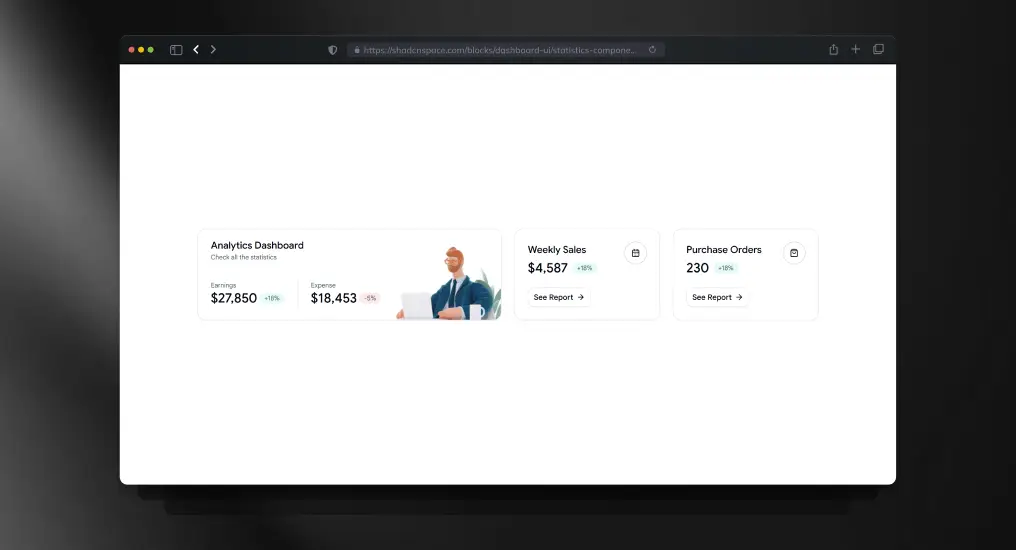
    Statistics Section with KPI Cards

    Statistics Section with KPI Cards

    A compact metrics block designed to surface high-signal data at a glance. Ideal for executive summaries and dashboard overviews.

    Use Cases

    • KPI dashboards
    • Executive reporting
    • Daily metrics display
    • Performance snapshots
    • Summary panels

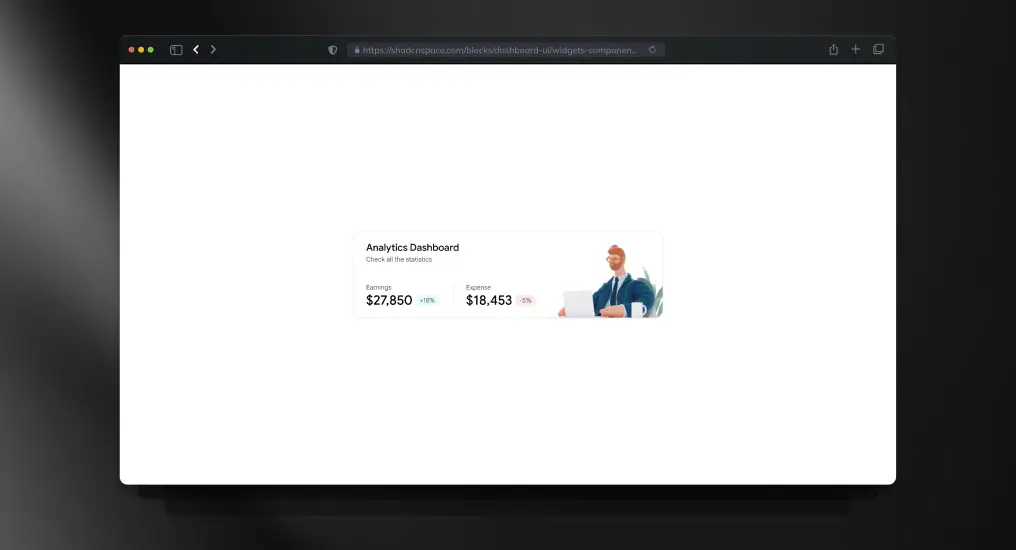
    Analytics Overview Widget

    Analytics Overview Widget

    A modular widget block for displaying focused analytics or quick insights. Designed to compose easily into customizable dashboards.

    Use Cases

    • Personalized dashboards
    • Mini analytics panels
    • Real-time indicators
    • Notification widgets
    • Quick insights views

    Data Table Block

    Data Table Block

    A structured table layout supporting extension for sorting, pagination, and row actions. Designed for readability and large datasets.

    Use Cases

    • User management tables
    • Orders and transactions
    • Logs and audit trails
    • Admin data grids
    • Reporting interfaces

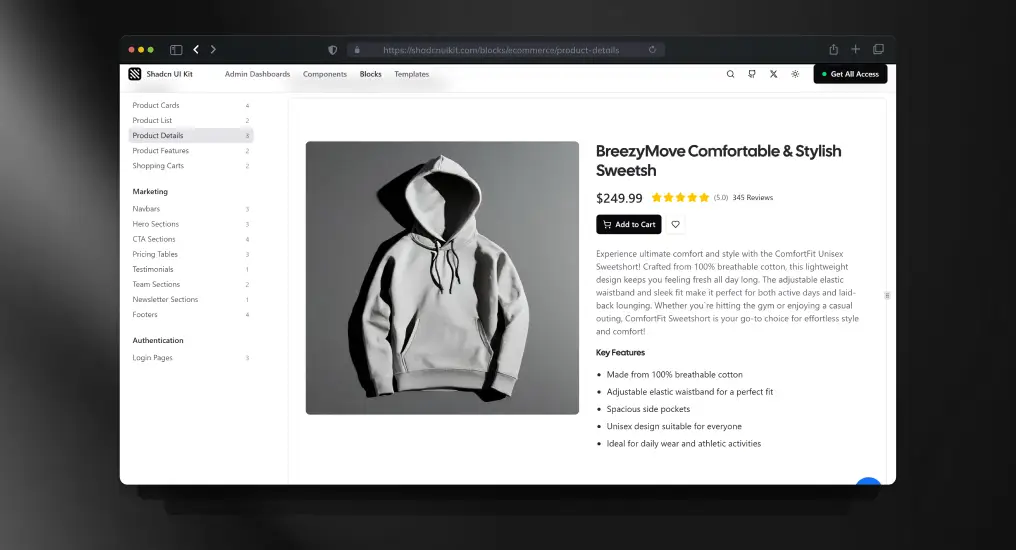
    Product Detail Block

    Product Detail Block

    A full product detail layout designed for clarity and conversion. Supports images, pricing, and descriptive content.

    Use Cases

    • Ecommerce product pages
    • Digital goods listings
    • SaaS add-ons
    • Marketplace items
    • Feature detail views

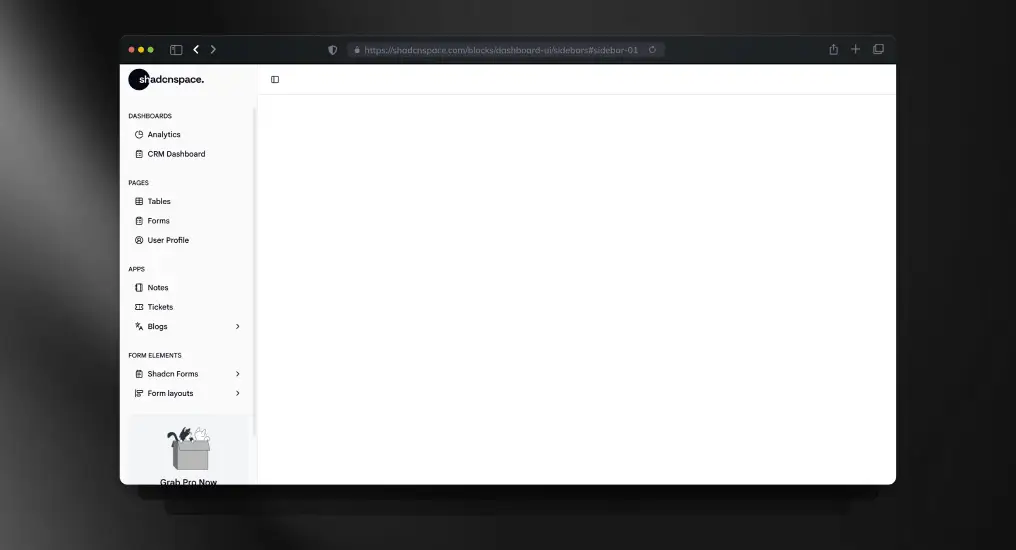
    Admin Dashboard Sidebar

    Admin Dashboard Sidebar

    A vertical navigation sidebar optimized for long-lived applications. Supports role-based navigation and scalable menu structures.

    Use Cases

    • Admin dashboards
    • Feature-rich SaaS apps
    • Internal tooling
    • Role-based navigation
    • Persistent app layout

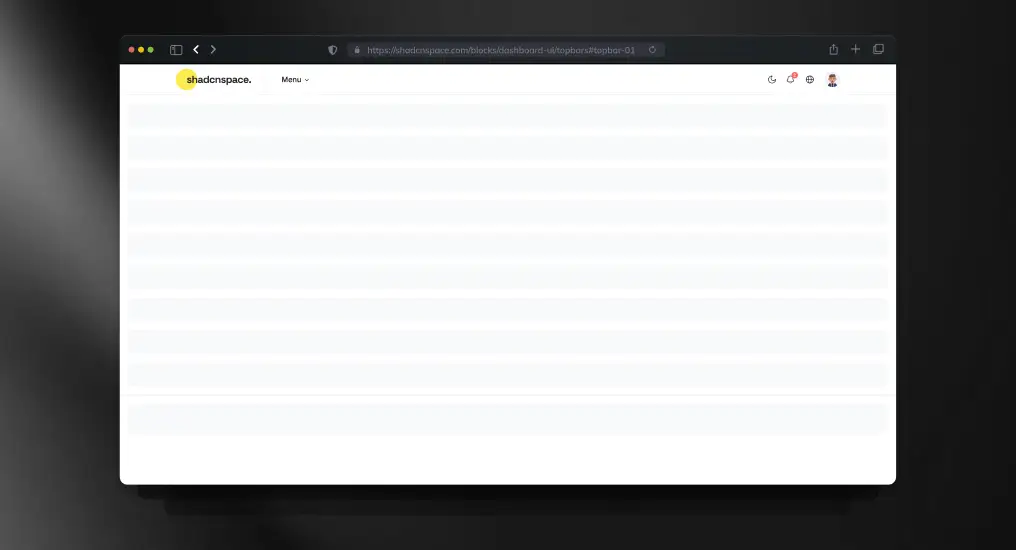
    Simple Topbar Block

    Simple Topbar Block

    A minimal topbar layout designed for global actions and context-aware controls. Commonly paired with dashboards and internal tools.

    Use Cases

    • Search and command access
    • Notifications area
    • App-level actions
    • Dashboard headers
    • Branding placement

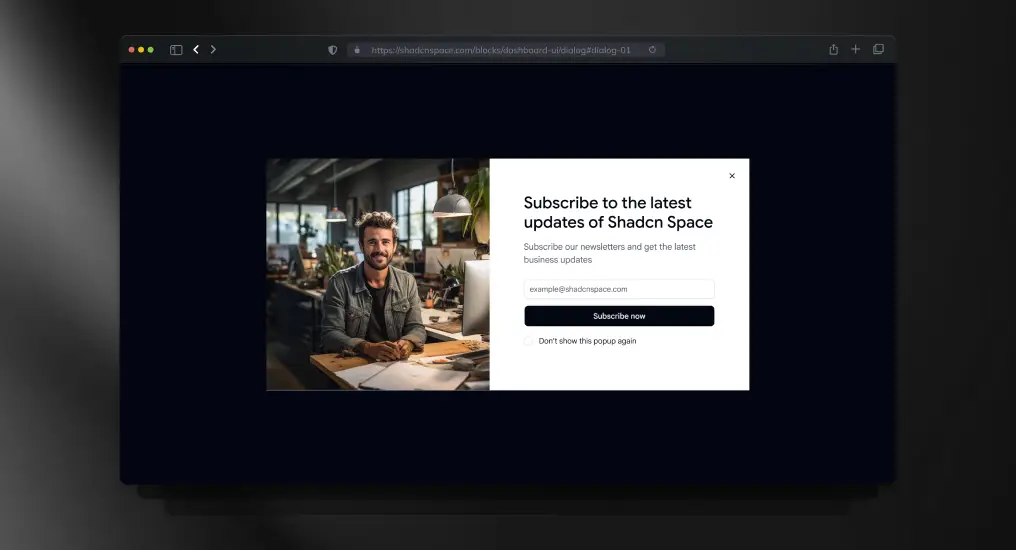
    Newsletter Subscription Dialog

    Newsletter Subscription Dialog

    A modal-based subscription block designed to capture emails without disrupting user flow. Keeps background context intact during interaction.

    Use Cases

    • Newsletter signup
    • Product updates opt-in
    • Marketing campaigns
    • Lead generation modals
    • Feature announcements

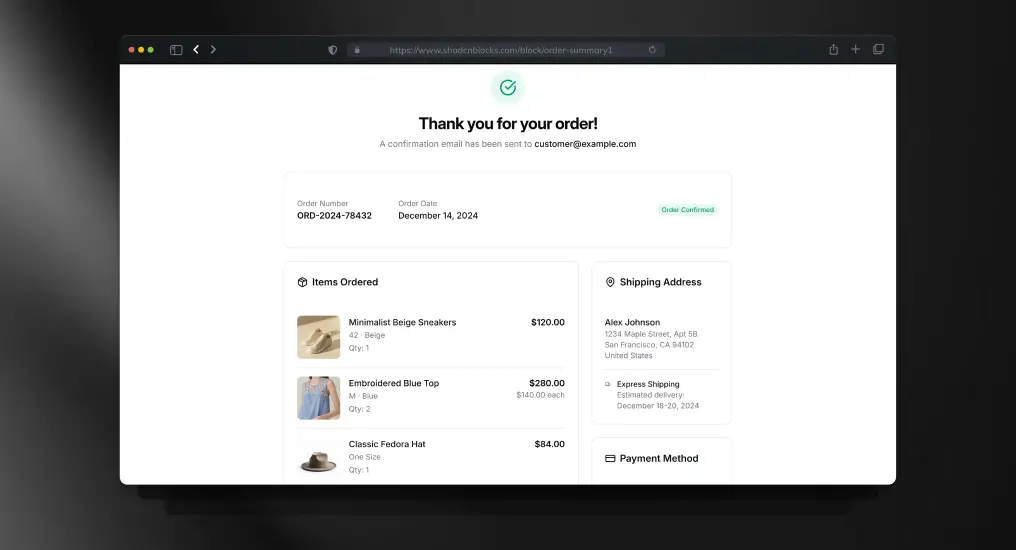
    Order Summary Block

    Order Summary Block

    A transactional summary layout showing selected items and totals. Designed to reduce errors before checkout confirmation.

    Use Cases

    • Checkout review pages
    • Order confirmation
    • Invoice previews
    • Subscription summaries
    • Payment verification

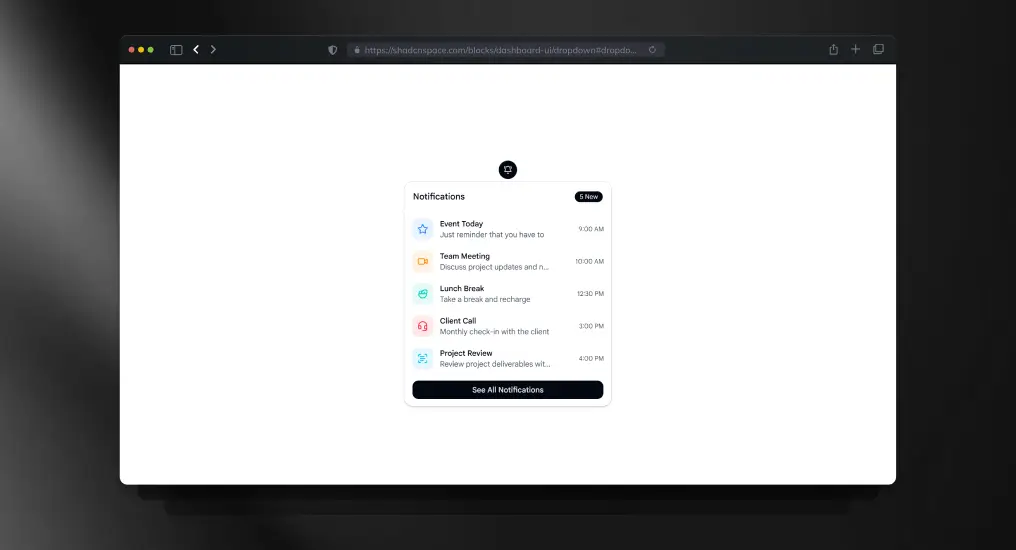
    User Profile Dropdown

    User Profile Dropdown

    A compact dropdown menu for user-specific actions. Designed to keep action density high without cluttering the interface.

    Use Cases

    • Profile menus
    • Account actions
    • Contextual navigation
    • User settings access
    • Authenticated headers

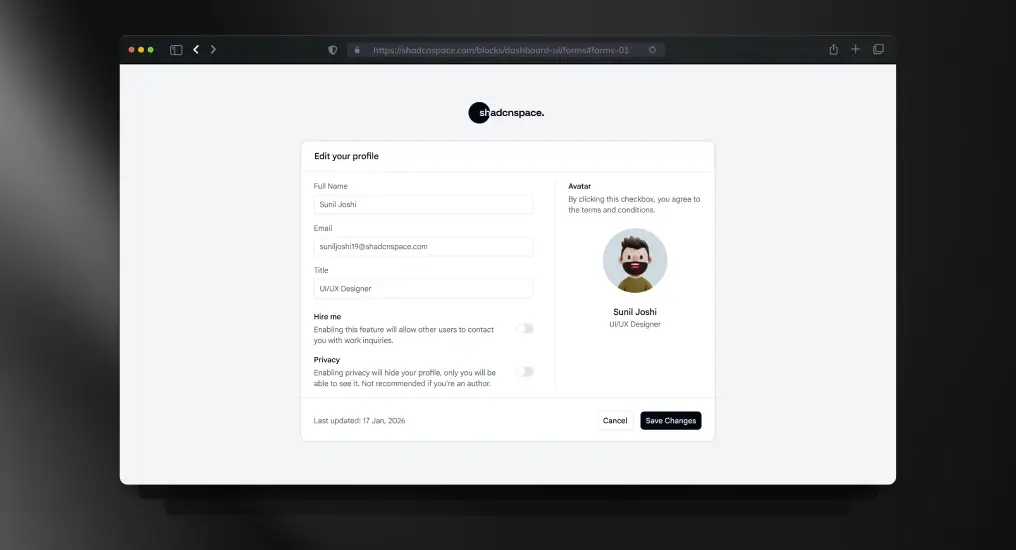
    Edit Profile Form

    Edit Profile Form

    A full form layout optimized for settings and profile updates. Balances readability with validation and error handling patterns.

    Use Cases

    • User profile editing
    • Account settings pages
    • Preference management
    • Personal information updates
    • Form validation examples

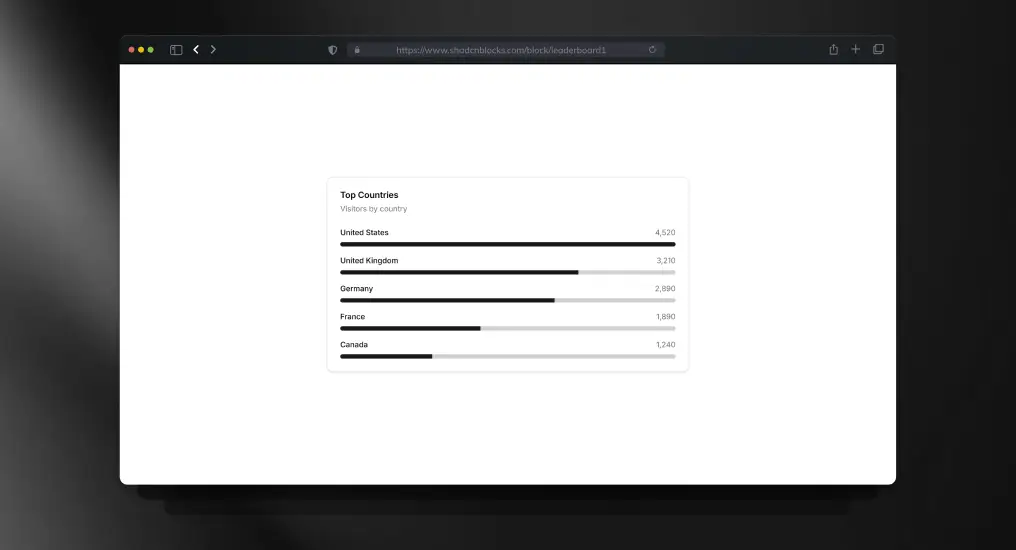
    Leaderboard with Progress Bars

    Leaderboard with Progress Bars

    A ranked list layout with visual progress indicators. Useful for competitive or performance-based data presentation.

    Use Cases

    • Team performance tracking
    • Sales leaderboards
    • Gamification features
    • Ranking systems
    • Progress visualization

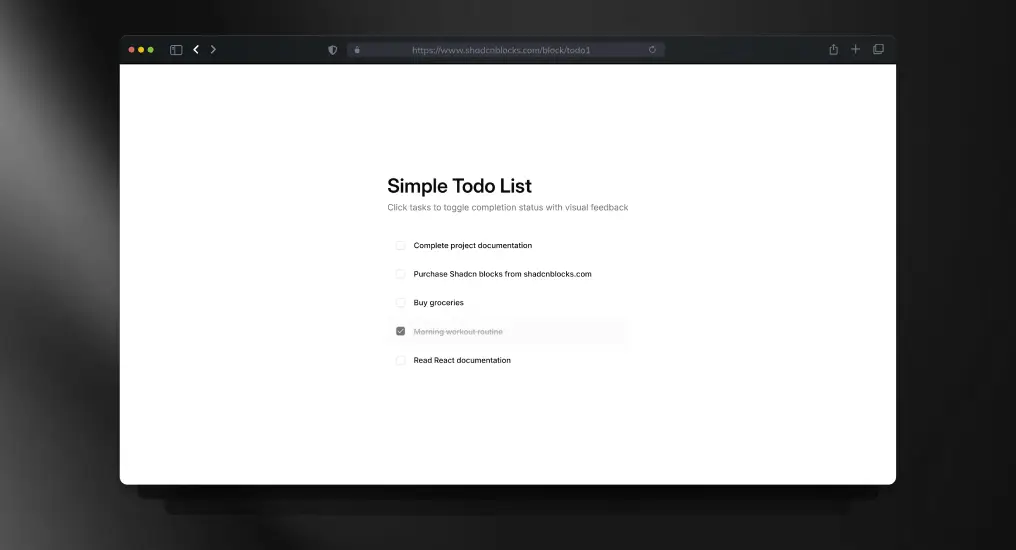
    Simple Todo List

    Simple Todo List

    A lightweight task management block demonstrating state handling and list updates. Useful for internal tools or demos.

    Use Cases

    • Task tracking
    • Productivity tools
    • Internal utilities
    • Demo applications
    • Learning examples

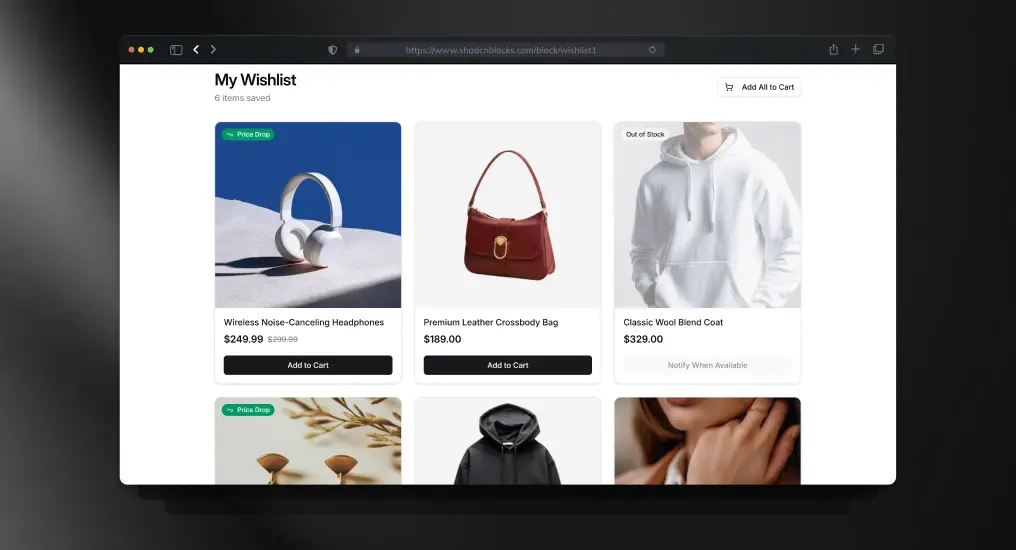
    Wishlist Block

    Wishlist Block

    A product wishlist layout designed for saving and managing items. Commonly used in ecommerce and content platforms.

    Use Cases

    • Ecommerce wishlists
    • Saved items lists
    • Product bookmarking
    • User preferences
    • Shopping assistants

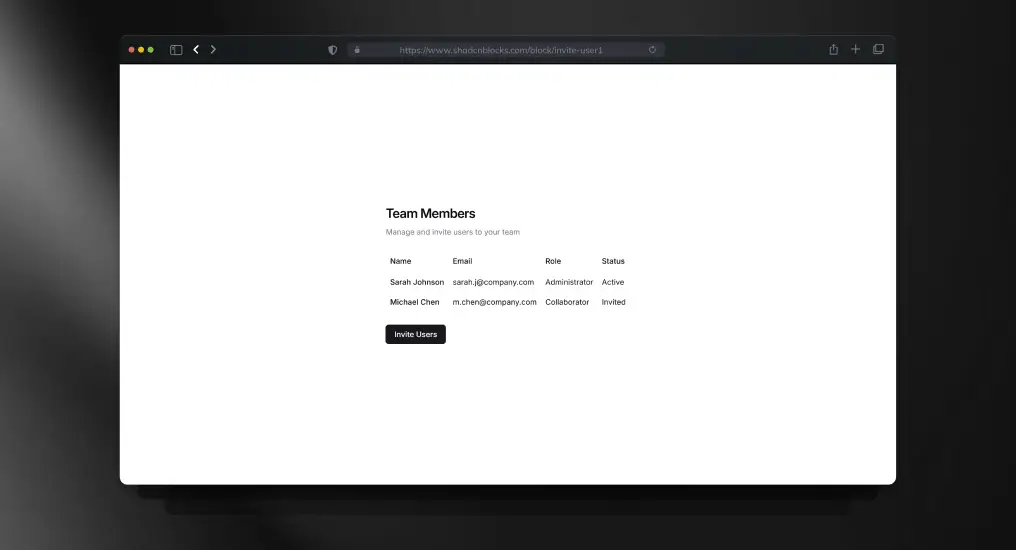
    User Table with Dialog Invite

    User Table with Dialog Invite

    A user management table combined with a dialog-based invite flow. Keeps management actions contextual and efficient.

    Use Cases

    • Team management
    • User invitations
    • Role assignment
    • Admin dashboards
    • Collaboration tools

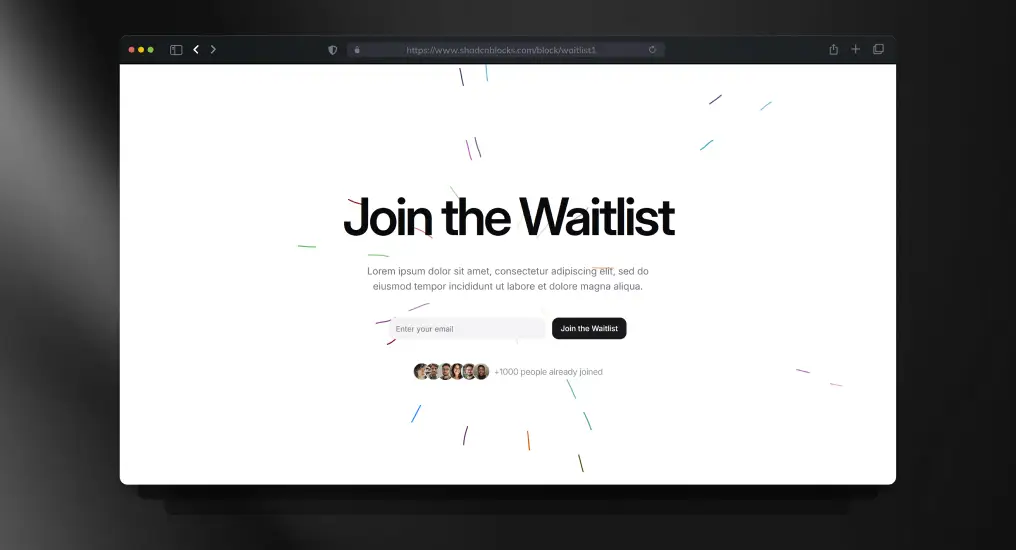
    Waitlist Block

    Waitlist Block

    A focused signup block for capturing early interest before launch. Keeps UI minimal to maximize completion rate.

    Use Cases

    • Pre-launch waitlists
    • Feature rollouts
    • Early access programs
    • Startup validation
    • Product teasers

    FAQs

    1. Are Shadcn Space blocks free to use in commercial projects?

    Yes – Shadcn Space blocks are free, open source, and can be used in both personal and commercial projects with no licensing restrictions. You can copy, modify, and ship them in production without attribution requirements.

    2. Can I customize Shadcn UI blocks after copying them?

    Absolutely. Since Shadcn UI blocks are not a locked component library, you fully own the code. You can customize layouts, styles, components, and logic using Tailwind CSS, CSS variables, or your own design system.

    3. Do Shadcn Space blocks support dark mode?

    Yes. All Shadcn UI blocks support light and dark themes using CSS variables and Tailwind’s theming patterns, making them easy to integrate with existing theme toggles.

    4. Can I install blocks via CLI?

    Absolutely – use pnpm, npm, yarn, or bun to install blocks directly.

    5. Is Figma design support available for these blocks?

    Yes. Each block includes an associated Figma preview, allowing designers and developers to collaborate more effectively between design and code.


    Final Thoughts

    Shadcn blocks from Shadcn Space provide a developer-friendly, production-ready UI foundation that accelerates design to code without lock-in. Whether you’re launching an MVP, building an admin dashboard, or scaling your SaaS UI, these blocks save hours of development time while retaining full customization control.
    Start building faster – drop in blocks, tweak styles, and ship interfaces you’re proud of. Also, if you are looking for Shadcn Templates, you can check WrapPixel.

    If you’re exploring the ecosystem further, we’ve also prepared a detailed guide on shadcn libraries to help you get started.

  • 10+ Best Dashboard Designs for 2026 (Free & Paid)

    In 2026, dashboards have started to become more important than ever before, especially when it comes to designing and developing intuitive and data-rich interfaces. Every management tool, analytical dashboards, or CRM systems, including an ecommerce dashboard require a template to ensure smooth interactions and a seamless user experience. As with the surge in importance of aesthetic and responsive functionality, this modern dashboard design has everything it takes to excel in the industry.

    Whether you are a developer looking to embed the latest designs in your web application or a business looking to streamline your operations and increase productivity, these dashboard templates and designs come in handy when you wish to design aesthetic and functional web interfaces.

    Let’s dive into the best designs of Figma, offering customizable features and modern layouts that are perfect for any project.


    Tips for Choosing the Final Dashboard Design

    When selecting the Figma or coded dashboard designs for your project, consider the following key elements:

    • Responsive Layouts Make sure the design can work on any device or screen. 
    • Customizability Make sure the template is easy to change for color patterns, elements, and designs.
    • User-Friendliness Keep interface designs handy and ensure they are easy to use to avoid frustrating the user.
    • Integration with Modern Frameworks Having designs that work with React, Next.js, and Tailwind will make your integration easier. 
    • Light/Dark Mode Support Some designs provide both modes and let users pick whichever they prefer.

    Explore top admin ui designs , including options like the Tailwind dashboard, which offer customizable features and sleek, modern layouts that are ideal for any project.

    Modernize

    Modernize is a sleek, minimalist react template that can be used for a range of applications. A web application that has a large or small complexity will benefit from Modernize’s clean and responsive design. Developers will also be pleased to see that it is easy to use and comes with a coded version and a Figma file.

    Key Features:

    • Simple and clean layout
    • Fully responsive for mobile and desktop devices
    • Light and dark mode themes are available for customization
    • Figma and coded export-ready files available
    • Charts, forms, and tables for advanced data management

    MaterialM

    Inspired by Google’s Material Design, MaterialM’s design is perfect for creating powerful and attractive dashboards. The design is mobile responsive and customizable to promote user-centered design. Developers love that the Figma file is ready for customization and the coded file is ready for use.

    Key Features:

    • Mobile and desktop responsive design
    • Responsive layout that follows Material Design
    • Widgets and other custom components
    • Frictionless modern transitions between components
    • Chairs, tables, and other components in modern design

    Dashboard UI Kit

    For developers who want to efficiently design clean, simple admin interfaces, the Dashboard UI Kit is a wonderful tool. This free design resource is versatile, responsive, and includes the backbone components for a dashboard, such as forms, charts, and tables.

    Key Features:

    • Clear and simple for ease of use
    • Responsive and optimized for mobile devices
    • Plug and play capabilities to any backend
    • Basic UI elements such as charts and tables
    • Completely free of charge with all modules

    Asanah

    Asanah is a modern, task-management-focused dashboard interface perfect for project managers and team collaboration. This template comes with several tools and components designed to manage tasks, track milestones, and keep teams on track.

    Key Features:

    • Task and milestone management tools
    • User-friendly interface with real-time progress updates
    • Customizable widgets and data views
    • Includes charts, project boards, and automated reminders
    • Fully responsive and mobile-friendly

    Dashboard

    This template is best for people who want to focus on getting a neat and uncomplicated user interface while developing for small to average businesses. This user-friendly design has options to add Widgets such as tables and charts.

    Key Features:

    • Simple design with minimal distractions
    • Easy-to-use components for integration
    • Fully responsive across all devices
    • Includes essential data visualization tools like graphs and charts
    • Perfect for small to medium-sized applications

    CRM Dashboard

    The purpose of the CRM Dashboard template is to assist in streamlining the tracking of customer relationships and user data with sales analysis.

    Key Features:

    • Customizable CRM features such as lead tracking and contact management
    • Responsive and mobile-friendly
    • Includes data visualizations for sales, performance, and activity tracking
    • Easy-to-use UI for managing customer data and communications
    • Available for free with all features included

    Venus

    Venus offers a highly customizable dashboard ui kit suitable for developers who need to create powerful, responsive, and easy-to-navigate user interfaces. It’s perfect for complex applications requiring a clean yet detailed UI.

    Key Features:

    • Fully responsive and optimized for all screen sizes
    • Includes a variety of customizable widgets
    • Data visualization tools for charts, graphs, and statistics
    • Interactive elements to engage users
    • Multiple layout options available

    Analytics Dashboard

    The Analytics Dashboard is perfect for data-driven projects, offering a clean design for tracking KPIs, analytics, and performance data. It’s fully responsive and comes with built-in charts, tables, and reports.

    Key Features:

    • Data analytics and visualization components
    • Easy to navigate and understand
    • Mobile-ready and responsive
    • Includes KPIs, graphs, and performance indicators

    Designo LMS Dashboard

    Custom-built for Learning Management Systems, Designo serves educational institutions and businesses that need to organize and manage course and student information. Designo offers a streamlined platform for admins to monitor student assignments, grades, and progress.

    Key Features:

    • Tailored for use in learning management systems
    • Facilitates tracking grades, assignments, and course progress
    • Variety of customizable elements for different needs
    • Mobile-friendly and easy to use
    • Clean and intuitive interface based on data

    UI Dashboard by PieCrust.uk

    This flexible, customizable dashboard template is designed to provide maximum flexibility for developers. With its comprehensive design elements, it’s a great option for building any type of admin panel or data management tool.

    Key Features:

    • Flexible and customizable design
    • Fully responsive and optimized for mobile
    • Easy-to-use components for quick integration
    • Includes charts, tables, and reports
    • Ideal for admin panels and data-driven applications

    HR Dashboard

    HR Dashboard is designed for human resource management, so you can monitor employee data, attendance, and performance. It’s sleek, efficient, and designed with all the resources you need to streamline your HR management.

    Key Features:

    • HR-focused design with employee tracking tools
    • Includes attendance tracking, leave management, and performance reports
    • Responsive layout for mobile and desktop use
    • Clean, intuitive interface with easy navigation

    SaaS B2B Dashboard

    Designed for SaaS companies, the SaaS B2B Dashboard allows you to track customer and sales data and other important metrics. If you need an operational overview, it’s an easy-to-use system designed for SaaS businesses.

    Key Features:

    • Selling and customer management functionalities
    • Mobile-friendly and fully responsive
    • No barriers for backend integration
    • Real-time reports, dashboards, and KPI tracking

    Modern Dashboard

    Modern Dashboard offers a sleek, modern interface with all the essential features for data management. It’s perfect for any business that needs an intuitive admin interface with real-time analytics and reporting.

    Key Features:

    • Sleek, modern design with essential data tools
    • Includes real-time data updates and reporting
    • Easy integration with backend systems
    • Customizable charts and tables for data presentation

    FAQs:

    Q1: How do I choose the best admin panel design template for my project?

    Consider factors like responsiveness, customization options, ease of integration, and the specific needs of your project. If you need advanced features, go for a paid template with a comprehensive set of tools.

    Q2: Can I modify these dashboard templates?

    Almost all the templates can be personalized, including the structure, theme, and new elements.

    Q3: Do these templates work with modern frameworks?

    Absolutely! The templates mentioned above are dashboard designs only, so you can build them in any framework that fits your needs. If you’re looking for ready-to-use, pre-coded templates, check out Modernize or MaterialM.

    Conclusion

    The best dashboard template designs for 2026 focus on being easy to use, flexible, and practical. Whether you need a creative dashboard design for a startup or a professional one for a big company, these templates give you a solid starting point to build responsive, user-friendly dashboards. Check out the options above, test the dashboard layout with their live previews, and download the designs to start your next project.

  • 25+ Top UI frameworks & libraries for Next.js

    If you are overwhelmed with dozens of UI frameworks and libraries available, you are not alone as a developer. With so many UI Frameworks for Nextjs each claiming to be the best it’s tough to decide which one truly fits your project. 

    Popular frameworks like Material UI have millions of NPM downloads, proving their widespread adoption. But is it a perfect fit for your project? 

    This guide discusses 25+ UI frameworks and libraries for Next.js, from feature-rich giants to lightweight newcomers, helping you find the perfect match for your Next.js project. 

    Let’s break it down!

    What Are UI Frameworks & Libraries for Next.js?

    By offering pre-built elements like buttons, forms, and modals, UI frameworks and libraries for Next.js enable developers to create interfaces more quickly and effectively. 

    UI frameworks for Nextjs offer complete design systems with themes, while UI libraries for Nextjs focus on unstyled, customizable components.

    Using a UI framework ensures speedier development, responsive design, and consistency across projects. Libraries help increase performance by optimizing components for speed and accessibility.

    Whether prioritizing speed or customization, developers can find the perfect UI solution to match their Next.js project needs.

    List of UI Frameworks & Libraries for Next.js

    Next.js often partners with React-based UI solutions; therefore, most of them fall under libraries, but some, like Ant Design and Material UI, offer full-fledged frameworks. These options range from simple toolkits to comprehensive design systems, giving developers flexibility in choosing their ideal UI approach.

    Frameworks & Libraries for Next.js at a Glance 

    Libraries/FrameworksNPM DownloadsWebsites Using ItBest For
    1. Material UI (MUI)6 million weekly downloads182,000  Material Design principles
    2. Tailwind CSS16 million weekly downloads414,000 custom designs
    3. Chakra UI7 lakh weekly downloads38,600Themeable & responsive design 
    4. ShadCN UI122,529 weekly downloads45,000Streamlined component library
    5. Ant Design1.6 million weekly downloads41,200Scalable enterprise applications
    6. RSuite98,373 weekly downloads Stats still growingEnterprise-level applications
    7. Headless UI2,60,0967 weekly downloads41, 300Operational unstyled components
    8. Flowbite411,345 weekly downloads21,945Responsive user interfaces
    9. NextUI90,364 weekly downloads420Fast & modern design
    10. Radix UI184,997 weekly downloads80,800High-quality components
    11. OneUI119 weekly downloadsStats still growingLightweight builds 
    12. Himalaya-UI214 weekly downloadsStats still growingLightweight projects 
    13. Metro UI30 weekly downloads190Microsoft’s Metro design principles
    14. Evergreen12,000 weekly downloadsStats still growingB2B enterprise applications 
    15. Rebass37,683 weekly downloadsStats still growingDesign-conscious projects
    16. DaisyUI369,387 weekly downloads1,900Tailwind-based projects
    17. V0 by VercelStats still growingStats still growingBuilding custom workflows
    18. Magic UI641 weekly downloadsStats still growingContemporary  design 
    19. Supabase UI 1241 weekly downloadsStats still growingData-driven applications
    20. Preline36,781730 Contemporary components 
    21. JollyUIStats still growingStats still growingLightweight framework
    22. dynauiStats still growingStats still growingLightweight projects 
    23. FrankenUI3,849 weekly downloadsStats still growingSmall-scale applications
    24. KokonutuiStats still growingStats still growingContemporary designs
    25. KendoReact UI by Telerik9,757 weekly downloads25,800Flexibility and customization 
    26. SaaS UI3,388 weekly downloadsStats still growingSaaS applications 

    The statistics mentioned in the table are till date (April 2025) – taken from the sources: NPM and Wappalyzer

    Material UI (MUI)

    A comprehensive React component library that implements Google’s Material Design. With customizable components and a flexible theming system, developers can craft visually striking apps effortlessly. Colors, fonts, and styles are easily tweaked, while the extensive component selection ensures versatility. 

    This comprehensive toolkit empowers creators to build polished interfaces that embody Material Design principles.

    • Type: React UI framework with Material Design
    • NPM Downloads:  6 million weekly downloads
    • Websites Using It: 188,000 

    Tailwind CSS

    Tailwind CSS empowers developers with utility classes for custom design. Applied directly in markup, these low-level tools offer unparalleled styling flexibility. 

    This framework streamlines custom component creation, boosting efficiency without sacrificing creativity.

    • Type: Utility-first CSS framework
    • NPM Downloads: 16 million weekly downloads
    • Websites Using It: 414,000 

    Chakra UI

    A modular and accessible React component framework that provides composable and themeable components. It enables for theme modification and component styling using props. Supports bright and dark modes seamlessly.

    • Type: React component library
    • NPM Downloads: 7 lakh weekly downloads
    • Websites Using It: 38,600

    ShadCN UI

    ShadCN UI is a contemporary and streamlined component library that utilizes Radix UI primitives. It offers unstyled but completely functional components that developers can tailor to fit their project requirements.

    • Type: UI Library with Radix UI
    • NPM Downloads: 122,529 weekly downloads
    • Websites Using It: 45,000

    Ant Design

    A widely-used UI framework featuring a design system suitable for enterprise-level applications. It offers a collection of top-notch React components, mainly intended for business applications.

    • Type: Enterprise-level UI framework & library
    • NPM Downloads: 1.6 million weekly downloads
    • Websites Using It: 41,200

    RSuite

    RSuite is a feature-rich UI library designed for creating enterprise-level applications, providing a wide range of components that fully support server-side rendering, which makes it an excellent option for Next.js.

    • Type: UI Library 
    • NPM Downloads: 98,373 weekly downloads 
    • Websites Using It: Adoption is increasing

    Headless UI

    Developed by the Tailwind CSS team, Headless UI provides you with accessible, fully operational unstyled components, allowing you to design freely with your own style.

    • Type: Completely unstyled, fully accessible UI Library
    • NPM Downloads: 2,60,0967 weekly downloads
    • Websites Using It: 41, 300
    Need speed + flexibility?

    Flowbite

    Flowbite enhances Tailwind CSS by providing a collection of styled components, enabling developers to create responsive user interfaces more quickly and with less decision-making. Its server-side rendering support makes it an excellent choice for Next.js.

    • Type: Tailwind UI Component Library
    • NPM Downloads: 411,345 weekly downloads 
    • Websites Using It: 21,945

    NextUI – HeroUI

    NextUI is a fast, modern UI library tailored specifically for Next.js apps. It provides an attractive and easily customizable collection of components and features like lazy loading built for maximum performance and an enhanced developer experience.

    • Type: UI Library for Next.js 
    • NPM Downloads: 90,364 weekly downloads
    • Websites Using It: Gaining popularity among Next.js developers

    Radix UI

    Radix UI offers a collection of accessible, unstyled, and premium components that developers can utilize as a base for their personalized UI designs. It is optimized for Next.js and integrates seamlessly with Tailwind CSS.

    • Type: UI Component Library
    • NPM Downloads:  184,997 weekly downloads
    • Websites Using It: 80,800 

    Minimal & Lightweight UI Framework/Libraries

    OneUI

    A streamlined component library designed for compact bundles and quick rendering. Perfect for projects that need lightweight builds.

    • Type: Minimal React component UI library 
    • NPM Downloads: 119 weekly downloads 
    • Websites Using It: Users are gradually growing

    Himalaya-UI

    Himalaya-UI is crafted for developers who appreciate sleek interfaces, providing a lightweight solution with thoroughly documented React components.

    • Type: Light & Clean UI library 
    • NPM Downloads: 214 weekly downloads 
    • Websites Using It: Numbers are fluctuating

    Metro UI

    A UI framework built on React, influenced by Microsoft’s Metro design principles. Ideal for applications that need a desktop-like user interface.

    • Type:  Metro Style component UI library
    • NPM Downloads: 30 weekly downloads
    • Websites Using It: 190

    Evergreen 

    Evergreen is a UI library for React developed by Segment, tailored for web applications of enterprise scale. It emphasizes ease of use, accessibility, and uniform design, providing a collection of refined, ready-to-use components for production.

    • Type: React UI Framework
    • NPM Downloads: 12,000 weekly downloads
    • Websites Using It: Widely used in B2B SaaS products and internal tools

    Rebass

    Rebass is a small, themeable component library based on the Styled System. It offers fundamental UI components such as buttons, cards, and forms, making it ideal for projects where customization and performance are essential.

    • Type: Minimal UI Component Library
    • NPM Downloads:  37,683 weekly downloads
    • Websites Using It: Commonly used in lightweight, design-conscious projects.

    New & Rising UI Libraries

    DaisyUI

    DaisyUI is a versatile component library that is built upon Tailwind CSS. It enhances Tailwind with ready-to-use themes and components, simplifying the process of creating cohesive and attractive designs without the need for custom CSS.

    • Type: UI Library for Tailwind CSS
    • NPM Downloads: 369,387 weekly downloads
    • Websites Using It: 1,900

    V0 by Vercel

    An innovative UI library driven by AI from Vercel that facilitates the easy generation and customization of UI components for developers. Tailored for smooth integration with Next.js projects.

    • Type: UI Library & Design Tool
    • NPM Downloads: Relatively new, stats still growing
    • Websites Using It: Adoption is increasing, especially within the Vercel ecosystem.

    Magic UI

    Magic UI incorporates engaging, animated components into your Next.js application, merging contemporary design styles with practical UI elements.

    • Type: UI Library for Animated Components
    • NPM Downloads: 641 weekly downloads 
    • Websites Using It: User Base is small 

    Supabase UI Library

    A component library and design system utilized by Supabase, perfect for developing applications that are data-driven and require user authentication.

    • Type: UI for Supabase Apps
    • NPM Downloads: 1241 weekly downloads 
    • Websites Using It: Adoption is increasing

    Preline 

    Preline is a sleek and adaptable UI library designed using Tailwind CSS, featuring contemporary components that are perfect for web applications, landing pages, and administrative dashboards.

    • Type: Tailwind-based UI Library
    • NPM Downloads: 36,781
    • Website Using it: 730 

    Check out Modernize Preline Tailwind Admin Template
    Stylish, developer-oriented design created by our reliable partner.

    JollyUI

    A new UI kit featuring a lively design system, JollyUI is attracting interest due to its lightweight framework and diverse components.

    • Type: Modern UI Kit library 
    • NPM Downloads: Data not available 
    • Website Using it: No accurate figure 

    DynaUI

    A compact yet effective component library centered on streamlined architecture and optimization, dynaui integrates seamlessly into lightweight React and Next.js configurations.

    • Type: UI Component Library
    • NPM Downloads: New to market, numbers not available 
    • Website Using it: No accurate figure 

    FrankenUI

    An eccentric and highly adaptable library that allows you to stitch together components. Excellent for quick prototyping and small-scale applications.

    • Type: UI Component Library
    • NPM Downloads: 3,849 weekly downloads 
    • Website Using it: No exact number 

    Kokonutui

    Kokonutui is an innovative UI library featuring distinctive styling and a striking design language, offering a creative spin on contemporary user interfaces.

    • Type: Tropical UI Library
    • NPM Downloads: New to market, numbers are growing 
    • Website Using it: Data not available

    KendoReact UI by Telerik

    A commercial library of UI components featuring over 100 high-performance widgets designed for React applications. Renowned for its professional-quality standards, accessibility, and flexibility in customization.

    • Type: UI Framework
    • NPM Downloads: 9,757 weekly downloads
    • Websites Using It: 25,800

    SaaS UI

    Designed exclusively for SaaS applications, SaaS UI features authentication, onboarding processes, and analytics elements—all tailored for Next.js.

    • Type: UI Library for SaaS Apps
    • NPM Downloads: 3,388 weekly downloads 
    • Websites Using It: Popular among SaaS startups, numbers are increasing

    Wrapping it up: Build Smarter, Not Harder

    Speed, flexibility, or scalability–whatever your need, this blog covers 25+ best UI Frameworks for Nextjs and UI Libraries for Nextjs to choose from. 

    From comprehensive options such as Material UI to simpler alternatives like Rebass, every UI Library brings something unique to the table.

    Are you prepared to enhance your Next.js project?


    Constructed using well-known tech stacks such as Next.js and many others like Bootstrap, React, Angular, and Vue, which are ideal for developers who prioritize quick deployment and sleek design.